It looks Beautiful. You have great potential
3 Likes
Just an update on this! The logic was updated and it does work for other Android devices, but not in the Kompakt. It still will show the 1st message even if you open the app to “dismiss” that notification. When the 2nd message comes it will still show the 1st unopened one.
This is because Mudita is using a separate “sms notification channel” and not standard android notifications, it’s not removing the 1st notification without opening it.
@john765 Thank you! Glad you like it
2 Likes
@gezimos
I would like to applaud you for your work and effort.
I am an absolute consumer when it comes to technology. I bought the Kompakt hoping it will help me control my digital addiction and reduce my screen time. Sadly it is missing a lot of basic features (for me) and I just ended up with two phones - I keep my old iPhone on myself all the time. So actually I ended up worse than before.
I am a bit scared to sideload apps, because I have no idea what I am doing and how to revert back to the “stock” model if I do something wrong.
With that said - I think that the only thing that can actually help me ditch my old iPhone and make the Kompakt usable for me is your inkOS. I only need one more sideloaded app and that is Viber (I do care for my massaging, even if it can be addictive).
So… here comes the question - what do I need to do, to set up the phone? I need to download your inkOS and sideload it with Mudica Center? And during the initial setup I will be able to choose it as a default launcher? And I need to download a viber apk and do the same?
And then play around with the settings to personalize the phone?
1 Like
Thank you!
Very close! You technically can just install the apk that you download from github and install it via Mudita Center. And set the launcher as default during setup. Yes that is correct.
However, one tricky part is that Mudita will still refuse it, and when you press home button it will redirect you to the Mudita Launcher, so you have to disable the Mudita launcher that after setting inkos as the default launcher.
Here’s a short guide on how to disable the launcher if you have adb/webadb experience:
It also shows you the commands how to re-enable it in case you want to go back to it.
Here’s a guide on how to use webadb in case you have no experience:
Yes or you can sideload just the apk from viber website, or if you want a way to manage the updates you can sideload a store like AuroraStore (which takes the apks from google playstore) and will allow you to update the apps straight from the phone.
Yes to set the apps at first just longpress in the “select app” to set each app for each shortcut. Then to edit and personalize it longpress in the empty areas and you can go to settings of inkOS and modify the look.
2 Likes
Thank you!
If I find the courage to sideload stuff, I’ll let you know how it went.
If I do a factory reset will it erase everything? Just in case I mess up?
And last but not least - thanks on the Aurora suggestion! Feels easier to do that.
1 Like
You can do it! The adb thing just sounds more complicated than it is.
If you find it too intimidating with the terminal look, there’s another option to disable it using a program called “Universal Android Debloater” it’s on github and crossplatform. With that you have a Graphical User Interface and you can clearly see what app are you disabling. (you have to activate the disabling option in its settings, by default it’s configured to only uninstall).
You shouldn’t have any issues with any of the methods, just keep in mind to not uninstall but Disable.
4 Likes
Awesome app. Thanks for this!
When I hit the home button, it goes to the default launcher. Is there a way to prevent this?
1 Like
You need to disable the mudita launcher after you set inkOS as the default launcher:
1 Like
When will the new version be released, can’t wait 
1 Like
Majority of the features I planned for v0.2 are done. The rest will be pushed for v0.3 because I’m pretty busy with work.
I’m also doing a lot of tests on my device, trying to eliminate bugs and crashes before I release the apk.
2 Likes
If you want you can send me the beta so I can test it also. Or here so everyone can test it. To speed up the bug search
2 Likes
Thanks for the offer! I might send u a message when it’s ready for testing.
I especially need to test this feature:
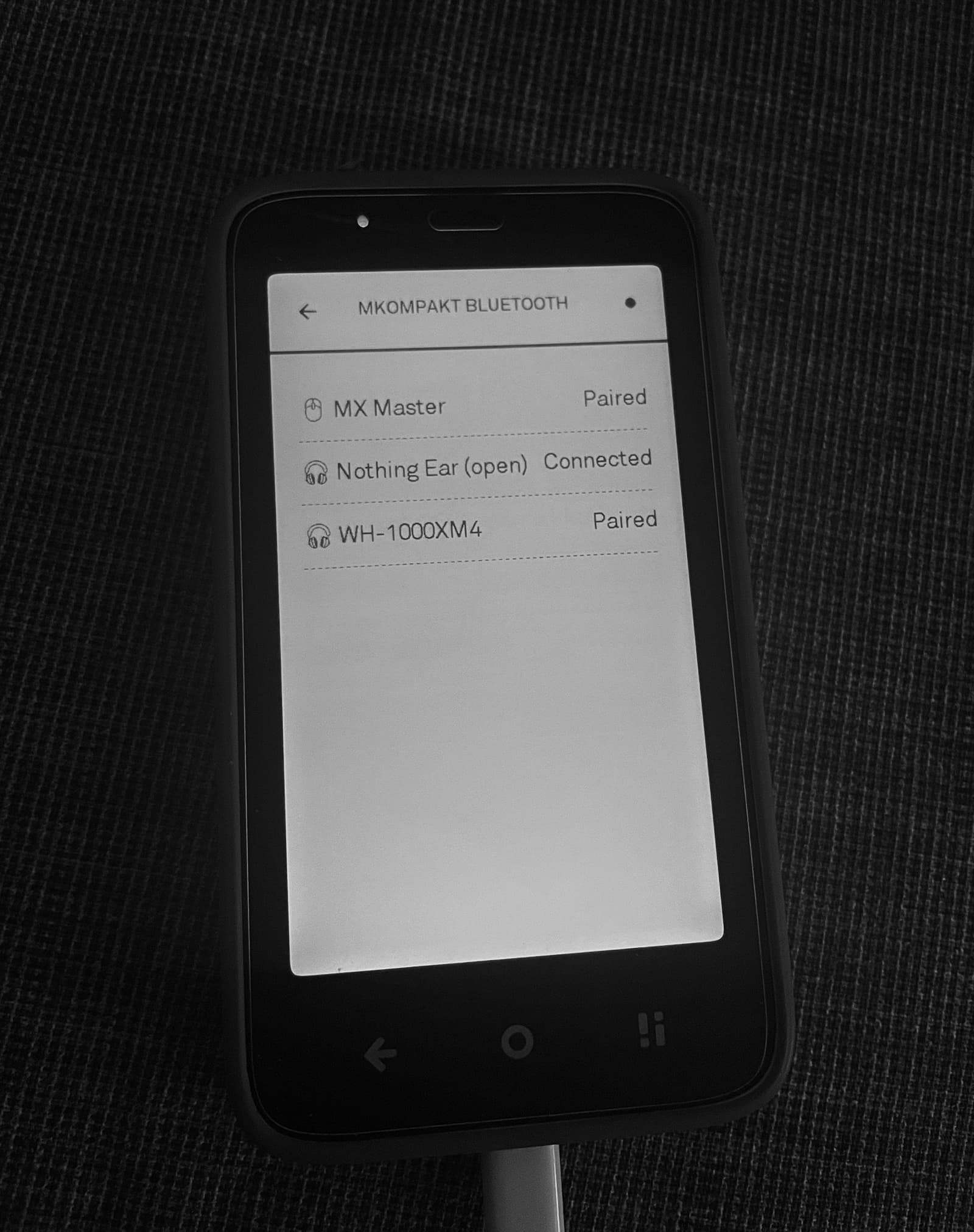
This will be a temporary feature in case Mudita fixes the bluetooth history issue in the next update. But until then it’s a good to have 
9 Likes
If I see good , Bluetooth pairing with headphones and speakers. What is the issue with it on Mudita side? I don’t use this phone for that. But I can test
1 Like
@john765 Which phone do you use?
This feature is only for the Kompakt, because the bluetooth history is missing in settings so to call devices to connect (devices that you connect to multiple phones/computers) you need third-party apps at the moment.
1 Like
My old Xiaomi mi 11t , but I can test on kompakt
2 Likes
thank you for investigating this! would it be possible to show the last notification instead of the first one perhaps? (to explain a use case, I sometimes receive multiple MFA codes via sms in a raw, and I wish I could see all I need in a label notification without even opening the sms app).
1 Like
Hey, I can help with testing if you want. I have the Kompakt and the bluetooth pairing/ connecting issue has a been a constant pain for me.
2 Likes
@gezimos
So I finally decided that I have enough courage to sideload a few things to compensate some of the shortcomings…
I sideloaded FUTO for a cyrillic layout (Mudita doesn’t plan to add one in the future), Viber because I need it for communication (but my God how bad it looks in e-ink) and of course your launcher
I disabled the default launcher and everything works, but I have one tiny problem… I get two clocks on the home screen which is really annoying… How can I remove the upper one (with the smaller font size)?
P.S. I am really looking forward to the next update. I do love the flowers frame on the homescreen! Do you plan adding the option to display something on the lockscreen as well?
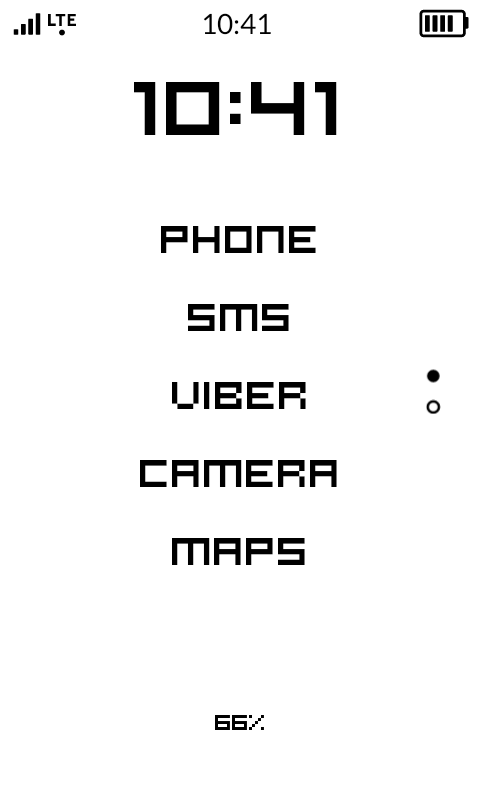
P.S. Remove “Status bar” - I found the solution. Thanks for everything
1 Like
That is part of the status bar, you can disable it in inkOS settings
Settings → Look and feel → Show status bar (needs to be disabled)
This will disable the whole bar at the top with signal, lte, and battery.
I can’t control the individual elements there it’s part of the system.
That can’t be done, lock screen is managed by the System and it doesn’t allow any access to third-party apps.
@ma_t14 Thanks for the offer!
2 Likes
That should be the correct logic, but it doesn’t work. Because it should be like this:
Contact A: Message One → Contact A: Message Two or
Contact A: Message One → Contact B: Message One
What actually happens is:
Contact A: Message One Message Two Message Three (all in same row)
Because the system edits the sms notification to add the new message to it instead of sending a new notification. That’s why it’s not working properly.
And again the same is happening if the messages are from 2 different numbers/contacts, from the Mudita SMS app it will not dismiss the first notification until u open it (it uses se separate notification channel that is non standard).
I’ve tried many fixes, but it fixes for one app it breaks it for the others.
So my only suggestion is that you can fork the repo and try a different approach that will work for all the apps you need 
2 Likes