@nilss I’m sorry to hear that this happened to you. Have you contacted customer support about this? That would be my suggestion. They will be able to make the determination if it’s covered by warranty or offer a repair service.
Hey, I want to bring attention to a detail:. When closing an app in the Settings > Manage Apps, a message pops up that say the app is closed. Here’s the thing:
- In Polish, it says “<name> zatrzymana” which doesn’t sound correct (“Signal zatrzymana” - “magiczna flet”)
- The message remains up until the ‘x’ or the screen is tapped or the back button is touched - no timeout, doesn’t even disappear after the phone gets locked/asleep and unlocked again after a while. IMO a timer would make sense.
1 Like
Thank you so much for this info. I have passed it down to the team  “Ekipa poinformowany” LOL
1 Like
Tell them not to even think of changing “zatrzymana” to “zatrzymany” or an app with name ending with -a will make someone else’s brain fried next time.  I’d suggest “Zatrzymano <name>”. Just a quick thought. Or “Aplikacja <name> zatrzymana”.
1 Like
I’m not the Polish expert in the company…fun fact Polish is my Second Language
1 Like
Good Day.
I have been enjoying my Mudita Kompakt. However for the last two weeks the offline+ plus switch has been very sensitive. It often turns on with just a little tap.
I have had phone calls disconnect on me because my index finger slightly bumped it while holding it to my head. It has also unintentionally activated when I put it in my pocket, causing me to miss messages. I have to push the switch up very hard from the bottom to keep it from constantly vibrating even when it is on a table. I like to flip the switch on during work. However I have had to tape the button in place to make sure that it stays connected.
I have an official case for the phone so the button is not exposed or jutting out. I have not dropped the phone, gotten it wet, or otherwise damaged it. The phone, switch, and button do not make sounds when shaken or look damaged. This issue persists after restarting. I have tried using air dusters in the switch to see if some dirt may have been causing the issue but it was not fixed.
Are there any other fixes I can try?
Do you have a case on your Kompakt There should be some resistance in that button, it should not just turn on & off by a light touch. Let me check with the team.
Hi, I received a notification for a SMS, but I can’t see any new message when I go into the app. I tried powering the device off, but it’s still there. Any ideas of what’s happening? Thanks!
1 Like
@chri Do you have any sideloaded apps? Please let us know which ones.
No I don’t have any
1 Like
@chri When you open your SMS app, do you see any new messages?
No. The phone vibrated with an SMS notification and when I open the app there’s nothing new inside.
1 Like
Good Afternoon,
Yes, I have the official case on. The switch does not act differently from when I first got it as it still clicks into place and needs a decent amount of effort to move it. Before, it would not go into Offline+ until it was all the way down, but it has recently started switching even if the toggle is still unless I push it all the way up. Could it be that the physical switch is worn?
1 Like
Thanks for this info. I will ask the team as to what could be the issue here.
Tiny issues which are not really bugs (might already be fixed in 1.5, considering 1.4 is several months old
100% built-in software, no side-loading.
#1
When someone phones (or texts) me while I am listening to music on my bluetooth headphones, the volume is reduced, but I do not hear the ringtone.
Sometimes I have the feeling I might hear the SMS notifications at a very very quiet volume, but I am not even sure
#2, related :
if I answer a call while listening to music, the music is not resumed afterwards. I understand it could be the expected behaviour. Can it be set ?
#3, related :
if I get too far from my phone when using bluetooth headphones, the music switches back to the built-in speakers, and back to the headphones if I get close again. Again, it could be the expected behaviour but sometimes I’d prefer the music to be paused so that people would not hear it in awkward situations
As you can see, not real issues… Finetuning…
2 Likes
May I ask a more general question regarding power consumption ?
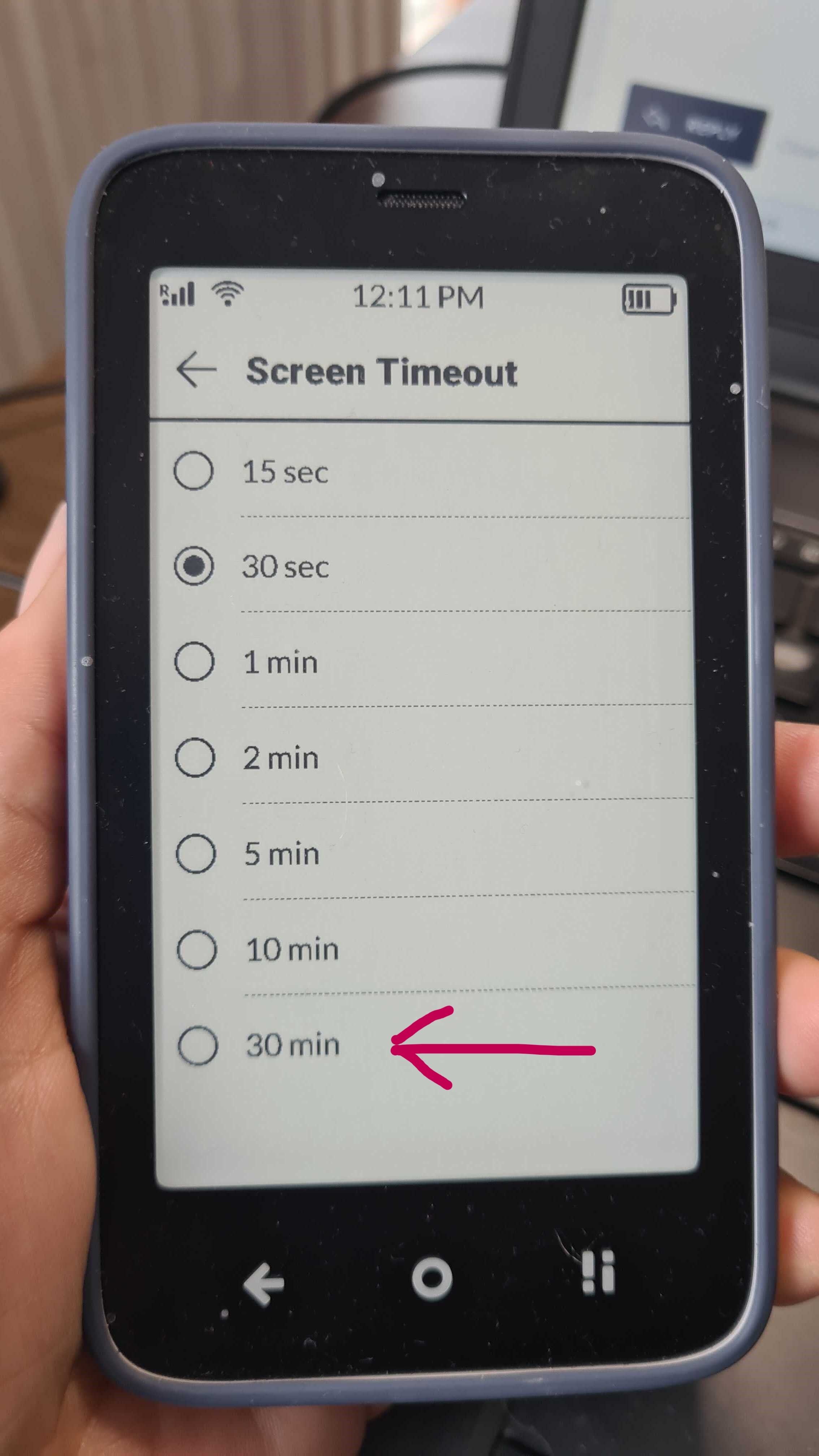
Do I have to lock the phone to reduce the power consumption or is it equivalent to setting a 30 mins delay before auto-locking, as long as nothing is updated on the screen (except the clock, once per minute) ?
(I am very satisfied with the battery time BTW, just wondering, because I’d rather not lock/unlock constantly)
1 Like
I’m not sure I understand. Do you have your screen lock set to 30 min & you’re wondering if that consumes more battery than, let’s say, my setting of 30sec?
1 Like
This is expected behavior & unfortunately not configurable:
-
Music pauses automatically when:
The phone rings (for all incoming calls: answered, rejected, and missed).
An alarm rings.
A calendar event happens
When the user starts a meditation session.
When the user begins voice recording. -
The user can resume playback in the same place where the music was paused, provided the app hasn’t been closed by the user.
-
Music does not pause automatically in the following scenarios:
When Bluetooth headphones are disconnected.
When Offline+ mode is activated.
The music does not stop in music player when the SMS notification comes
The music player remains open in the background.
2 Likes
Yes, my question is : if there is nothing being updated on the screen, apart from the clock (once per minute), does it make any difference on the battery drain to have the screen not locked ? (for instance after 30 mins vs after 15 seconds).
My guess is it makes no significant difference, as it doesn’t affect the running apps.
(ah yes, provided backlight is off, obviously !!)
1 Like
@bidinou Thanks for the clarification, I will ask the team.
1 Like