Personally, it is minor and seems to be working fine now. I can tell you that a non-vibrating alarm in the morning is PRICELESS! Just “autumnal sea" to gently wake you up. A few other tweaks. The last thing I REALLY want, forthcoming, I know…songs in intended order of album.
3 Likes
I did the update and now i have an annoying “4 notifications” on my front screen!! I can see from this thread and the Reddit thread that lots of us have this issue now. Can I go back to the pre-update position til it is sorted?! I don’t want to do a factory reset as I think i would lose all my contacts? Thanks
1 Like
Seems like nobody posted about this yet, but the maps update is amazing. I’ll probably start using it since entering adresses is fixed. Lots of great fixes, was not expecting the update this soon too. Thanks Mudita.
3 Likes
Just tried map - still putting me in the middle of a street when I enter an address in the United States.. Other than that, works really well. I use it when traveling. The GPS enabled location helps speed up the process when waiting in a rental car 
1 Like
Katapult doesn’t capture the right button, I think KompaktX does as an option to show recents menu feature. You might have to re-enable the accessibility feature for KompaktX, and even Katapult if you were using some of it’s features (the update might have removed them).
For Katapult I’m not sure what is the problem for you, I’ve installed Katapult in 1.6.0 and had no issues installing it or opening it. If you can share some details at this thread.
2 Likes
@chadp good point. Its some sort of “beta”. Btw i think it would be a great idea for the first batches to be intitled as beta. Then, a few days after the beta rollout, the stable rollout comes. I think this will help avoid the situations like this and the 1.5 delay.
2 Likes
The rollout has not been paused. It’s still happening. It’s just being released in batches. This is normal that not everyone the update at the same time. It takes a few days.
I’m going to let the team know. Thanks for the feedback.
Just for information: I live in Europe, I installed the update some days ago, and until now I haven’t seen any problems:
-
No numbers on the phone icon (I tried with the stock launcher and with Katapult)
-
No unwanted vibrations
-
Bottom right button works
I haven’t installed KompaktX or any other apps which influence the system, except Katapult.
2 Likes
Then we are same same. 
2 Likes
I noticed I have the same problem since the update. I have Katapult installed, but not KompaktX.
It works most of the time, but sometimes it doesn’t and requires several presses.
1 Like
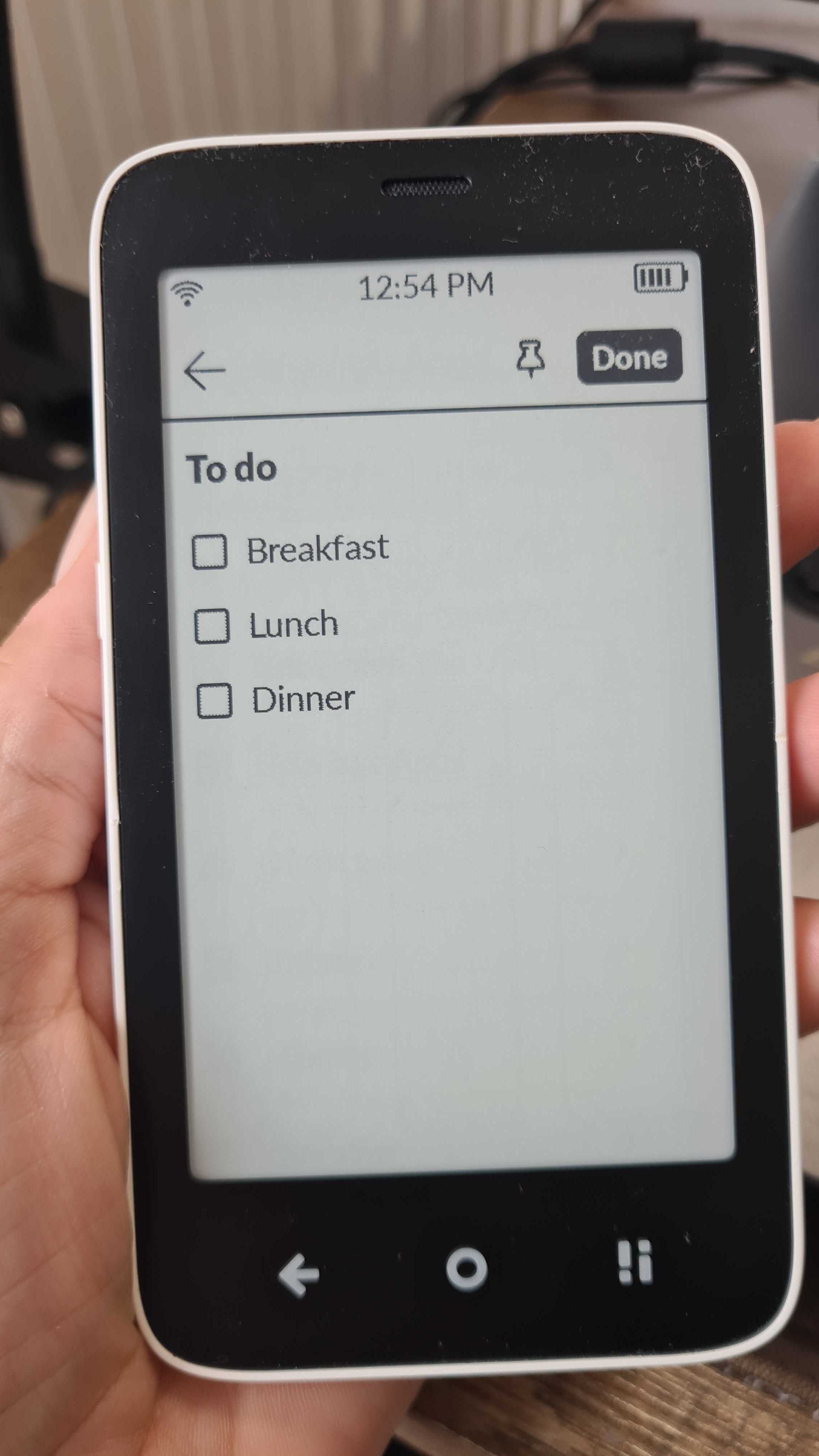
Notes check box Task list “select all” only selects the current line item, I expected “all” to select the list, I am still working with the app, I like it, it has potential.
1 Like
How? Can we reset the call log via phone app?
I am an out of the box user. I do not see a way to remove recent calls or delete the the recent call list using the phone app.
I am not competent with ABD shell command operations, I may totally mess up my phone - and it should be a feature not an option to clear the recent call list.
2 Likes
This looks like it could be related to Katapult. Maybe @gezimos can shed more light on this, because I’m not familiar with that launcher.
He already stated that it is NOT related to Katapult:
1 Like
I live in Europe and I had no issues at all with the last update. My Kompakt is “stock” like: I didn’t install any apps or changed anything.
2 Likes
Thanks, @gezimos - I think you’re right that the bottom button might be a KompktX issue and I would love to hear from @jordan about this at some point . I have removed KompaktX on my device for the time being and that issue has stopped.
BUT, I am still not able to click on the app icon to enter the Katapult app since the update. I can long press on home and access the menu items from there. But since the 1.6 update, when I press the app icon itself, the device just blinks and takes me to my home screen. Maybe that is by design, but it has been a change since the 1.6 update…I’ll add to your other thread too, but thought this might be helpful for those struggle with the OS update here. xo
2 Likes
@smuch are we talking about the same native Mudita Notes app. We have an option to select only one line and it allows to Cut / Copy / Paste but we don’t have dedicated “Select all” option. It’s not something that this app currently offers.
3 Likes
100%. Clearing the call log should be easily accessible to all users - not just those with the know-how/time to reverse-engineer it. Hoping there’s a fix because the notification is driving my brain crazy. Starting to wish I’d never done the update!
3 Likes
No, Notes select all selects the entire note.
Actually the check boxes are not tied to the line item.
Sorry, Task list doesn’t work for me.
Check “Lunch” then insert a line above it and the check box does not move down, you just completed breakfast (I am not going to post pictures - I think the task list problems may require a new thread post).
Native - stock, out of the box Notes app, yes.
1 Like