And I just got it a few minutes ago. Time to update.
1 Like
Thanks! Had the 9+ issue after the update as well and this cleared it
3 Likes
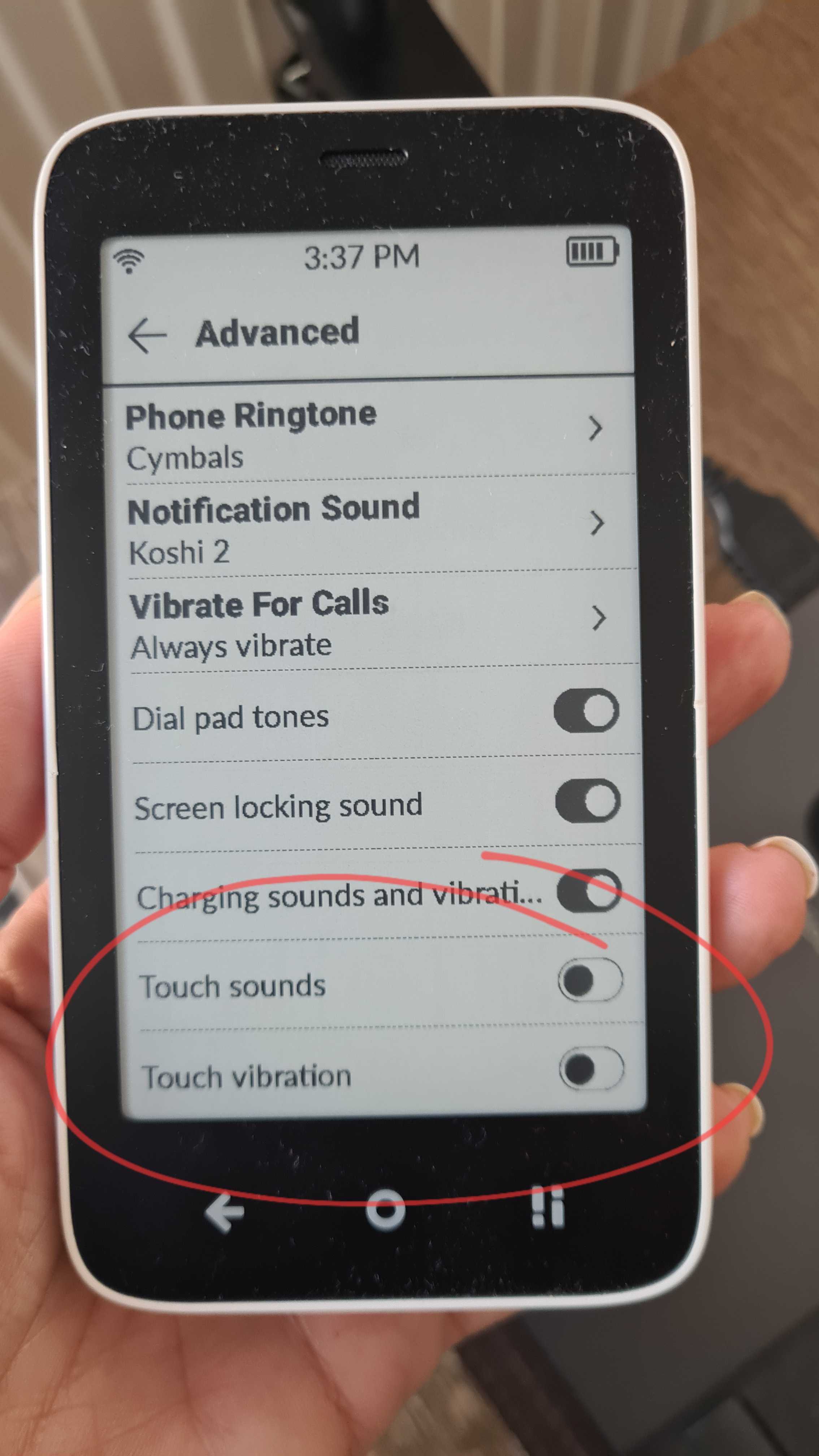
@YYZ There are some additional vibration settings in 1.6, so can you make sure you have them turned off.
1 Like
Yes, they are all off, but it still vibrates during the PIN entry.
I should say: it vibrates only ONCE, not for every digit. But the vibration feels different than the one on power-down.
1 Like
Took a day, although I have updated! InkOS stayed on there. Had to reapply my KompaktX pane. Otherwise all is good!
2 Likes
Taking about updating, when should the update get the whole europe hit?
Also try these settings: Settings → Accessibility → Vibration & haptic strength.
Additionally, our team told me that in MuditaOS K 1.6.0, a bug was fixed where restarting the phone with Offline+ mode turned ON previously bypassed the PIN entry screen entirely on 1.5.0 and earlier versions. In 1.6.0, the PIN requirement upon restart is properly enforced. If a user habitually restarted their phone while in Offline+ mode, they previously never saw the PIN prompt at boot, making the PIN keypad vibration feel like a new behavior.
1 Like
I turned all of these off long ago, and I also don’t restart my phone with the Offline switch on.
All I can say is that I posted months ago about the annoying vibration at power-down and when connecting via USB. I wish there was a way to turn those off. Instead I now have this new vibration after power-on.
1 Like
Quick follow-up. I was worried the number on the phone notification would creep back up. That looks wrong. I’ve made several calls and had a missed call since, and the badge now behaves normally, showing up when I miss a call and clearing when I check it. So it seems the update itself marked a pile of old calls as ‘unseen’ in one go, rather than the phone doing it continuously. If that’s right, this is a one-time cleanup. Fingers crossed 
5 Likes
@jppelt After the reset are you still on 1.6 (just want to make sure- because I don’t want to guess)
Hi friends - I’m a brand new Kompakt user. I just received my device last week and have been busy trying to set it up. I had things mostly to my liking until I did the update to 1.6 today. For some reason my bottom right “open control center” button no longer works. If I restart the device, sometimes it will come back up, but usually only works once or twice until it stops working again. I also use both Katapult and KompaktX, and Katapult is also not opening. I tried uninstalling Katapult and then reinstalling it, but I still seem to have the same issue. I’m wondering if there is some connection between these two things…I’m just not able it figure it out. I’m starting to lose a little bit of hope in this device. I feel like the bugs are pretty buggy, and I’m not sure if I will be able to devote the time to figuring all of this out each time there is an OS update. I love the philosphy and community here, and I’m hoping I can make it work. Any thoughts? Thank you in advance!
1 Like
Welcome, @sarahb!
- Perhaps @gezimos, as its creator, can help you with Katapult.
- Perhaps @jordan, as its creator, can help you with KompaktX.
For example, I can imagine that something could change in MuditaOS K with the update to v1.6.0 such that an app that worked well on v1.5.0 no longer works well on v1.6.0.
2 Likes
Hi, I have a similar issue after the update - currently shows 4 against the phone icon, no way of removing it, despite going into the calls list. Is there a way of deleting the calls listing, can’t see how to do that.
Regards
Sean
1 Like
Our team is aware of the issue & they are currently checking why this is happening. There are users here on the forum who found workaround fixes, such as a factory reset or, if that’s too dramatic, if you’re comfortable, there are ADB commands as described by @jppelt above:
For what’s it’s worth, I noticed that when Katapult is installed, this issue with the phone notifications goes away, but when it’s uninstalled, I also have 4 notifications for unread calls on the phone app. But when it is installed, my bottom right control button does not work.
2 Likes
Yes, I remain on 1.6.0. I did not reboot or factory reset. Just reset the call log.
1 Like
Did anyone in Europe get the update? Curious.
1 Like
@thenormalfangorillaz I’m kinda wondering if the rollout has been paused while Mudita sorts out the phone notification issue described in this thread. @urszula? I still haven’t received the update yet, though I’m in USA.
2 Likes
I may wait for next update after this one. I was downloading the 1.6 update and while that was occuring I opened this thread to read more about it. I quickly cancled the download. I probably would’ve been fine had it gone through, I was looking forward to the keyboard update, but I think I’ll wait.
On a positive note, I love my mudita kompakt (Mint USA user) which I’ve enjoyed since Feb 2026. Thank you Mudita.
1 Like
We can only hope that Mudita is smart enough this time not to roll out the update any further and to fix the issue with the missed calls being displayed first. Otherwise, the staggered rollout of the update wouldn’t make any sense. It’s a shame that yet another update is causing such problems.
2 Likes