Can I install InkOS and use it as the default launcher, or do I need to deactivate the Mudita launcher completely?
1 Like
If you have the latest MuditaOS-K update (1.4.0) you don’t need to disable anything anymore. It allows setting any launcher as a default launcher without any adb command being necessary.
3 Likes
I just updated to 0.4 and I lost my wallpaper to the automatic zoom 
Do you plan on implementing this fix anytime soon? Thanks for the awsome work!
2 Likes
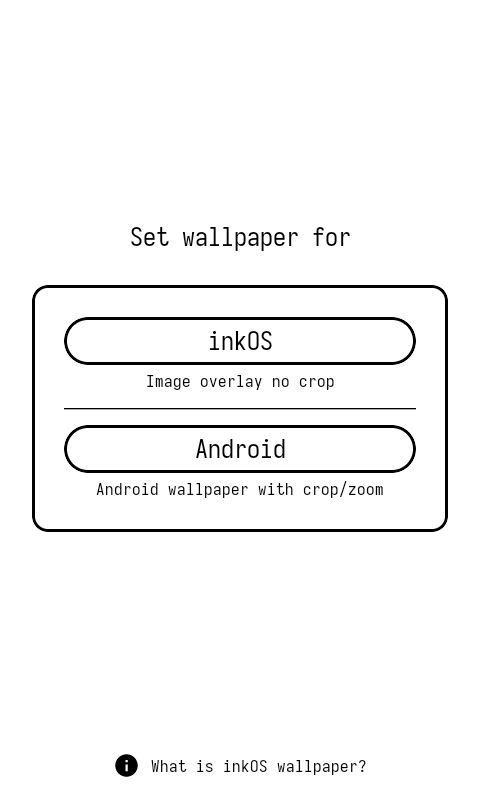
Yes that is done, there will be 2 wallpaper options in v0.5 (inkOS. background image), and Android Wallpaper Utility. inkOS will not zoom, Android one will let Android handle the wallpaper/lockscreen image.
I’ll try to have the release this month
5 Likes
Has anyone tested battery life changes with ink os? Does it massively reduce the batteries performance?
2 Likes
Haven’t done any scientific tests, but can’t say I have noticed any battery change compared to the default launcher. The launcher has almost zero animations, is almost all text based so doesn’t use a lot of power.
If you’re relying on Notifications they’re are already there, inkOS is simply presenting/storing them for you. So it’s not wasting any power connecting to apps, it’s getting them from the hidden system notification utility. (so all offline).
It will be apps that use actual push notifications that will ping often like messaging apps: Signal, Whatsapp, Beeper. These will take a hit on the battery, but that is expected.
2 Likes
One idea I had recently regarding chat notification app labels: Could there be an option to hide the name of the app (like there already is for sender name, group name, message…) ? That way, the font size could remain on full height in one row only, just showing sender and message for example.
When I thought about this I figured that when there is a chat notification the information what app it is, is less relevant - at least for me.
1 Like
Technically YES, but UI/UX wise gets complicated.
The Label Notification is a separate item from the app name so It would require to do this for all notifications and not just for the Chat ones. But i’ve already added proper icon support, so I’ll have to figure out a way how to do this properly 
Also in v0.5 I’ve fixed a mistake done in v0.4, you’ll be able to adjust the label notification size properly (it’s not limited to 50% of the height of the app size).
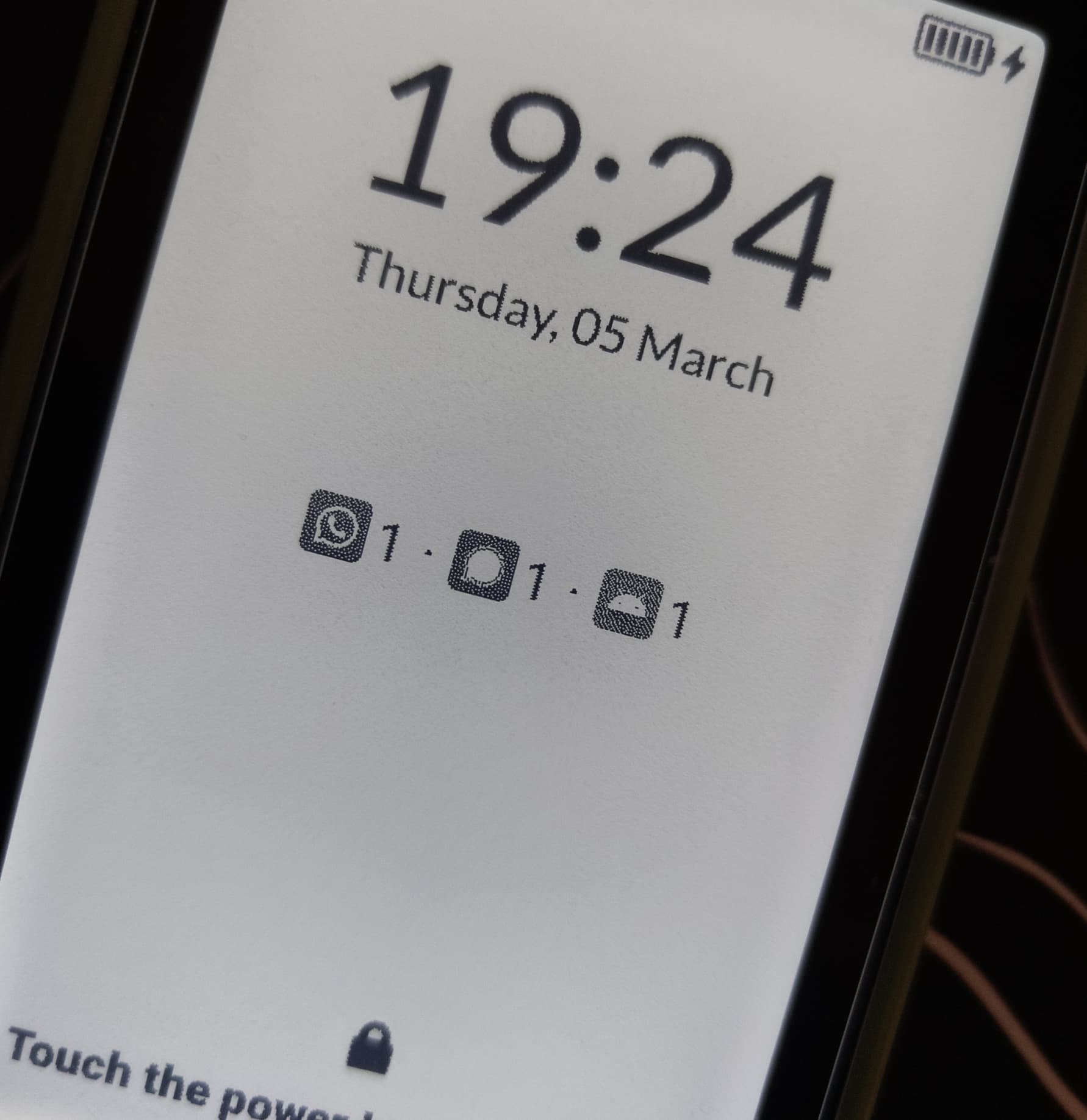
And Bonus will be Lockscreen Notifications for third-party apps:
8 Likes
oh cool, this looks great! I didn’t know it’s possible to customize the lock screen at all at this point! Looking forward to test it myself! 
4 Likes
No way! This excites me greatly!
3 Likes
is it possible to disable ink os without removing it? I would like to temporarily use the stock launcher, ihave been able to re start mudita launcher but ink os comes back when the home key is pressed.
2 Likes
Yes of course.
Go to settings / Advanced / Change Default Launcher and put Mudita Launcher as the default.
2 Likes
Not sure if I am in the correct place but when I go into settings, I don’t see advanced as an option only the stock mudita settings
it’s inside inkOS settings
2 Likes
Like @devamjaglan said:
Longpress in empty areas in your home screen and inkOS settings menu appears, then click advanced and then change default launcher.
2 Likes
Thanks Gezimos I always forget that way to access the extended menu in ink os. How do I return to ink os from the mudita launcher?
1 Like
No problem, in next update the long press will be changed to a “pinch gesture”, and I will also add a Settings shortcut in the app-drawer.
Enter inkOS again, go to inkOS settings again change default launcher and Set inkOS as the default launcher.
2 Likes
I think the long press is the better option. The pinch requires two fingers and might not always work well on the e-ink screen. I definitely prefer the long press. If it’s optional then it’s of course fine.
1 Like
The longpress causes interferences with other functions and gestures settings.
You will be able access settings through appdrawer, or set one of the of the gestures/action to open settings.
2 Likes
Ok understood. 
1 Like