thank you so much for the kind words, and for the donation, I assume you’re the stone
There’s an app called KillApps which you can find in AuroraStore. It uses the accessibility feature to kill the apps. But it’s slow and what it is basically doing is longpressing for app info and pressing force stop for you.
There are android limitations to this, android won’t let non-system apps kill apps. The only workaround is using action service like KillApps.
I don’t have any plans of including that feature inside inkOS. First of all I think that method is clunky and slow, and I want to keep inkOS lightweight as an app. (also I would say killing all apps with killapps might be more battery intensive in the long run, because apps have to be reinitalized), this is not the same as clearing the Recents Menu in a normal android phone.
That’s why I added the Recents page, so users can kill the last used apps a bit quicker than the old feature which allowed to longpress in the homeapps only.
hope this helps
edit: forgot to mention accessibility permission ha been brought back in mudita os k 1.4.0 so you need that version to have killapps working properly
ok thanks for the info. Yeah killing the apps might not really save that much battery/performance in the long run. Im coming from an iphone where its normal to close out apps frequently as it makes navigation a pain. Thats not really an issue here.
That’s normal in Android as well. I don’t know why Mudita removed that feature. I understand removing the recent apps previews, but the close all apps button should have remained there.
Hi @gezimos! Still enjoying the new inkOS version. A feature I love is no longer working for me. The audioplayer widget no longer opens the app in use when I click the little thumbnail. Possible bug?
@gloomypanda thank you! I did notice that thumbnail=open function was not working in my qwerty phone, but it was working in the Kompakt. I made some code change that seem to be working on both, so this should be fixed in the upcoming release
@gezimos I am having a problem with openning my apps on the home screen. I struggle with tech so bear with me. I did lock some apps and now cannot unlock them, the ones I most commonly use such as whatsapp and music, sms. So when I go on the home page and tap them they do not open. Similarly when I open the app drawer in setings they do not open either. When in advanced and i toggle on the ‘lock home apps’ and ‘.long press for App info’ I can then long hold on the app on the home page and it opens the app info and then I can open the app. Its all very convoluted. Help please
Do you use the finger print scanner activated? When you lock an app it should ask you to scan your finger to be able to lock it, then when you want to open those apps you need to scan the finger before it allows you to open them.
Same thing to unlock the app you need to scan the finger again…
These feature locks the apps so when u hand your phone to somebody to look something, they don’t go in snooping inside those apps. That is the point of it.
__
Advanced / Lock home apps: Only locks the apps so they can’t be edited (the longpress doesn’t work anymore to avoid accidental changes)
Longpress for app info, activates the App info menu so users can kill the apps faster (because Kompakt lacks a recents page where u can close the apps).
So disable both of these switches if u want to be able to edit the apps in home.
There’s this link here that explains what every feature does:
I didn’t include these in the app to make the menus shorter and simpler since it’s a paged app mostly.
Let me know if this answers your question.
If you’re having trouble you can also go to Advanced / Backu/Restore and click Clear all data and start setting inkOS from scratch.
I’ll try to add descriptions to the settings in the upcoming version.
As I’m working on front end editing to make editing the look of the app easier, I can probably add descriptions to the full settings area or I will include the full guide in a page.
Hello @gezimos
Thanks for that amazing update ! As always it’s a pleasure to see new features coming to inkOS !
I was wondering if it’s a normal behavior that now the background images seem to be a little Zoomed in ? My previous background that I did had the perfect size for the screen (I used the phone resolution to make it) but now it is zoomed in. Same goes for the background offered into the Launcher, they don’t appear as they do in the visualisation list.
Thanks a lot !
@alexand3r Yes that zoom is normal android behavior (you can google more about it).
The reason is different from v0.3 is that the old version used a “fake” wallpaper, basically just a background image and wasn’t utilizing the android wallpaper api.
This has been fixed and is coming in v0.5, where you will find 2 ways to set wallpapers:
Android wallpaper that will zoom a little on your image.
inkOS wallpaper (a faux wallpaper that sits on top of the actual android wallpaper) and doesn’t zoom at all if you have the exact size as the phone’s resolution.
The reason the images in presets don’t match the look is because they don’t have the aspect ratio of the the Kompakt, they have a more vertical size to work in other phones as well.
There’s some nice additions coming in the next version like some bugs fixed on the Wallpaper editor, and Crop function.
And a front-end editor to customize home faster than digging through the main settings
Thanks for your quick reply @gezimos !
Ok that makes a lot of sense I didn’t know Android had that behavior !
I will look forward for the next 0.5 update ! Again thanks for your amazing job
I have truly been loving this most recent update. Thank you so much for all of your hard work, @gezimos!
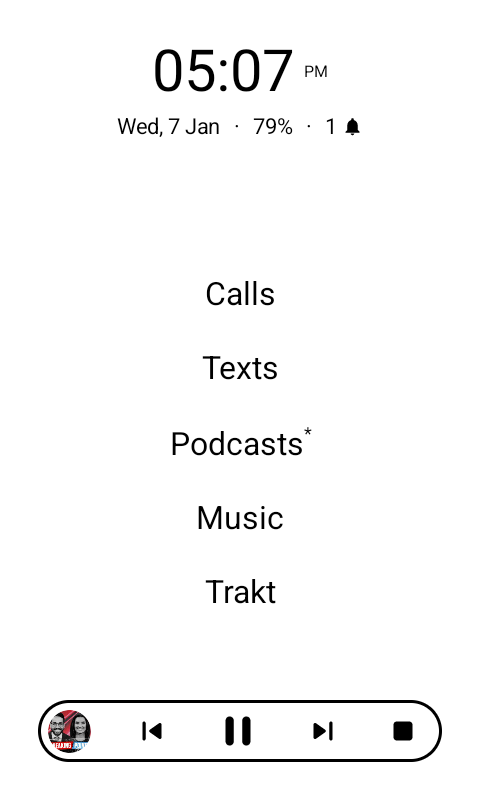
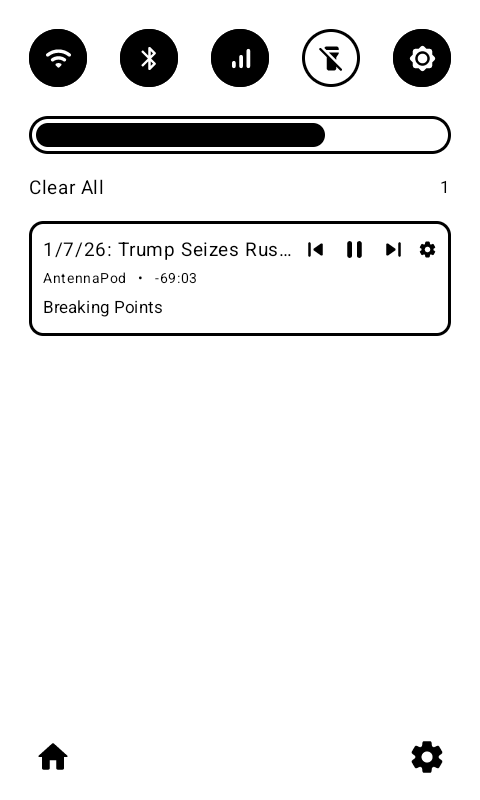
Is there a way to keep the notification count in the SimpleTray from showing 1 every time I am playing audio in an app? It keeps tricking me into thinking I have an unopened text message or something.
Logically this shouldn’t appear if you have not added that app in SimpleTray Allowlist. But I think it’s bypassing the allowlist so I’ll need to fix this in the next update.
The reason the number updates is because Audio notifications are considered a notification by android. And Simpletray was done with the purpose of having a closer 1 to 1 notification logic with android, it shows you all the notification that android sees. (because a lot of people were complaining that they are missing notifications, but here nothing is filtered unless you use allowlist or you stop them in the settings clicking the cog icon).
I understand and appreciate the logic behind the SimpleTray notifications. I also believe you are correct about the audio notification bypassing the allowlist, because I have a total of four applications checked for my SimpleTray allowlist, and none of those four are audio apps.
Again, thank you so much for all that you do in this community! I have no doubts that you run into many frustrations that tempt you to regret being involved as deeply as you are. Haha!
When I enable push notifications it makes me enable access to each app, which I enabled access to android auto, play services, system intelligence, screen saver, settings, etc, but it won’t let me enable access to its on inkos settings for “security reasons”