Thanks gezimos,
Can’t say if it’s clear or not once I haven’t tryed. But as soon as, I will let you know.
1 Like
I love that font! Thank you for sharing it. Goes perfectly with the playful vibe I want my phone to emit 
2 Likes
is it possible to have the home apps be aligned to the left or right?
1 Like
@solv Sorry that’s not possible for the home apps at the moment, in the future I’m looking to re-write the home to be more modular and then I might add alignment options
1 Like
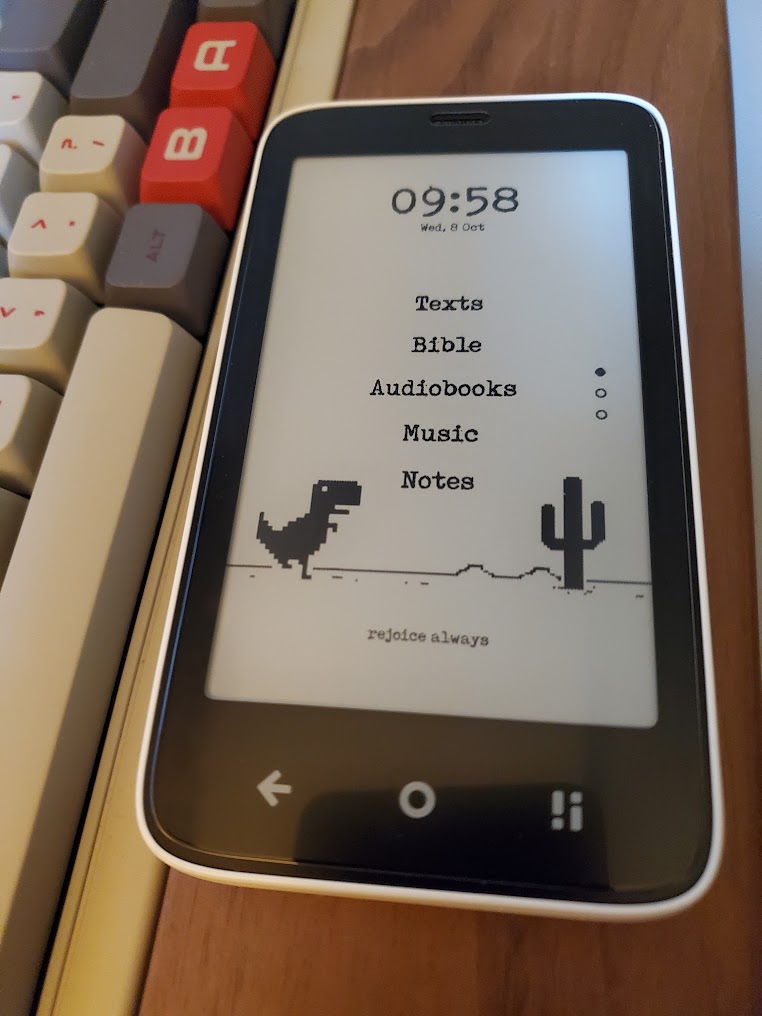
Loving the update! This launcher has made my experience with the Kompakt sooooo much better. Thank you!
Here’s my current setup:
10 Likes
this looks great
i love how the graphic fits here
1 Like
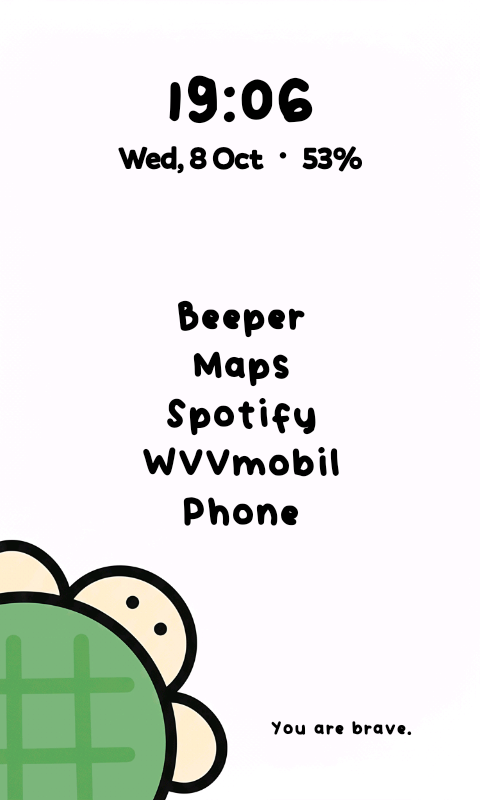
omg, this is adorable! what font do you use?
1 Like
Happy to report that I joined inkOS club. It’s great, and I already got my creative juices flowing to create my custom backgrounds etc.
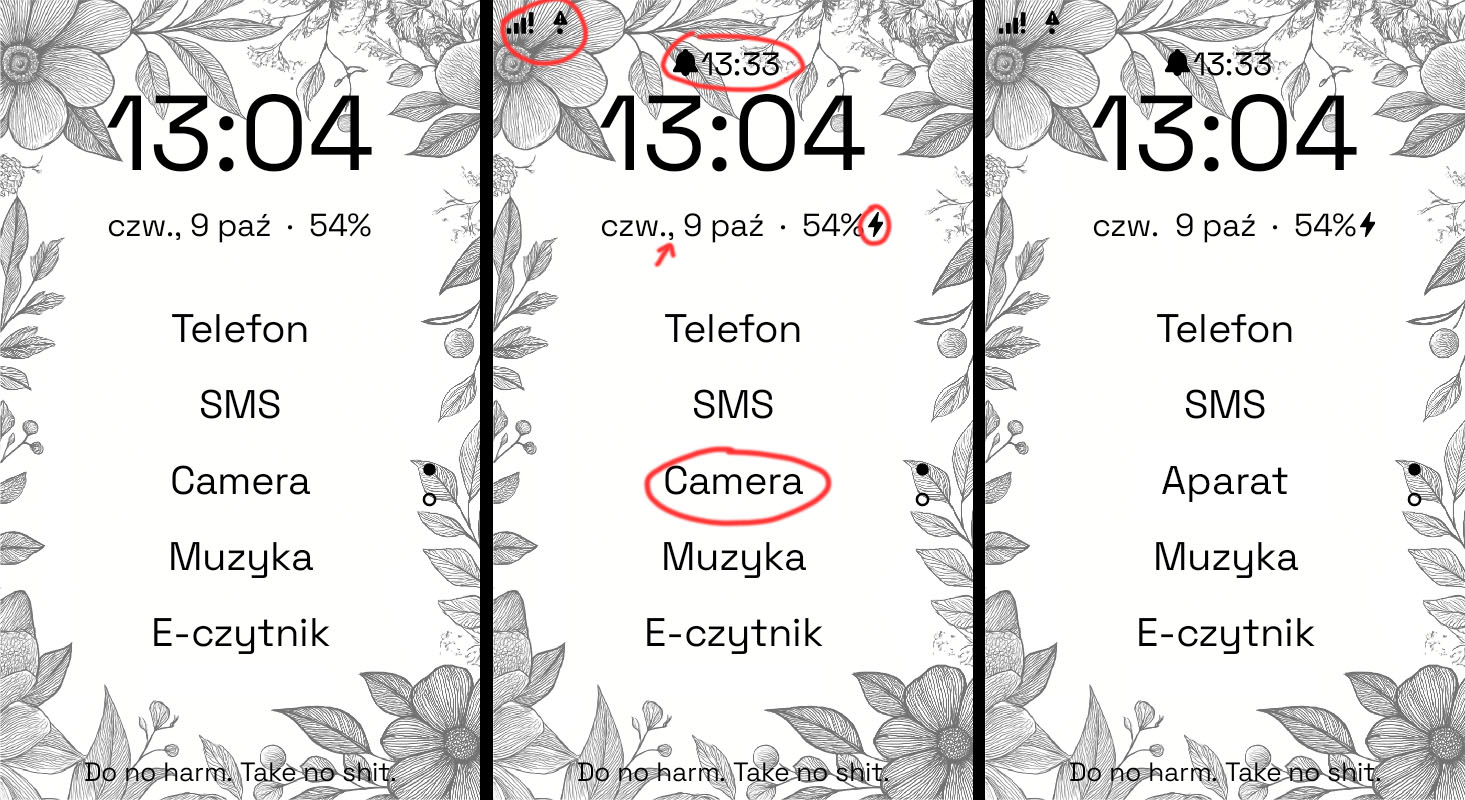
Unfortunately I still didn’t fully committed and set it up as my default launcher as it lacks few small things that I’d like to have: info about alarm, charging indicator and info about connection/offline+ (I go offline often and would need an icon to remind me about it).
Also I’ve found one translation error and coma/punctuation weirdness in Polish language version so @gezimos honorary Polish citizenship - temporarily suspended 
BTW: I was following YT tutorial - so I changed language to English while installing and setting it up.
2 Likes
Hey there thanks for giving it a try I will try to answer some things
Charging indicator and info about connection/offline+ you can see by enabling status bar in Look and feel / Enable Status Bar.
Alarm indicator is not there, but it’s a good suggestion that I will try adding in upcoming versions. Will be adding in the requests list.
The ., is kinda my mistake, because I tested it in English and 2 other languages and they had no comma, so I added the comma thinking none of the languages have it. So I’ll have to figure out to add the comma only if there is no . or figure something else.
The camera circle that u have made, it’s not a typo. I don’t do any translations, the app names are taken automatically from the system. It might show as Aparat in the Mudita launcher, but that only means that the Launcher itself will detect the Camera and show it a as Aparat.
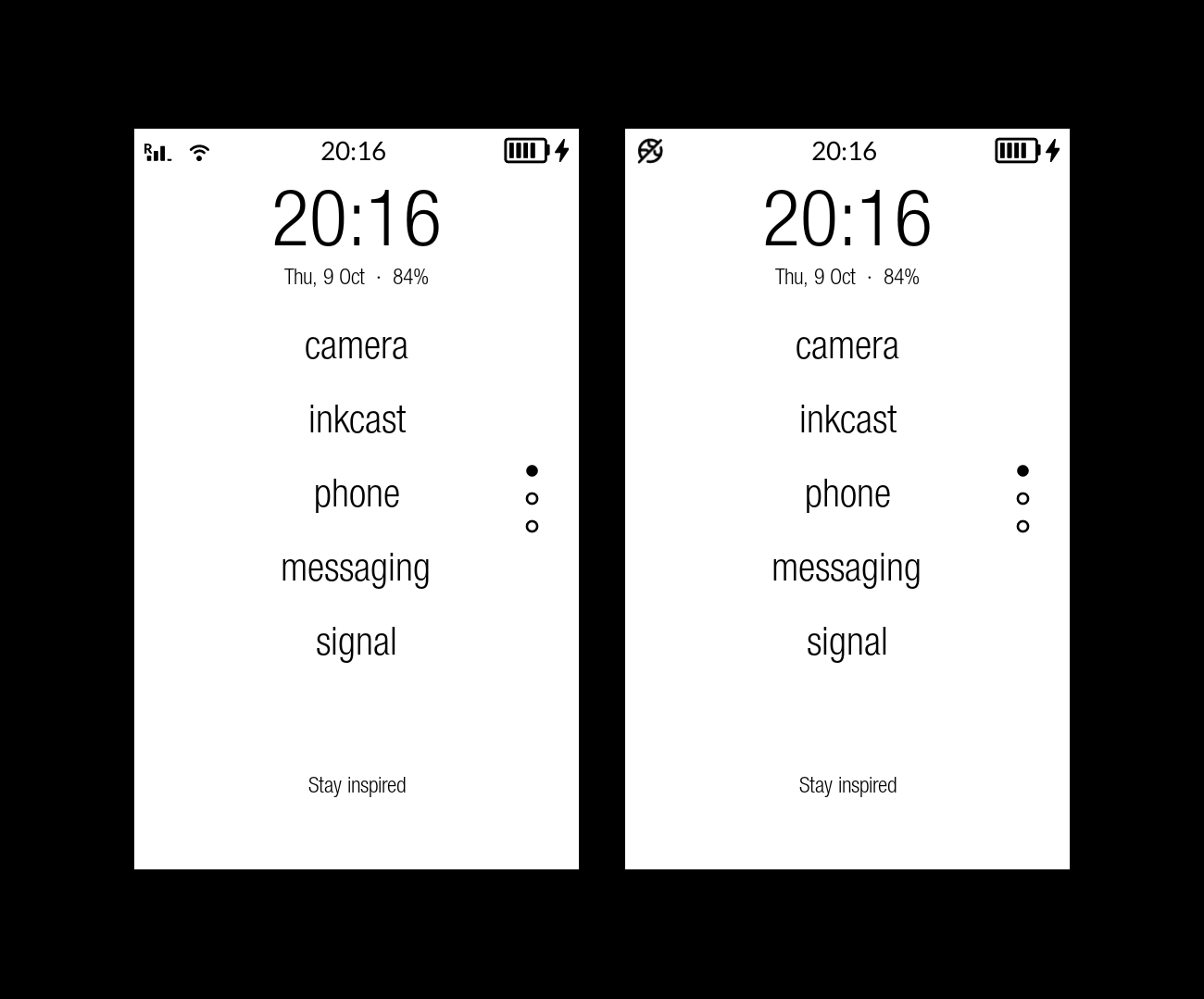
Here’s a screenshot how it looks with the statusbar enabled. You can see the clock is there, but I can’t remove it because there are no controls for that in settings.
This breaks my heart 
3 Likes
I know about Status Bar - but it’s not as elegant with it enabled. Not only it doubles the clock - but also adds white bar over background image 
Translation thing is pretty weird as all other ones are correct. Is it something that Mudita can fix?
Oh yeah, by the power given me by nobody: citizenship restored. 

2 Likes
Default AOSP android status bar is transparent, and it looks good with wallpaper in both themes. But Mudita has added the white bar and it’s not something that I can change via inkOS.
I know what you’re asking, another user suggested the same. And it’s a very good idea, but it will take time and testing for different devices. I hope i can make it, but can’t promise anything.
Only Mudita can fix that. To have the name translation directly in the app strings.xml, not in the launcher itself.
However u can easily rename the apps yourself, in appdrawer longpress the Camera app and change it to Aparat
1 Like
Thanks! You are spoiling us anyway 
I’m such a noob (but when it comes to phones - proudly so).
2 Likes
Hello - I’m having an issue with the asterisk notifications… Sometimes they show up and sometimes they don’t. I checked the apps I wanted notifications for on the Home Notifications Allowlist - for me Phone, Textra, Whatsapp, Signal. I always get the notification sound. I have the same apps in the Notifications Window Allowlist and they do show up there. But the asterisk is inconsistent. I was having this issue with the second version of inkOS and just installed version three, and same issue. Also, today for the first time there was an asterisk on Signal but no message when I opened it (no sound either).
Anyone else with this issue? How can I fix it? I tried restarting the phone and unchecking / rechecking the apps.
1 Like
inkOS does the following to notifications:
- It reads existing notifications that are there but hidden and presents them to you. (home notifications). Once they’re removed from the system (usually by opening the app and viewing that notification) then it removes it.
- In the case of Notification window, it caches it so you can dismiss it yourself.
inkOS:
Doesn’t communicate directly to other apps, so it has no power to manage notifications. The allowlist is simply a filter that is added on top.
Signal sometimes sends some non-message notifications one of them is “background connection enabled”. You might want to try enabling the “app notification” system shortcut in Extras / System Shortcuts. Find Signal and disable non-message non-call notifications.
Another way to diagnose what the notifications are is: Enable Notification Log in Extras / System Shortcuts. If you see an Asterisk it means the shortcut exist in the System.
Notification log basically shows you the notifications that system has but they’re hidden because notification tray is hidden. There u might see what the issue is.
Phone notifications don’t work properly, I’ve mentioned on this topic. There’s a fallback in The notification window (which caches the notifications) it will say “Notification received” because Mudita Phone app sends empty notifications.
Hope this answer helps you find the issue
p.s I use the Signal from AuroraStore, the direct apk from the site was giving me too many background connection notifications.
1 Like
So it is not doing this every time for whatsapp, textra and signal… I sometimes get an asterisk, but often I don’t. Do you know why?
1 Like
That’s what i’m trying to tell you, there’s no way to know why because I haven o access to your device. You need to activate Notification log in Settings / Extras / System Shortcut.
When you activate that in Appdrawer you will have an item called “Notification Log {”. When you open that it basically the system notifications that are hidden from Mudita, and where inkOS taps in and reads them and shows them to you.
If you get an asterisk but there’s no message, go to Notification log and check.
1 Like
Oh I understand now, it’s in the app drawer… Not very technical so I am fumbling my way through here.  Thank you for your help, I think I can figure it out from here now.
2 Likes
No problem. I am very tired today and I think I didn’t explain it well the first time.
Remember to also activate app notifications shortcut. With that you can find the non message notifications and turn them off if they’re showing you notifications you dont want.
Because almost every app has multiple notification channels and they can be managed in normal android devices but in the Kompakt they are hidden. With The shortcut you can access them
For example for Signal I only left the message channel and turned off all the others
2 Likes
I will have a look too, I have too many notifications from Signal without message.
And yesterday I figured out the I received 1 or 2 sms without having a notification.
1 Like