@Duckducky
Go to Settings / Gestures and change Swipe Right to Disabled or to something else
1 Like
Hello all,
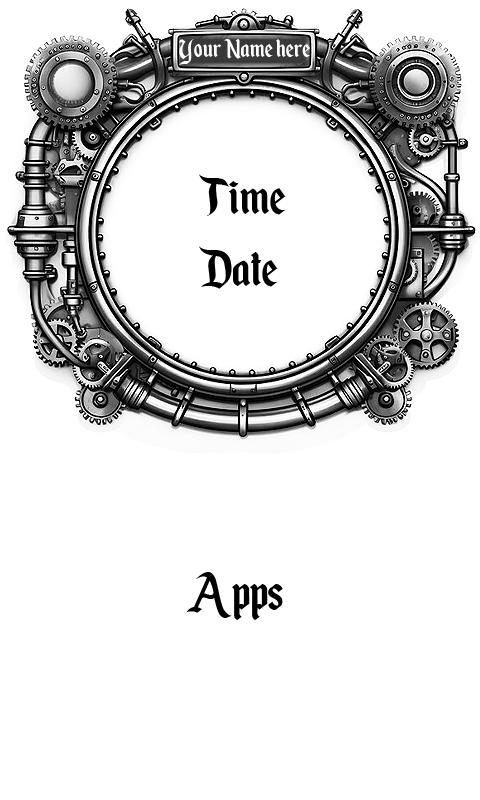
added some more wallpapers to the “Steampunk” folder, and also added a new “Music” folder.
Keep in mind that these wallpapers are not only for InkOS, but probably can be used for the upcoming lock screen customization function as well. We’ll see.
Download:
Again the files will expire in a few days, but once Gezimos created his own upload location, I will upload them there so they no longer expire.
Here are two examples from the Steampunk category, one of which can be customized with your own name or with a welcome message at the top. If you don’t know how to do that, I can do it for you.
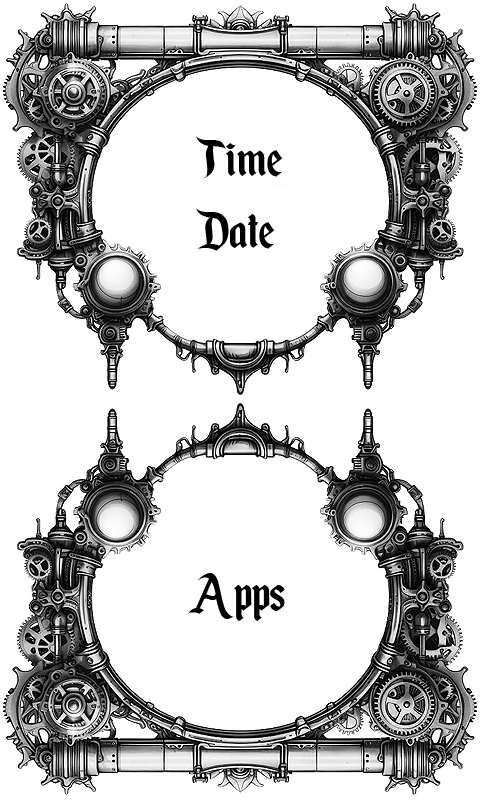
And here is one from the Music category:

2 Likes
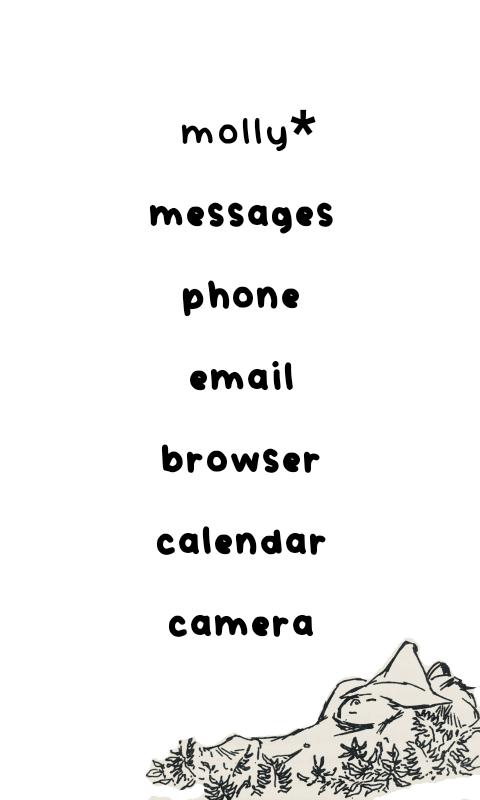
using Vividly font; Vividly-Regular.ttf. It’s actually doing it with any font.
Here’s a screenshot of what I’m saying:
3 Likes
Wohaow that’s nice.
How do you add the font?
And the wallpaper? Is it in your list?
1 Like
@shadock In case you are talking to me, yes, these wallpapers are in my zip package along with many others, and the fonts are there too (see link above). This font is called “Enchanted Land”. The “Your name here” is added manually. You can add your name there with Photoshop or any other graphic app, or I can do it for you. Time, date and apps can be set to different fonts and can be positioned. Gezimos is better at explaining all this since InkOS is his app 
@wander Looks cozy
2 Likes
@wander I have no idea honestly how is that happening in yours. I downloaded the font and added it. Both as a universal font or only as apps font and it doesn’t get bold on mine:
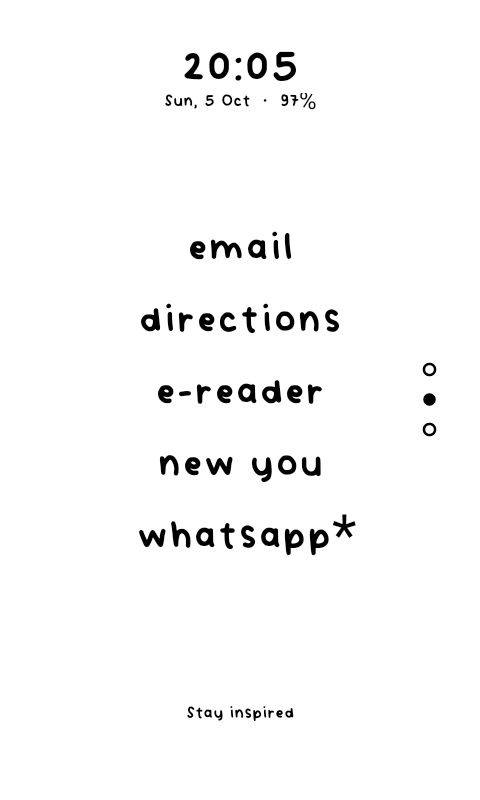
At first my guess what the missing of the asterisk character from the font causing the issue, but when I tested it myself, no idea.
There’s only 2 things I can suggest:
- In typography reset all, it will reset font settings and add the font again.
- in advanced reset all data and start the app from scratch.
In between those if you could try a more normal font let’s say a Public Sans or something and see if the issue is with that one as well
1 Like
Hey Shadock! First thanks for the generous donation.
Fonts you can download them from pages like Dafont, or Google fonts and get the ttf/otf file. And send it to your device, using ADB, OpenMTP or Localsend.
Then you go to inkOS settings / Typography and choose either:
- Universal font to make all texts the same font,
- Or choose individual fonts, like a different one for clock, and different for apps.
For the wallpaper:
- inkOS settings / Look and Feel / Background Image
Photos you can add via MuditaCenter as well.
Let me know if you have any questions
1 Like
Thanks gezimos.
How to add the font via adb? Using a command?
1 Like
Yes for example:
adb push /Users/shadock/Downloads/fontname.ttf /sdcard/download/
Bold part the path of your font and the italic part if you keep it /sdcard/ download will save in the Downloads folder in Kompakt.
adb push /Users/shadock/Downloads/fontname.ttf /sdcard/download/
1 Like
Thanks but I have no sd card.
1 Like
The /sdcard/ directory is actually your phone’s INTERNAL storage, not an external SD card.
It’s just something leftover from old android versions
Edit: /storage/emulated/0/download is the same as sdcard/download, just for me it’s shorter to write
1 Like
Just saw now that an update was released. Installed it immediately. Very nice. All those wallpapers look very cool! Still using a floral one from the repo, but might try a picture frame or something… Thank you everyone.
One thing that has been added to this release but was not mentioned in the changelog, is the fact that accentuated characters are now treated as non-accentuated characters in the App Drawer, sorting them correctly!
2 Likes
I must have forgotten to put that in the changelog, I think it was you who opened the issue in github
That was me indeed. But thanks to this changelog I discovered new things! Going to “Buy you a coffee” 
2 Likes
Thanks a lot
Very much appreciated
1 Like
And for « user » how do I now under witch user I’m registered.
Did the install of your v0.3 yesterday.
Have I to delete or de-install something?
1 Like
Hi @gezimos ! Thanks for providing another update! So great to have this launcher! I have one suggestion though. I personally have 10 apps on my home screen + 10 others that I need occasionally. Right now the the 10 on my home screen are also shown in the drawer which makes it a bit unconvenient as 50% are not really what I would look for in the app drawer. So I manually hide those. Could there be an option to automatically hide the apps that are on the home screen in the app drawer? Sometimes I change which apps I want on the homescreen and currently it involves removing it and then unhiding it and putting another on the home screen and then hiding it from the app drawer. Not a big issue ,but right now the only thing that feels a bit complicated in the inkOS.
3 Likes
So the user part is just part of the path where the file is located in your pc.
In mac you have copy pathname, I forgot you use Linux I think. You should have something like this on to copy the path of the file location. Or google how to get path location for your distro.

Another simple way is you can just drag and drop the file to the terminal where u have adb open.
adb push {drag and drop the font file here} /sdcard/download and it will send the file to your phone download folder.
And the complete command should look something like this when u add your own path or you drag and drop the file.
adb push /Users/shadock/Downloads/fontname.ttf /sdcard/download/
Hope i was clear
2 Likes
Thanks a lot dude! And thanks for the coffee too, much appreciated.
This is actually a great suggestion, and shouldn’t be hard to add for the next update. Becaue same as you I’m still experimenting with apps and I change them in home from time to time, so this would save some time for users that don’t want to have duplicates.
It’s gonna be an option somewhere in Settings/Appdrawer
4 Likes
thank you very much for considering this! And enjoy the well deserved coffee!!
3 Likes