If you're one of the first users to download the app and you're having issues with wallpaper getting removed automatically or during restart, re-download the app because there was an issue happening in the background that was removing the file permission. Now the image should be cached properly.
If you're coming from v0.1 I'd recommend doing a backup before in Settings/Advanced/Backup. Just in case, even though the app should update over the current one since it's the same package.
I have opened a new topic (can’t edit the old one aynmore), because this version has changes and I don’t want to confuse users that will be reading the older comments for certain features that have been removed or changed. The old topic remains here.
Some features like actions (Lock screen, power dialog won’t work due to the lack of accessibility permission in v1.2.0 Mudita OS K).
There might be some bugs here and there, but I did share it with some users in different phones to test it before this release and haven’t heard about anything major yet.
A lot of people have messaged me here, on reddit, youtube, discord to ask how to support the project:
Leave a like here, leave a star in Github, live a comment on YouTube
In Github Repo click on Sponsor Me and can choose between Github and BuyMeACoffee.
Yes, that is what I meant. I wish mudita os was open source so we could edit that. Maybe a feature could be added where if you turn the brightness up it automatically immediately turn it off? I really have no knowledge of the codebase or architecture so I am just spitballing
@htoke Technically yeah, but this would cause a conflict which would make either the APP or the SystemUI to crash so this is not a good approach. If somebody managed to create a custom rom could disable the brightness switch entirely.
What is the use scenario for such a feature, you don’t want to use it at night?
@synthwraith Thanks for the kind words! Share images of your setup when u can, I’d like to see how people are customizing it, it helps to gather feedback!
It gives me eye strain at night and also is a very blue light heavy light which is bad for sleep. Additionally, I want not being able to see my phone to be a cue to go to sleep, I dont want to be on it more. This is especially important for addiction purposes since blue light is a driver of addiction.
But of course, because of addiction and because we want to get stuff done on our phone, at least for me if its an option i will not always but occasionally end up turning it on at night.
Settings / Display / Adaptive Brightness is off.
Then I keep the light off 99% of the day.
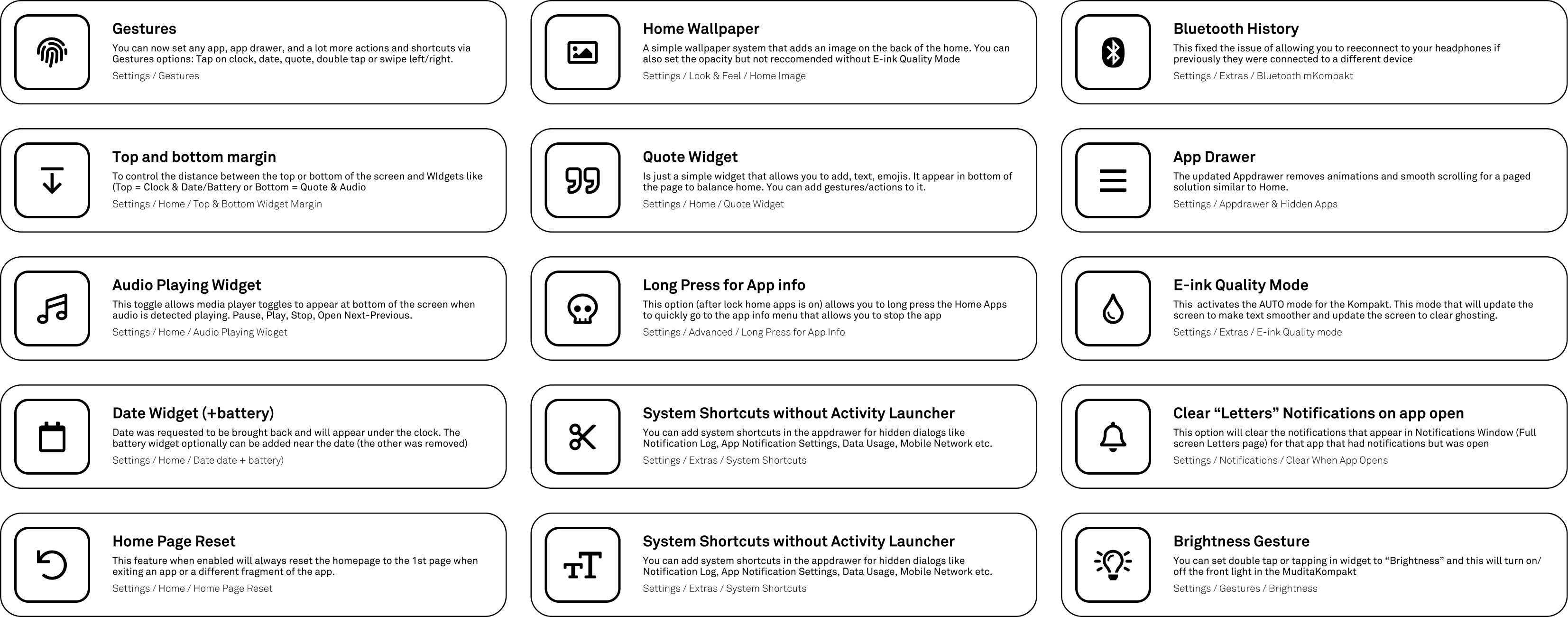
The only times I turn it on is in total darkness when I need to set an alarm, which is why I made the shortcut to turn on the brightness with gestures like double tap (it will turn it on to the last saved level. The brightness has 255 level i usually use 1-15 only.
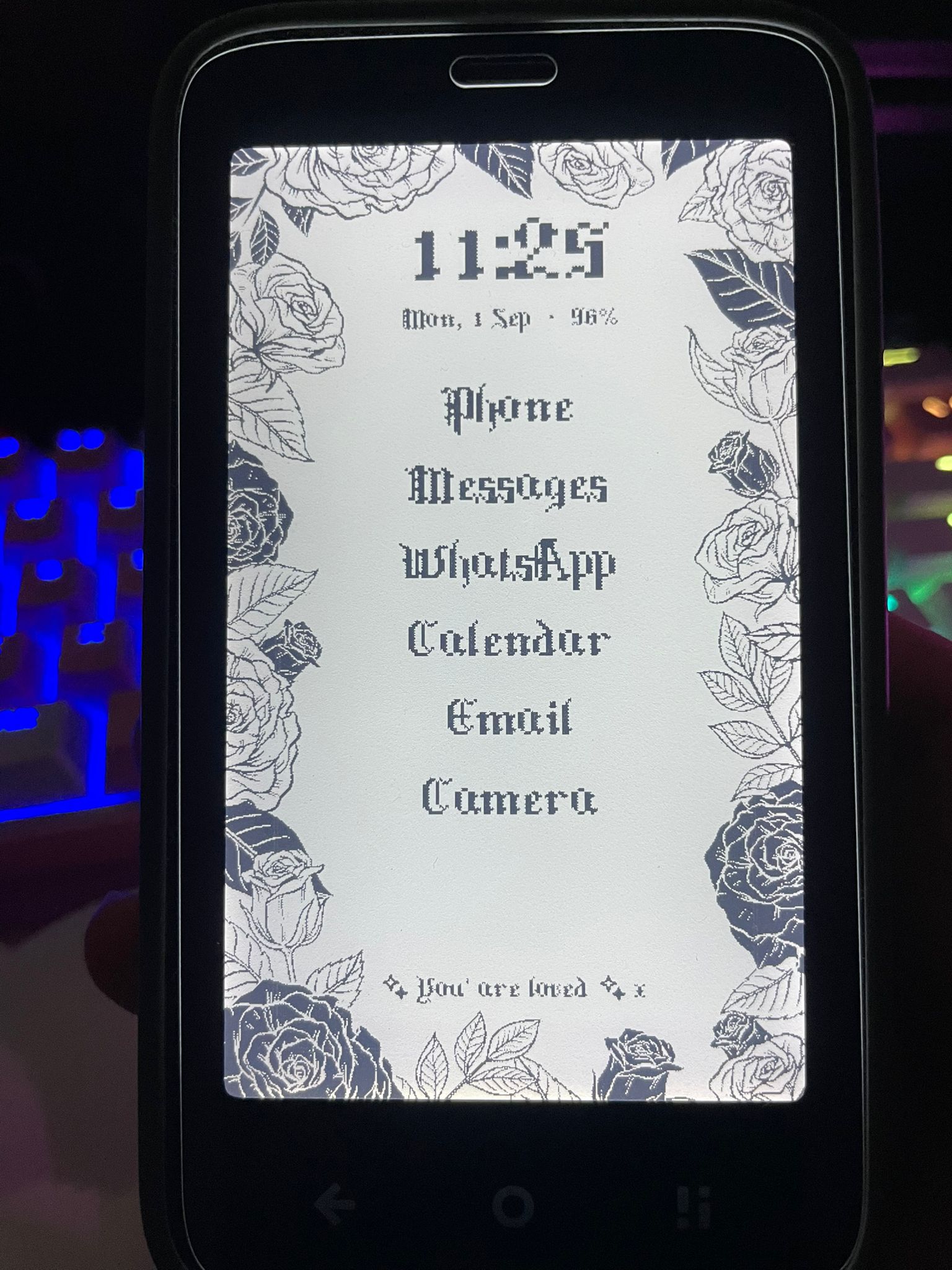
Here is my setup so far added a custom pixel-style gothic font and the frame. Love everything about this update and so far works perfectly! *It looks even better in person; the lighting in the photo doesn’t do it justice
Great wallpaper! This is exactly how i thought wallpapers should work like “frames”.
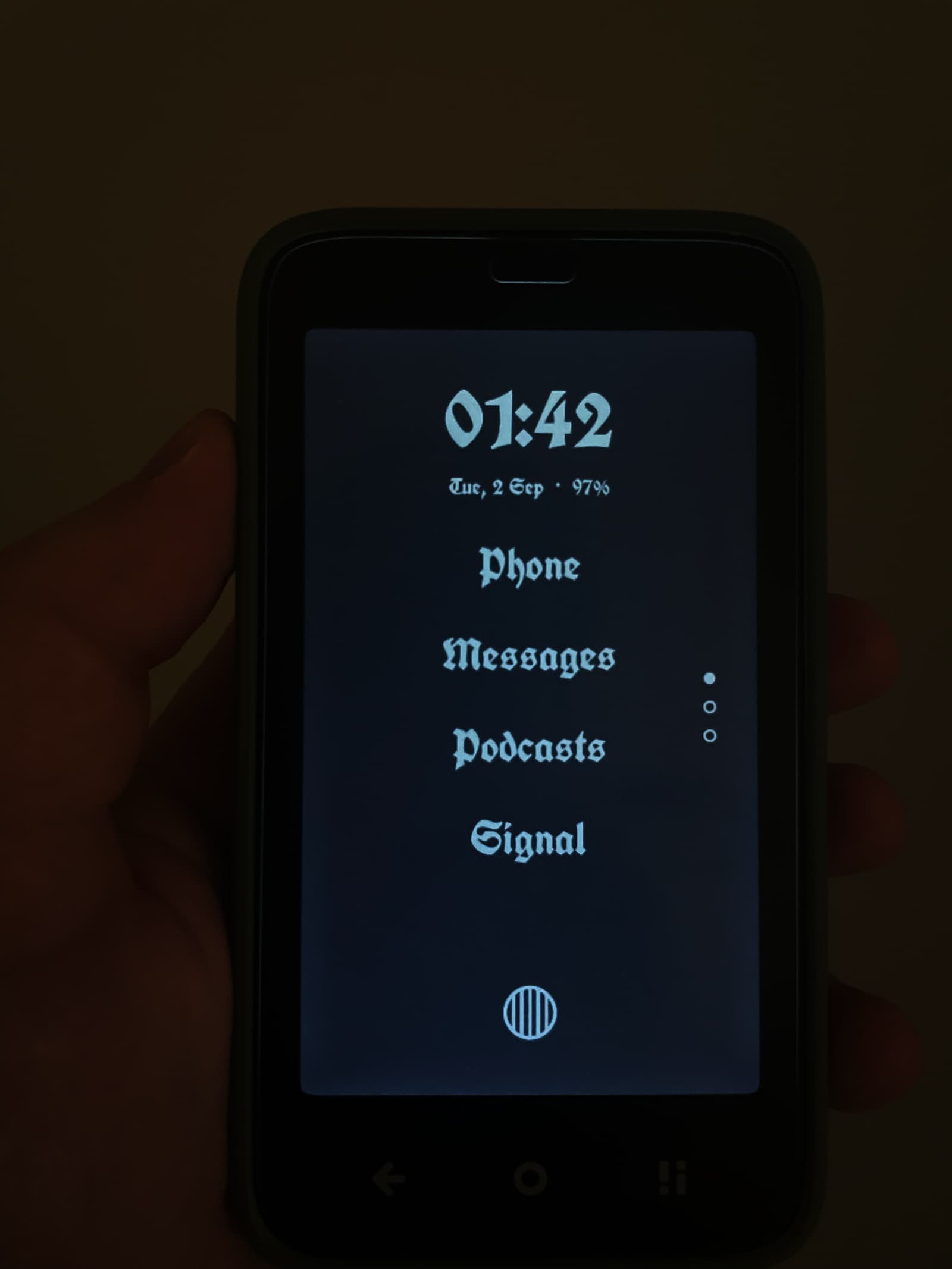
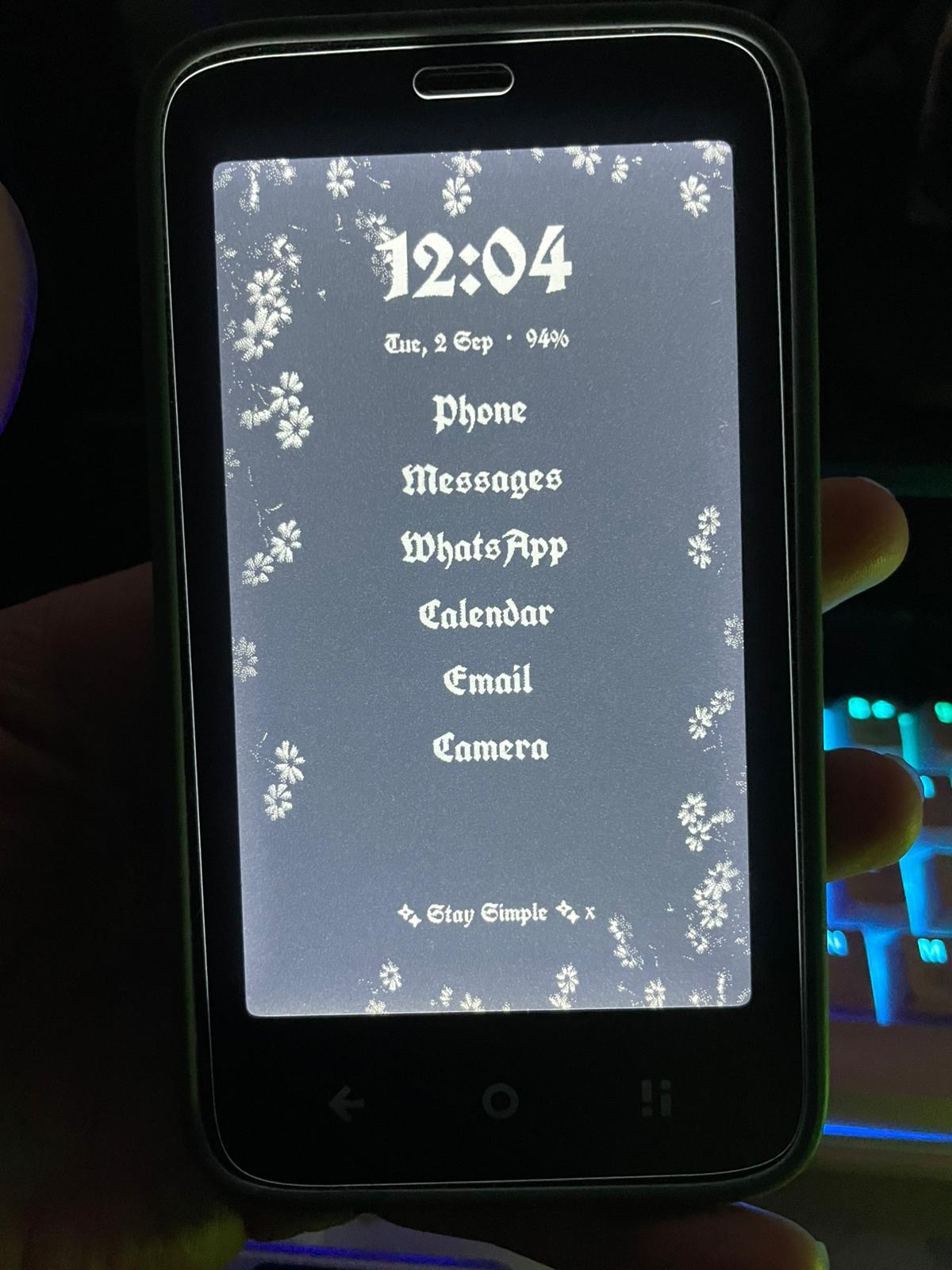
For the font I recommend you to try UnifrakturCook it looks great on E-ink especially with the E-ink mode turned on looks so smooth.
Thanks for the recommendation I love it! I also switched to dark theme to see the difference and I prefer it this way (Excuse the bad quality photo again)
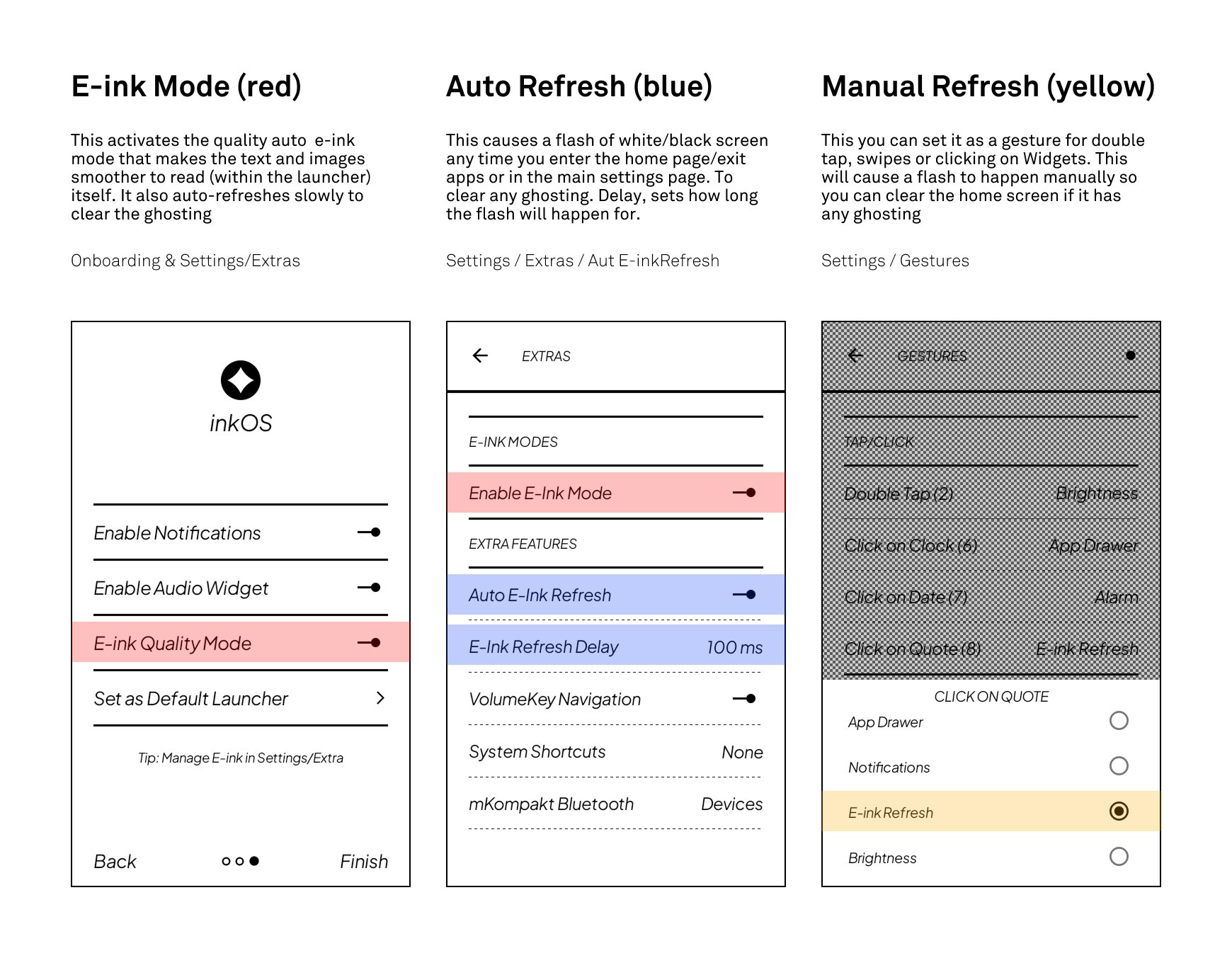
I noticed a mistake of not naming a string the same, so wanted to clarify the e-ink options for users to avoid confusion. Red is the same option, blue are related to each other and yellow is the manual refresh option.
Please let me know if anyone has tried the new e-ink quality mode and how it is working for them. I am personally using it, even though it refreshes once in a while but it makes small text (in notifications) to read easier
@purejoy2408 Thank you so much! Of course, I’m making a pack of wallpapers and will be sharing it soon in github and will link it here. When I get some time I’ll make a detailed blog post or something to show some ideas how to customize home.
@buiosu Thank you! I love Poland so I’m happy to accept the citizenship
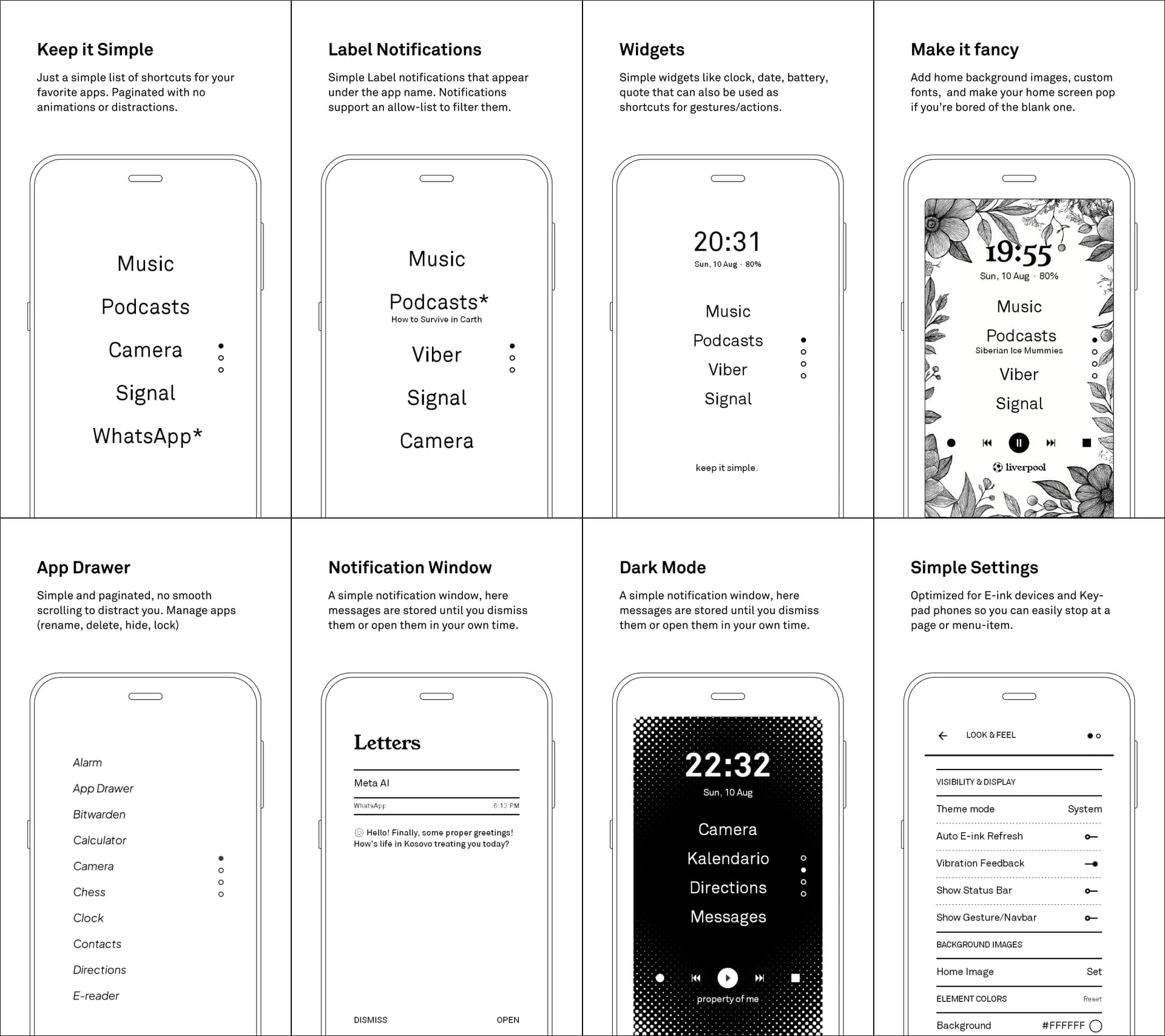
 Honestly, your launcher is one of the main reasons I enjoy my Kompakt so much.