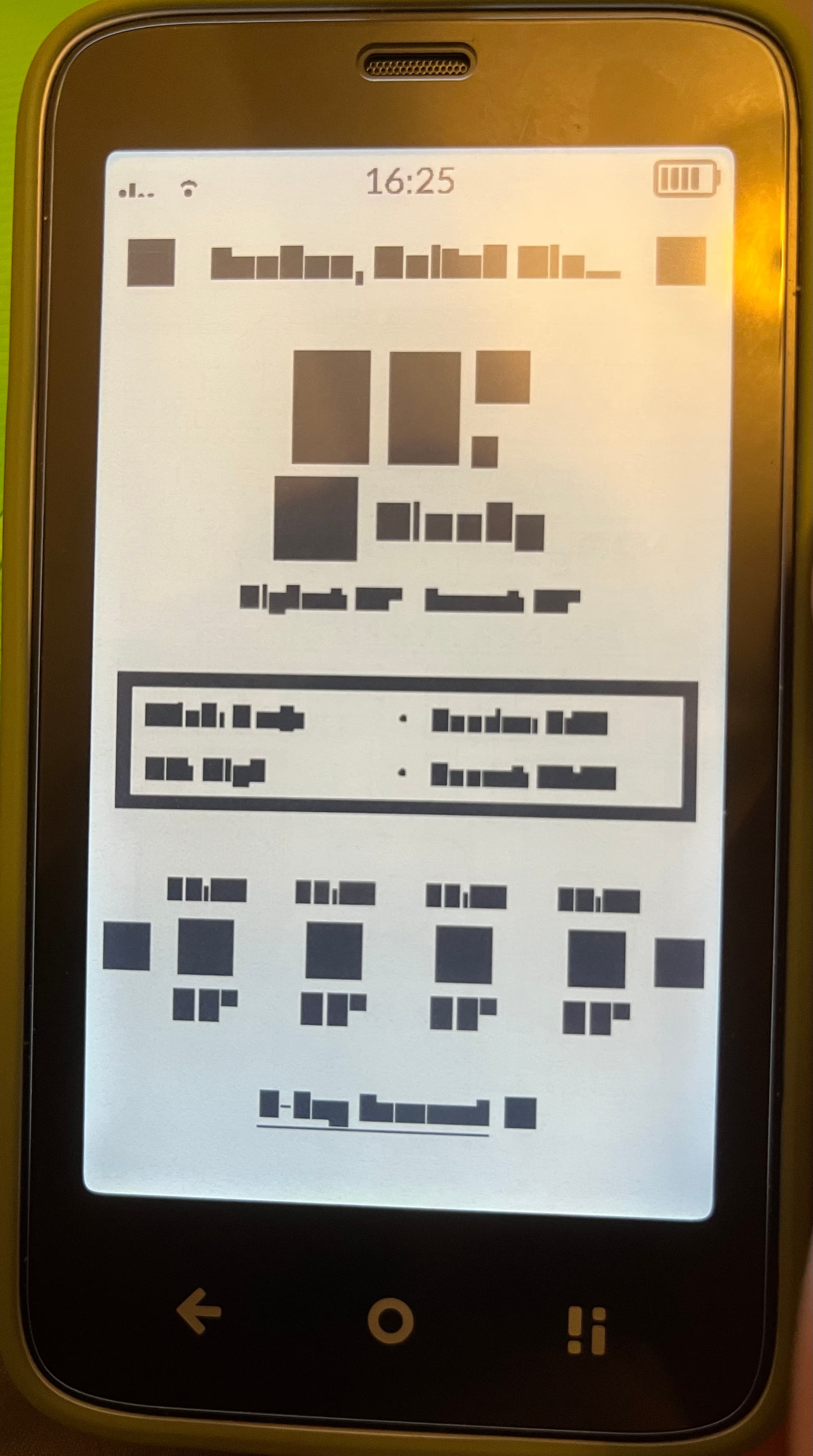
I’ve just finished setting up and updating my Mudita Kompact to 1.2, and I’ve encountered an issue on certain screens. It looks like the text is highlighted or replaced by black/grey boxes. Please see the photo below:
It’s affecting several default apps for me (including the weather app, the Emergency Alerts settings, and when writing new SMS), and it still happens after a restart.
Your phone contains the the FBI list and it’s censored. sorry for my bad joke
This is the first time I’m seeing this issue here and I’ve been following the bugs closely. It looks like your update hot “corrupted” during installation.
@randu Thank you for reaching out & welcome to the Mudita Forum. I’ve asked our team about this, because I’ve never seen this before. Our apologies for the this. I will get some info from our team to see what’s happening.
 and it’s censored. sorry for my bad joke