I have my Mudita Kompakt and I have been super happy with it but now I just got an email from my Icelandic phone company that they are stopping all support of 2G and 3G and that my device does not support the newer 4G/LTE or5GVoLTE/HD Voice so I won’t be able to call or receive calls soon…
Hmm this is strange, I have the LTE enabled but when I do the check, by calling their test number, the voicebox tells me that the call is being received over their “old service system” and that I need to update my software or hardware.
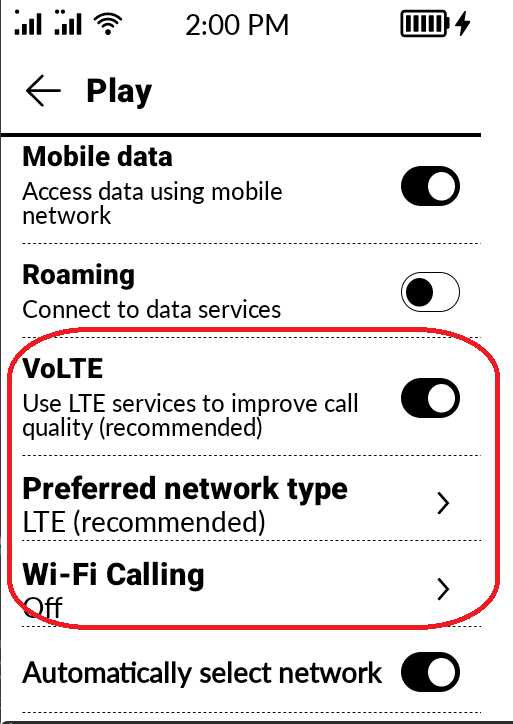
I can also see that you have this “VoLTE” option on your screen, mine does not show this.
Its in Icelandic, but perhaps you can auto translate it. Seems to me that it is regarding the way the route their normal network phone calls, not just the internet connection. But I am not knowledgeable enough in these matters to be honest.
Our team is looking into this, so thank you so much for your paatience while we investigate.
There may be many reasons for this, but unfortunately one of them may be the lack of a VoLTE/IMS profile for this network. BUT since the network is cutting off 3G/2G, they would have to have something to fall back on.
However, before they can make a final determination, they need to know whether the phone is a Global or NAM version (this concerns band compatibility).
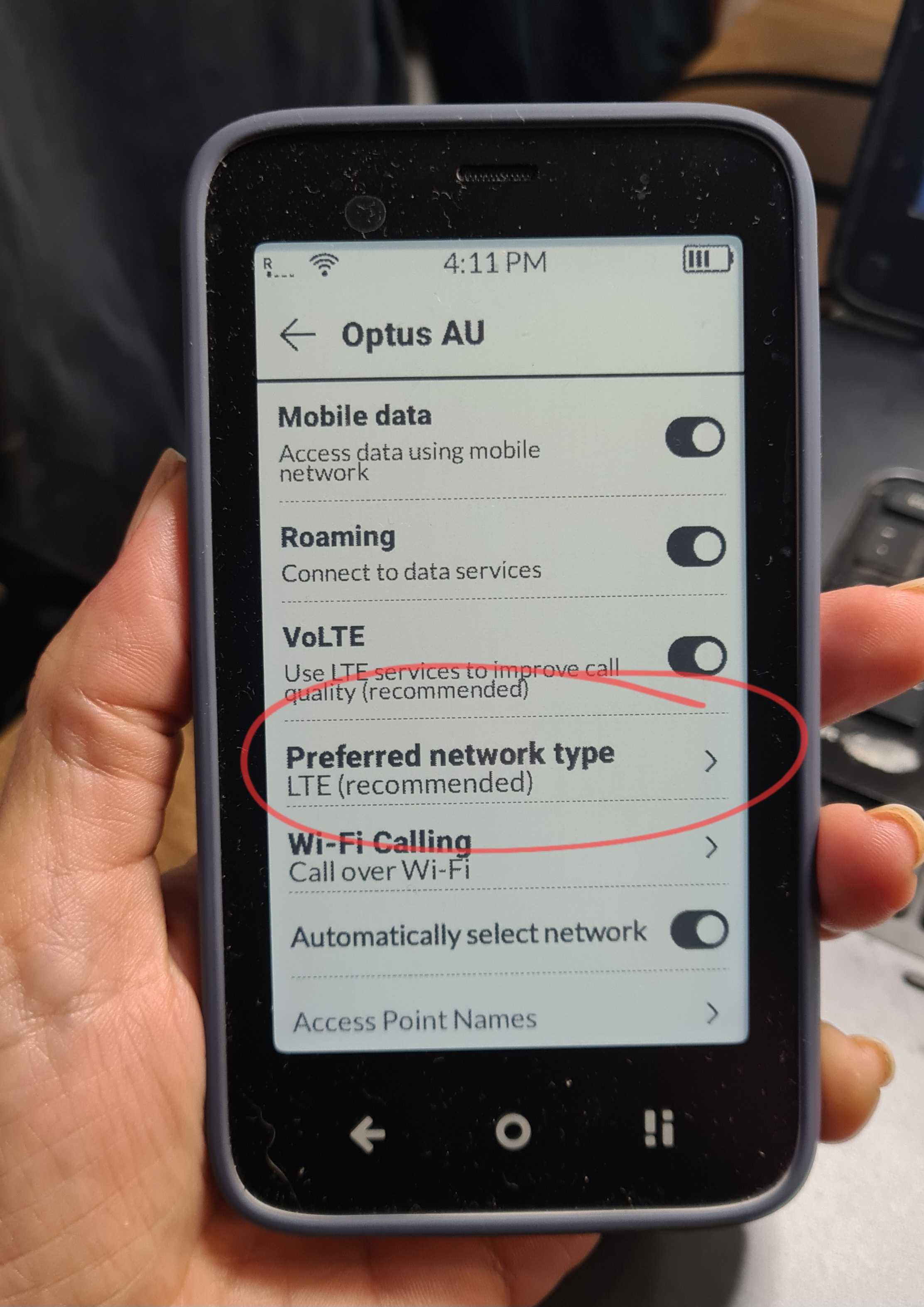
Next, PLEASE confirm that “Preferred network type” is set to LTE (recommended) and that “Mobile data” is set to ON. If these steps are completed, please confirm if you see LTE in the network bars, this means that you are within LTE range.
BUT the phone stays in 3G all the time and never shows 4G (even when there is no call), this could suggest a lack of IMS registration or a lack of bands.
If your SIM card is very old, it may not fully support LTE services. Although it is rare, it happens that old cards only log in to 2G/3G.
If this is not the case, make a call and check if the LTE icon changes to 2G/3G.
Then, please can check if the phone has Access Points for IMS stored by default, i.e., if they are displayed in the menu. If not, enter the APN as recommended on the operator’s website. Without the correct APN, the phone can log into the network (calls in 2G/3G work), but it cannot establish an LTE connection for data.
Finally, the please check the availability of VoLTE via a service code.
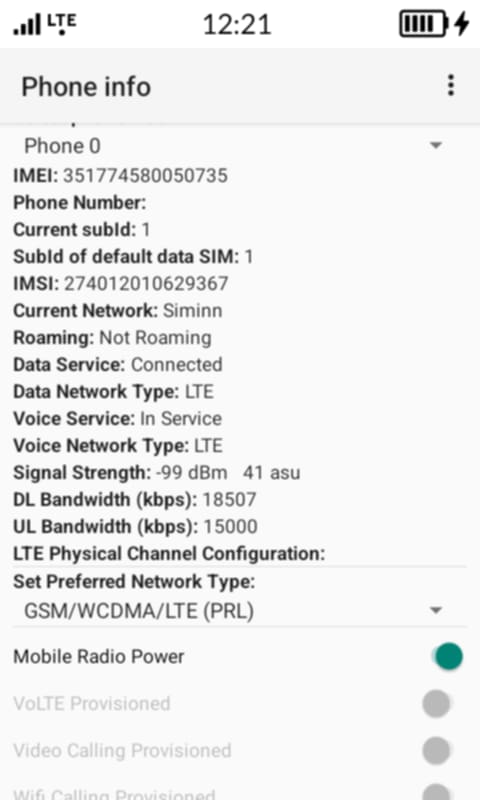
In the dial pad menu, enter the code ##4636##, then select “Phone Information,” scroll down slightly, and check if Volte Provisioned is active (you can send us a screenshot & we will evaluate).
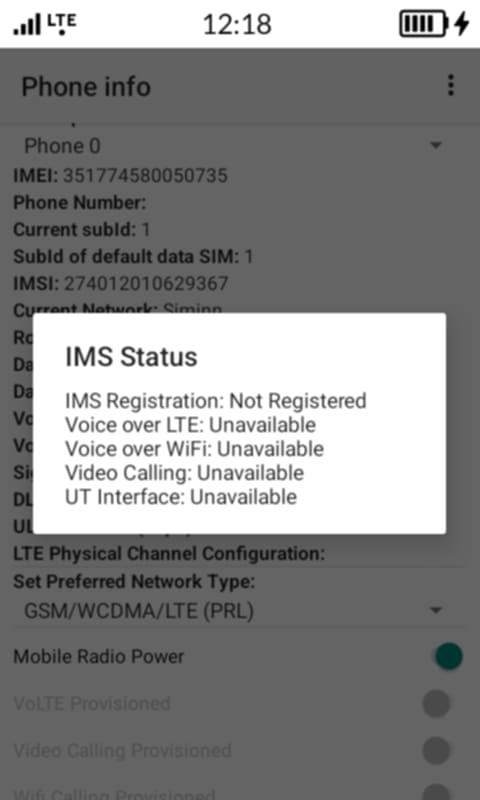
Alternatively, you can also check the “IMS registration status” by selecting the three dots in the upper right corner of the screen in “Phone info,” then selecting “IMS Service Status” from the pop-up menu. (please also send a screenshot)
Has there been any update on this? I keep getting messages that they are closing down the 3G towers, and my signal is starting to fall out from time to time.
Thanks!
@ivanm I’m waiting for some more info from the team- however, they did say that it looks like the phone physically connects to LTE (as confirmed by the signal bars and the “Data Network Type: LTE” status), but for some reason the system is unable to register the voice service in the VoLTE standard.
Are you able to to make a VoLTE call on this SIM card from another phone? Have you tried contacting your network provider to see if they are blocking VoLTE calls on Kompakt?
I already opened a thread about this, but I’ll contribute to this one instead.
+1 for me. Provider : Orange / France.
It is well know that there are pretty strict regarding VoLTE compatibility. They have a compatibility list the Kompakt is not part of. Yet ! I’m not sure how to proceed. I could switch to another provider but that would annoy me a lot as I don’t want to support the others
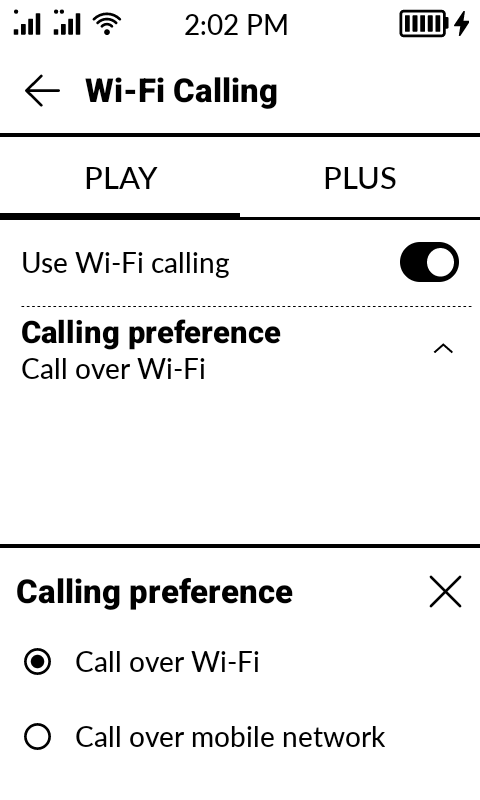
@bbb Welcome to the Mudita FORUM- can you please check if you have these settings enabled- from the pictures I have posted above. Mudita Kompakt does support LTE.
Even when traveling, I have not experienced any issues around Europe.
I am on the same boat, I can’t find the VoLTE and Wifi Calling options. My “Preferred network type” is set to LTE(recommended) but it switches to 3G when I make calls. I have really been enjoying my kompakt and was excited about kicking my phone addiction but not being able to make calls (not to mention emergency calls) is a big drawback. I really hope we can find a solution to this problem.
I spoke with my provider and they said mudita needs to open access to voLTE for Iceland. All 3G networks are being shutdown in Iceland very soon so all mudita users in all of Iceland won’t be able to make calls including in cases of emergency. This needs to be a priority!