I’ve wanted to share some images of some tests I’ve done with the different display modes that are possible but still not activated.
Yes the Kompakt’s display is not high resolution but e-ink screens usually do a full or slow partial refresh to preserve the smoothness of the text/ui. But what Kompakt does is basically works on fast mode with no visible screen refreshes which are good for making the phone look fast, but the sacrifice is the UI and Fonts look very pixelated
-
Example 1.
Imgur Full resolution link so u can zoom in. -
A) is Original Fast Mode (low quality) that the Display Produces
-
B) is What All of Us have on our device by default, from the looks of it it’s basically A mode just with a lot of contrast added to it.
-
C) is one of the Slower Modes (not the slowest and not the sharpest yet).
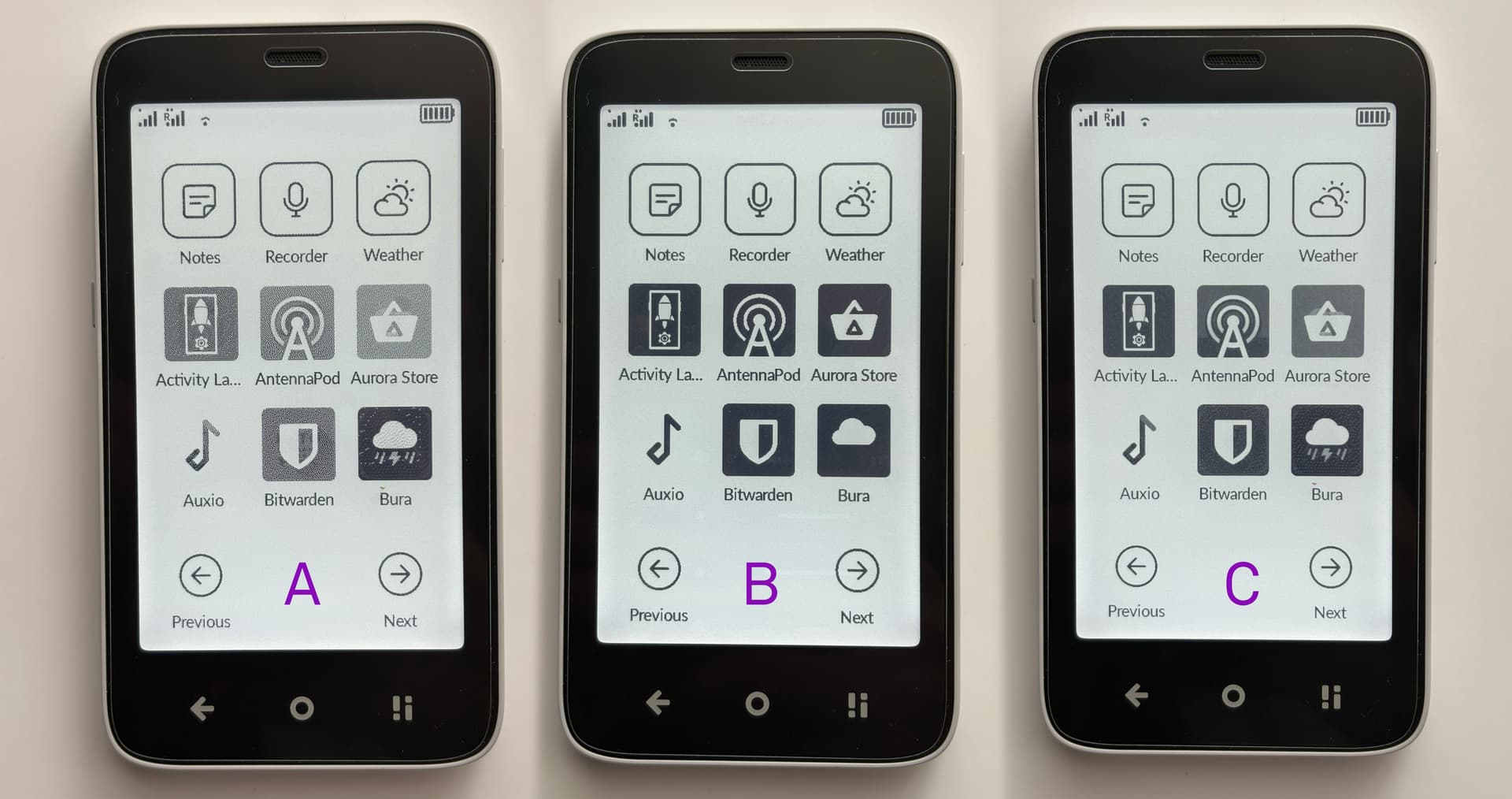
You can see how much detail you get on the AntennaPod logo.
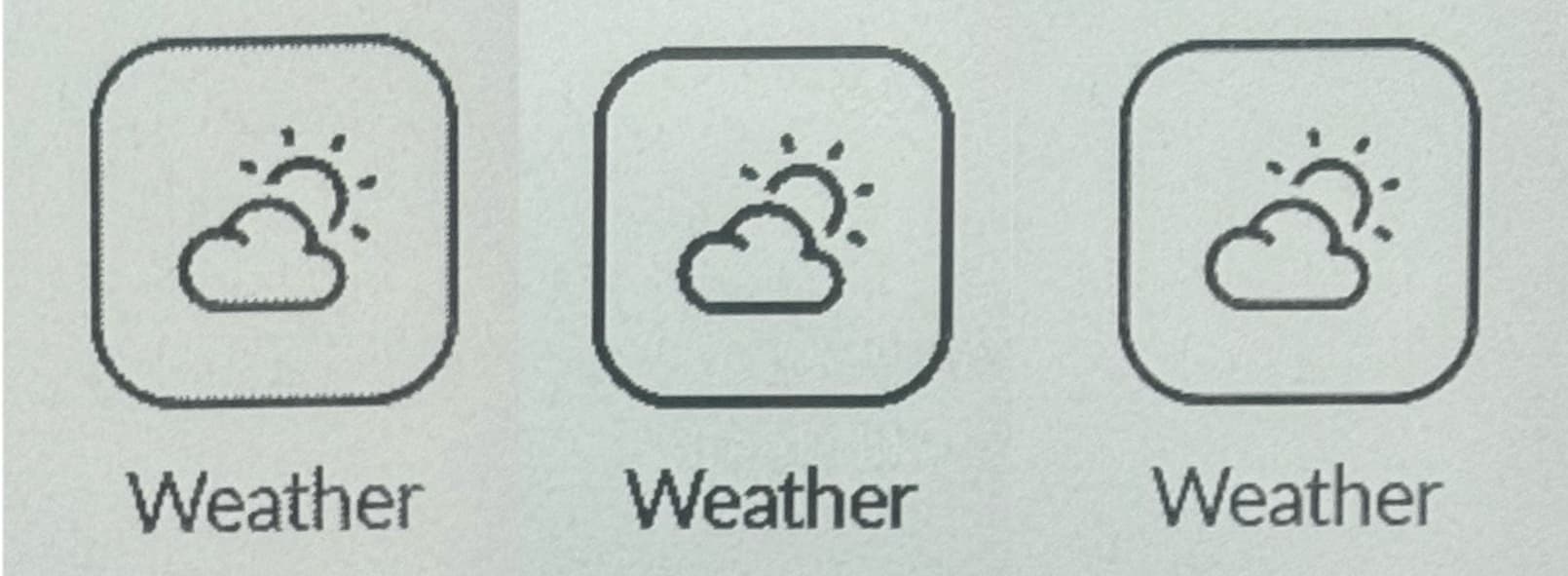
Here’s a cropped image of the default Weather App icon in the 3 modes.
A) Mode only for sideloaded apps
I was not happy with the original launcher so I started making my own fork of oLauncher to optimize it for e-ink devices with no animations.
What I understood from my testing is that Sideloaded Apps are getting only A) mode, that’s why everything looks so fuzzy and hard to read on apps that are not optimised for E-ink.
I’m not a developer so with my designer skills I was trying to call the driver that manages the Eink display to at least force B) mode on my app. Nothing worked because everything is tied into root user and I don’t want to root my device for this. With activity Launcher and logging at logs in Android studio, and some help with LLM I was able to find a command that shows Mode C). However this is only temporary, because the service that manages this takes over and stops it once you go to setting or the display goes to sleep.
- Example 2. Auxio Music Player
Imgur link for full resolution
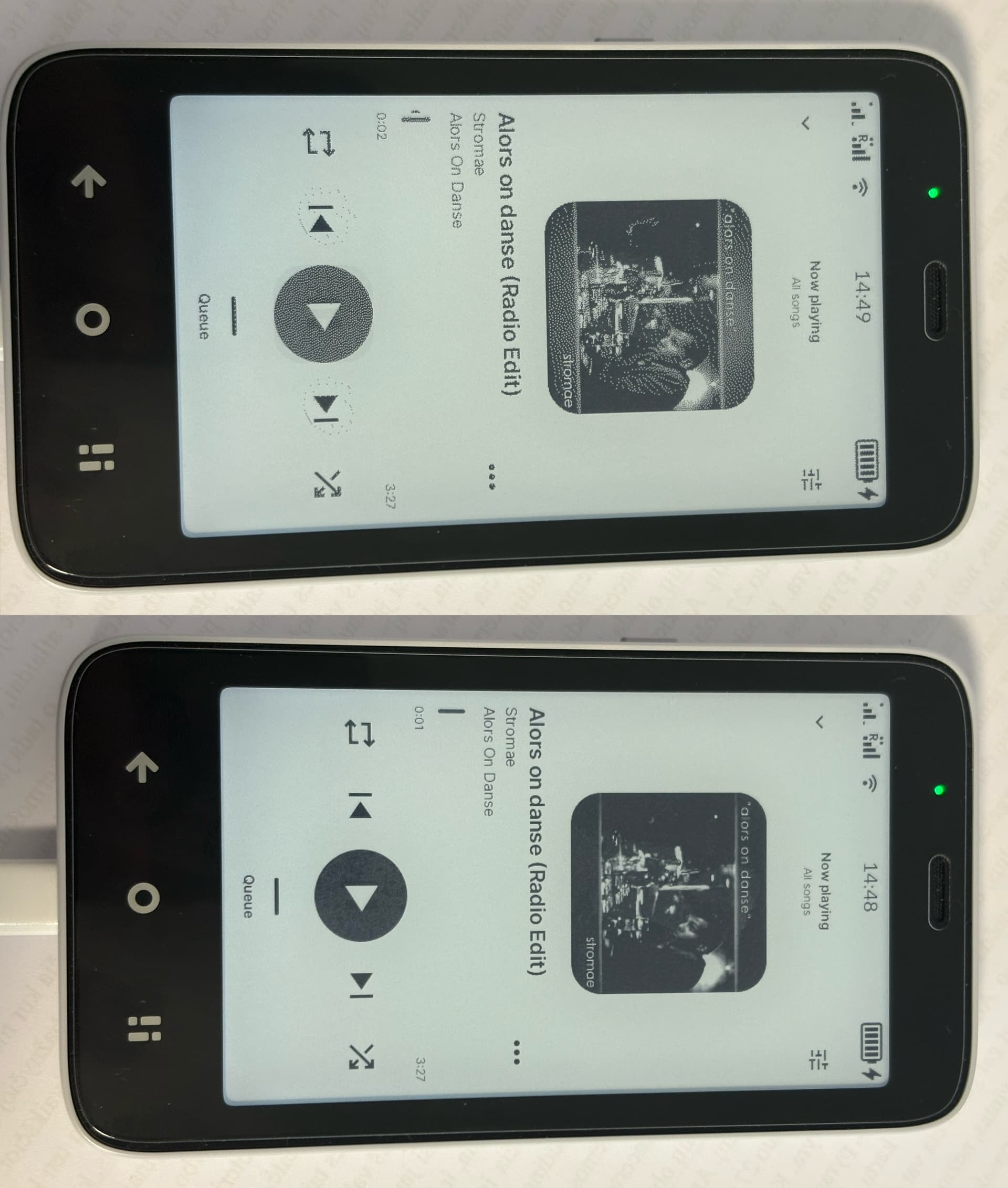
You can see on top Is the A) mode as the Display driver is not applying the B) Contrast mode to the Sideloaded apps. And bottom Image is with the Slower C) mode forced where text is much more readable and texts are sharp.
- Example 3. Video of screen actually refreshing
And keep in mind that there’s another mode that I was able to activate, which is used on the E-reader app. The reading mode makes everything smoother but it lacks the contrast which some people Don’t like. I think C) mode what I have shown here would be enjoyed by some people.
Contrast
You can notice if you exit a sideloaded app quickly for a brief second the whole app gets “darker” with more contrast because the contrast is forced on the Default Mudita Launcher.
What’s the point of this post?
I would like Mudita to offer us the E-ink tools to manage the speed of the refresh rate:
a) It would be good to allow us to choose it in per-app basis.
b) Maybe have an auto mode where it stays on slow mode for text/icon based apps and then turns into the fast mode for scrolling.
c) For us that are trying to develop our apps, it would be nice to have some documentation on how to access the display driver modes. My text based app launcher I’m working on has zero animation and scrolling, so I would like to be able to call the Slow refresh mode in order to preserve text quality.
There should be more talk about this
I don’t want to downplay other peoples requests and bug reports, but Display & Eink modes are not getting the attention they deserve here. It literally is the “star” of the phone, otherwise the Kompakt it’s a cheap entry level android phone with an offline button.
Sorry for the long post.


