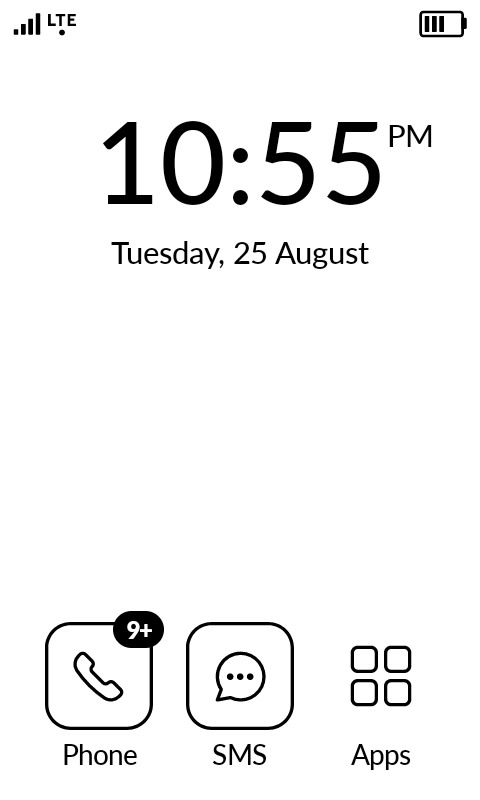
Is there a way to manually clear “push" notifications? After update, I had “9+" notifications for my phone app; I have checked voicemail, call log, etc.
6 Likes
It seems to be a bug of the 1.6 update. Discussion is ongoing here:
I think I will not upgrade my own phone until this is resolved.
7 Likes
5 Likes
I hope there comes a solution soon.
3 Likes
Same issue here.
4 Likes
Our team is looking into it.
If you would like, other users have found workarounds to fix they issue, but either doing a factory reset or ADB commands:
2 Likes
Thanks! I can wait 
2 Likes
Same here…
1 Like
Same here, just as a point of reference… Cannot get rid of missed call notifications
1 Like
I just updated to the latest version 1.6 - it is showing up with 7 missed calls, I have no recent missed calls - how can I make this go away???
2 Likes
@daken Our team is aware of this & they are on it.
Here are some workarounds that have worked for users. Personally, I haven’t tried them, but apparently a factory reset works.
Just to add I have just downloaded the update 1.6 and also have 9+ missed calls showing that I cannot clear. I am not doing a factory reset. Grateful for a speedy resolution as this is very annoying.
2 Likes
Thank you for this feedback.
1 Like
It seems the update has also binned 80% of my contacts. Anyone else? Wish I hadn’t bothered updating it.
1 Like
Same here: 9+ missed calls.
1 Like
Coming Soon to a Launcher near you
6 Likes
Wonderful solution, @gezimos. I like the kompakt device, I am looking at replacing the entire MuditaOS, a one time install, without having to try the @lisa method, of rooting, but I respect her documentation.
1 Like
This is a simple fix using adb:
- Go to the ‘About’ section of your phone settings.
- Tap the ‘Build Number’ line several times until a Passcode screen appears and enter your phone’s passcode.
- Go to the ‘System’ section of your phone settings.
- Tap Developer Tools and enable USB debugging toggle (scroll down a little).
- Plug your Kompakt into your computer (that has android developer tools installed).
- Open your terminal/command-line application.
- Command: ‘adb devices’ ; verify that your kompakt is recognized
- Command: ‘adb shell content delete --uri content://call_log/calls’
Your call history should immediately disappear and the notification bubble will be gone. (This is also a good way to clear your call history periodically, since the Kompakt does not have an option for removing individual items from call history or clearing it completely. Clearing cache and data will not do this.) You may disconnect your phone usb immediately. It is recommended to return to the ‘System’ section of your phone settings and toggle Developer Tools back off. To turn it back on and enable usb debugging adb commands again, simply repeat the first steps of this list.
I used this method as soon as I saw the problem so that the notification bubble would not be present until such time as the developers push an OS update.
Thanks to the developers for their work and Mudita’s commitment to keep updating the OS on a regular basis. Kudos for the timely release.
2 Likes
Thank you for this.
80% of your contacts have been deleted with the 1.6 update? Am I understanding this correctly?