I am unable to add my eSIM to my Mudita Kompakt. When I try to scan the QR code, it does not scan. Typing in the number is no use either, it says “The QR code is not recognized.” The QR code did work on my old phone. eSIM capability was one of the prime selling points to me, as outside the Mudita Kompakt, there aren’t really any e-ink phones that allow the use of an eSIM.
1 Like
@catscientist I’ve asked our team about this. Mudita Kompakt does support eSim & there are users on the FORUM who have eSims activated on their device.
I’m waiting to hear back from the team as to what could be happening in your case.
@catscientist Do you have the input the activation code manually? Many carriers provide QR code, but unfortunately it doesn’t always work out of the box.
@urszula I actually did try to manually input the activation code, and it was not recognized.
1 Like
I had a similar issue and ended up taking it to an EE store to sort. Turned out the issue was on my iPhone that i moved from and a fairly common issue when moving from iPhone to Android. Can’t remember the exact problem but they were able to sort it in moments.
1 Like
For a little more clarification, this is moving a silent.link eSIM from my Google Pixel to the Mudita Kompakt. So there’s really minimal customer support. So I just put the eSIM back on my Pixel. Then I got in touch with my VOIP provider directly and was able to get a physical SIM from them. I have seen from the forums that eSIM support is a little shaky in the US anyway, so maybe the physical SIM will actually work better.
1 Like
@catscientist Technically, with Mudita Kompakt, there is no such thing as moving eSIM - this is always a unique new identifier, it just has the same mobile phone number. In some cases, this requires contacting your carrier to reissue the eSIM profile, since the transfer systems aren’t standardized. If you were just trying to use the same eSIM profile from your Pixel phone to Mudita Kompakt please note that one eSIM profile can only be active on one device at a time.
Your carrier, silent.link eSIM is not mainstream, so, I’m not sure how it would work with them.
That is very interesting, about moving the eSIM. What I did was deactivate the eSIM on the Pixel, then scan it again, which is what they said to do. I did not ask if they would reissue the eSIM, though. It actually may be the case that
is optimised for the Pixel, since a lot of the people who are going to use their service are privacy-focused, and de-Googling the Pixel is a very popular thing to do. So this may be a good thing for the very privacy-conscious to know about. But, on that front, it would probably also be interesting for someone to test a fresh
silent.link
eSIM in their Kompakt, and see if it is just the process of moving it over that is broken, or if it is actually their eSIMS at fault. I have not tried that, but might at a future date, just to see if it works.
I do expect that, if there is a greater move to the Kompakt over privacy concerns, there will be more users trying to use a
eSIM, and they will be very disappointed if it doesn’t work. But, as I said, I’ve got no problem trying a physical SIM in it, as I’ve seen fewer problems with that in the forums. I see this as a product that is still relatively new, so there are going to be hiccups. But I’m also very happy that the Kompakt is still in development, and that the engineers are very responsive to customer concerns. That is something that is very rare in tech–even in the FOSS world.
1 Like
Not sure if that helps at all, this is from their website:
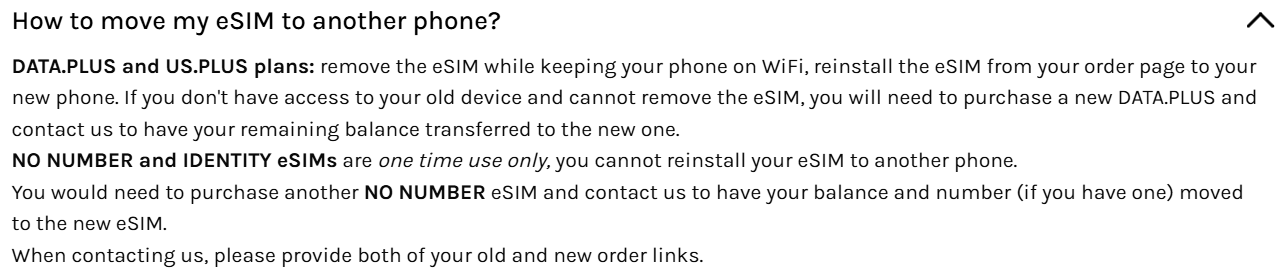
I’m not yet into eSim but it looks interesting.
1 Like
Yes, I have the Data.Plus plan. It really is pretty amazing, by the way. Using the data when I’m out, and Wifi when available, is incredibly economical. That’s one of the reasons I signed up. But, again, it’s eSIM only, so it’s useless if the phone can’t scan the QR code.
1 Like
Just did this process in Canada, was very seamless I have to say I was worried. I switched from a 19 dollar 500mb data unlimited call and text plan, to fizz mobile, where I get a gig of data, unlimited calls and texts for 17 bux
1 Like
Hi, I have the same problem as OP - I’m trying to activate an Airalo sim card, that I’ve bought on another device. Neither QR not code is working…
Have you managed to find a solution yet?
1 Like
I’m not very familiar with eSims, so I’ve asked our team for tips. Are you transferring from an iPhone? Or another Android?
I bought it on iPhone, but wanted to activate it on Kompakt.
In the end, I got a refund from Airalo and I’ll buy a physical SIM card.
That’s probably why
iPhone → Android is usually a bit more work.
Apple makes eSIM transfers within its own ecosystem very smooth.
When you leave that ecosystem, the eSIM can’t be “handed off” automatically.
So instead of a device-to-device transfer, you usually have to re-activate the eSIM on Android.
How painful this is depends on your carrier
Even though the e-sim was brand new and never activated on the iphone? Welp, that’s unfortunate.
1 Like
Unfortunately that’s how the cookie crumbles. You might want to reach out to your network provider and see if you can get them to transfer it.
@torie Were you able to sort out you eSim situation?
If not, our team has provided these additional instruction
Why the QR Code is “Not Recognized”
Unlike a physical SIM card that you can take out of one phone and put into another, an eSIM QR code is typically a one-time use token.
- One-Time Activation: Once an eSIM profile is downloaded to a device (e.g., your previous iPhone or Pixel), that QR code “expires.” You cannot simply deactivate the eSIM on the old phone and re-scan the same code on the Mudita Kompakt.
- Security Lock: Carriers often lock the eSIM profile to the first device it was installed on.
How to Fix It To activate the eSIM on your Mudita Kompakt, you generally cannot reuse the old email/paper code. You must:
- Contact your Carrier: Request a brand new eSIM profile (a fresh QR code) specifically for a new device.
- Scan the New Code: Ensure you are scanning a newly generated code that has never been used on another phone.
Note on Niche Carriers While standard carriers (like Fizz Mobile in Canada) generally work seamlessly, some specialized privacy-focused carriers (like Silent.link) or VoIP providers may have unique provisioning steps that are optimized for specific mainstream Android phones (like Pixels). If generating a new QR code does not resolve the issue with your specific provider, we recommend switching to a physical SIM card for the most reliable connection, as confirmed by other users in similar situations.
Please let us know if generating a fresh QR code resolves the issue.
Hi,
once again, I might mention that the QR code and eSIM were not used nor activated on the iphone (as I feel like its being mentioned as “already used”, however I find the wording confusing).
As the eSIM was bought through Airalo, I got in contact with their support and got a refund.
As I was travelling (Thailand), I just bought a local physical SIM and used it in Kompakt.
1 Like
@torie thank you for the follow-up. I will ask the team about this.