Does anyone know how to get sideloaded apps to work on mobile data on the Kompakt?
I’ve sideloaded 2 apps I need for work: Signal and Brave browser. Unfortunately, I’ve found that these apps tell me there is no connection if I am not near Wi-Fi. I do have cellular service. I tested that connection by asking someone to text me, and the text came through. My mobile plan has data included, so if I have service, I should have data as well. But I still can’t get either app to connect with data. I went into Signal settings and enabled any settings I could find to allow it to function on mobile data. I can’t find anything similar in Brave. I did also try to check the Manage Apps > Permissions > All Permissions screen for each app, and I see indications regarding network connections and network access under “Other app capabilities”, but there is no option to toggle these so I can’t tell if they are enabled or not.
I just updated my Kompakt to 1.4.0 and restarted the phone today.
@nyan-nat Here are some suggestions from our support team:
Check APN Protocol (IPv4 vs. IPv6)
This is the most common cause. Many apps still rely on the older IPv4 standard to connect. If your mobile carrier’s settings are forcing an “IPv6-only” connection, modern browsers like Brave can handle it, but other apps may fail to connect entirely.
Go to Settings → Network & Internet → Mobile network → Access Point Names (APN).
Tap on your currently active APN.
Scroll down to find APN protocol and APN roaming protocol.
If they are set to “IPv6” or “IPv6 only,” please change them to “IPv4/IPv6”.
Save the settings (tap the three-dot menu in the top right → Save) and then toggle Airplane mode on and off to reconnect.
Reset APN Settings
If changing the protocol didn’t help, the APN configuration file itself might have a minor corruption that is affecting standard apps. Resetting it forces the phone to re-read the clean configuration from the SIM card.
Go to Settings → Network & Internet → Mobile network → Access Point Names (APN).
Tap the three-dot menu icon in the top-right corner.
Select “Reset to default”.
Once the reset is complete, restart your phone and test the apps again.
Check DuraSpeed (Background Restrictions)
MuditaOS uses a feature called DuraSpeed to maximize battery life on the E-Ink screen. This system can be very aggressive and might be cutting off network access to your sideloaded apps because it views them as “background battery drainers.”
Go to Settings → System → Developer options → Search icon → Enter DuraSpeed → Open app → Find your apps.
Ensure that your specific sideloaded apps (like the ones failing to connect) are toggled ON in the list to allow them to run without restrictions.
Please let us know if changing the IPv4/IPv6 setting resolves the issue, as that is usually the fix in these cases.
Thanks so much for the helpful troubleshooting steps. Here’s what I found:
-My APN protocol is already set to IPv4/IPv6
-I reset the APN settings anyway
-I checked DuraSpeed, and toggled Brave and Signal ON.
-I restarted the phone and disconnected from my wi-fi.
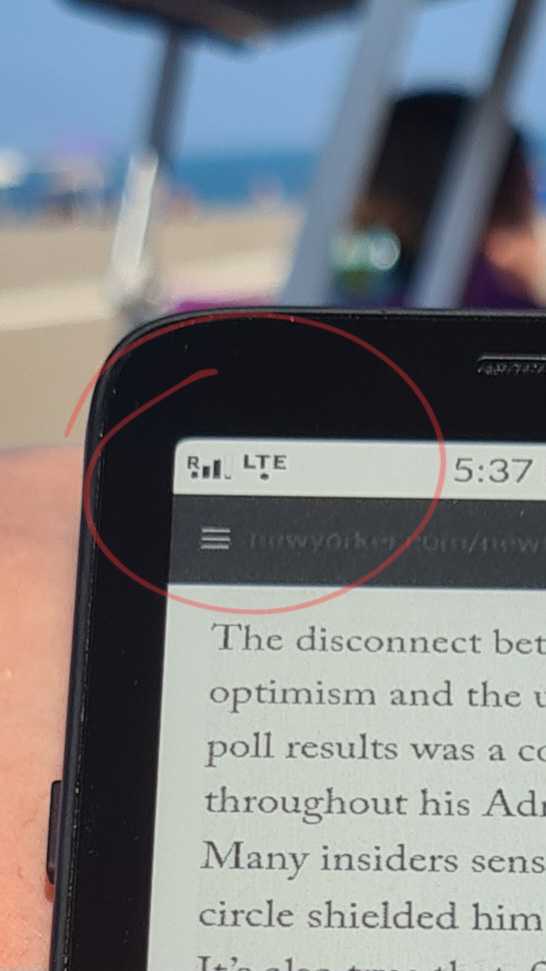
Right now in my home, it is not accessing data. Brave browser reports no internet connection, and there is an exclamation point next to my bars in the top right, like this:
Aside from Brave, I have also had issues with Signal connecting to data. I just confirmed with my carrier that I have plenty of data available to use, so that’s not the issue either.
For what it’s worth, I’m using an eSIM with US Mobile under the AT&T network.
I’m going to need to switch to a smart phone for now, unfortunately, until this can be resolved. I do home nursing and I really need to be able to access a webpage and send my client consent forms consistently!
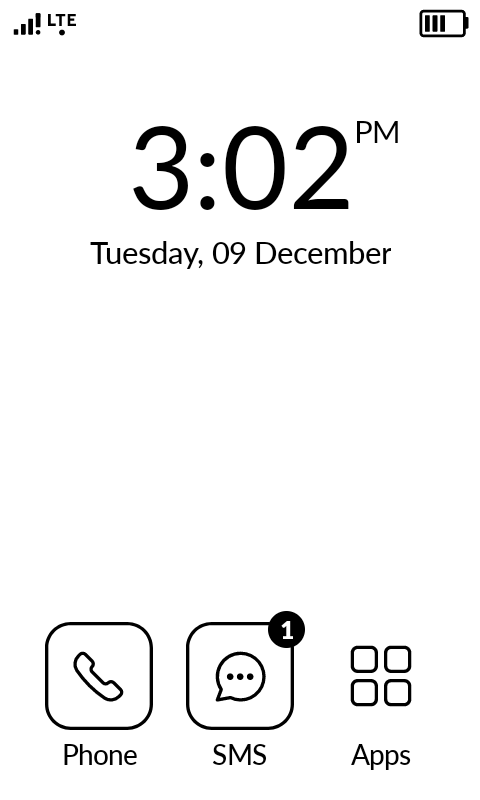
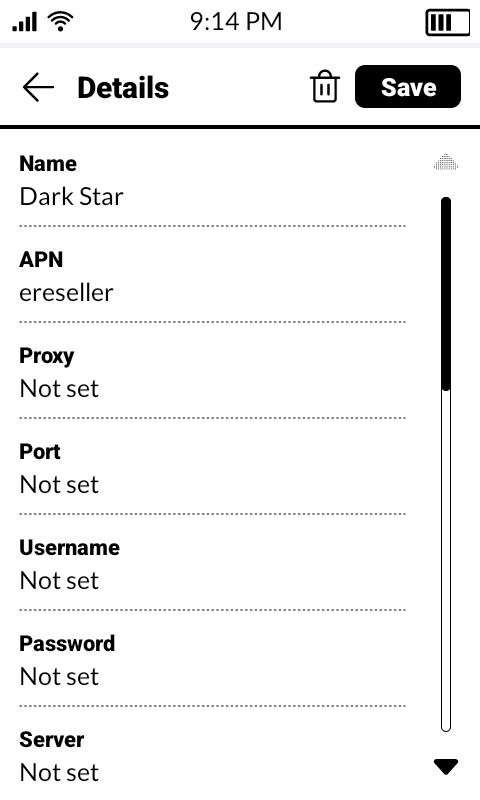
I am also using a US Mobile eSIM with AT&T, but I’ve never had the issues you are experiencing. If your APN settings don’t match mine (as seen in the screenshots below), I would recommend updating them.
Well I feel really silly. I finally contacted US Mobile and tried switching networks to T-mobile, and I’ve had consistent data connection all evening. I thought AT&T had better coverage in my area, but I guess not! Thanks @stephenshutters and @urszula for all your help, I learned a lot about how wireless works in this process.