Is it possible to make the Maps application work horizontally, i.e. with the screen rotated 90 degrees?
1 Like
@dawidmroz1990 I know that we’re going to have this option in the eReader in the next update, but I’m not sure it’s going to be implemented in maps.
I asked the team & I’m just waiting for some clarification.
1 Like
Also…
Where there is a will, there is a way 
2 Likes
Is this horizontal view on a vertically placed phone or did just the recording app kept it small?
1 Like
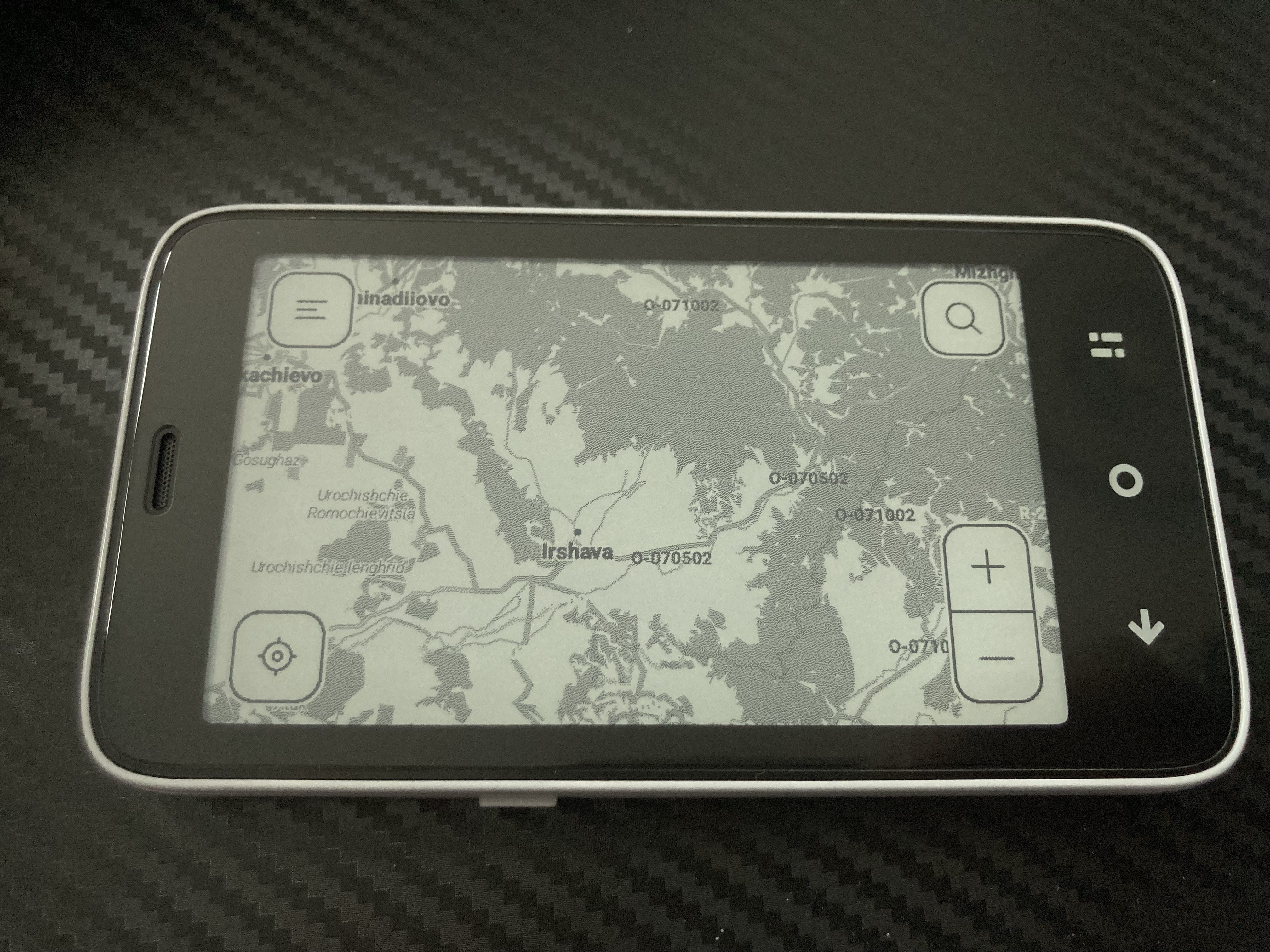
I really do hope that this will be added as a native feature to the Maps application.
2 Likes
I enabled the “Display over other apps” setting - is there anything else one has to do for Maps to rotate automatically from portrait to landscape mode?
1 Like
Urszula,
Thank you for the helpful resource. I followed your video, but was unable to make it work.
Could you provide a step-by-step setup to enable maps or any other app to rotate to landscape mode as the phone is rotated? Some of the app settings are overwhelming, so I want to do the right thing.
Thank you!
2 Likes
Will it work with SMS app?
1 Like
@urszula Putting in a second vote for a step-by-step guide if/when you may be able to provide! Thank you
1 Like
OMG! It works - landscape mode texting is ALIVE!!!
3 Likes
I kind of have the same vision for the default software.
Setable orientation per App.
For starters I think one setting for the global, all apps, orientation is good. Settings->Screen->Orientation->(Default, AlwaysPortrait, AlwaysLandscape)
1 Like
Hi guys, I’ve reached out to the team to help me out with your question out instructions because the video was created by them. Sorry for the delay in the response as I am still waiting for the team to answer. I’ll get back to you guys once I hear from them.
3 Likes
I was able to find the Rotation app, download/install and even use it but I received a lot of errors and system-wide crashes. I’d caution against downloading/using it unless it’s really necessary for one’s use case. After deleting the app all the errors/crashes went away…
UPDATE: I FOUND HAT SEEMS TO BE A MORE STABLE APP “SCREEN ORIENTATION CONTROL” IN THE AURORA STORE AND, WITH LIMITED USE (FOR EXAMPLE, THE KINDLE APP), IT WORKS WELL. I HAVE TRIED APPLYING IT TO HERE WEGO MAPS AND IT WORKS MOMENTARILY BUT SOON CRASHES.
1 Like
@stevenjc123 I will ask the team again about this.