Hello everyone, I really want to use the Mudita Center to download some Apps like WA, Google Maps. I only have an iPad and apparently it is not possible to have the Mudita Center here and it will most likely not be possible in the future neither. Is there anything I could do about that? Because otherwise the Mudita will not cover the things I would personally need the phone for.  Does anyone know if the download would work on a boox tablet (but I think it won’t)?
1 Like
-
Mudita Center is only for Mac, Windows, Linux
-
No it doesn’t work on the iPad, and not because they can’t make the app for iPad os (looks like a react native app that can be exported for iOS) but it’s that iPad can’t communicate with the device as it lacks the support to access adb via usb. There are apps to do wireless debugging from ipad to the device, but I don’t recommend to go that path as a beginner.
-
Easiest path would be:
- Loan a computer from a friend and install a file manager (like Fossify File Manager) to the Kompakt, or a third-party launcher (like nova launcher) that will let you access the included files app that is hidden.
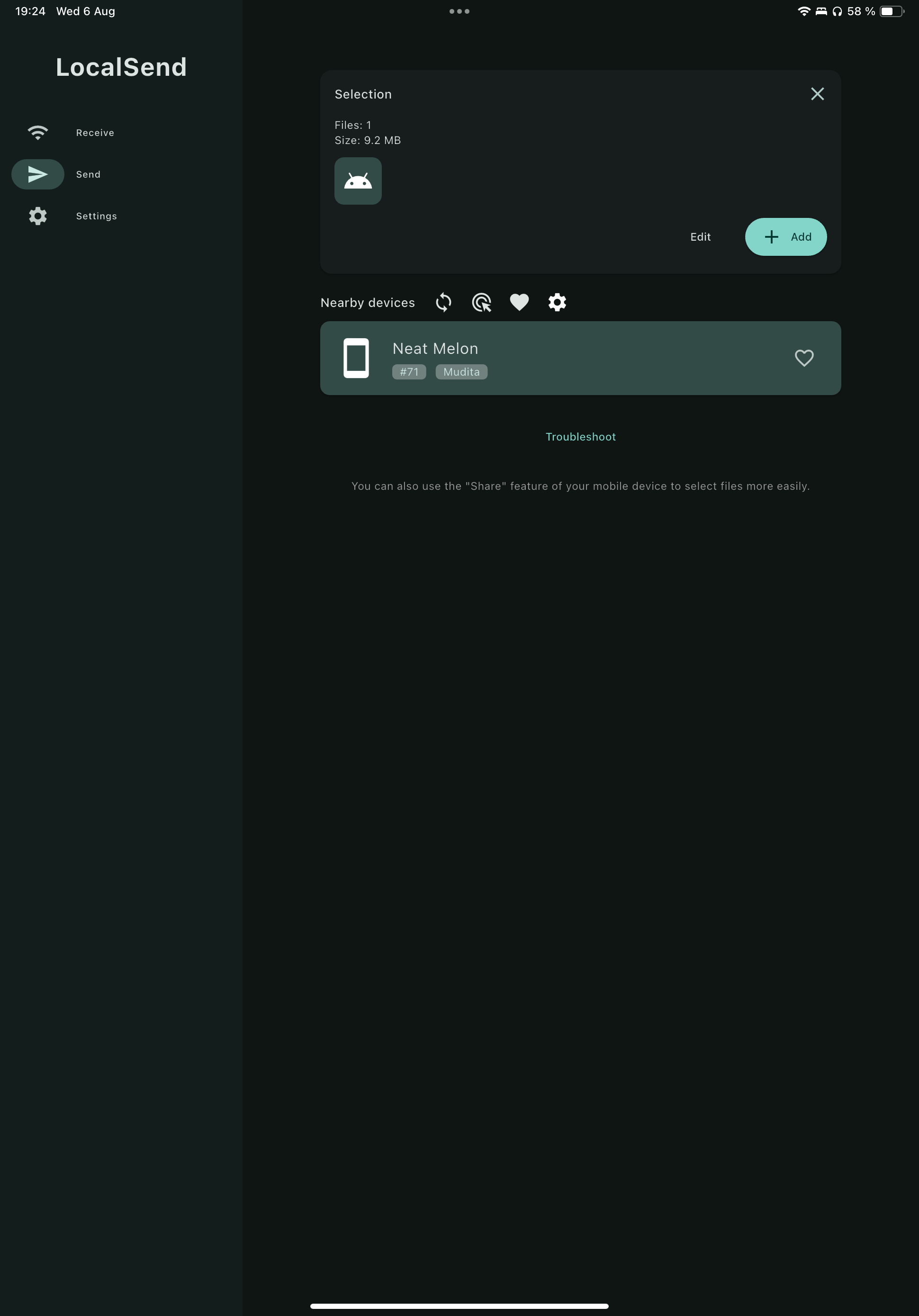
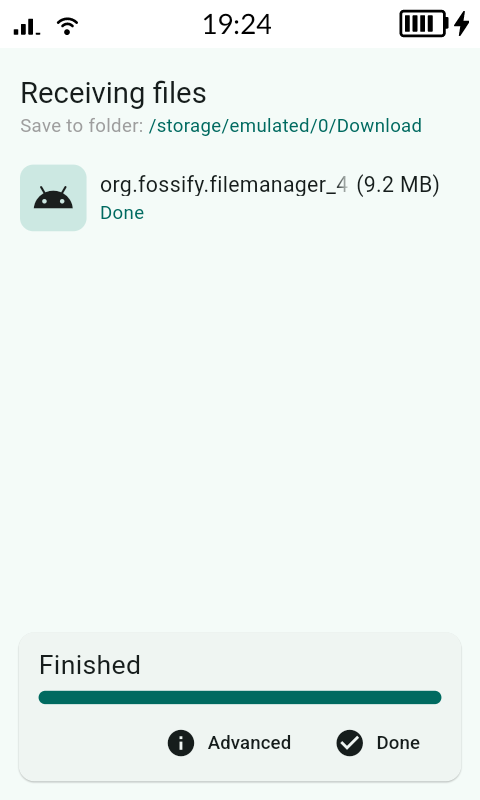
- Install Local Send in both Mudita Kompakt and the iPad (it’s cross platform).
- then you can download apks in your iPad → send them to the komapkt using LocalSend.
That way you won’t need a computer and you can install apps whenever you want.
- Really recommend a third-party launcher even if you don’t use it, because you’ll need it to uninstall apps because Mudita still doesn’t support uninstalling apps from the phone.
Screenshots (top iPad sending), bottom (Mudita Receiving)
2 Likes
Wooow, thank you so so much for that detailed answer! This is super kind, I will try that and see how it goes. Can the file manager be deleted after the installation?
1 Like
Maybe this will clarify it, i’ll try to simplify it.
- A third-party launcher like Nova Launcher (which u don’t have to make default)
Simply this will allow you to access the included Files app that is hidden from Mudita Launcher. - You send the APKs from Localsend (ipad) to Localsend(mudita), then you open Nova Launcher and it lists all apps on the phone (included Files app that is hidden).
- In files app you should be able to see the Apk of the app that you sent from Ipad to Mudita KOmpakt. (you can install it, and then delete the apk).
- If you would like to uninstall the app you need to do it from Nova Launcher.
To answer your question no you can’t delete the apps without Nova Launcher, and you can’t delete Nova Launcher from Nova Launcher.
If you go with the way with a third-part file manager like fossify file manager:
- With that you won’t need Nova Launcher (because fossify file manager will appear in Mudita Launcher).
- But with Fossify File manager you can only install access and install that apks sent from LocalSend but you won’t be able to uninstall them without a launcher that supports uninstalling like Nova Launcher or a computer (adb commands).
- And no you can’t delete fossify file manager without a launcher or computer+adb
So choose what’s more convenient for you.
1 Like