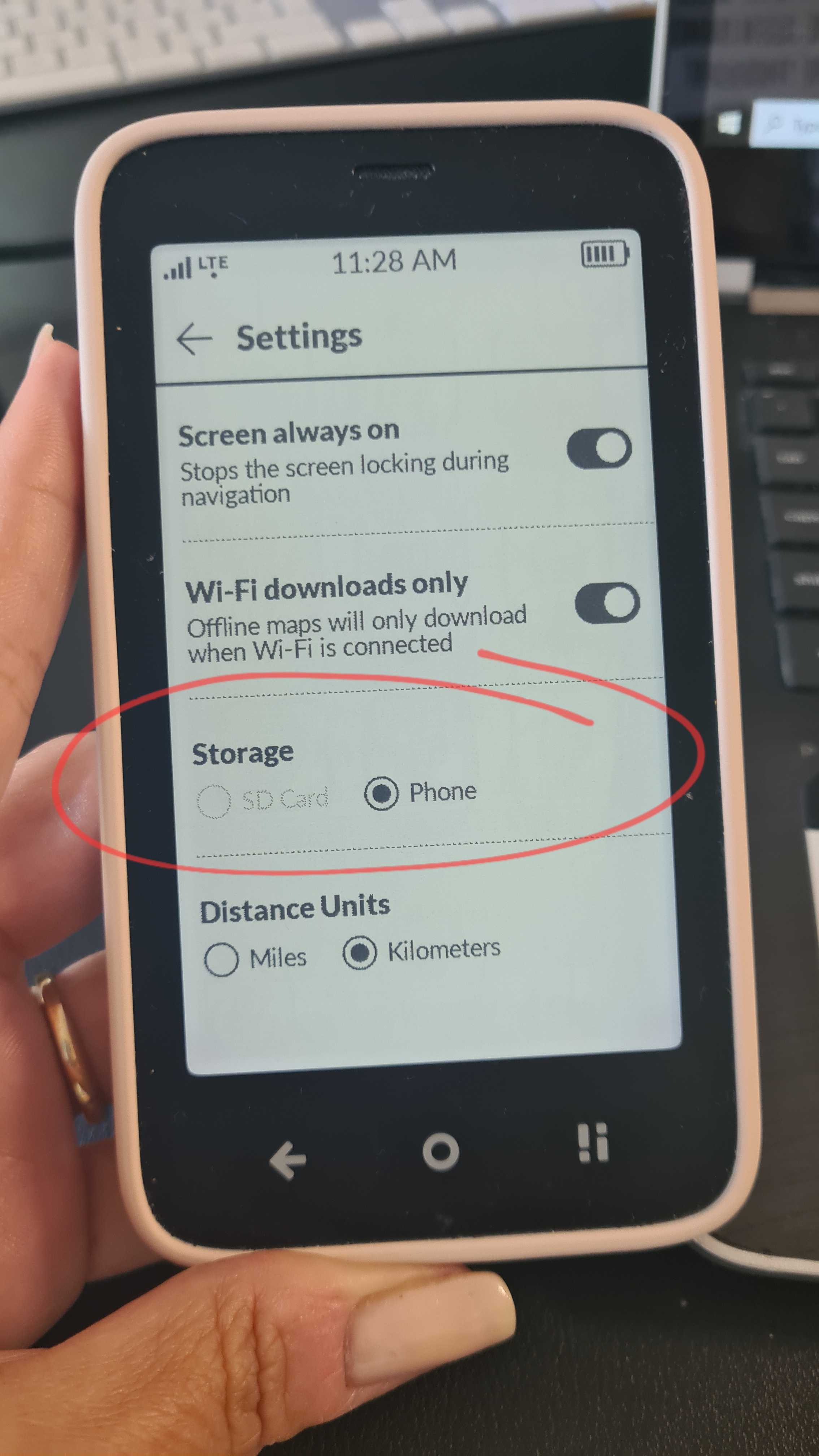
I received my Kompakt a few months ago. I had to update manually from 1.0 to 1.5 and that ended up taking a lot of memory. Between that and limited sideloaded apps like GPS, text-to-speach to give turn by turn navigations, email, music, messaging, I only have 1.7 gb of memory remaining on the device. I do use an external SD card for map and music storage. I’m realizing come the next software update, I may not be able to install it.
Is it possible reset the phone and update the phone to 1.5 os to save memory?
Something i find frustrating both on the phone and in Mudita Center, in checking storage, all the used storage is under “other files.” I can’t see exactly what is taking up space. Is there any other way to see with more specific details what is taking up space to consider deleting?
Is there a way to move dowloaded content on to the SD card? I have checked in the app settings and only some allow to choose the SD card. Is there a sideloaded app that can do this? I wish this could be done by clicking and dragging files in Mudita center from internal storage to the external SD.
Hi. Thank you for reaching out. I’m not sure if it’s the maps or the updates that are taking up all the space, but just to be sure, you can save your downloaded maps to an external SD card:
When it comes to updates, from the way I understand it, when you perform each new update, it overrides the old update, so when you perform a factory reset, your phone will rest to the newest update, not the original one.
Additionally, you can also remove the APK files from your memory once they have been installed. Don’t worry, removing the APK files does not remove or uninstall the app from your phone.
Out of curiosity, how many apps have you sideloaded & what are they?
Maybe the community can give you some ideas about third-party apps that help with movement of files because I’m not familiar with those type of apps.
Hi Urszula, thank you very much for taking the time to respond. I’m hopeful removing the APK files will be a solution. I have to look into how because im not familiar. I appreciate your patience because I don’t have the most extensive tech background.
I think my apps are limited. 10 apps. I was a bit surprised they could generate so much memory. I tried to keep dowloaded maps and music on the SD card. The apps consist of Aurora store, DAX5 (for contact sync), Here We Go (for navigation), Sherpal TTS (text-to-speech provides the voice to turn-by-turn directions in Here We Go maps), WhatsApp, Signal, Infomaniak (email), Qobuz (for music), Vivaldi web browser (mostly to open event tickets from email), Libby (for audio/ebooks from local library).
I wonder if the Sherpal TTS dowloaded voice could be the largest component taking up memory. Perhaps also when people send voice/video notes, photos on whatsapp. In my deleting messages, im able to get more space. but a few weeks go by and im surpassing 31 gb with memory full warning messages.
UPDATE: restoring the phone and re-adding sideloaded apps seemed to free up memory significantly! I have a solid 19ish GB free. Before i began sideloading apps, it showed memory at 8.8 gb of system use. @urszula does that seem correct to you? Would the 8.8 GB just consist of internal apps and operating system?
Def wasn’t text to speech. The voice itself is only 60mb. I don’t think it was chats clogging memory. My theory of what happened to fill up device storage was that I experimented with sideloaded apps from Aurora Store. As much as i uninstalled them through the Aurora Store app, the files or some aspect of them remained on the device.
This time, I installed the majority of APK files sourced from their developers through Mudita Center vs downloading from Aurora Store. Some apps developers like for HERE We Go and Qobuz don’t have APK files to download from their websites, and I don’t know enough about digital security to comfortably use alternative sites like apkmirror. Sideloading with Mudita Center clearly gives the option to remove the APK files which i don’t think is certain with aurora store.