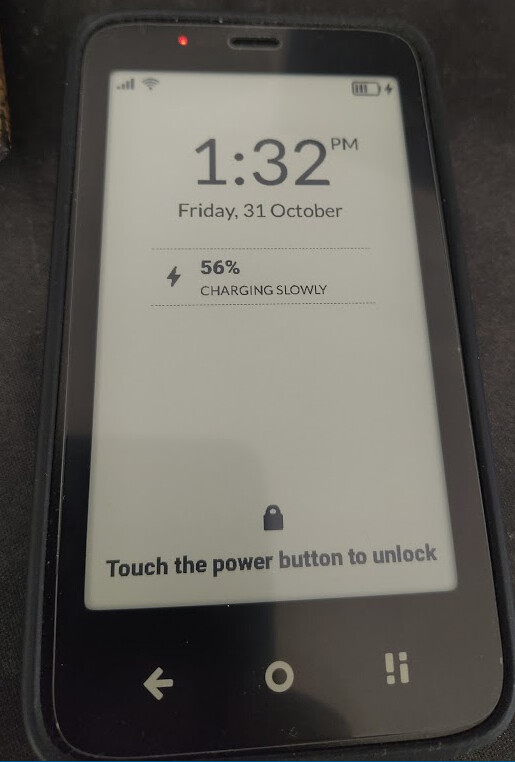
I don’t really mind, but i’m not sure how i can fix this
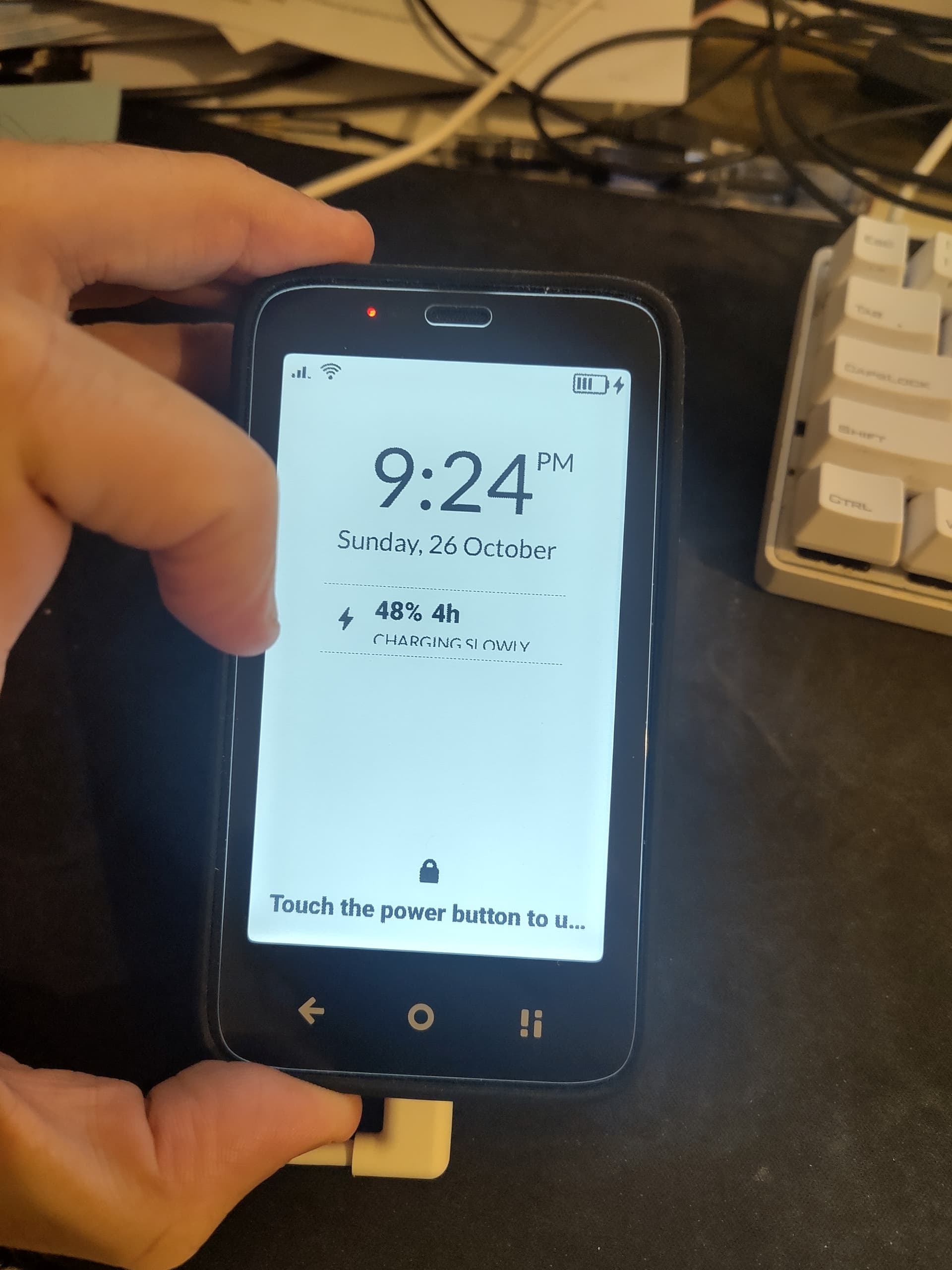
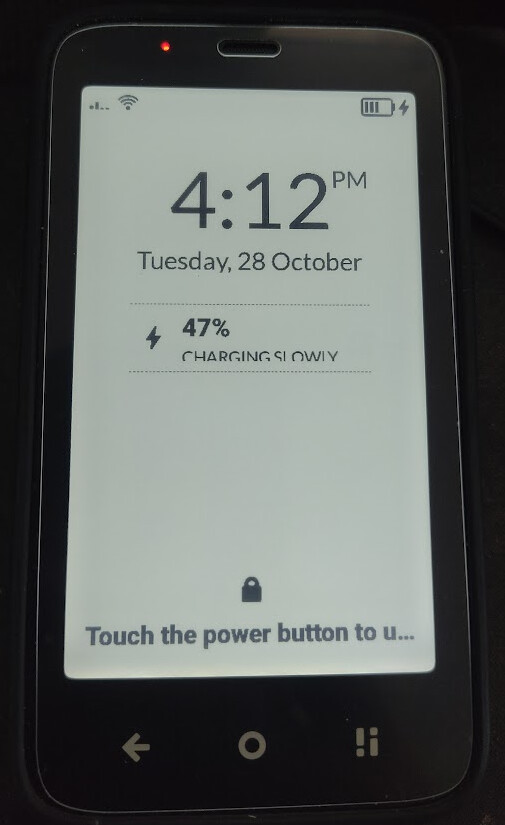
I see “CHARGING SLOWLY” being cut in half horizontally basically, see screenshot.
1 Like
@T9Pilot Do you have any apps/launchers sideloaded?
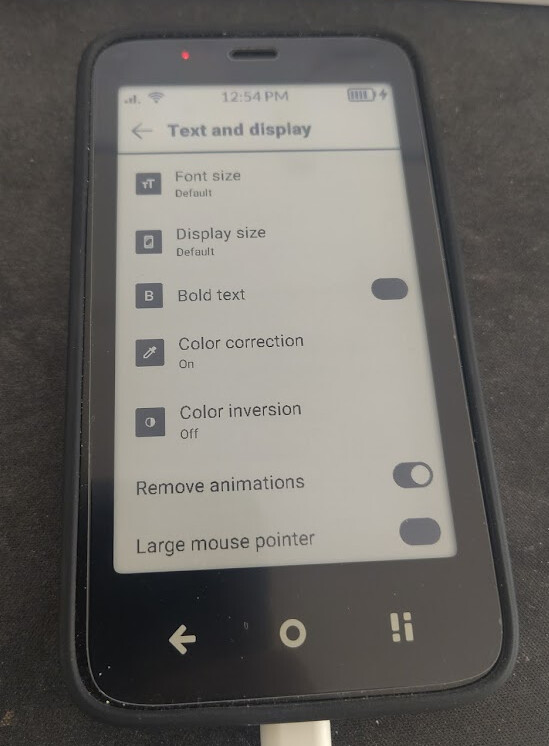
By chance did you enlarge the system fonts in the hidden screen settings?
Do you have any apps/launchers sideloaded?
yes, inkos
By chance did you enlarge the system fonts in the hidden screen settings?
i tried to change the system fonts, but now i set it back to ‘default’
1 Like
It should look like this:
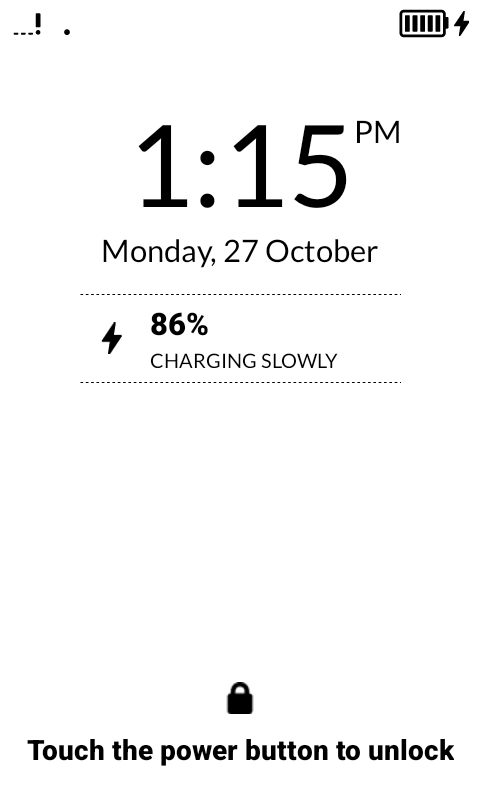
Our team said that the launcher or the changing of the fonts might have caused this.
Definitely not the launcher.
1 Like
OK but it’s changed to default now, so it should fit the screen?
1 Like
@T9Pilot Yeah, I think that should fix it. Is it still off?
yes, it’s still off.
And the “Touch the power button” text is cut too, suggesting this could happen in other random places too :-/
1 Like
@T9Pilot Although the lock screen is not actually part of the launcher, installing a different launcher and one that potentially changes the fonts could potentially interfere with our entire OS, so it’s actually very hard for us to pinpoint what is causing this.
1 Like
Yes, i understand, no worries, just asking around at this point 
If i find a solution, i’ll report back here, maybe it’ll help someone else too
1 Like
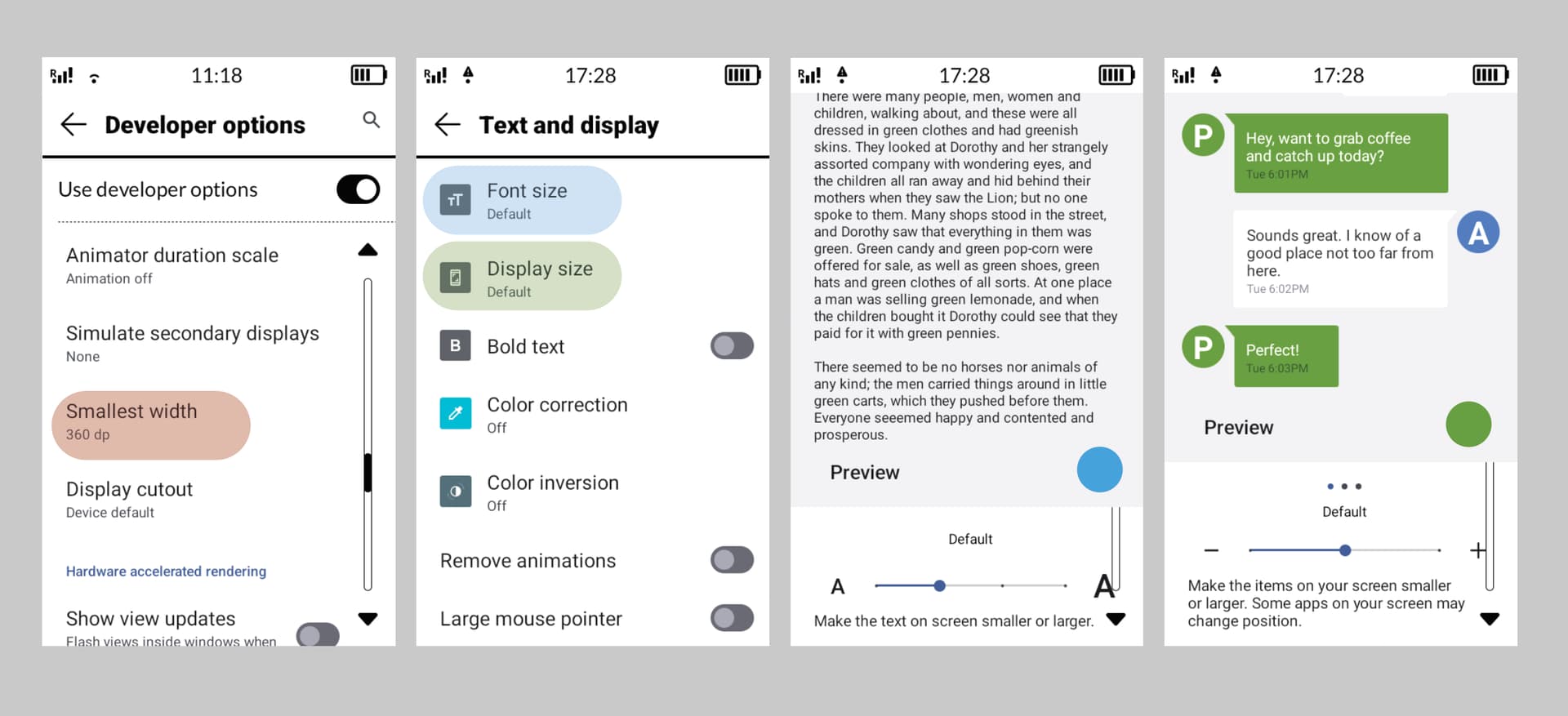
These are the 3 settings that can affect scaling. See if you have changed the “smallest width”, because the Lockscreen and quick settings are not scale-responsive so they don’t adapt to different sizes well.
@urszula That simply is not true, and I have no idea why your team would suggest that. In a normal AOSP lock screen an app can add notifications, change the wallpaper but that’s pretty much it.
In Mudita OS K in the other hand the custom lock screen gives 0 access to any third party apps to make any changes or even show notifications.
1 Like
thanks.
No i haven’t messed with the smallest width at all.
I read in this post it could be pretty bad and hard to recover, so i never dared to touch this setting.
For the 2 other “font size” and “display size” they are both set to “Default” now.
(basically everything is as it is in your screenshots)
1 Like