v1.5 has been released
(If you’re coming from 1.4 you should be able to check from Katapult Settings / System / Check for Updates).
As always I suggest making a backup of your config in: Setitngs / Config Export/Import
If you’re new here check: Katapult.gez.im for download link or source code link.
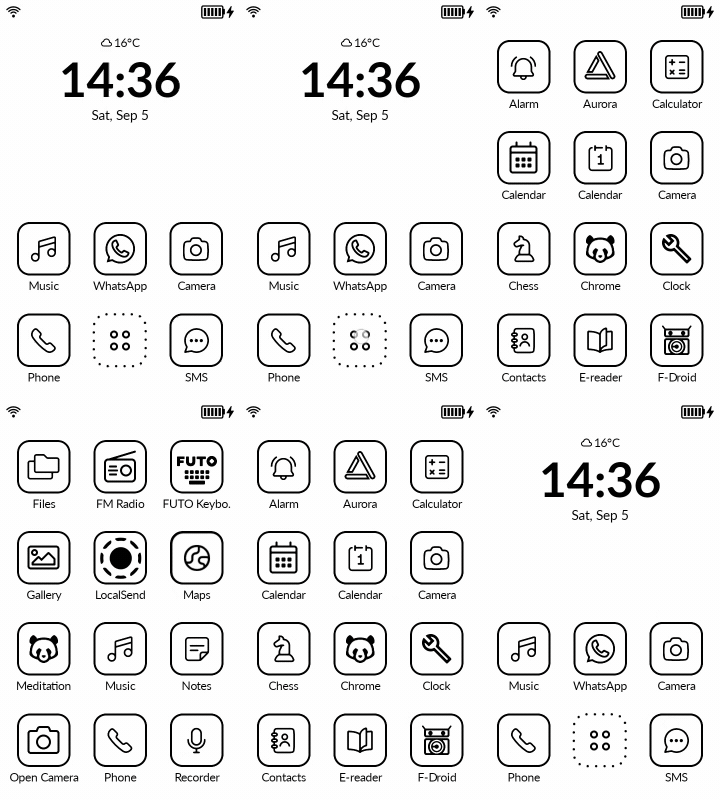
1. The home grid matches the all apps grid
Now the icons in home will match same location as icons in all apps, so everything will be aligned (if you’re not using the arrows in all apps). Hope you enjoy the update @Little-User
As a result of the grid change I was able to provide a bigger icon size (80x80) which will be the new default (or keep the old 72x72). Choose in Settings / Appearance. I think it was @marko who asked for bigger icons
2. You can choose what longpress in home icon does (settings/gestures).
Some users want to hide the home apps from all apps, and be able to clear notifications from home for those apps. You’ll be able to choose what longpress does (replaces the DIsable home editing toggle).
- App info (to kill apps faster)
- Context menu
- Clear Notifications (for that app)
- Edit shortcut
- Do nothing
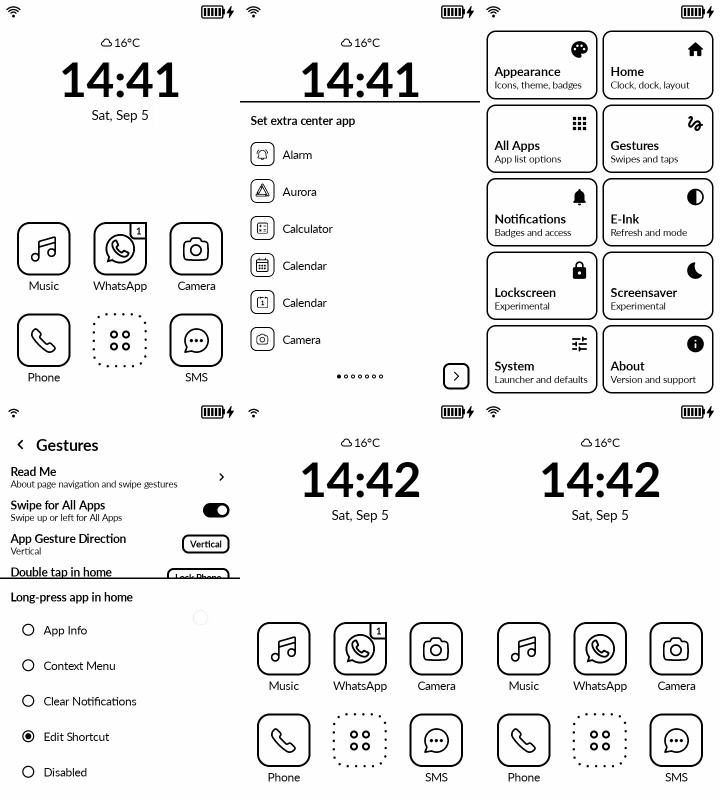
@ploum I hope this solves your issue for clearing notifications after u’ve hidden the home apps in the all apps menu.
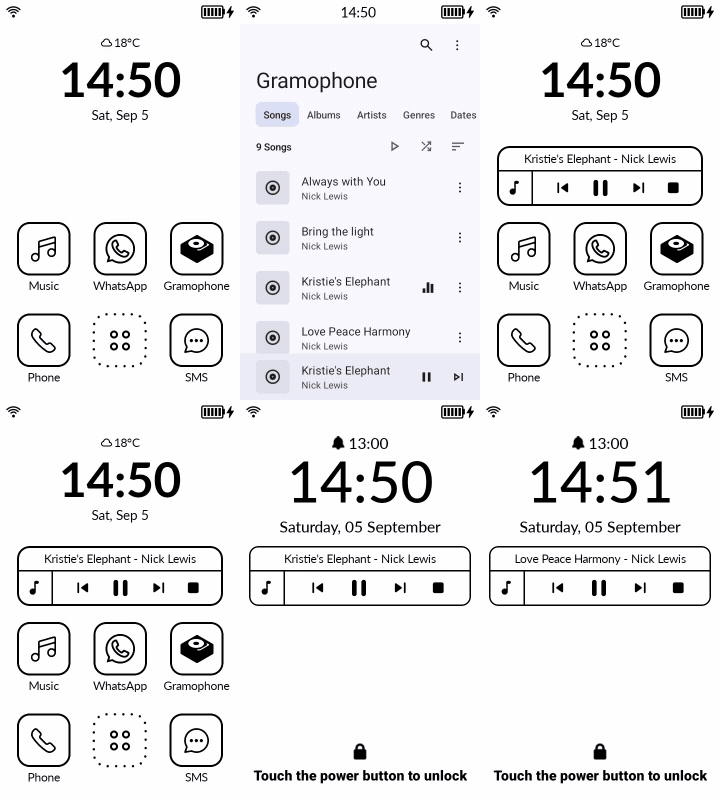
3. You can enable the Katapult Audio Widget in Lockscreen so you can control third-party music or podcasts apps.
This will not appear if you’re using the Mudita Music app. Only for third-party apps which Mudita doesn’t allow access to the audio widget.
You can enable it in Settings / Lockscreen / Enable music controls
 ###
###
4. Order Apps. I don’t want to add new activities here like Recents or most used, but from now on you can choose All apps ordering:
- Alphabetical (like currently, off course it remembers if you have reordered them)
- Most used (will order apps by your most used ones, so the order will change based on usage)
- Most recent (so it puts most recent apps on the top)
This will require Usage permission and it will be asked during enabling this feature. You can always go back to alphabetical and it should remember your custom order (if you had any).
5. You can enable weather now to be above clock (same row as battery or alarm), you can enable or disable any of them in Settings / Home
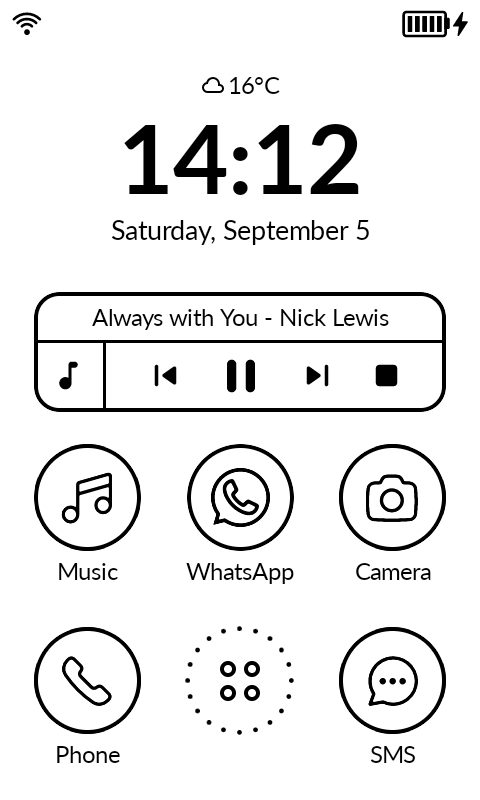
This reads the weather form the weather app, there’s nothing I can do to make the weather more correct in your city. It updates when it updates on the weather app. Shows only the default location.
- New installs from 1.5 onward start with:
- the extra 3 apps in home
- vertical All Apps gestures
- page arrows hidden
- infinite scroll off
- 80 x 80 icons
Updating from an earlier version changes nothing: your settings are kept exactly as they are, icons included. I just thought I’ll make the default navigating faster, especially now that I matched the grid on both home and all apps.
Minor changes
7. I’ve done some reorganization of menus to make things a bit more intuitive, and changed some of the cycle switches to bottom sheets.
8. I’ve added two Android setting features in Settings
- Notification History (under Notifications
This should help debugging similar to Notification Log - Settings Search (under Sytem)
This can be helpful to find android settings that are hidden and not available in Developer Options.
Let me know if you have any questions or notice any bugs.