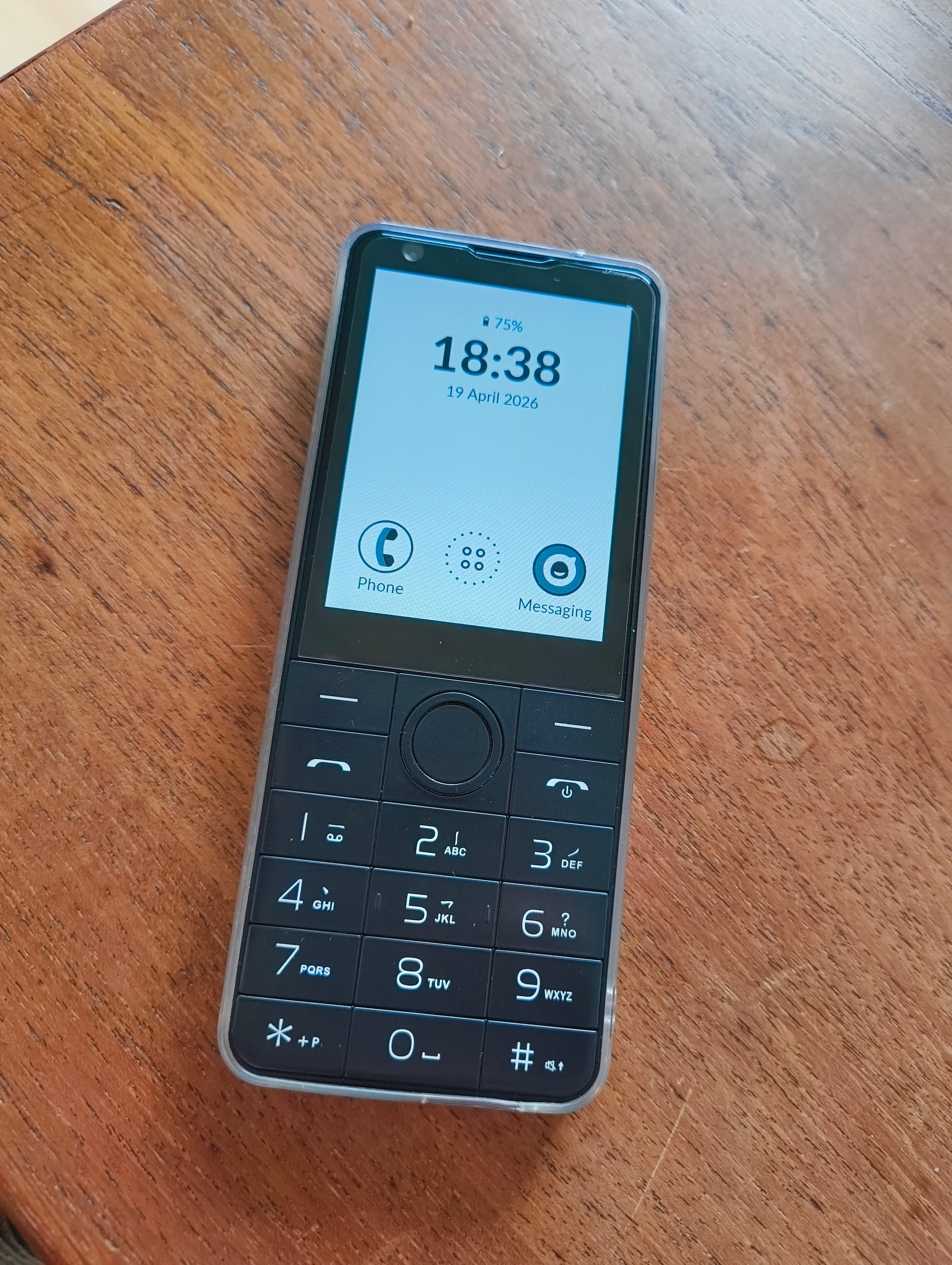
Wanted to share Katapult launcher that I shared a sneek peek here earlier this month.
I’ve made a simple Github website here:
The download APK link is the direct link from github, but you also have the link to releases and source code.
I’ve asked @Noteh to add it to MindApps, and I would like to thank him for testing the app.
The launcher was made for users that don’t like list launchers like inkOS, and don’t want deep customizations but only the basics. And of course it’s e-ink optimized (paginated with no smooth scrolling).
**it follows a similar layout to that of the Mudita Launcher but it allows to replace the default apps in home (by longpressing them)
it allows to add another row (3 more apps in home), of course it’s optional.
it styles third party icons to be closer to the other default icons, by forcing their shape and colors and adding borders.
for some popular apps I’ve designed some icons that replace their original ones (like for Whatsapp, Signal, Viber, Telegram, Koreader, Beeper, Spotify, Firefox, Brave, K9Mail, AntennaPod etc)
It allows notification indicator for 3rd party apps, so you can get counters for Whatsapp, Signal etc.
It has it’s own music widget that works with third-party apps like CalMusic, CalmCasts that @davidray has made. (it won’t work on the lockscreen, Mudita has locked their widget on lockscreen to only work with their music player).
you can change the shape of icons to rounded (same radius as the default icons, and circle). Circle is default.**
**
it has a few QOL features that you can choose to use or not:**
Double tap on home to turn brightness off/on (requires permission)
E-ink refresh in home button press (so it clears ghosting every-time you come home)
You can choose to show battery percentage if you want to Hide the statusbar. (you can’t hide the clock from Statusbar, Mudita forces it on all apps other than their launcher).
You can re-order apps in All apps list as well, they’re set to alphabetically by default.
You can also rename apps, uninstall them, access the apps android notification settings by longpress in the apps (in all apps section). You can also hide apps in the Hidden apps menu (accessible when long-pressing in home).
Please visit the website linked above you might find a small FAQ but you can post other questions that are not here.
I’m not looking to add more features to this, only fix bugs that might be there and maybe design and add some icons for some popular apps that I might have missed.
If you have any suggestions for icons for popular apps, you can request them here or in the github issues tab.
How to install? Download the APK file and install it using Mudita Center app, or via ADB/webadb.
Also with this you’ll be able to access the hidden FM radio, and the android Clock which has a timer.
v.1.1 Updates
Added
Custom icon import — long-press an app → Change Icon to pick a bundled Katapult icon or import your own PNG/SVG.
Clear Notifications option in the app context menu — dismisses tray entries for that package so the badge resets.
Hide Arrow Buttons setting — hides the page arrows and dots in All Apps so the grid fills the full height; swipe to change pages.
Disable Home Editing setting — locks home shortcuts so long-press no longer opens the app picker. Instead it opens Android’s App Info screen for the assigned app.
Hide All Apps Button setting — replaces the dashed-dot All Apps tile in the dock with a regular shortcut (defaults to the system contacts app).
Tap the battery percentage on the home screen to open Android’s battery settings.
Changed
Re-importing an icon for the same package now correctly invalidates the cache.
Monochrome app icons are now always used when the app provides one
Notification counting rewritten from a counter to a set of active notification keys — fixes apps that update one notification N times being counted as N separate notifications (e.g. podcast apps, multi-message conversations).
WOW, I’m loving this! I never thought I could like another launcher more than inkOS, but this is outstanding. I was already getting ready to request more icons lol, but the launcher itself makes almost every icon look great by itself. What an improvement over the stock launcher! Great job!
@YYZ Thank you. For icons think popular as Whatsapp, Firefox, Brave. I can’t design icons for every app out there. The auto-styling works pretty well with most icons already.
@anon43857326 Thanks Marco, that was the idea here. I’ve read it on the forum and reddit many times that a lot of people like the default launcher they just want a few simple customizations. And I added a few more on top of that, but still the settings page is very short.
inkOS is ready pretty much, under final testing. It’s also under review in Google Play, i’ve had a lot of requests to post it there and I wanted to release it at the same time in Github/PlayStore. It’s gonna be convenient also for Kompakt users that use Aurora Store, because it should appear there once I’m allowed to moved to Production/Open testing.
But that is taking a while since it’s a brand new dev account, so I might just release it next week in Github. Will make an update on the inkOS thread once that is done.
Of course. I actually mentioned on the post above that you can suggest icons. But they gotta be like popular apps that would benefit more users.
You can also post a screenshot of how those icons look right now with Katapult, because for a lot of icons they will not look better designed with outlines. They become unrecognizable.
This is such an incredible app - another here who loves the stock launcher and this fixes my only issues with it (minus the home screen music widget, which is of course not currently possible).
Thank you so much for putting this together. It’s definitely going to be my default launcher going forward.
If it’s not too much trouble to make a couple of custom icon requests:
AnkiDroid - the most popular flashcard app used for language learning. Works surprisingly well on an eink screen. Some assets here that might be useful Anki Icon and Logo for Your Flashcards
FUTO keyboard - I’ll probably hide it from the app list, but enough people here use it to make it worthwhile as a custom icon. Imagine a simple colour inversion would do the trick.
So I’m already testing a workaround to access the mono-chrome icons for some apps, even though technically it’s not possible in Android 12. I just tested with Ankidroid and it works, without me having to design an icon for it.
For FUTO there’s actually an icon already, I have the input latin FUTO keyboard, you might have yours with a different package name.
Oh this looks incredible with the auto icon change. Such a handy feature.
Playing around with it a bit more and I am getting some phantom notifications on WhatsApp. It’s the only sideloaded app I have notifications on for, so not sure if it’s app specific.
Nothing shows up in the notification log, and when I reset the phone the notifications are gone.
Wonder if this is because I have WhatsApp installed on multiple devices?
The only notifications that are filtered are summaries, like if you have 2 notifications from 2 chats, some apps like whatsapp will add a 3rd notification as a summary. I filtered those on purpose. But everything else is standard.
It shouldn’t. If you have Whatsapp let’s say on desktop, and you read that message on desktop. Then Whatsapp notifies the Whatsapp in your Kompakt that notification has been read, so it will remove the “count”.
The only notifications that should remain are on-going notifications, or if the app was killed.
I suggest to try the “notifications” option when u longpress in whatsapp (in all apps). And then disable notifications that are not chats. I have only allowed Group notifications, message notifications and allow notification dot". The rest are disabled, and I’m not getting any false notifications.
Here are a couple of sample wallpapers, exclusively for Katapult Launcher on the Kompakt, as they might not fit other formats. I used some of the wallpapers I originally made for inkOS and modified them to a simple image so they don’t block any elements. I might make more and better ones when I have time and ideas.
This is a fantastic launcher. I installed it right away. As someone with ADHD I find this much better than Inkos for me as I have less to fiddle around with in the settings. I love that you can also silence text notifications! Thank you so much. I think a lot of people would have left the Kompakt behind and moved on to other phones if not for your work as Mudita itself has been very slow in my opinion on providing meaningful updates to this device. So thanks for your hard work
This is awesome!! Solved all my complaints about the stock launcher and added some great improvements. Hopefully 1.5.0 will unlock features of the lock screen, but who knows. The third party community around developing apps for this platform is phenomenal, and a large part of the reason I love the phone so much.
@lightsaber
In the upcoming update I’ve made a fix that taps into app packages to find their monochrome icon, even though it’s normally a feature that is supported on Android 13+.
From my test this made Apple Music and Wikipedia icons, work great. I’ve added custom icon for Reddit and Einkbro. In the next version u’ll also be able to add icons yourself or choose from the presets. I will add some generic icons, for example RSS icon that u can use for ReadYou.
@thurakanda Home looks good, but all apps list looks a bit tight. I’ll see if i can optimize it a little for other phones even tho I intended to be used for Kompakt only
@Minimalmann79 Thanks for the kind words. I’m trying to keep this as simple as possible, but I may have to do some adjustment to the notification counter.
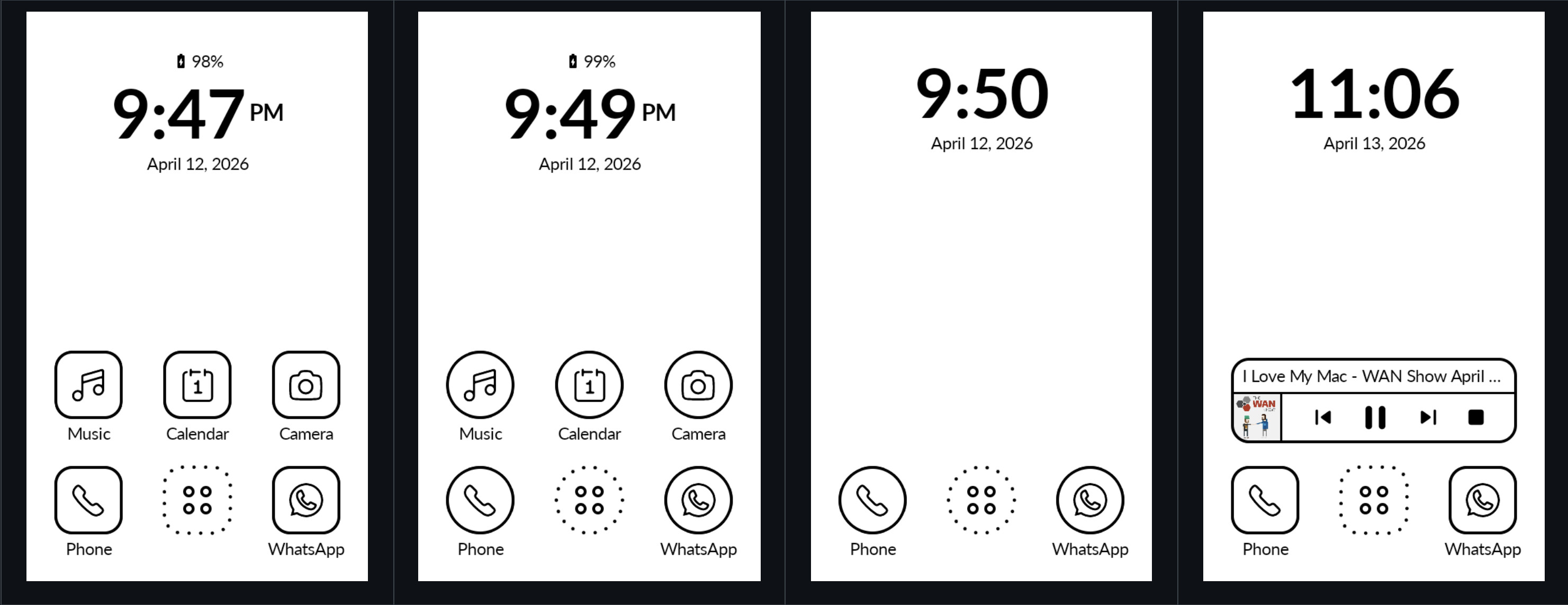


 Doov R77 Pro for reference