A feature that I would love for KatapultX would be the option to change notification sounds for individual apps. Would be a good way to know which ones are more important than others.
Thank you for making the app though, it’s brilliant.
A feature that I would love for KatapultX would be the option to change notification sounds for individual apps. Would be a good way to know which ones are more important than others.
Thank you for making the app though, it’s brilliant.
hi - where is the clear eink mode?
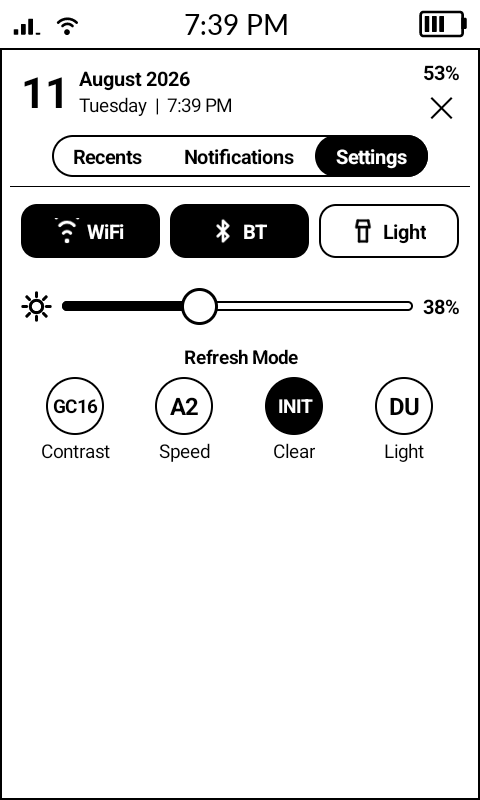
Sideload KompaktX. Swipe to access the KompaktX notification tray. Choose the settings tab. The refresh modes are listed there.
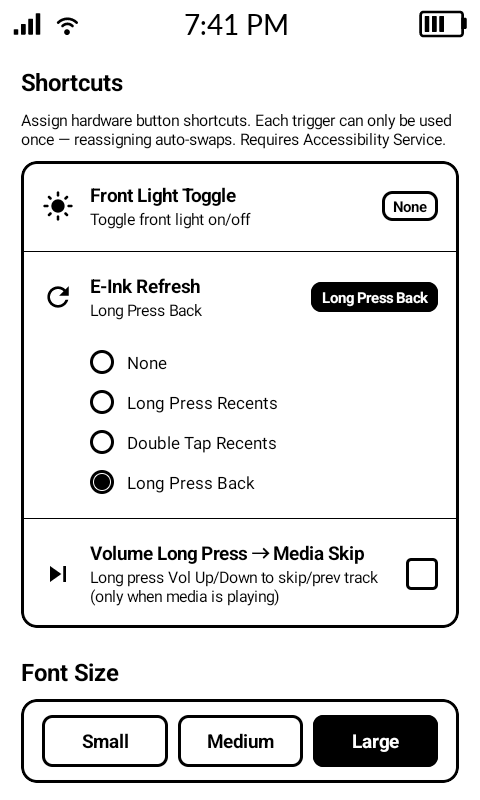
Or, if you’re looking to set up the shortcut to refresh the screen, that’s done through accessing the KompaktX app from your app launcher. Scroll down in the app and you’ll find it.
v1.2 is out. This one started as a handful of bug reports about brightness and turned into rewriting how the app handles it entirely
Download: Release KompaktX v1.2 · ScreenSensitive/KompaktX · GitHub
Several people reported versions of the same thing: the system brightness slider doing nothing while KompaktX was running, Adaptive Brightness switching itself off when the panel opened, or adaptive getting cancelled after the screen slept. They were all the same root cause — the app held a brightness override at all times and quietly fought everything else.
That’s gone. The panel slider and the system slider are now one value: move either and the other follows. Turn the front light off and it stays off through lock, unlock and wake, instead of creeping back up to 3 or 6. And when Adaptive Brightness is on, the app steps out of the way completely rather than competing with it — there’s a button in the panel to toggle it.
Tap Reply on a popup and the keyboard comes up right there. If another message lands while you’re typing, it waits instead of wiping what you wrote.
There’s also a Reply to Popup shortcut: bind a hardware button — single press, double press or long press on Recents, Back, or the volume keys — to open the reply box without reaching for the top of the screen pressing the reply button. While a popup is showing that gesture takes over, and your normal shortcut comes back the moment it’s gone.
Optional Enter sends, off by default. With it off, Enter gives you a newline like you’d expect.
New installs default to tabs at the bottom, medium text, tabbed Recents and e-ink controls on. If you’ve already got those set, your choices are left alone.
It needs WRITE_SECURE_SETTINGS, which Android won’t let an app request for itself. It has to be granted once over adb from a computer:
adb shell pm grant com.kompaktx.app android.permission.WRITE_SECURE_SETTINGS
Until then the toggle shows greyed out, and there’s a setup page in the app explaining it with the command ready to copy. The grant survives reboots — you only do it once.
Dang I’m lucky I just pulled this up this morning! What a great gift tysm for this update. Runs excellent and looks so organized .
Thanks for the fixes and the new features! I’d probably have kicked my Kompakt to the curb if not for KompaktX.
No problem!! Thank you 
No problem at all. Wow im glad its gotten you to keep the kompakt! I’m glad to see others are getting good use out of the app 
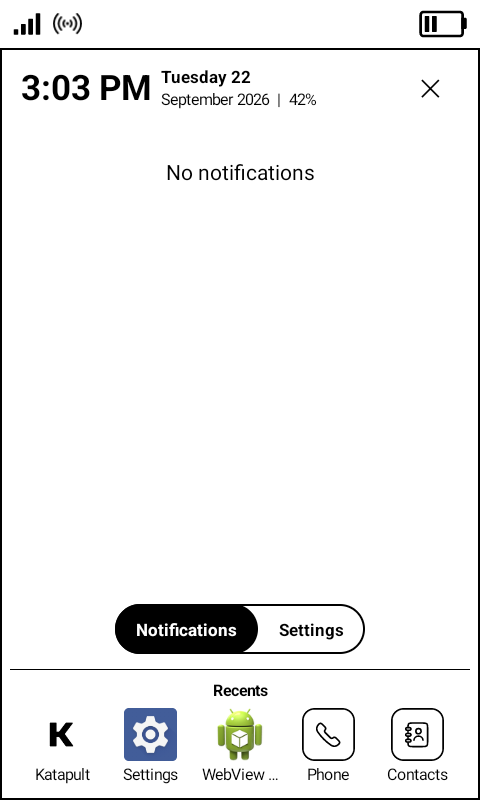
Hi there! Made this account just to comment so I like the app. Can I request the following feature - for the top panel which shows time date and battery to be toggle-off-able? Currently, if you open the panel in an app, there is a doubling of the status bar + the top panel of kompactx and there is a doubling of info. but yeah, i’d generally not want it there, whether in an app or not. much appreciated if this could be considered!