You are the ONLY reason I did not return the Mudtia Kompakt. Thank you for transforming the OS into something clean, organized, and beautiful (but not manipulative) to interact with. Thank you also for your contribution to all the Mudita Forum members/user (including myself!). I just made a contribution to your Buy Me a Coffee page and hope other users will consider doing the same to honor your work - link below:
@stevenjc123 I’m very happy I was able to help you keep the phone
Thanks for the kind words and for the donation, it’s very much appreciated and it will be used for coffee beans soon
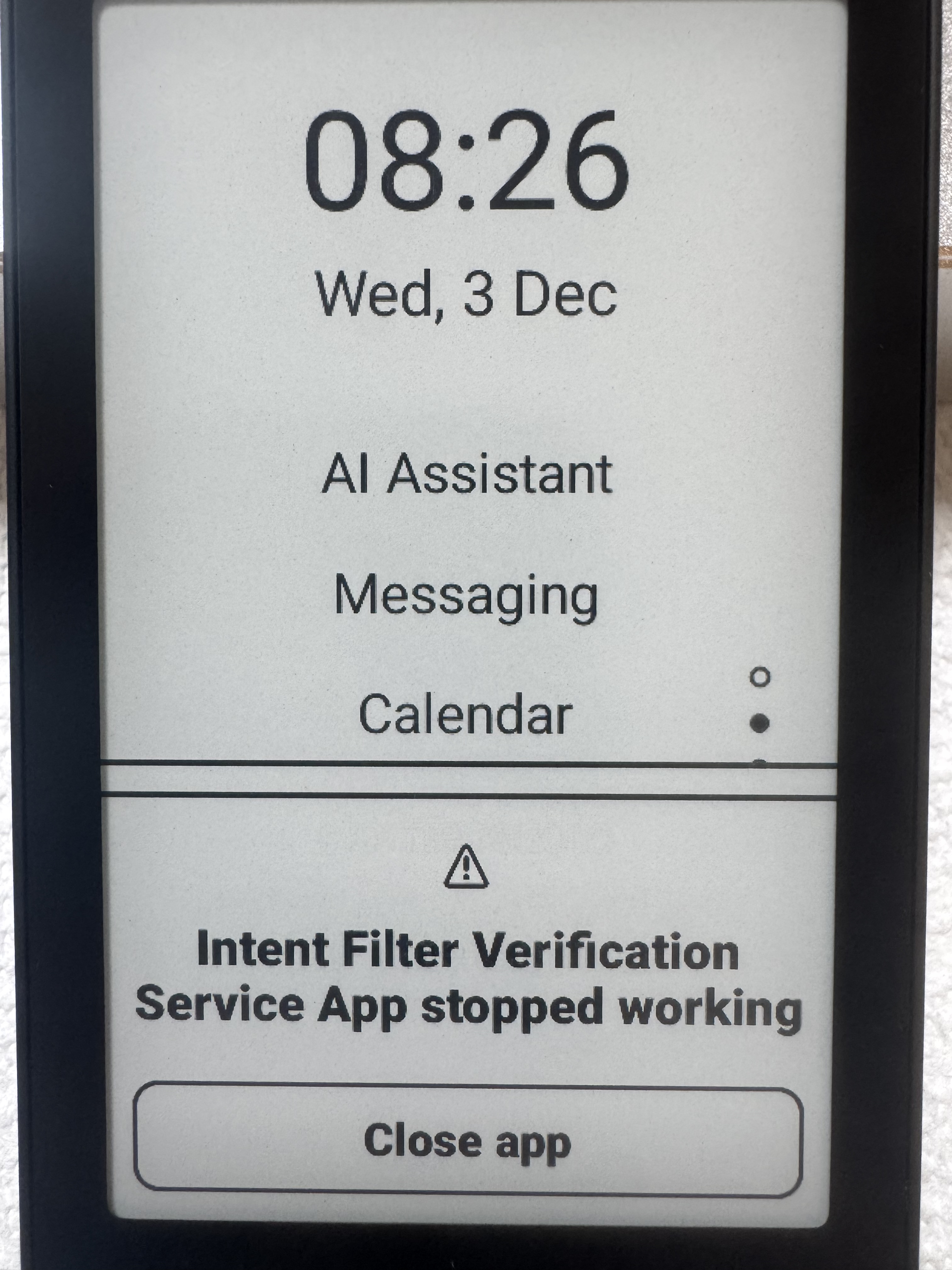
Hi gezimos, I keep getting this pop-up error message after installing inkOS. I tried both restarting the Kompakt and force closing inkOS but it won’t stop returning. Have you or any other users experienced something similar? Might you know what it means and how to resolve it?
@stevenjc123 This error appears after side-loading some apps, but it goes away after a while, now it rarely appears to me. Yours might have been stuck in a crash loop so try this:
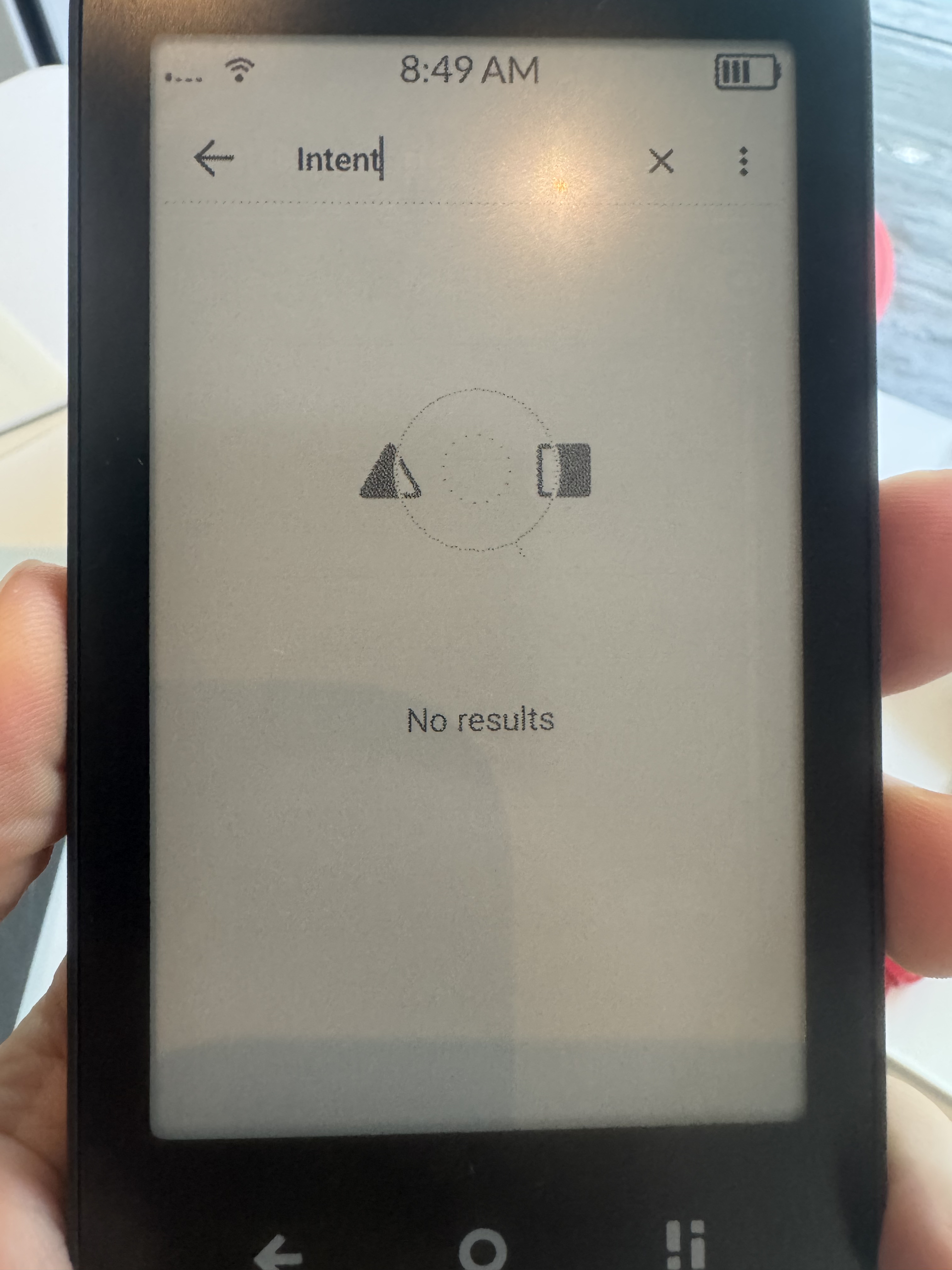
Developer options → Search: intent → tap on Intent filter verification service and force stop.
This happens with some other sideloaded items, and it shouldn’t. It doesn’t happen in any other phone so it’s not related to inkOS itself but that system utility crashing.
Thanks for the troubleshooting tip. I tried searching for “intent” under developer options but it’s returning no results…any other ideas or do you suggest just waiting things out?
Re sideloading apps, yes, I sideloaded Google Maps through the Aurora Store but then promptly removed it bc I was receiving the same error so maybe it was this(?).
Try the full name “intent filter verification service” and see if it appears. It does appear on mine, i’m in 1.4.0 OS version, but it did appear even in 1.3.0
Thank you - I was able to find it using the full name “intent filter verification service” and force stop but the error continues to appear. I also appears immediately after restarting the device and every ~3-5 min continually. One other thing worth mentioning is that charging stopped working and the device beeps and vibrates continuously when being plugged in (video attached). Might you have any other thoughts (or am I destined/doomed to a “Factory Reset”, rebuild, and cautionary tale for sideloading)?
Ok to me it has never happened like this, It only appeared as 1st screenshot that you posted.
No this is not an issue to Factory Reset. Try these things:
Change the default launcher back to Mudita and see if the error stops
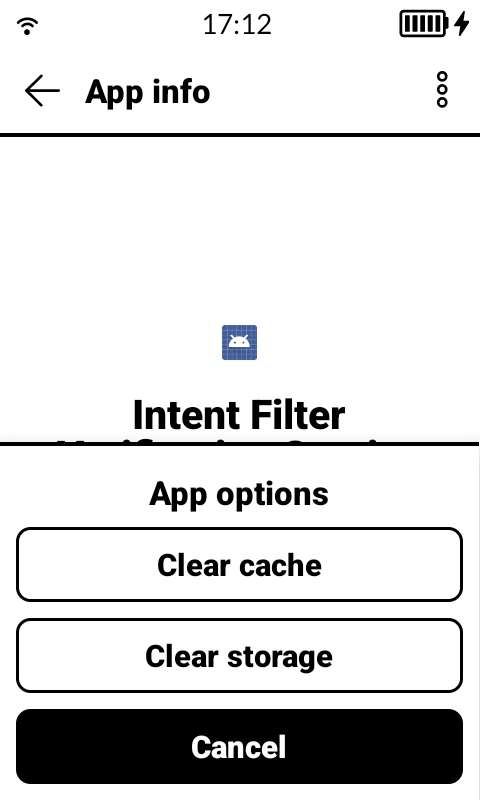
If you’re in 1.4.0 in the developer options when u find the intent filter in app info click the 3 dots in top right and then clear cache. (this i don’t think it exists in 1.3.0)
Check out Lockscreen widgets. I was able to get an audio widget working on the lock screen with it. Haven’t been using this app for very long so not sure how it will effect battery life or if there are any bugs
Notification widget on aurora store works really well with this app. It has a music widget plus notifications so I’m able to see text messages on my lock screen with out unlocking the phone. It has a ton of customization options which can be a little overwhelming but once you get those down it is pretty easy to set up
is there a collection of tips anywhere on how to configure and fine tune inkos, without wading through the posts on this and other threads?
I installed vers 3.0 but havent made it the default os yet, as I dont have it set up how i would like it to be and dont want to have to read through 273 posts again to find the relevant instructions / tips
watch my videos https://www.youtube.com/@gezimos
they’re on v0.1 and v0.2 so they’re lacking a some of the new features, but it shows the important ones.
i’m working in the next update, i’ll try to make a new video to show the additions and improve the documentation.
if u have any questions post in the inkOS thread i’ll try to answer when i can
@shadock and other users that want to install inkOS or other third-party launchers.
You no longer need to disable the Mudita Launcher if you have Mudita OS-K 1.4.0**.
The home button is no longer tied to it. So you can simply install inkOS or any other launcher and set it to default.
For those that want to go ahead and re-enable the Mudita Launcher in case you’re experiencing any bugs in the “Manage apps / Default apps” section that was added in the new update.
command for web adb pm enable com.mudita.launcher
command for normal adb adb shell pm enable com.mudita.launcher