Presently there is no stock voicemail notification at all - that is to be addressed in an upcoming SW release from MK.
1 Like
@es1996 I appreciate the kinds words. I really did try to clean up any bugs I noticed during my long testing.
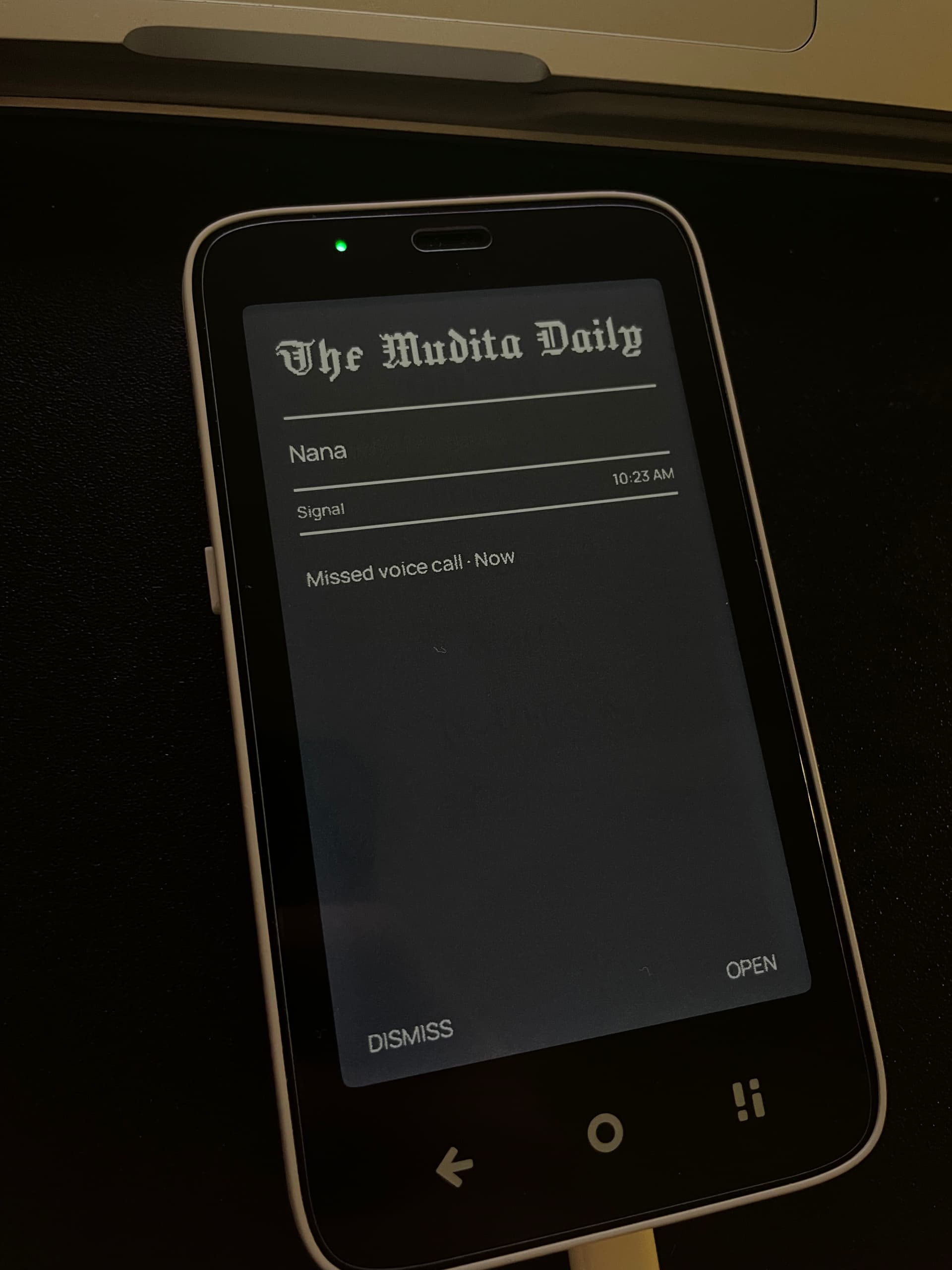
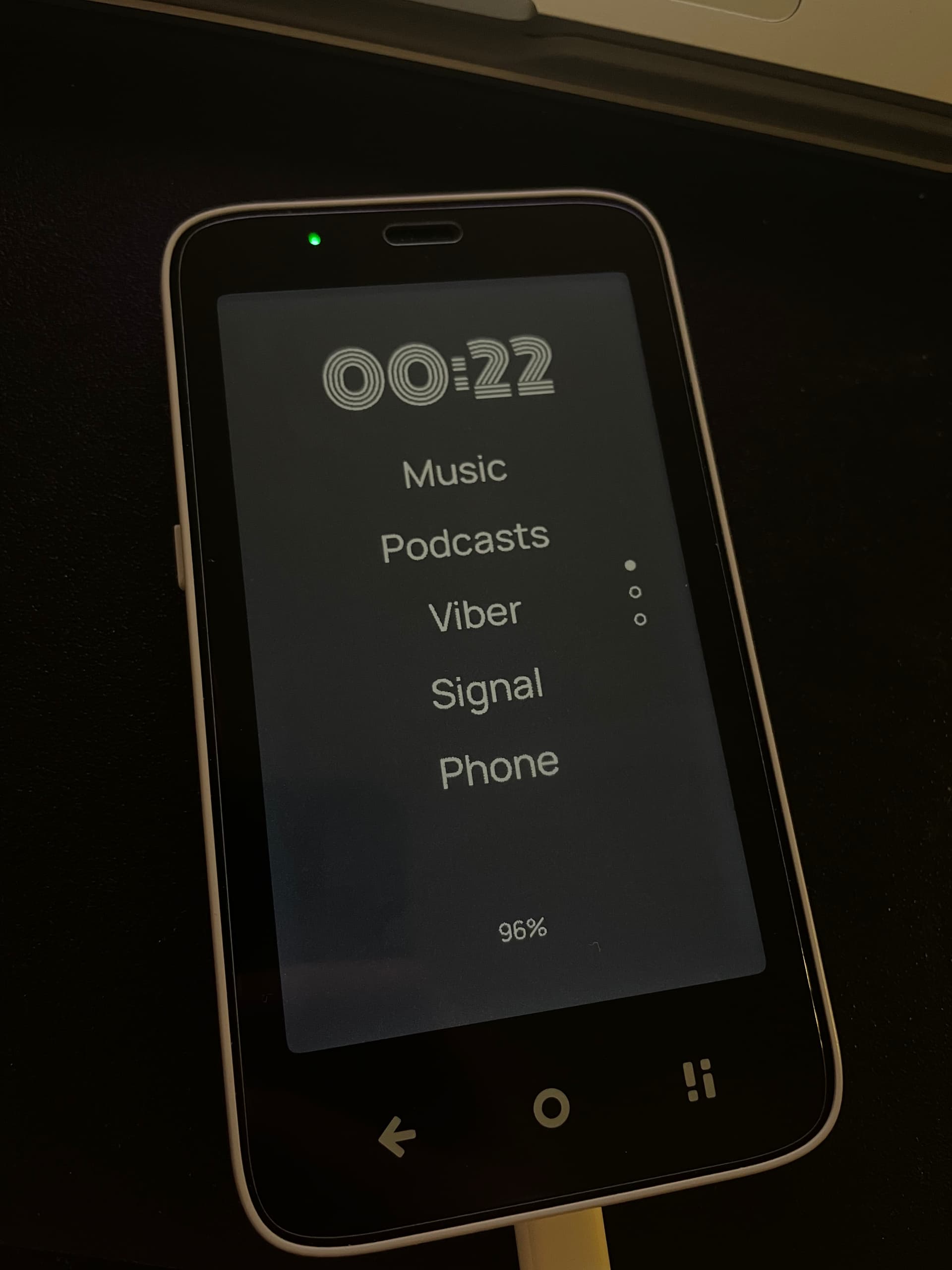
I’d like to remind users that didn’t watch the video that they can change the Title in the Notification window to whatever they life, same with font and font size. Same with the Clock font, you can get a little creative even in black and white 
3 Likes
FWIW, I watched the entire video. Wasn’t bothered by watching the gestures versus having it narrated - that said, I did miss the fact that “Letters” can be renamed!! How cool is this?!?!
Will rewatch the video again.
I was able to get all of the basics setup in under 10 minutes, now I may go back and customize some fonts.
1 Like
@es1996 I think I missed the part where text is changed, but I did show how to change the font.
After you finish your customization make sure to backup the file in advanced/backup in case you want to try other launchers and go back at this or you want to transfer it in other phones.
2 Likes
You did think of everything!!! We can xfr config to a different device as well?!?!?
Thank you for the tip. I will backup now.
2 Likes
@es1996 The backup feature was already there in the original code for mLauncher, I just made sure it will save the preferences for the other features that I added.
3 Likes
Got it! Hat tip to the mLauncher devs!! I never installed mLauncher once I learned it had no notifications and settled on Niagara so this is my first taste of anything related to mLauncher. A very well thought out launcher and now greatly improved for the MK experience!!
This is literally Christmas in July type of stuff!!!
2 Likes
Wonderful! Thank you!
Giving this a go. Love that it is lean and covers pretty much everything I am wanting.
Could not get the swipe left gesture to open the camera, even though settings allowed it - a bug maybe? Was going for a gesture to open camera rather than phone, because I want to see a * at a glance on the phone app for missed calls.
Other than that, date widget to open calendar will be nice. Not a deal breaker because we have time and date on the sleep screen.
Gold star for showing the battery percentage rather than the icon 
2 Likes
@es1996 I forget if oLauncher dev or the mLauncher dev added the export/import feature. I used to like mLauncher but now it has gone in a very different way.
@suma Thank you.
I know what you mean, originally that feature would allow you to open the camera, but It wasn’t working on some emulators so I removed it fully and it can only open the phone app for now. You can still add the Phone app in the list and disable the swipe left gesture.
The date has been removed due to having difficulties adjusting the size for it to look good on very small devices. It might come back again when I figure a more robust way to handle widgets, like having 2 places one on top and one on bottom and the user can select on widget for each but no more than 2 widgets at the time.
Can you elaborate what you mean about this? The battery percentage widget doesn’t have an icon on my side just the percentage. (you can share a photo).
2 Likes
Gold star was me showing appreciation! I love that now I can see the battery percentage on the home screen. I was not aware that your only option for a widget was to show the battery percentage.
rant: I have never had much use for the battery icon. I don’t know why the MuditaOS team took away the option to show the battery percentage along with or instead of the icon (an option that has been available in android for a while now) in the status bar. This meant that I kept needing to open settings->battery to see the percentage, so I could decide if I needed to charge the phone.
3 Likes
Looks great! Thanks for making this. Any plans to make it more customizable? If so, I had a few suggestions
- Ability to arrange the clock and apps to the left or right
- Would like to be able to have more than five apps per page
- Ability to rename apps
- Already mentioned but the option to add the date to the home screen
- The option to choose what clock app opens when clicking on the home screen clock
2 Likes
FWIW, ability to rename apps is already available.
Open App Drawer
Displays a scrollable list of all installed apps.
Long Press Options:
Delete: Uninstalls the app
Rename: Change app name/alias (affects home too)
Hide: Moves the app to the hidden apps list
Lock: Requires fingerprint/PIN to open
Info: Opens the system info dialog
2 Likes
@gezimos Just loaded up your launcher and I do really like it! I tested out the phone notifications, and it loads a blank screen:
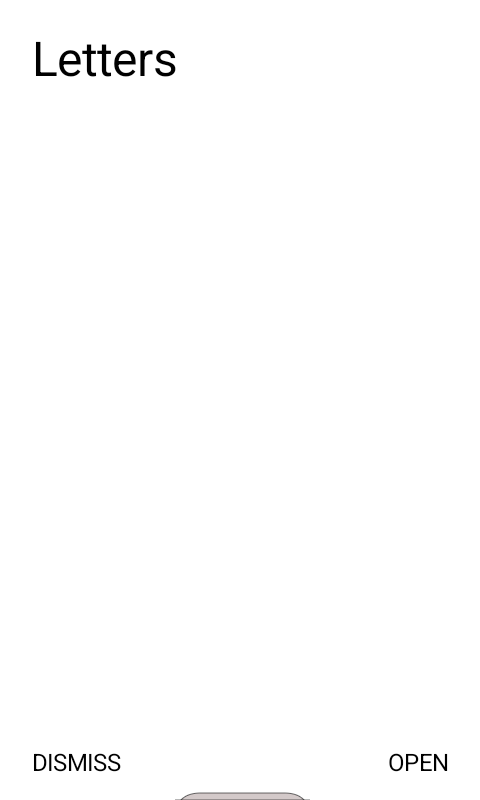
I’m guessing that’s to note a missed call but it might also be a screen for the voicemail notification? When I click open, it takes me to the phone app. For comparison, here’s what the voicemail notification looks like on One Shade:
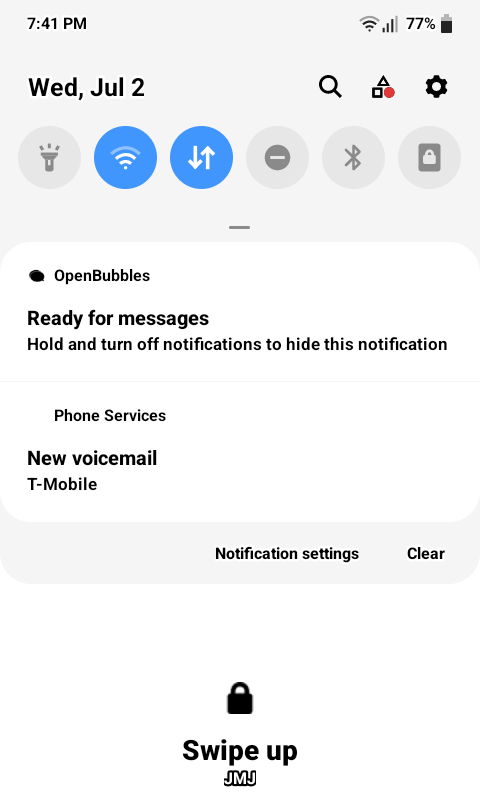
One Shade is also very nice in that when I click the voicemail notification, it actually calls my voicemail # so I can listen to it. For U.S. based users, voicemail is really important, so if you are able to take a look at adding that option that would be amazing! In the meantime I’ll have to keep using One Shade on top of your launcher (which isn’t ideal, and doesn’t match the aesthetic, but it will work). Thanks for your efforts!
1 Like
@suma Oh i misunderstood you  sorry. I do agree that percentage is much better than just an icon
@jaks Thank you for trying it
- Ability to arrange stuff left and right has been removed and won’t be coming back
- You can set more than 5 apps per page in Settings / Features
- Ability to rename apps exists in Settings / App Drawer
- Date/alarm feature had been removed because I wanted to simplify the app to work for smaller devices as well. It will come back when I can make a better way to manage widgets.
- This may come in the future
@es1996 Just saw you already replied to them for that question, thanks!
2 Likes
@timekeeper I get very few calls directly on the phone, people call me on Signal so I either mixed up thinking the phone app in Mudita Shows properly or I tested it on a different phone. I’ll look into fixing this, and it normally should fix the voicemail notification.
However the clicking on it to make a call to voicemail, not sure it can be achieved. As you can see the notification implementation is very basic, if you receive a message on Whatsapp and you press open it just opens whatsapp it can’t open exactly that conversation unless it was open before.
It can be done, but it’s above my skills for the moment and also I want the app to remain as simple as possible otherwise i’d have to include a lot of IFs in the code for certain apps that don’t behave like standard ones.
2 Likes
@gezimos your launcher is excellent, this is my current one now thank you so much for your work!
3 Likes
Very happy you like it!
Please share photos of your setups when you finish customizing them, I’d like to see how are people using them so I can see which features are being utilized and which not.
1 Like
Hi @gezimos ! I saw this thread last night and you can’t imagine how happy it made me. Our community is not only growing, but also active and incredibly supportive. You put a lot of effort into this, even recording a video! Thank you so much!
By the way, I noticed in your video that you’re using Bitwarden (I use it too). How does it work on the Kompakt? Would you recommend it? :))
(A lot of “!” I know, but I’m exited :>)
4 Likes
Great work, thank you!
One question - is it possible to push down the list of apps a little bit lower on the screen? When I have a large clock, the list of apps gets crushed up against it, and there is a lot of whitespace near the bottom of the screen
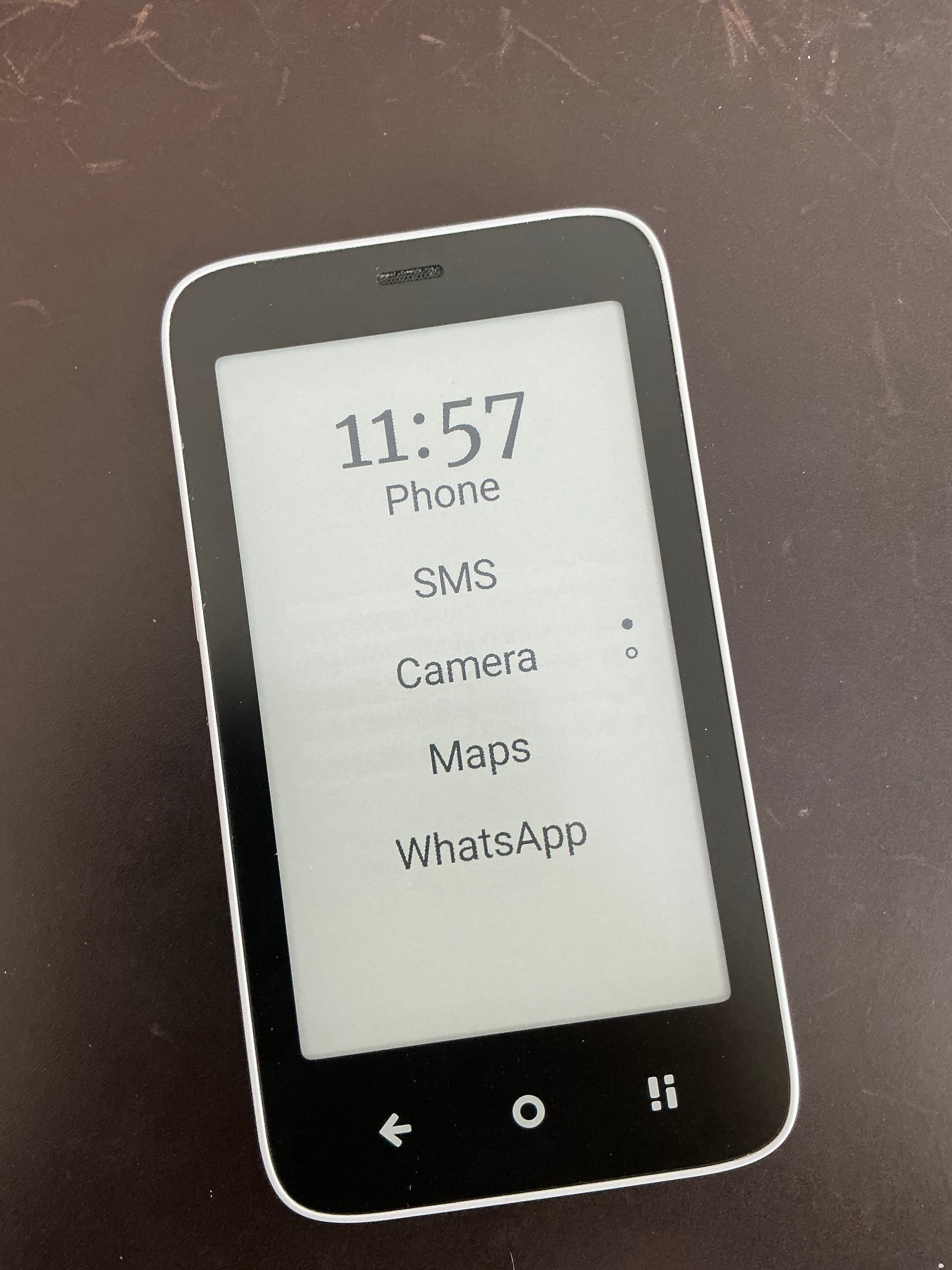
4 Likes
@justyna_latoszek Thanks for the comment ! I did create a makeshift overhead tripod using a kitchen spatula to record the video and my storage got full.
I do use Bitwarden lightly in the Kompakt, mostly for the Secure Notes feature as I don’t have any apps that require Login with a password at the moment. It’s not perfect but it’s decently legible
2 Likes