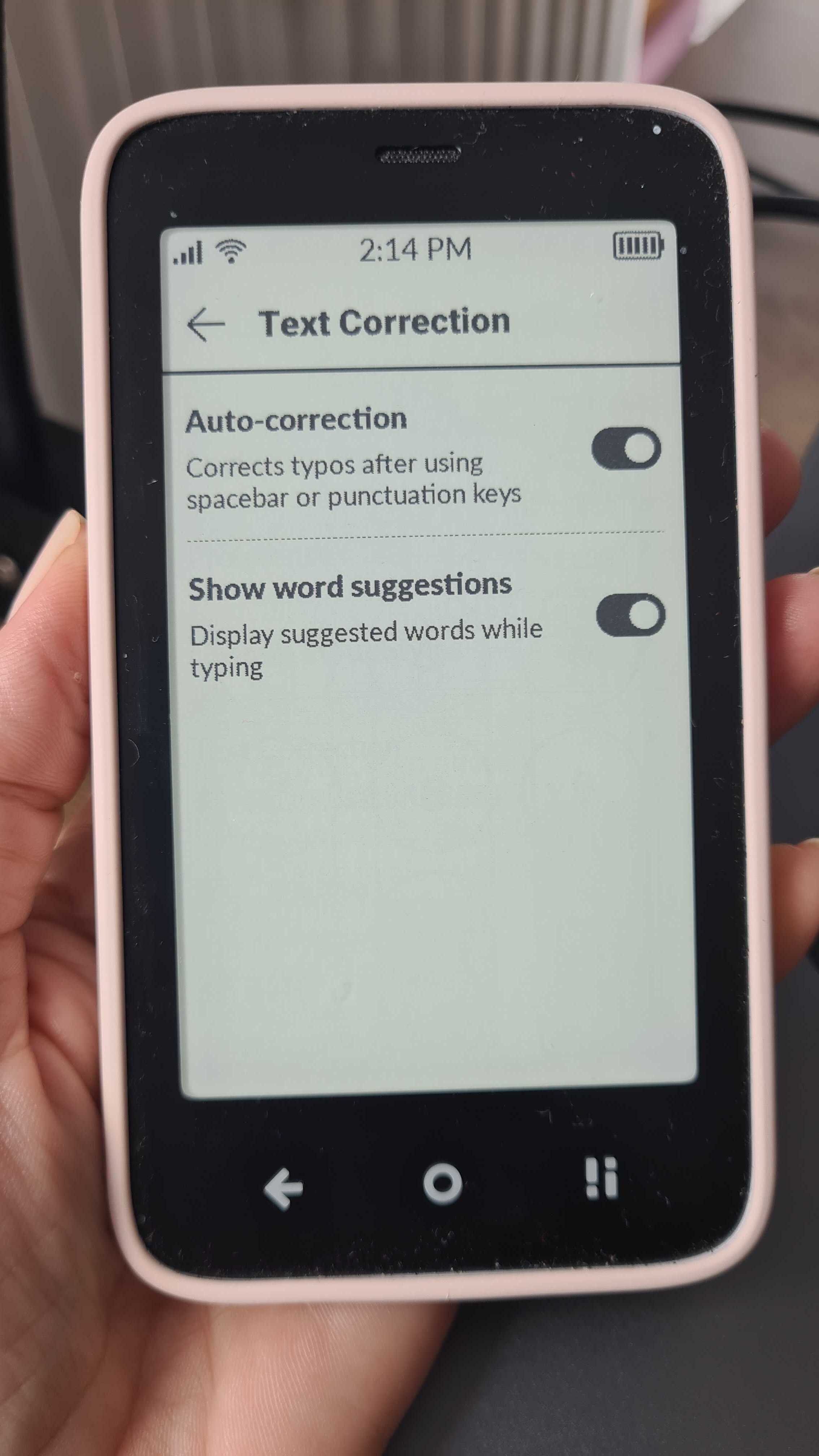
Since updating to MuditaOS 1.5.0, I’ve noticed that words are still underlined by the keyboard even though I have disabled both autocorrect and word suggestions.
When I tap an underlined word, spelling suggestions appear. This happens not only with words from unsupported languages, but also with names, dialect words, and even completely random strings of characters.
I couldn’t find any setting to disable spell checking entirely.
Is anyone else experiencing this? Is there a hidden setting or workaround to remove the underlines and spelling suggestions completely?
This doen’t help. I disabled both functions but still the words are underlined and even this does not work properly. I don’t want to ignore the underlined words, I just want that the phone does what it should do with specific user settings.
ignore the underlines, the same thing happens on my iphone when I write and the device is just trying to be helpful, its saying hey, maybe you wanna fix what you wrote.
another option may be a sideloaded keyboard, but that’s up to you
The thing is, you can ignore it, but it makes writing much more difficult because, for example, if I click on an underlined word to correct it, word suggestions just pop up, and that wasn’t the case before. So it’s disruptive for writing and correcting words, and it generally spoils the writing experience.
Do you have a sideloaded keyboard? Or this is in the native Mudita keyboard?
Also- you’ve turned these settings off in the native keyboard> Because when I just tried it & toggled these two settings off, I do not get any text suggestions or Auto-correct.
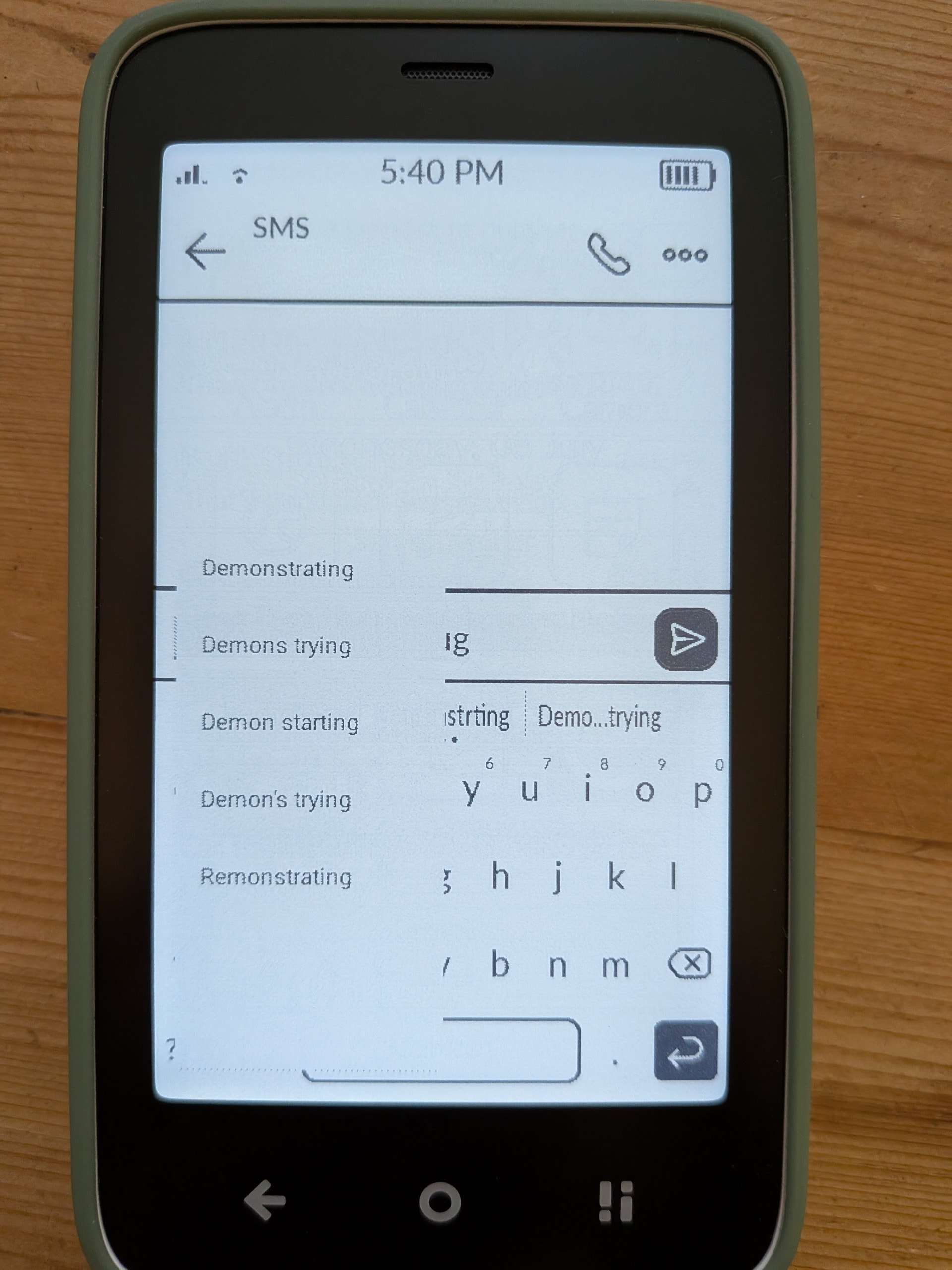
Does this photo illustrate the behaviour you’re talking about? Can’t exactly tell from the description. For clarity, my cursor is on a misspelling of the word ‘demonstrating’ and this box of corrections has appeared.
This big pop up box seems unnecessary, I was wondering if it’s a bug and not an intended feature.