I’ve been using the text editor in Koreader (thank god it has forced landscape) but keyboard support in that app is really wonky (no backspace, arrow keys don’t work, no punctuation, etc). Is there any way to rotate the default notes app to Landscape?
The lack of native landscape mode is killing me, and I seriously do not want to install a “force landscape” app that’s running in the background and sucking battery the whole time. This device is screaming to be used as a cyberdeck but I’m struggling to get it running smoothly.
@spencersabo I’m going to have to ask our team because I have to admit, I’m don’t think this is supported via Bluetooth. Someone asked this back in January this year:
I can follow up the team to see if anything is planning to change.
On a bright note, @gezimos posted this last summer, so maybe he can give you some insight about getting a installing a physical keyboard.
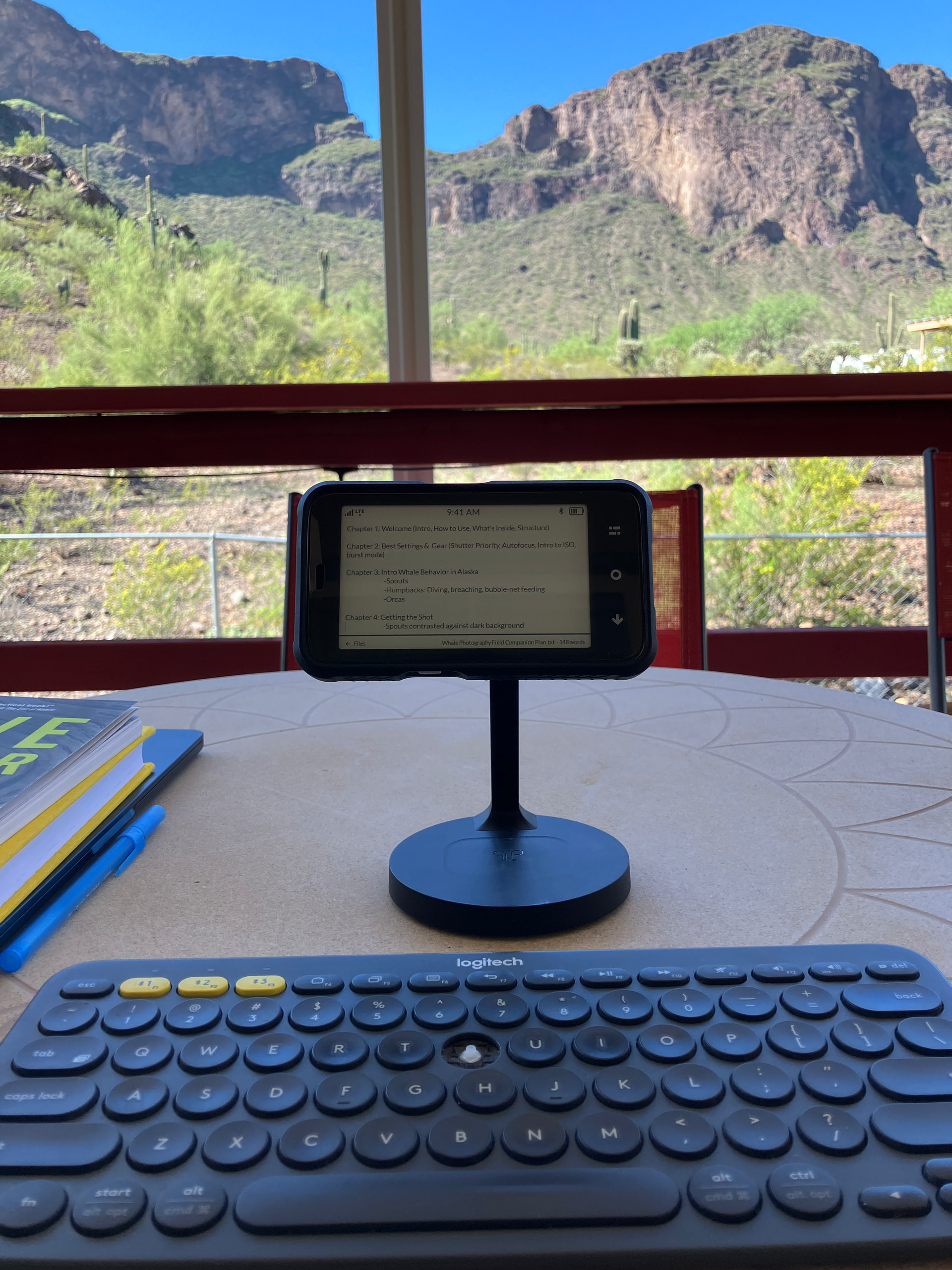
In my experience bluetooth keyboards work well with the Komapkt. The thing that’s stopping it from being used as a “writer deck” is the lack of landscape support.
When I run a dedicated app manually forcing the phone into landscape mode, I can see Mudita apps such as phone, sms, notes, and control panel are properly formatted horizontally, so it seems there is some underlying support for landscape. I’m sure the team is super busy and this use case seems niche, but is there any plan for landscape toggles? Even if it was just a button in the notes app or something, it’d be a game changer.
@spencersabo I ended up building this, because the two options you describe really are the only two there are.
The orientation is declared in the app’s own manifest, so nothing runs behind it to hold the screen round — no overlay window, no foreground service, no permanent notification. That one line is the whole trick, and it is also why the notes app you have cannot be turned: its manifest declares portrait, and no setting anywhere overrides that.
Your writing goes into a folder you pick through the system picker, as ordinary .txt files. No storage permission is asked for, anything else on the phone can open them, and they stay where they are if you uninstall this.
Ctrl-S, Ctrl-N, Ctrl-O, Ctrl-Z and Escape. Everything else your keyboard does — Home, End, the page keys, shift to select, word-wise arrows — is the platform’s own text field doing what it already does properly. It writes the sheet two seconds after you stop typing. If the folder is one a sync app owns and a newer copy arrives while you have it open, nothing is written over it: what you typed goes into a file beside it and you keep both.
Honestly: nobody has written a whole afternoon in it yet. If you do, I would like to hear what broke.
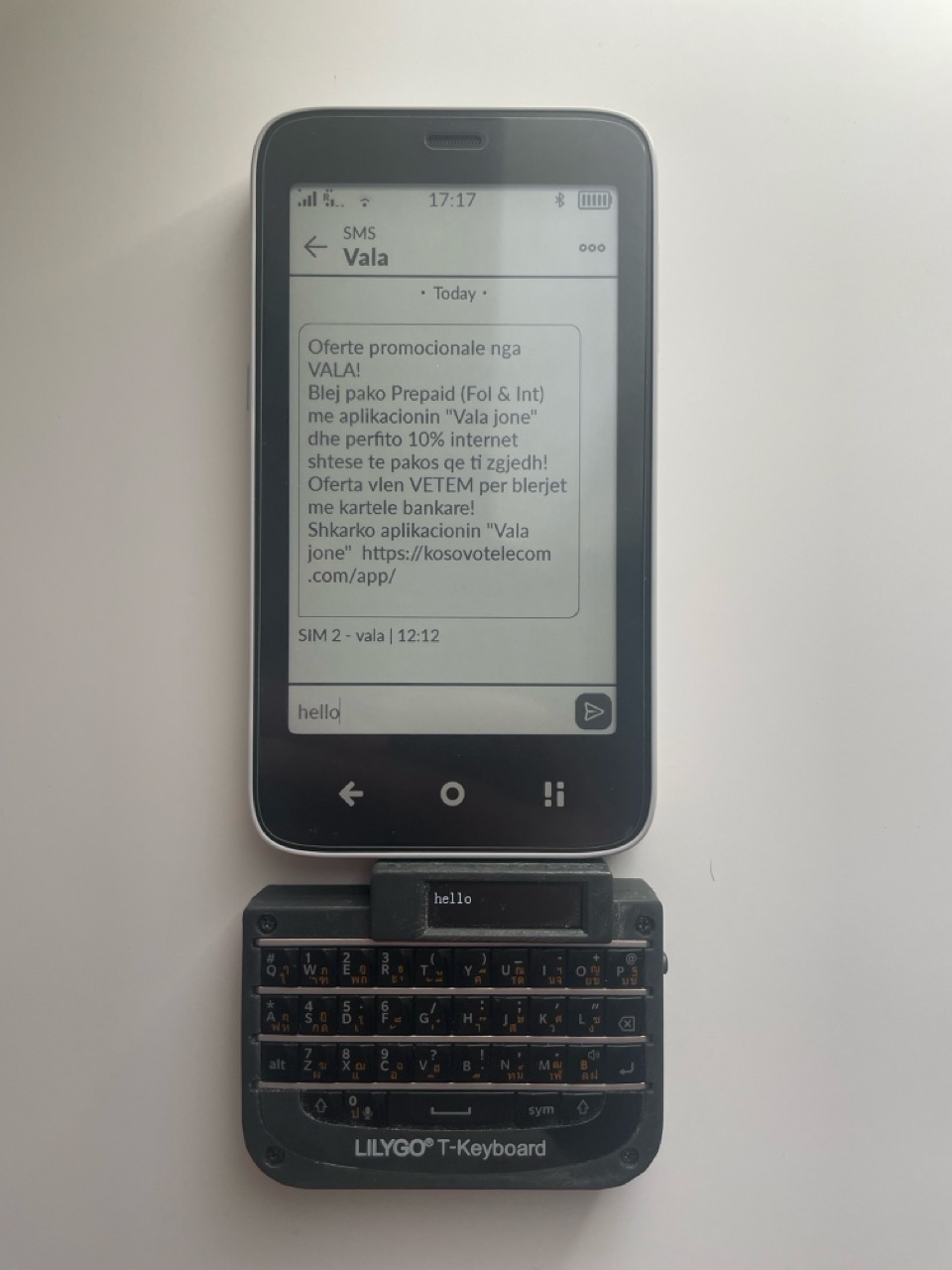
I tried two bluetooth keyboards with the MK, they both worked, but only with the QWERTY-layout, not very useful if you want to write in German or French.
I’d love to read short music snippets on Kompakt. Given the small screen, reading PDFs in landscape mode would let me use a larger font size, etc. I also tried forced landscape mode, which worked most of the time. However, as a user reported earlier, it drained the battery, and it seemed rather unstable. But seeing a musical score in landscape mode was really nice! So even if landscape mode is harder to implement globally, allowing it for PDFs (besides ePub files) in the native book reader would be fantastic for this purpose.
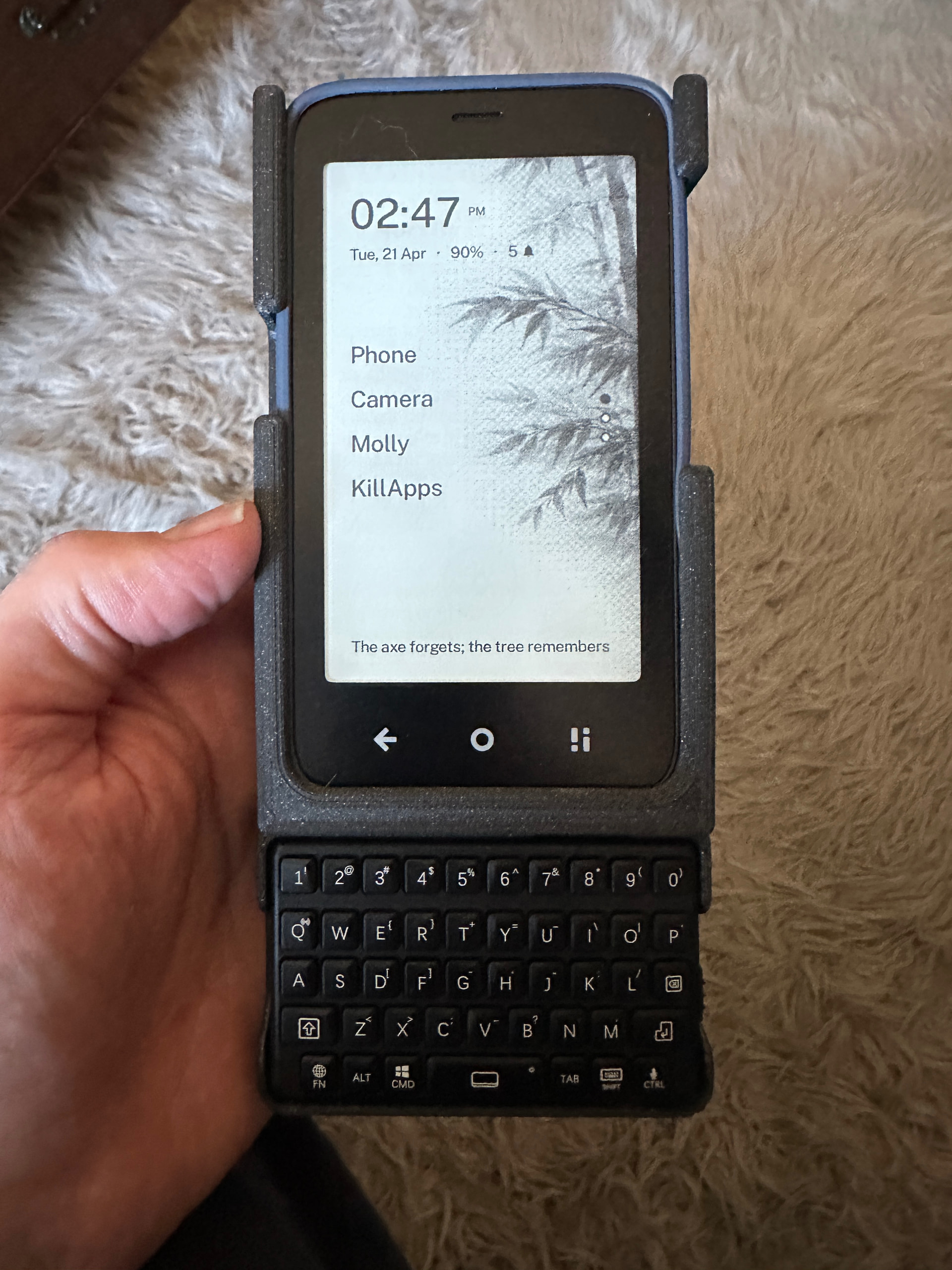
I made this keyboard case for the Kompakt, a while ago, I designed it so the phone could stay in the rubber case and easily slide in and out. So it could be used with or without the keyboard. The Bluetooth keyboard worked flawlessly out of the box.
I agree though it would be nice if the Kompakt screen were useable in landscape mode.
Great job on the typewriter app! I was actually about to try to make my own app and saw that you made exactly what I was imagining. I’ve been using it this morning and it is working great. Thanks for making this!
The Typewriter app is cool, but it doesn’t change my problem with external keyboards (writing with swiss-german QWERTZ-keyboard). I think the problem is with the MK-OS, which sees physical keyboards only as QWERTY and I haven’t found a possibility to change this in the settings. The only solution I found is an old app called “external keyboard helper”.
I am intrigued by this unnecessary effort to use such a small screen for composing more than a forum reply because for my old eyes I think a large magnifying glass would be a requirement to see the screen from a comfortable distance with a full size keyboard but I could imagine it frees up ample room on one’s table
@wander Just spent some time using this app and it worked as intended, very smooth and the autosave is nice. One bug to note, the text size option in settinge doesn’t work, pressing it does nothing. It might be beneficial to have text size optiona be per note vs globally too.
@smuch to address your thoughts, I prefer to write / type on eink devices as it looks way better and helps me stay focused. I have a foldable keyboard on vacation in Spain currently and having a portable makeshift writing deck is so glorious. With text size adjustments I don’t think you’d need to be squinting at all. I read pretty much exclusively on the kompakt these days and increasing text size in koreader makes it a breeze.