I am really loving my Mudita Kompakt phone, as it has freed me from a lot of useless scrolling. There are times, however, when I would like to view a link that is sent to me via text message. Since the internet and email are not available, I was wondering if there is a way to download/transfer either a text message or, if I were to copy and paste the text message to the Notes App, the information from the Mudita Notes App.
My experience* (SMS/Notes):
Source: Tap, long press, select all, copy
Target: Open or create file or message, long press, paste
It’s slightly different depending on source and target app (Notes is textual, SMS has a “copy” icon)
You should be able to send the SMS contents to another device and eventually get it on your device with a browser/computer.
With USB data cable to windows PC I don’t see a “Notes” folder and my existing notes are not in the “Documents” or any other folder?
*Out-of-the-box Kompakt user experience
I use an iPhone for messaging, the SMS app on Kompakt? no good
1 Like
@wvedec You can copy & paste the link (and the message) from your text message and either paste it notes OR if you want to open the link right away- you can paste the link to a sideloaded browser.
Just tap & hold the message, and then tap the copy icon on top.
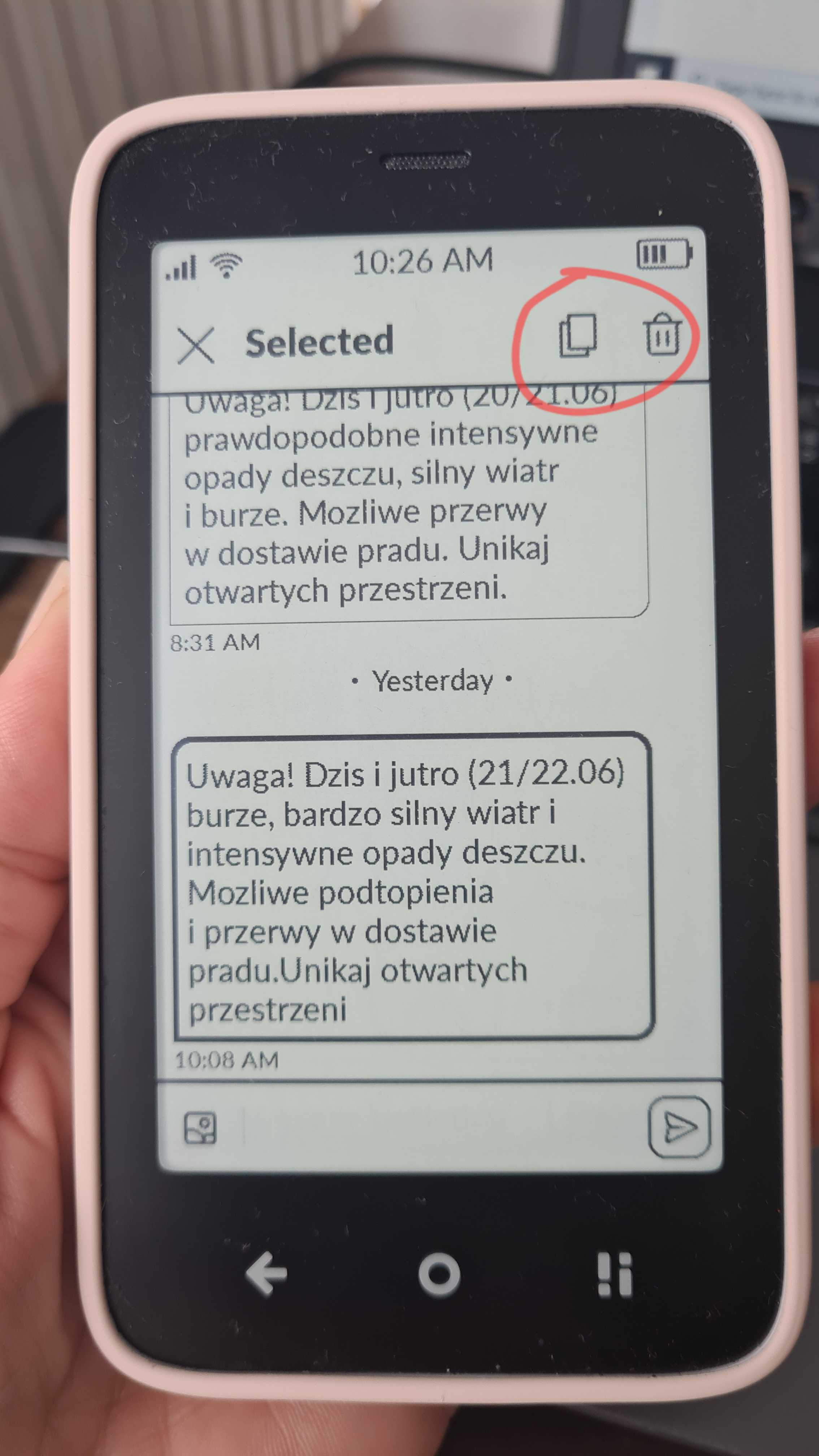
Currently- there’s no option to export Notes via Mudita Center. This idea has been passed on to the team.
I opened a support request for this basic functional requirement to transfer text files for Notes.
1 Like
Thanks for responding, Urszula, and for passing this on to the development team. I really don’t want to sideload a browser. I am trying to keep the Kompakt as minimal as possible. I’ve only sideloaded Aurora Store and Waze. Have a great day.
1 Like
@wvedec If you’ve already sideloaded Aurora, then two options for you are using KDE Connect app or Simplenote.
- KD Connect allows easy transfer from your Kompakt to a computer or another smartphone. You can copy clipboard content or transfer files.
- Simplenote is a note app that is available on the web and various OSes. Install it on your Kompakt and paste urls you want to save, then log-in on your computer later and view.
Of course, if you need it just for urls, you could also fine a bookmark or “read later” app to simply save the urls to.
1 Like