Phone: Pixel 6a with GrapheneOS and a Qin F21 Pro
Laptop: an old Lenovo with Linux Mint
Tablet/Notebook: Remarkable 1
Reader: Kobo Clara 2e
Camera: Pixel 6a 
And a simple Casio wristwatch
2 Likes
Phone: iPhone mini 13, soon Mudita Kompakt
Laptop: Macbook pro m1
Tablet/notebook: Remarkable 2 and Supernote Nomad
Reader: Kindle paperwhite 5
Watch: Apple Watch 6 and Mudita moment
Alarm clock: Mudita Bell v.1
Gaming: Nintendo Switch
My goal is to get rid of the apple watch and only use the iPhone for my ID-app (which is a must here in Sweden, unfortunately) and money sending app.
I’m not sure about keeping the Remarkable either. I recently got a Supernote Nomad and than one is much more useful and portable, and I do want to keep the number of devices more minimal.
2 Likes
Hi fellow Kobo community member!
Hello fellow Supernote & Nintendo Switch U.S. user!
I absolutely love seeing people use the same devices as me  I hope you are enjoying them as much as I am.
1 Like
Yes LP2 (whoops)
2 Likes
Phone: Moto Edge 2023 → Mudita Kompakt
eReader: Kindle paperwhite 6 → Boox Palma 2
Laptop: Surface Book 1 running Ubuntu
Tablet: Surface Go 2
Watch: Garmin Fenix 5x+
Cloud services: Synology DS 224+ and BeeStation for photo, file and backup. Moving off MSFT and Google email, calendar, contact, Office, files and photos in June.
Ultimate goal is to significantly reduce big tech reliance and phone usage.
4 Likes
Okay, I’m updating my list again. Also, shamelessly revisiting an old thread. 
Phone: Light Phone 3; iPhone 8 (dumbed down) as backup
Alarm Clock: Mudita’s Harmony 2
Writing Tablet: Ratta Supernote A6X2 Nomad (notepad, calendar, agenda, journaling)
Browsing/Productivity Tablet: Onyx Boox Tab Ultra C Pro
Higher Processing Tablet: old ipad 12.9" pro
Music player/DAP: Shanling M6 Pro (2020 edition)
EDC Camera: Contax G2
E-reader: Kobo Clara 2E
Headphones: Sony wh-1000xm5 (travel), (Looking for some for home.)
Speaker/Bluetooth Speaker: JBL Flip 5
Gaming: Nintendo Switch
2 Likes
Phone: Light Phone 2, iPhone 15 Pro
Alarm Clock: Phillips HF3650
eReader: Kobo Sage
Tablet: iPad Pro 2020
Watch: Apple Watch Series 7
Music Player: iPod 5th Gen
Headphones: Airpods Pro Gen 2, Sony XM4, Sennhesier IE 300
Computers: Macbook Pro M2 Max, Macbook Air M1, Mac Mini M1
Monitors: Studio Display, LG UltraFine, Dasung 13.3 HD-F
Speakers: Zeppelin Air, HomePod, Beats Pill
Gaming: Switch OLED, SteamDeck, Playdate, Analogue Pocket, various GameBoys and DS consoles
Camera: FujiFilm XT-5
I realize I have a lot of stuff. It’s everything I require for my job as a software engineer and product designer. Aside from the gaming stuff, I use all these devices daily.
There is more than one approach to digital minimalism. It’s more nuanced than Big Tech is bad.
I choose my devices based on the utility they offer me, instead of if they are mainstream or “minimalist”.
Many of the devices others have listed come with significant tradeoffs:
- Garmin Watches require with subscriptions for some features
- Boox, Bigme and other Android devices have ridiculous amount of telemetry and do not offer any privacy. (Phones with degoogled ROMS are different of course)
- Linux lacks nearly all of the design and photo editing applications I use
- Basic watches don’t offer offline maps and activity tracking that I use when running or hiking.
2 Likes
Looking at the replies here really paints a picture on, who are the target group of Mudita and these niche devices.
3 Likes
I completely agree with you, han. I don’t think there is “one” way to digital minimalism. That’s partially why I created this topic thread, so people can both show off their proud collection, but also get an idea of how it looks for different people. Also, so people can discuss, learn about new devices they hadn’t heard of or wanted more information and make suggestions.
I hope as people make changes, whether that is replacing devices, adding or removing devices or listing devices they are currently interested in owning or are researching to add to their collection, they will re-visit this topic. I find it interesting looking back at how people’s collections have changed as well as new collections being added (I’m already seeing how my collection has changed and it’s cool seeing the slow transformation).
Digital minimalism to me is not based on how many devices you own or use, but how much control you have over your digital life-- and that looks different person to person. Not only by what devices work for you, but the kind that do.
Like you mentioned, a few of those were work-involved and not necessarily personal use. Whereas for me, all my devices are only personal use.
I really like what you said here.
For Garmin, they have a lot of optional things you don’t necessarily have to opt-in for or allow. Depending on the model, I thought subscription was optional.
And de-googling your BOOX is totally possible, but you’re trading convenience (Play Store, app sync, etc.) for privacy and control. You can replace Google Services with alternatives & disable or Avoid Google Apps & Services. Still, of course this depends how each user uses their Boox device. For me, it’s simpy a way to browse the web and do things that don’t include sensitive information to lower eye strain. Any sensitive or important information isn’t on this device.
2 Likes
Hi, I was curious- are you still using LibreOffice? I was torn between that and OnlyOffice. I’m currently moving away from Google Docs, etc. and trying to find a good alternative.
2 Likes
No, I went back to Apple Pages after returning the two Kompakts and, after all the disappointment and time spent, I decided to have devices and systems that work seamlessly without losing more time. I cannot edit my initial post here, but I’ve sold my iPhone 11 Pro Max and now I use the iPhone SE from my company, which is almost turned off all the time. I can answer SMS and calls on my Mac, having close to zero contact with the phone. I also added a Pocketbook to my list because of the e-ink screen and long battery.
I tried OnlyOffice before all this, and I found it much more accessible to work with than LibreOffice, including compatibility. Therefore, you can give it a chance without any problem.
2 Likes
Ok, I’m only going to list devices that I regularly use and that seem relevant to the dm-lifestyle (I also do posses an old VCR somewhere that I only use once a year to watch “Die Hard” on x-mas but that is another story ^^').
So…
Whenever I leave the house:
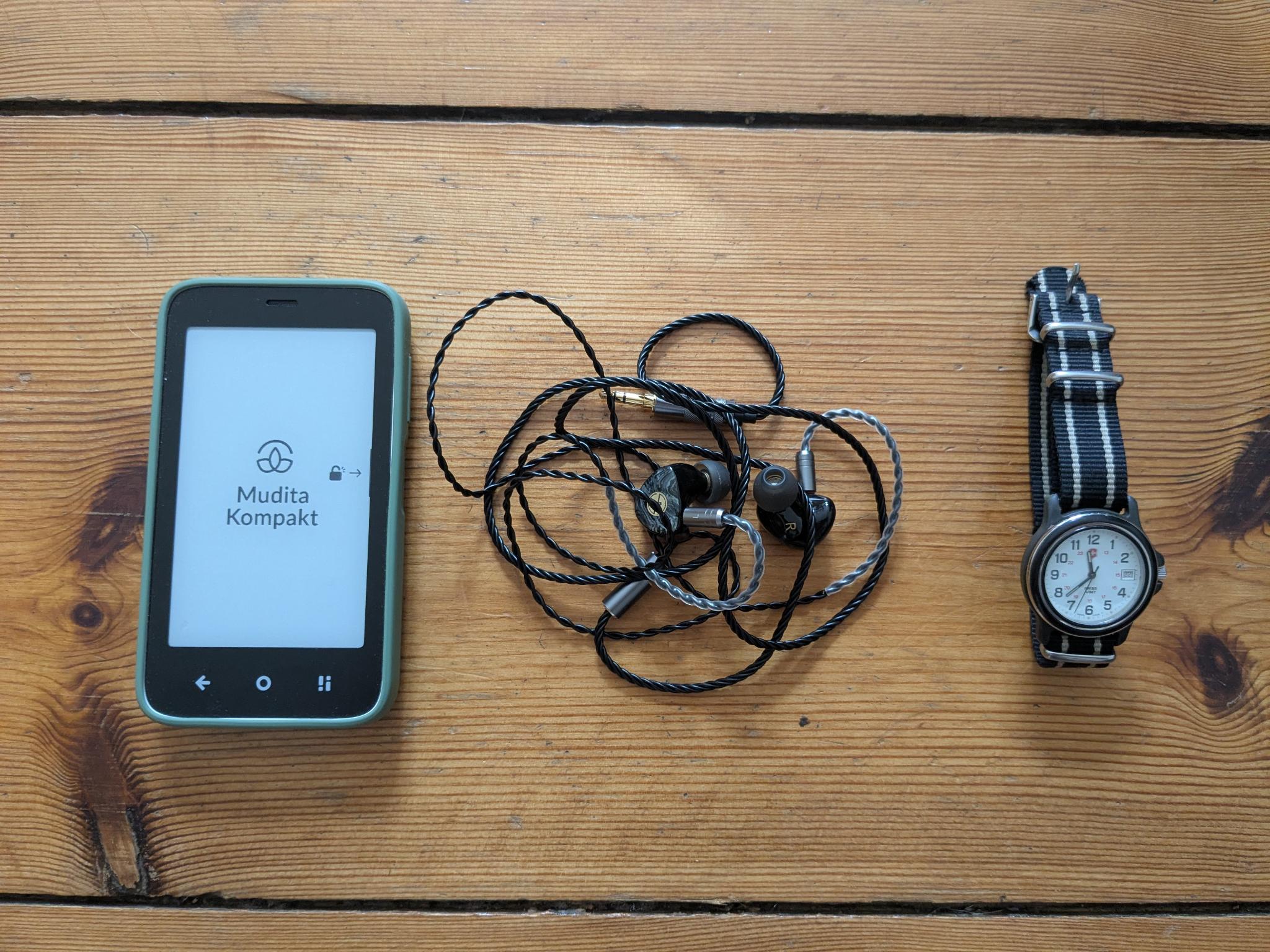
- Kompakt

- LINSOUL TINHIFI T3 Plus Headphones
- 90’s Swiss Army watch (wearing a watch really helped a lot with detaching from my phone! same with the alarm clocks, see below…)
At home:
- ThinkPad e490 running Ubuntu (+peripherals: rotten old logitech keyboard & mouse, 27’ screen, Focusrite audio interface & Palmer speakers)
- Philips 32PFS6402/12 (32 inch) TV (I use it as screen for the ThinkPad for watching movies or playing games when chilling in my bean bag) + some cheap speaker boxes + PS4 controller
- Tolino Shine 3 e-reader (I rarely use it since I prefer paper but it is neat for traveling or reading with the lights out)
- Stereo: Marantz amp + Pro-Ject record player + Teac tape deck + Teac cd player + Phonar speakers + audio-technica headphones (ATH-M50x)
- stereo setup for the kitchen: nice old SABA speakers from the 80’s + some cheap no-name pre-amp + even cheaper bluetooth dongle
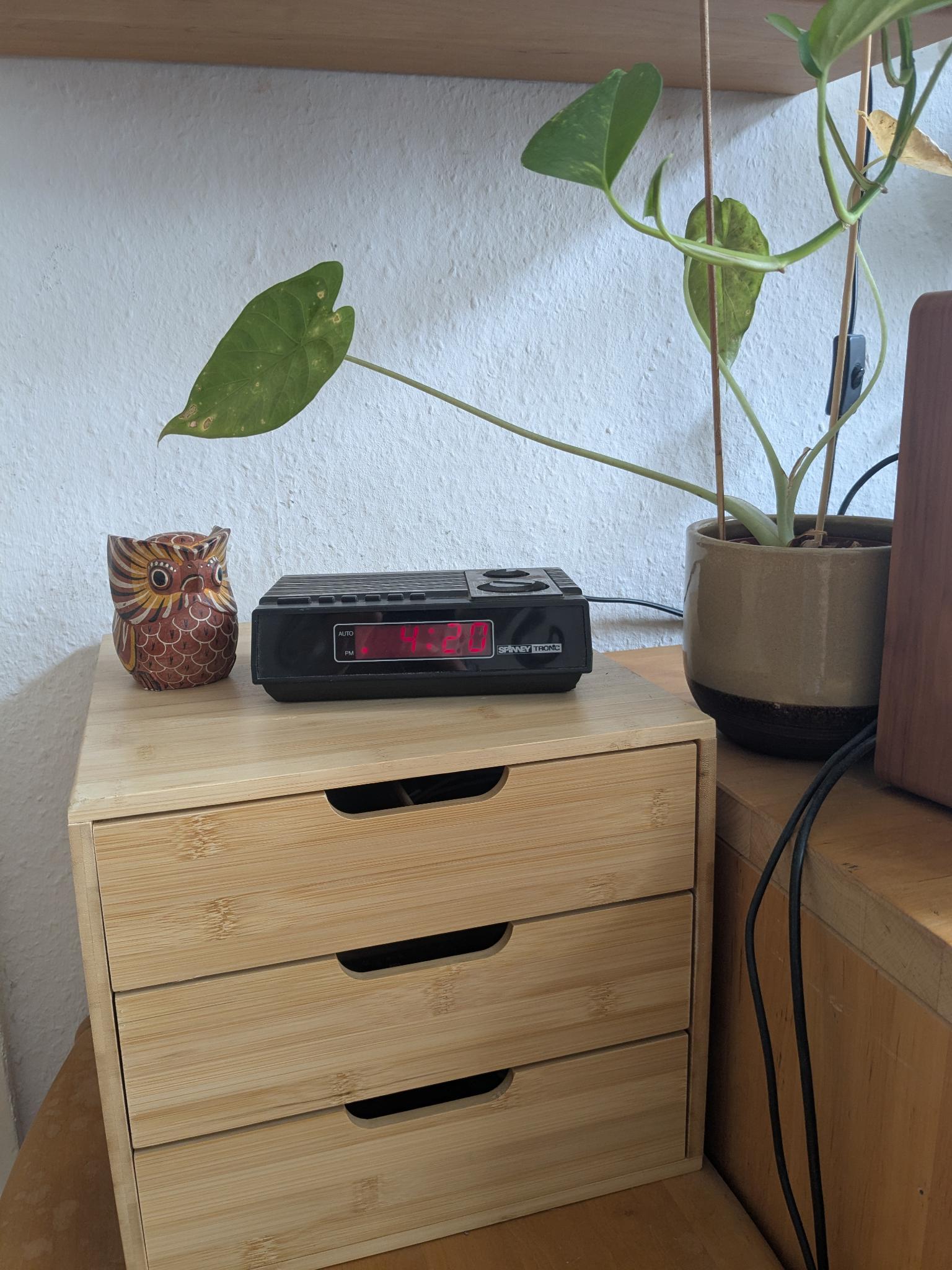
- a bunch of old seven-segment display alarm clocks I bought for a few bugs on ebay and placed in every room so I never have to pick up my phone to check the time
4 Likes
No problem! Well, in the future, if you ever like to “update” your list, just make a new post with your updated list of devices you’re currently using  It’s kind of nice seeing changes made through time. As you can see throughout this thread, I’ve done it myself a few times.
Thanks for letting me know! I know that Infomaniak allows use of OnlyOffice and was thinking of going that route. Without a current desktop set up, I wanted to be able to use OnlyOffice without downloading an app/desktop version, but instead, accessible through browser-only. I’ll try it out and see if this works for me! Feel free to comment if you have used or have knowledge about this method.
2 Likes