I have this weird bug where, periodically, I’ll go to use an app on my Kompakt and the phone will have lost all data connectivity. This is NOT from accidentally turning on the Offline+ button. Restarting the phone fixes the issue. But it’s kind of annoying. I am using InkOS and have sideloaded many apps via Aurora Store, so it’s possible something could be conflicting with the phone. But if there is a fix for this issue, that would be great.
1 Like
@xal Welcome back 
You know, this sometimes happens to me, but I’ve noticed that it happens when I move from an area where there is poor connectivity & it takes a moment for the connectivity to come back. Is this what you are experiencing? For example, I noticed that my bedroom has some dead spots when it comes to connectivity and when I come back into the living room, where generally connectivity is great, it takes a bit of time for the phone to become fully connected again. Is this what’s happening with your device? Or is it something else?
I think it’s something else but I’m not totally sure. Next time it happens I’ll wait until restarting and see if connectivity comes back if I move to a different room.
1 Like
OK, it is definitely something else that is going on. My phone will show full signal, but it’s just dead (at least as far as data goes). See screenshot:
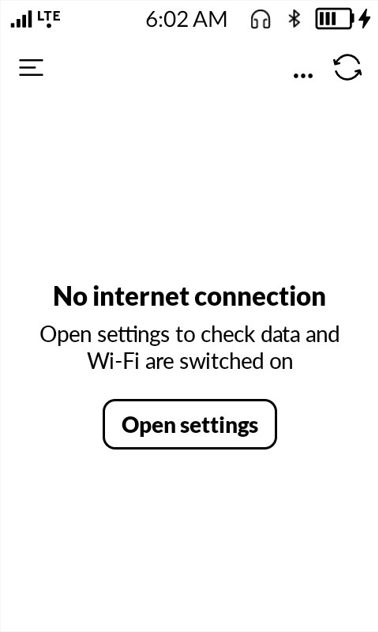
I did discover that I don’t need to restart my phone to fix, just toggling airplane mode on and off works. But it would obviously be best if I didn’t even have to do that.
1 Like
This is quite odd. Let me ask our team what could possibly be happening.
Another piece of the puzzle: I discovered that when this happens, my wireless hotspot still works. I’m able to load webpages and stuff on my laptop connected via the mobile hotspot, but I can’t load the weather or anything else requiring data. Again, toggling the offline button on and off fixes it, but it’s a little disruptive for this to keep happening randomly.
1 Like
@xal definitely reach out to support with this because it’s such an odd situation. They will ask you to send logs (they will provide instructions for that). This way the team can look at what is happening with your particular situation.
Their email is SUPPORT@Mudita.com