I installed the new update this morning. Was working well until I tried to change the keyboard layout to French. I noticed that the globe icon was gone. I was stuck with an English keyboard.
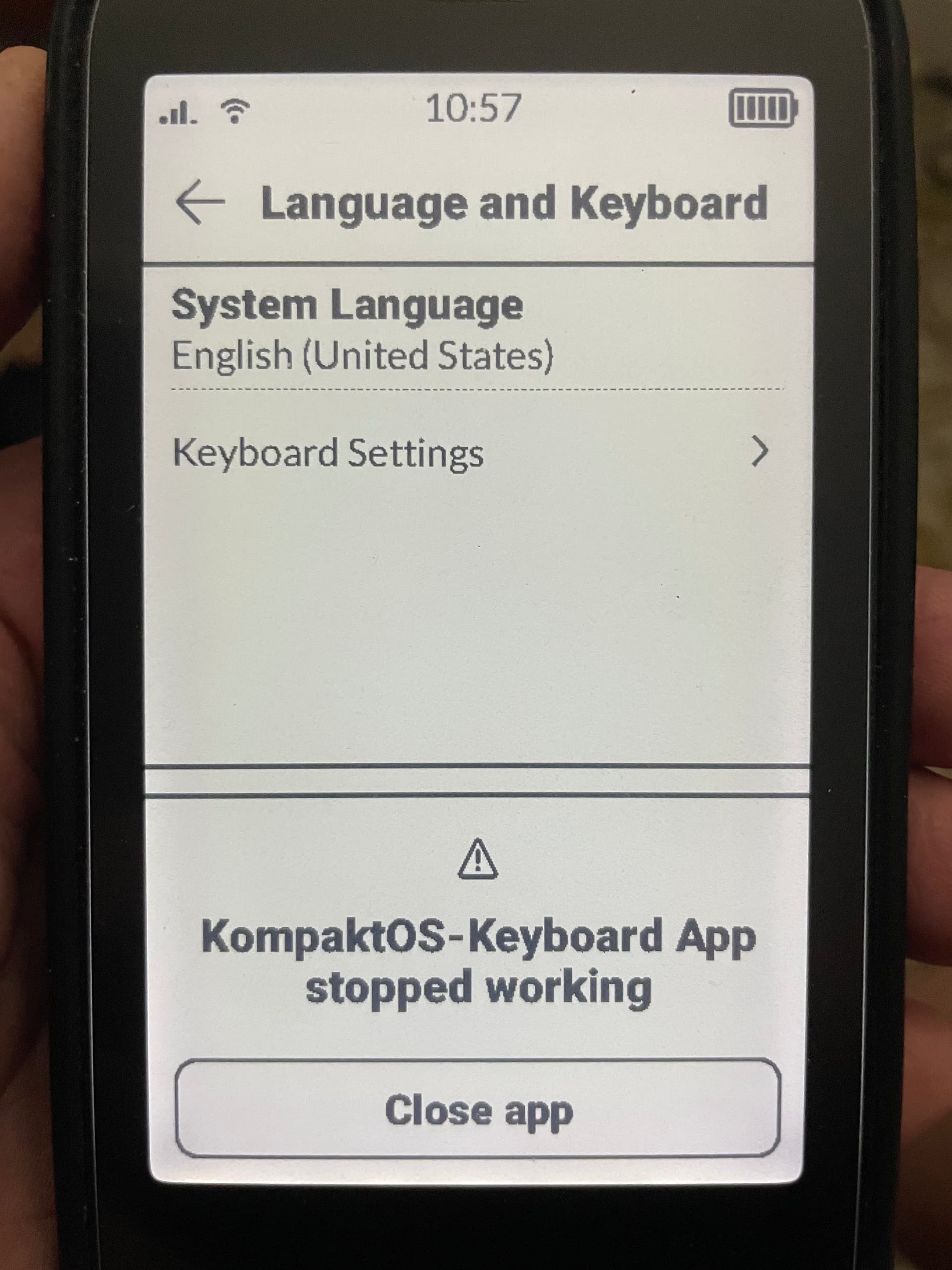
I headed to settings, systems, language and keyboards, Keyboard settings. I had both English and French language and both English and French Querty keyboards activated. I deactivated the French keyboard, restarted the phone and tried to reinstalling it again. The French was greyed out. But then I got a popup message: KompaktOS - Keyboard App stopped working.
I’ve tried restarting the phone but the message just pop’s up as soon as I head to the keyboard setting or open any apps that needs the keyboard.
My SD card was not showing up in Storage after updating, but it did appear in third-party file managers such as Material Files. I rebooted and now it appears correctly in Storage. However, in Maps, the option to store map files on the SD card is grayed out.
Although all of my apps installed via F-Droid and Aurora Store were still there after the update yesterday, many (but not all) of them had disappeared from the launcher today. They have returned after a reboot.
Hello,
First thing : I’m French, and no problem with the French keyboard ; thank you very much.
I don’t have the problemes described, most of this update seems OK.
Three little things about the future : 1) it would be useful to be able to clear recent call diary, 2) the utility of a timer…, 3) the lockscreen : is it possible to have an option in order to choose to suppress lock icon OR Mudita logo ? I like this logo, and it gives me the opportunity to discuss the Kompakt with people who notice it and ask questions. In other words, it gives me opportunity to make “propaganda” fot the Kompakt, discuss about mindful technology, de-googled products without GAFAM, etc.
It can be. The other day I was sitting at a conference table with my Kompakt and my Supernote, and someone asked, “Why is all your stuff black and white?”
Hi @urszula
first of all a big Thank You to the team for this huge update and your tireless engagement with the community!
So far the update runs fine and brings a lot of great improvements!
I, too, have found in the few hours since I’ve installed it a few issues though:
Safety and Emergency → Wireless Emergency: The Wireless Emergency alerts were disabled and I had to re-enable them.
Battery → Battery Information: Cycle count is 0 even though I’ve charged the phone a couple times so far.
Music Player: The Opus file format isn’t supported anymore as of 1.2.0. In 1.1.1 my audiobook saved as .opus was shown in the Music app and played just fine, but after the update it just disappeared. Had to convert it to Ogg Vorbis (.ogg) and then it appeared and played fine again.
Music Player: The app still doesn’t automatically stop playing media once I disconnect my wired headphones from the 3.5mm headphone jack so it continues playing via the speakers.
Mudita Center 3.1.0: When connecting for the first time after updating to Mudita OS K 1.2.0 the SD card storage wasn’t shown. Restarting the app fixed it though.
Mudita Center 3.1.0: I’ve did a factory reset of the device with creating a backup prior to it. When restoring this backup to the device the SMS messages from one particular conversation were splitted into those which I’ve received and sent with the same contact shown under it’s name. I think this should be merged into one conversation, doesn’t it?
This will likely not work for the specific apk you used:
I was able to uninstall the github release of an apk that was loaded through Mudita Center without having to use adb because by chance there was an F-Droid release of the same apk and it happened to show up as uninstallable within F-Droid.
Installing APK’s under Linux (Fedora) works perfectly. I dont know about previous sideloaded apk’s since I did a factory reset before running the update.
Thanks for the update!
Greatly appreciated. I’m especially happy with the unlock button improvements and the music widget.
Now that the logo is gone, the screen feels weirdly empty. I agree with others that it would be fun to have a customizable homescreen. A choice of several mudita-designed images would also be cool.
It’s been kind of a journey having the Kompakt, side loading different apps and de-installing them again and tweaking everything until it’s almost perfect.
What I’m still hoping for in future updates:
upgrade of bluetooth connection to LDAC, I find the quality of bluetooth audio right now very lacking and went back to wired listening on my Sony XM4’s.
already much requested updates to the music app for organizing
to be able to select a folder in the e-reader to show books from. So that only ebooks are displayed (I’ve got a lot of clutter from whatsapp pdf’s)
some updates to the volume buttons, such as being able to mute notifications while phone may still ring, being able to only adjust the media volume with the buttons and not the ringer volume (I keep forgetting to turn it back up after I’ve turned it down and have missed calls because of this), and also I would like if the media volume came with more steps to adjust the volume, right now it’s either too loud or too soft.
Anyway thanks again and I just wanted to put in my two cents on what I’m hoping is next for the Kompakt. It’s been great using it so far, keep up the good work Mudita team
I just noticed that after the update, it no longer displays the battery percentage while charging
EDIT: I guess it doesn’t show a percentage when it’s fully charged, but … it should. Just something that says, “fully charged.”
Would be nice to have the option to have the percentage displayed next to the battery icon at the top as well.
I also just want to add a note seconding the request to be able to remove the lock icon from the screen. When the screen is off, I want it to just be blank.
I’m finding a number of quality of life improvements. The new navigation feature is great (and it’s much better at locking on to my location now). My ebooks are not overtaken by the meditation cards. Also love how it doesn’t pocket dial or unlock in my pocket any more.
I have developer mode enabled, but have not messed with any setting other than the ones that were prompted to enable side loading.
I have:
Spotify
Gboard
KOreader
Perplexity
File MAnager
Timer Plus
QKSMS
and Aurora Store
I enabled up to 4 processes for background activity, only because someone here said that could help.
It only began doing it after the update.
Prior to the update I was sending messages without an issue.
Alarm vibrate and I can’t find where to disable that.
Very annoying. No need to have cool sounds if I have that vibrating. Don’t know if it’s due to the update, it’s my first work day till I have the Kompakt.