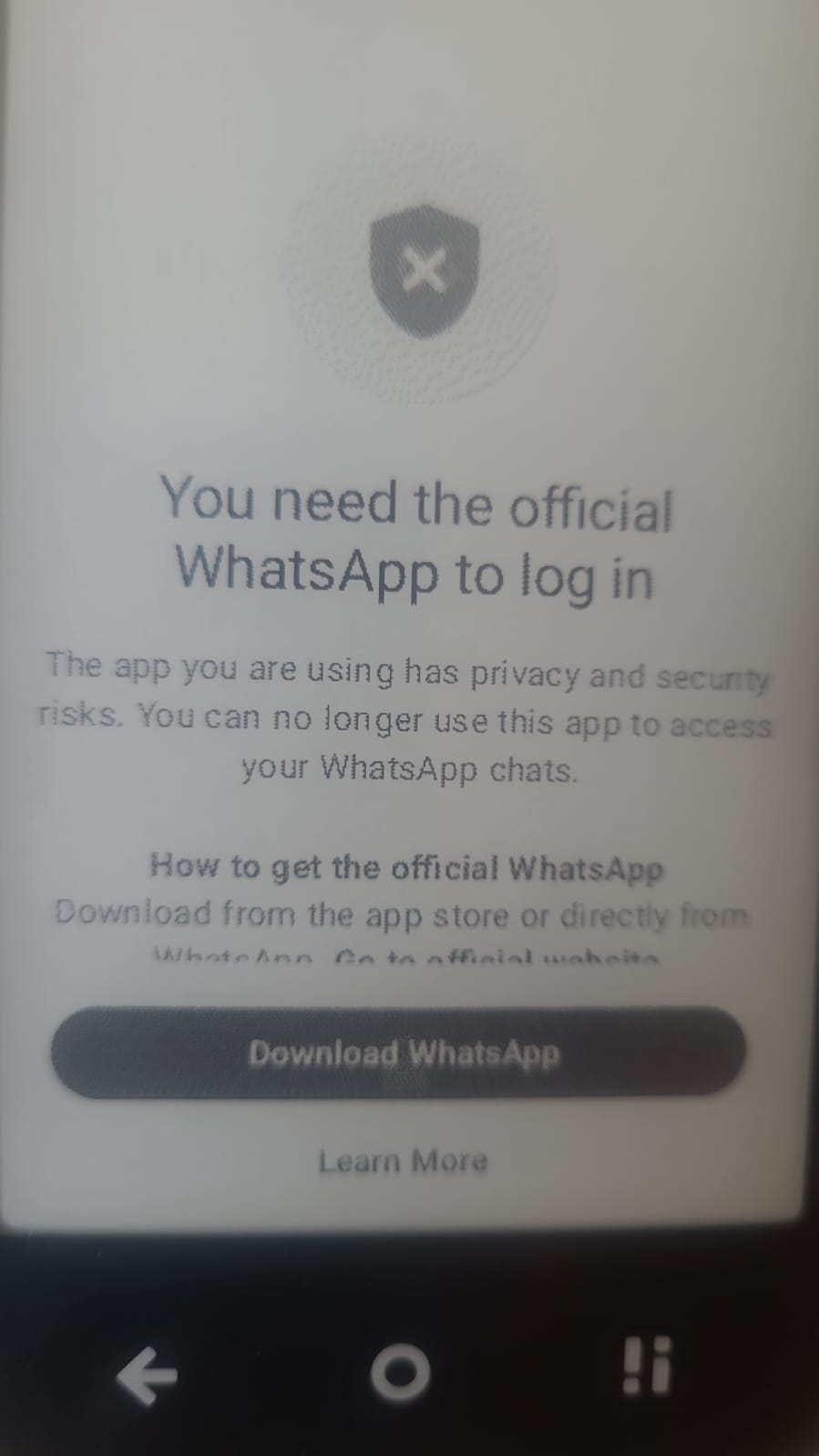
my whatsapp isn’t working it shows this
1 Like
Is it by chance that you haven’t been updating it for too long? I have WhatsApp working on my OS K 1.4.0 without any issues but every now and then I go to Aurora store and update this and that.
1 Like
i just bought it from a guy and it had OS K 1.3.0 in which whatsapp wasn’t working. so i updated it to 1.4 it still isn’t working
i also installed from aurora store
1 Like
What if you tried official .apk download, sideload via Mudita Center? Download WhatsApp for Android
1 Like
yeah i also tried that still not working
1 Like
@devamjaglan where did you get this APK from? I’ve had WhatsApp (as well as Signal) on my Kompakt since late FEB/ early March last year (so almost 1 year) & I’ve never see this type of message.
i tried installing it from aurora store as well as the official whatsapp website both showed this message
i think it’s a problem in my country only
1 Like
@devamjaglan Did the app work at some point and then stop? Or was this the case from the very beginning?
When a service is free, we are the product
And no I don’t use it 
3 Likes
it was caused from the very beginning apparently only when i login with my mobile number it shows this i tried it with another number it works just fine
1 Like
@devamjaglan so, all is good? You got it working?
i’m using a spare phone number for whatsapp right now
1 Like
So you’re still getting that message on Mudita Kompakt?
1 Like
as i said earlier when i use my main phone number to login whatsapp it shows that error message but when i use a spare phone number or any of my friend’s phone number it works just fine.
1 Like
I’ve been having this same issue both on OS K 1.4.0 and now on OS K 1.5.0 as well. After reading this I tried to put my sim back into my old phone, in the hope that would change something. It did not. I have also tried deleting my whatsapp account (I didn’t have that much important on it, that I needed to save, thankfully) In the hopes that I’d be able to bypass the error by making a new account on my kompakt instead of going through the verification which leads to this error message. Deleting the account didn’t change anything either - I still get the “You need the official WhatsApp” error. I’ve tried installing the app through Aurora and from Mudita Center with an APK from the WhatsApp website and none of that has made a difference either.
I’ve read that the error might be related to WhatsApp flagging users for using unofficial apps or modded environments (like a rooted device - my kompakt is not rooted) but I’m still able to log in on my old phone (even with my sim in my Kompakt), so I’m not sure if this is the explanation.
@urszula Would you or the team have any way of figuring out how to fix this? Since so many are able to get WhatsApp to work on the Kompakt, it seems like it should be possible and it’s the last thing that keeps me going back to my old phone, which I’d be very happy to not have to do anymore.
Many thanks!
2 Likes
Welcome to the Mudita Forum. We’re glad you’re here.
Your issue sounds quite odd. From what I know, WhatsApp is tied to a specific phone number. Did you use WhatsApp on a different device with this same phone number? Once WhatsApp is activated, it is primarily tied to that ONE phone number/account, not to the physical SIM card remaining in the device.
The error message “You need the official WhatsApp” is generated by WhatsApp, not by Kompakt.
That’s why when you write this,
“I’m still able to log in on my old phone (even with my sim in my Kompakt)”
I’m leaning into that when you’re repeatedly moving between the old phone and the Kompakt, WhatsApp may be seeing a pattern of registrations, device changes, and reactivations that triggers its anti-abuse systems.
Here are a few things to remember about WhatsApp:
- WhatsApp allows only one primary phone per phone number at a time.
- Every time you register the number on a new device, WhatsApp effectively transfers the account.
- Frequent re-verification attempts in a short period can trigger additional scrutiny.
- Meta’s systems don’t always distinguish between someone legitimately switching devices and someone attempting account sharing, automation, or unauthorized access.
- Additionally- just because it’s phone number specific does not mean it’s using the SIM card.
Unfortunately, I think your troubleshooting may actually be making things worse. If you’re:
- installed and reinstalled multiple times,
- deleted the account,
- moved the SIM between devices,
- repeatedly attempted verification,
If you can log in on your old phone and plan to continue using it in the future, you can register your Kompakt as a companion phone. This link is helpful:
About linking WhatsApp to a second phone | WhatsApp Help Center
1 Like