I second this sentiment. It truly is so great to finally be able to start group chats on my Kompakt, but the naming system for group chats leaves a lot to be desired. If I have one group with Emily, Olivia, and Hayley and another group with Emily, Olivia, and Sami, I cannot tell which group chat is which.
3 Likes
I want to bump this because I went to try out the possibly finally usable music app once my update finally came through…
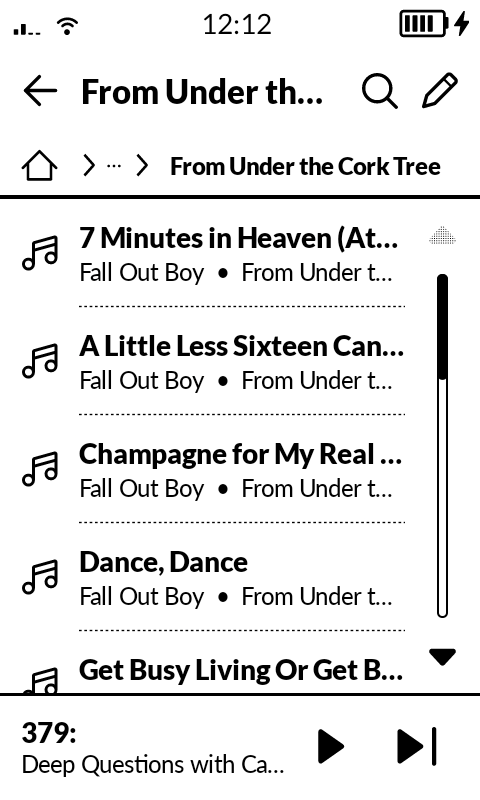
And songs are sorted alphabetically by song title within folders. Such a baffling decision to sort it that way. I would like the option to listen to whole albums in order on my phone, the same way I’ve listened to music my whole life.
It would be such a simple fix, I’m hopeful that this can be fixed soon.
3 Likes
Dude, that worked! I re-enabled the Mudita Launcher via WebADB and restarted the Kompakt, now I can see the Default Apps section properly and my Settings app no longer crashes when I tap “App Layout”. Still running InkOS as my default Launcher. Cheers man!
4 Likes
Thanks for confirming 
Thanks @astrolander and @gezimos! I’ll try those steps and report back, too.
The oddity is @UME_1138. Perhaps, UME_1138, you can remind us which apps you’ve installed and collectively we can try to solve the mystery.
1 Like
jpeg, png, or photos are HEIC
1 Like
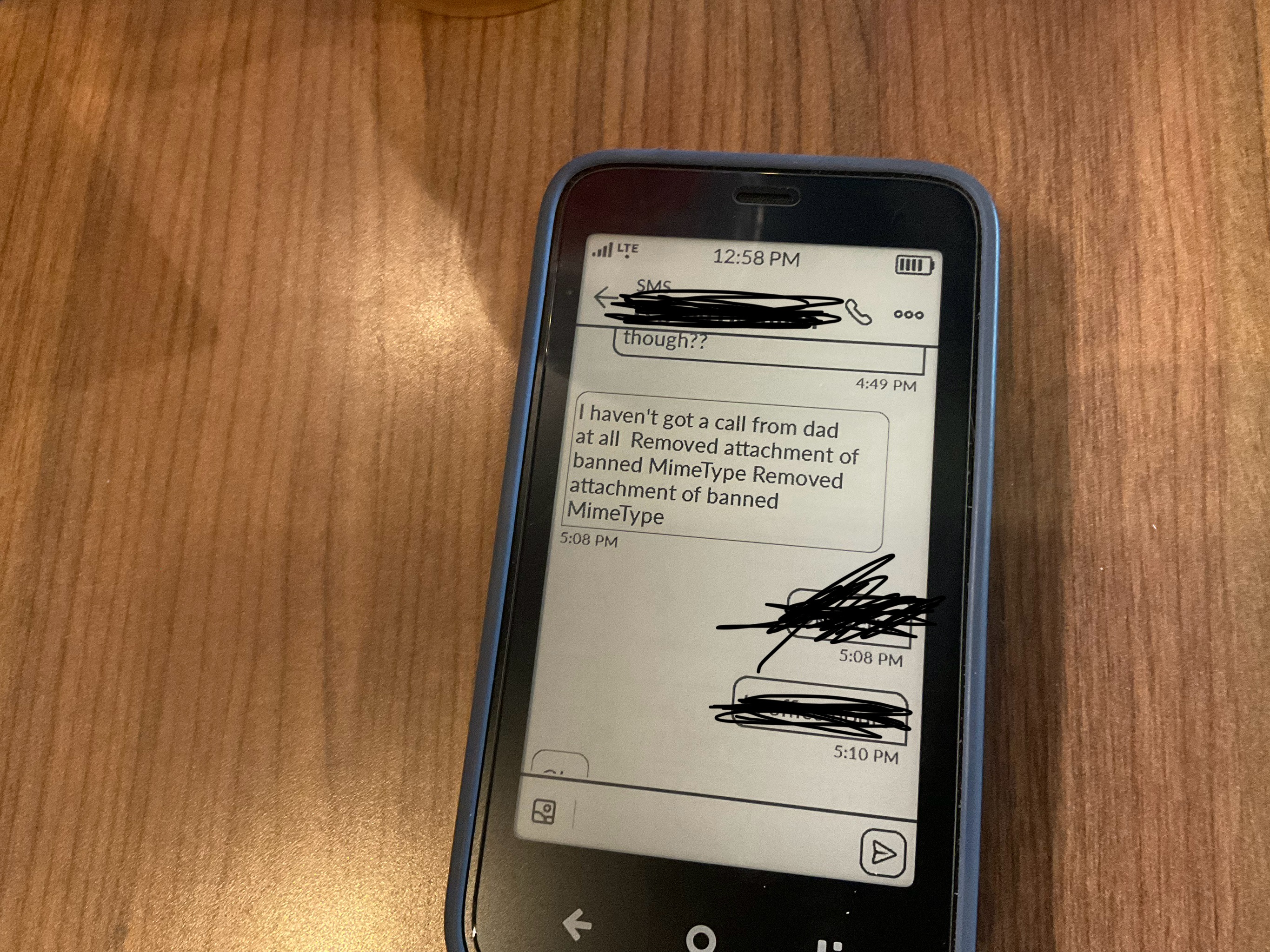
Here’s a bug I’ve found, when a smartphone user texts a screenshot with words along with it, the pictures come in this form to the kompakt: “Removed attachment of banned MimeType” just so you know @urszula
3 Likes
I’ve been using it for a week now. I was mostly excited for the music player updates. Thanks to the folders, I can easily make different playlists on the computer, and also have podcasts separately. Now that the lock screen has the music player widget I switched to the music player and will likely uninstall my side-loaded podcasts and music apps. I’m also back to the Mudita launcher, and will use inkOS only as a quick way to launch other apps or hidden settings.
@urszula Like many people, my music is organized in folders as follows: genre > artist > album. The music player app cannot play a folder and all subfolders. It can only play the lowest level folder, correct? That’s a pity. E.g. in my case, I cannot play an artist with multiple albums or shuffle play songs from a genre. (of course that’s a workaround, ideally we would use the id3 tags). I do have to say the music player is blazingly fast compared to third party ones. It boots in a second and scans folders instantaneously. Nice work.
2 Likes
Good to hear. Thanks for the feedback.
What do you mean by lowest level? Like Alpha-Numeric order?
So let’s say I have a folder named ‘Artist’ with 2 subfolders, each is an album. I can only play the music files out of an album subfolder. I cannot simply play the ‘Artist’ folder (hence everything from that artist, all the files in all the album subfolders).
If still not clear I’ll take a screenshot.
1 Like
The update posts says the options for group chats are:
- a shared MMS group chat where everyone sees each reply
- or sending one message to many people privately through SMS
Does anyone know where the setting is to switch between the two?
I haven’t made any group chats yet since I was already added to several before the update, but whereas before they functioned like normal groups, since updating all my responses seem to send in the group as well as creating separate threads to each person in the group with the same message. Thank you!
3 Likes
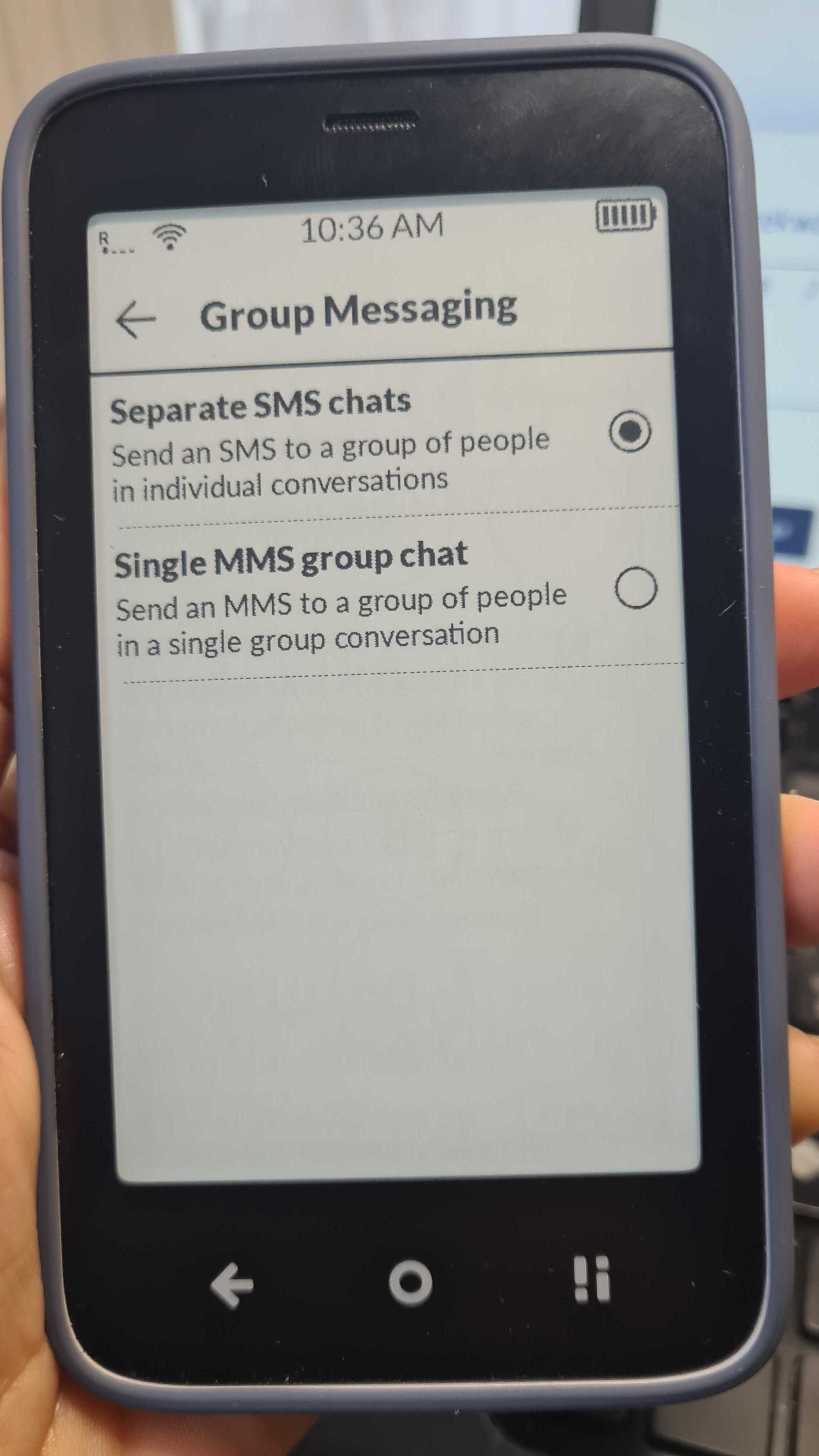
SMS screen, go to settings > SIM > Group Messaging and choose single MMS chat
1 Like
@nilss Yes, please send a picture or screenshot because I have to be honest, I can’t picure what’s happening.
Head to the SMS app & tap the 3 lines icon
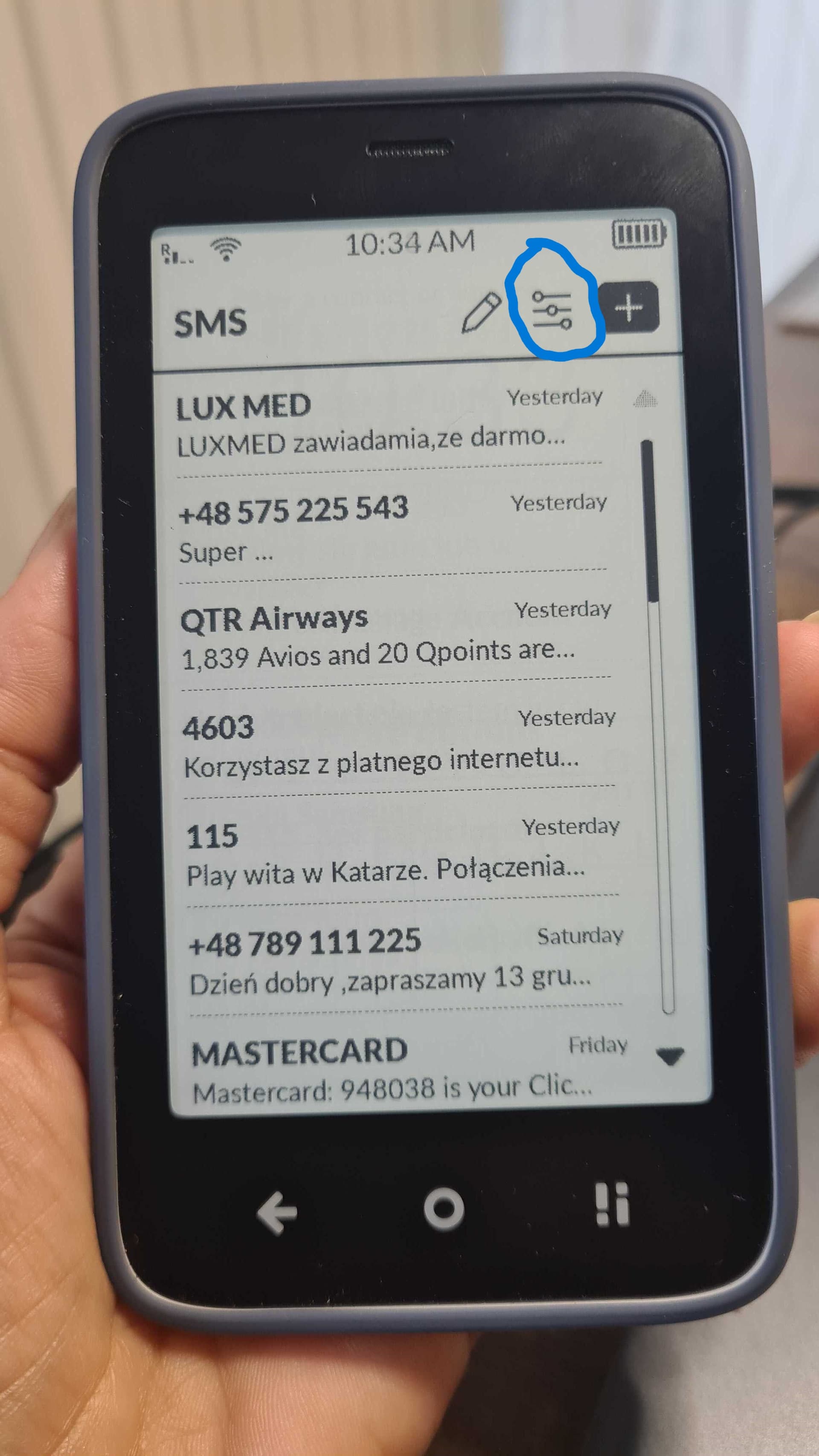
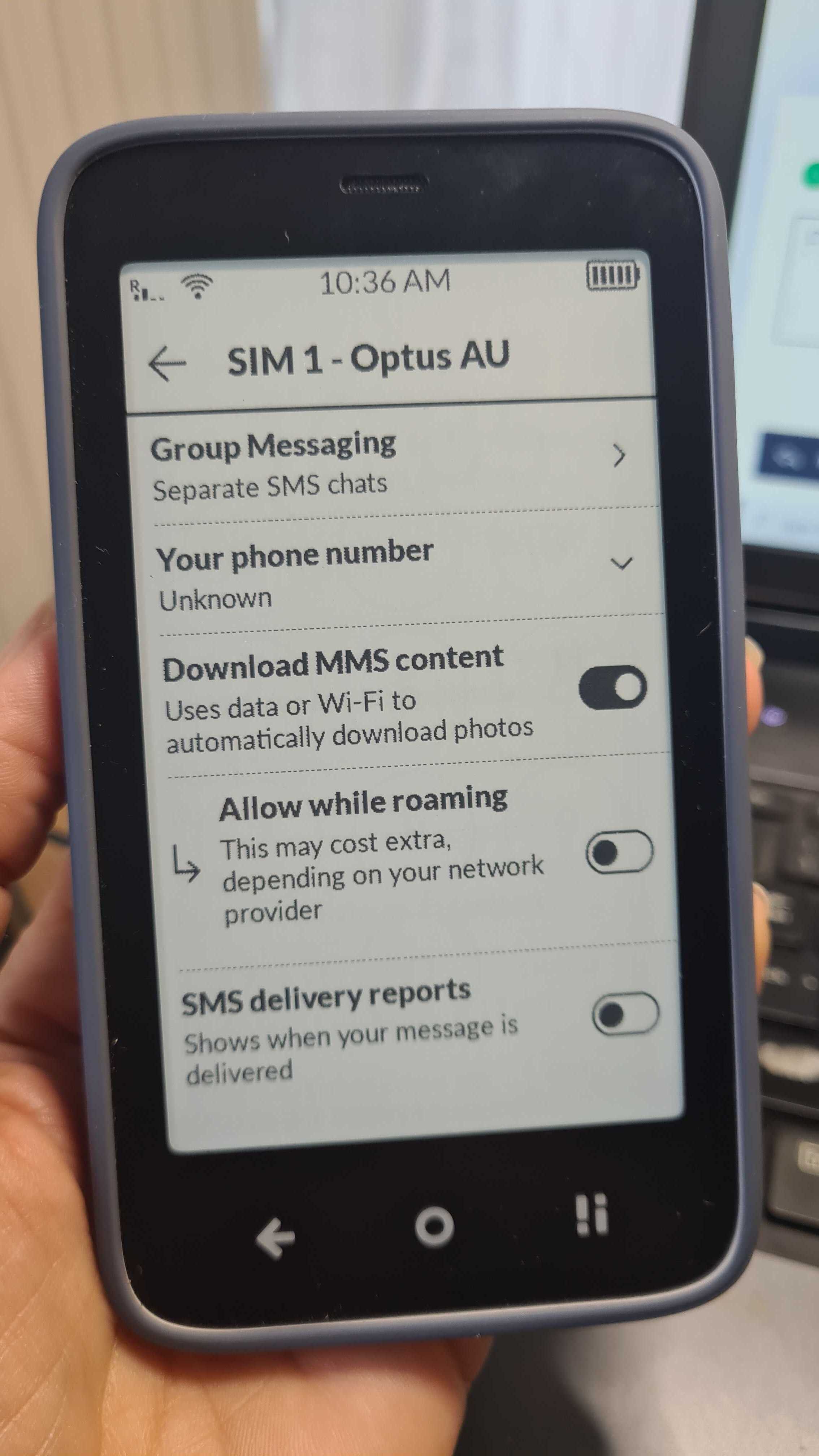
Then tap the sim that you want to set the setting in & the option is right on top.
Click on GROUP MESSAGING & you’ll be taken to the section where it asks you to choose.
1 Like
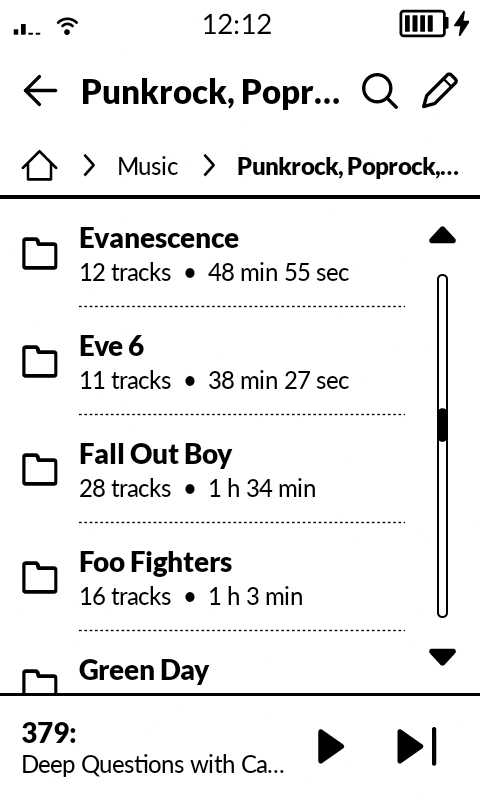
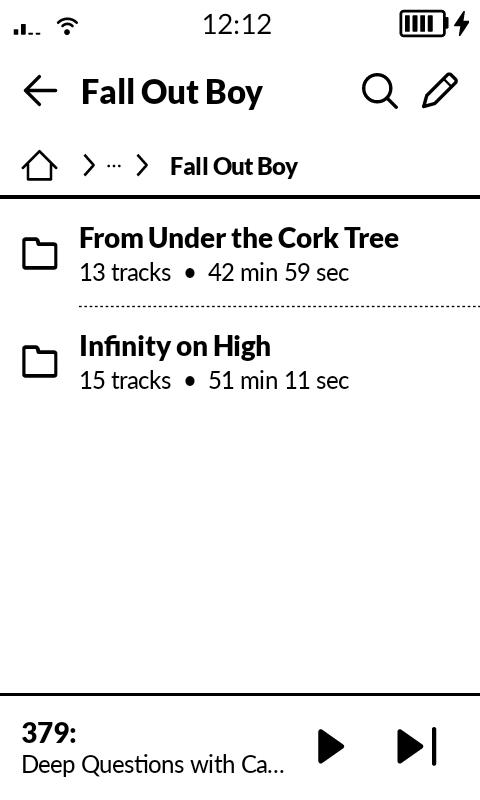
Take this example. I have a folder ‘Fall Out Boy’ with music of that artist. The Music App sees that there are 28 tracks, however they are split up into two subfolders, which are two albums of that artist. When I open the subfolder, an album, I can click on a song there and play that album. But how do I play ALL music of Fall Out Boy? How do I play a folder with subfolders?
2 Likes
I am going to follow-up with the team about this.
4 Likes
@nilss I don’t use the Music app yet (still using 3rd party for now), but my understanding is you can make playlists, so to solve your problem, make a “Fall Out Boy” playlist.
2 Likes
Hi, I’ve recently started using Mudita, and I have to say it’s really great for digital detox. However, I’ve already found a few things that could improve the user experience even more!
I would appreciate the option of a QWERTZ keyboard, and contactless payment would also be amazing. I know you’re working on it, so I’m just mentioning it. Otherwise, it’s a nicely designed device that works well, but for full use, I’m missing a few things, such as a shared calendar, calendar notifications, shared reminders, and a default email application that communicates via IMAP. Otherwise, it’s great, and I wish you much success!
1 Like