I haven tried android auto, but I had testers tell me it works great both wireless and with cable. I can’t answer what it shows on the dash but I assume like any other android 16 android auto app.
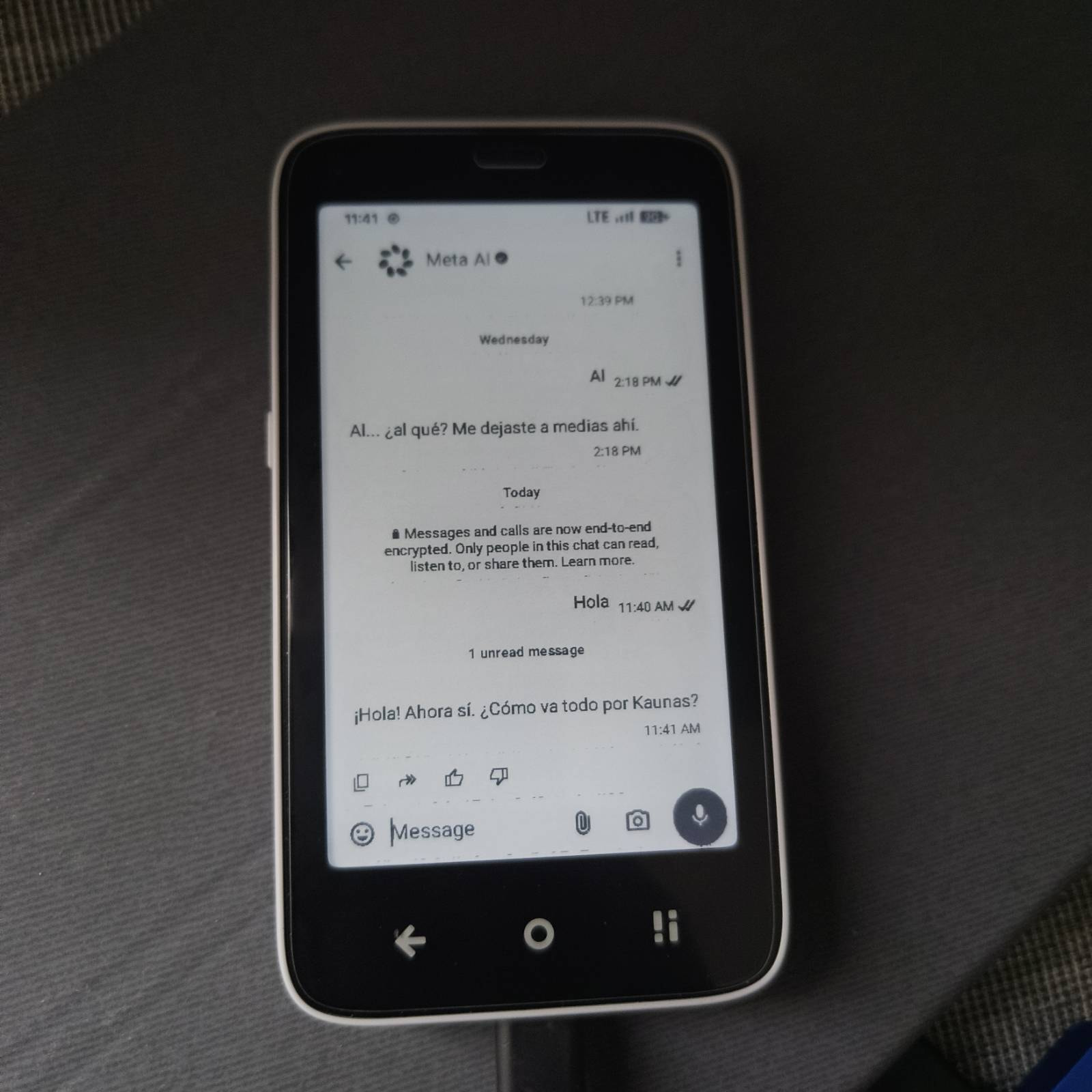
Also is RCS on by default? I’ve had it off on my account and am happy with sms and don’t want to auto enroll on RCS. Related to messages do browser texting from a computer works? Have you heard reports of old mms group messages working?
RCS is not default because RCS requires Google Messages app that you need to install separately. I haven’t tried browser messages but with Google messages it should work.
I don’t use MMS or group messages but yes I’ve been told that they work.
It works.
That is very subjective. To me it works perfectly fine despite being so feature rich on an old SOC with 3gb of ram. When you install it at first you will see some lag until things on the background finish installing and updating, after that it works very smooth. I haven’t heard any complaints.
One tester with vanilla so with Android Messaging app not Google Messages, says that text/groups/mms work fine with him on At&t.
I haven’t done any of the public things you see for Mudita, I did them for the community, and I did them for myself as a challenge to learn more (especially the ROM) as it was my first time ever trying to do that.
Despite really taking a long time for myself, obviously a lot of the work was done by other people like TrebleDroid team, MisterZtr. And obvoisly using LLMs to speed up the process, because I don’t have time to read tens of thousands of logs myself just to diagnose a tiny bug.
That was the original intention of this “feature”. I haven’t tested it with banking apps as none of the ones that i use have a camera function at all, the only one I can think is Revolut but that doesn’t work on devices with unlocked bootloader.
I don’t know if you remember even apps like Signal used to crash if opened the camera, now it doesn’t. Even the camera app itself has a front camera mode.
Sorry guys, I’m a complete newbie when it comes to this, but could someone explain the benefits of installing Android 16 (and specifically this ROM) on my Kompakt? Is it to be able to use any app from the Play Store, or is it mainly for security reasons? Thanks a lot!
Depends on the person, but here are some examples:
Yes Android 16 security, with August 2026 Android Security Updates.
Being able to install apps or use features that require Google Play Services for example:
Android auto
RCS chats with Google messages
Long-term support for apps. Companies like Meta might be able to afford to keep their app updated for Android 12 for 5 more years maybe, but that is not the case for every app out there. In a year or two an app that some apps that people use in the Kompakt might get a notification that the version of their android is not supported anymore.
Some other users don’t want anything to do with google but do want simple features in vanilla (no google apps)
Being able to change your sim pin
To change your device’s name so you’re not exposed to the network as “Kompakt”
To change your bluetooth name for the same reason.
To have notification LED working (you know the LED light that says your phone is charging), that can be used to tell that you have a call, a message, an email whatever. So you can leave the phone across the room and still see that you have a notification, without having to wonder if your received a message.
Obviously this is not for everyone. Those users that have bought this device for the ultra-minimal OS will not like it.
Despite also being optimized quite a lot to work on this screen, LineageOS has a lot of settings that you might never need, but they’re there if you ever need them. So you don’t have to go digging with others apps or adb commands to find them.
I’ve said it before, if you are happy with your device and you’re not missing anything you don’t need this at all. Maybe in a couple of years if your needs change or some app doesn’t work anymore you can give it a go
How long does the installation take from start to finish ? And is there a difference between doing it on Mac, Windows or Linux ? Are they all equal, or is one of those OS’s preferred for flashing ?
Since they’re all listed all work, it’s a personal preference. I use MacOS.
That depends on how long your backup takes. If you’ve done this before or not.
If you count all the steps from start to booting just like @zorax said 30-45mins. If we’re talking about just the installation of the recovery and the zip 7-8 mins.
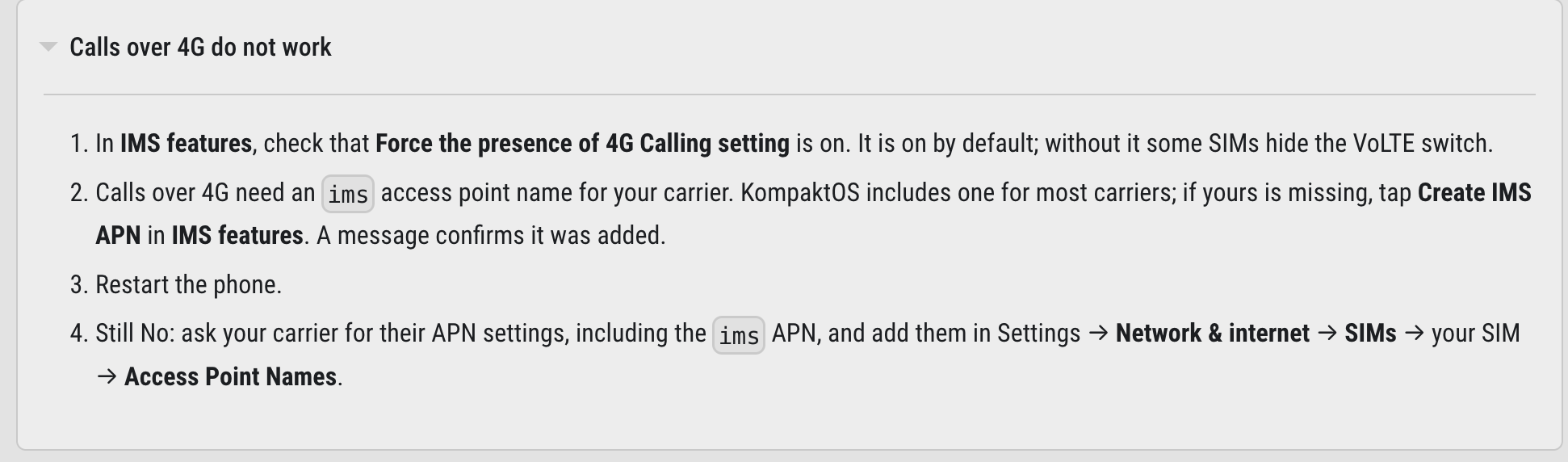
Thank you for your replies and all this hard work, it is indeed quite good! Do you have any tips to get voice calls working in ATT US? I installed the IMS APK and when that didn’t work i copied the apn settings manually from my light phone. Texts work but calls don’t.
On the android auto experience., I was able to get it running in a North America Kompakt and I chose the GApps build to try android auto. It took a bit to setup and my old car wouldn’t continue with an error message about the parking brake not being activated. But i was able to get through in a newer truck we have and then it works on all cars. I use magic earth and it worked very well on android auto. I found it easier to set up my destination on the phone before getting on the car and once in just plugged it in and the map came up with the directions drove over an hour each way with zero issues.
Overall it is a great experience, I only need to spend some time troubleshooting voice calls. Funny enough i can do texts but not calls.
At&T IMS APN should be applied automatically. But do these steps above if it doesn’t work. I have users on discord using At&T and it works for them.
See if you ahve turned on mobile data for the SIM it’s turned off by default. And since 2g calls don’t work that might be the resason. (since u say u can do sms but not calls).
For Android Auto there’s not much I can do, if the phone connects but gives you errors it is between you and google/android auto. LineageOS has no impact over those.
Just a heads up in case someone else runs into this issue I had, running Win 11:
If ADB works but fastboot gets stuck at “waiting for any device,” check the Windows driver for the phone. My Kompakt showed up as Android in Device Manager with Code 28 (drivers not installed). The USB connection also kept dropping initially.
Windows Update installed a LeMobile Android driver, but didn’t assign it to the phone. I fixed that in Device Manager:
Right-click Android → Update driver → Browse my computer → Let me pick → LeMobile Android Device → Android Bootloader Interface.
After installing it, fastboot devices detected the phone and unlocking worked.
I’ve used ADB countless times without any driver issues, but apparently this unlocking process requires something I didn’t have.
I was only two days away from buing a Fairphone, as I am tired of using three different mobile devices because Mudita Kompakt is too much limited in software functionality and there are too few apps available as apk directly. But man this work looks awesome. I will give it a try in the next few days and am very excited of what will happen. My first trials with LineageOS 20 GSI failed by some reason, the phone wasn’t able to boot into the OS. Some coffee waiting for you when being successful.
Amazing work!! Truly! Currently setting everything up locally to install it and can’t wait. The security improvements are the main reason for me to upgrade.
Also, if you need any help with development, let me know! I would really like to contribute to this project :).
Do you think it would be possible to create something like an e-ink skin for apps like Whatsapp? Most apps I could recreate to be really easy to use on e-ink, but WhatsApp still bothers me. I really need black/white (no in-between) and maybe this custom rom could allow for that? Happy to investigate myself if you don’t know.
Cheers!!!
Edit:
on macOS I had to run mtk_gui with sudo like sudo ./mtk_gui.py, maybe that helps for someone else running into USB permission issues.
Thanks for posting this as I have no Windows to test. I should link this if anyone else reports the issue.
I like the mission of Fairphone, but boy their new phones are big! Hope you enjoy it, I hope you resolve Verizon issue! Enjoy LineageOS
Thank you!
I’ve already looked into it. It’s not possible to patch the APP ui with overlays, and they don’t use dynamic material design to be able to reskin them properly. I was able to edit a few buttons on Signal but it made it worse.
However I don’t think you need that, as you have plenty of e-ink modes to make Whatsapp better for you. You can just Fast mode (with high contrast, that mudita uses for their own apps).
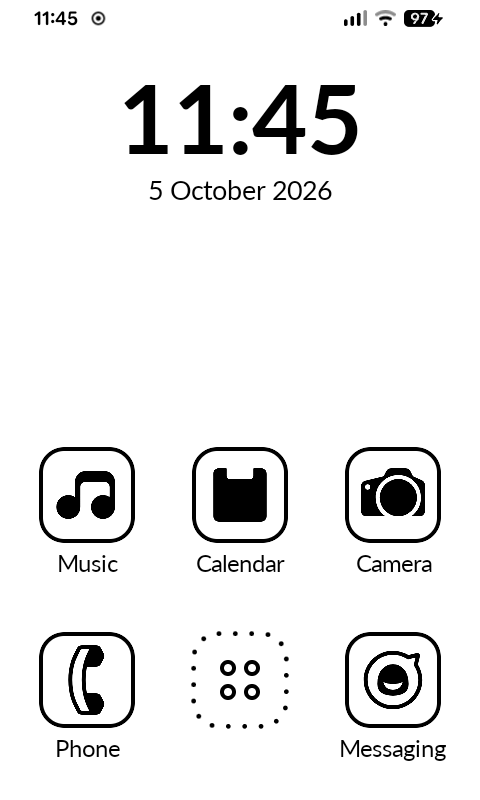
Install worked! Really awesome guide, everything went very smooth! I do have an issue, I really like the Katapult launcher, but it now uses some LineageOS (I think) icons. Is there a way to have the old icons back? They looked a lot better. If not, I will try to find a good icon pack or make one myself.