I ran DAVx5 last year on a MuditaOS-K-1.2.0 version of Kompakt (sold; waiting to buy again, hopefully at v1.6.0), and it synchronized with my household’s NextCloud-instance-hosted contacts and calendar data (via CardDAV and CalDAV URLs) but was not E Ink-friendly.
This made DAVx5 difficult to use on a Kompakt, as it was difficult to see when DAVx5 had finished its synchronization process after manually triggering it within the app.
REQUEST #2: Please update your Calendar app to work with this fork of DAVx5!
If I recall correctly from my experience in 2025, DAVx5 synchronized my CardDAV data directly with the default Contacts app (Yay!), but I had to use Etar in place of the default Calendar app to have my CalDAV data appear.
It would be nice to have the default Calendar app synchronized with cloud-hosted CalDAV data!
@kirkmahoneyphd Thank you for this feedback. I know this is a feature that Mudita Kompakt users would appreciate, I am passing all of this on to the team.
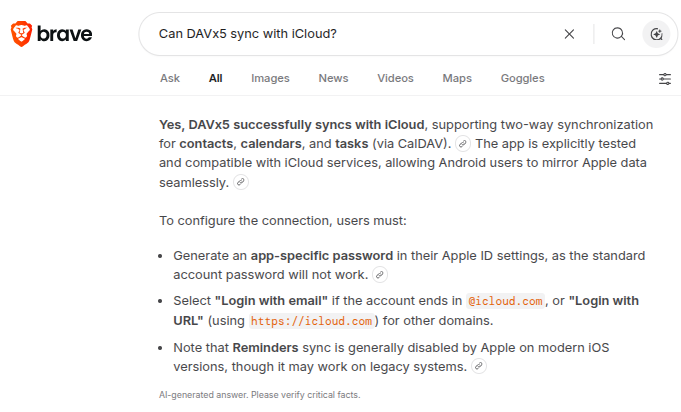
Thank you, @urszula! Another reason to pursue this is that DAVx5 can synchronize not only with calendars and contacts stored at NextCloud instances (e.g., TheGood.Cloud) but ALSO with calendars and contacts stored at iCloud…
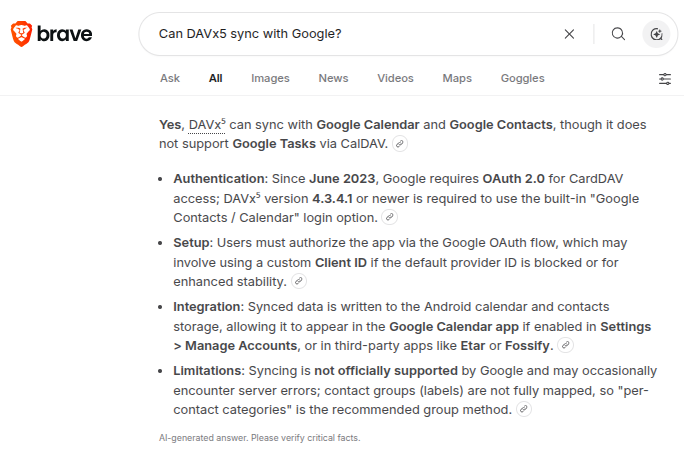
I’m considering using a Mailfence account + DAVx⁵ as my main contacts and calendar backend, and I’m trying to understand how this would interact with Mudita Kompakt and Mudita Center.
Given that my understanding is that it is currently possible to sync contacts via Davx5 with the native contacts app, and calendar with Etar or similar, here’s the workflow I’m aiming for:
Mailfence serves as the central contacts and calendar hub (via CardDAV/CalDAV).
On Kompakt, DAVx⁵ syncs Mailfence contacts and calendars with the native Contacts and a third-party Calendar app.
On Mudita Kompakt, I would manage contacts directly on the phone and via Mudita Center on the desktop.
My question:
If I set up Mailfence + DAVx⁵ on Mudita Kompakt contacts and calendar, and then add or edit contacts on Mudita Kompakt or in Mudita Center, is there any way for those changes on Kompakt/Mudita Center to sync back to Mailfence (via active CardDAV/CalDAV sync), or is the current Mudita ecosystem strictly one‑way import (Google/Outlook/CSV/vCard) without true DAV‑based synchronization? If it’s one‑way only, are there any planned features or workarounds to support full CardDAV/CalDAV sync for contacts and calendars?
I don’t have experience with Mailfence or Mudita Center, but perhaps this will help:
When my household had…
DAVx5 and Etar (in place of MuditaOS K’s Calendar) on a Kompakt (sold, but planning to buy again @ v1.6.0),
DAVx5 on a Google Android cellphone,
Thunderbird on a Windows 11 PC, and
Thunderbird on an Ubuntu PC,
..we were able to edit our household’s TheGood.Cloud-hosted contacts on any of…
Etar on the Kompakt,
Calendar on the Google Android cellphone,
Thunderbird on the Windows 11 PC, or
Thunderbird on the Ubuntu PC,
…and we were able to edit our household’s TheGood.Cloud-hosted calendar on any of…
Contacts on the Kompakt,
Contacts on the Google Android cellphone,
Thunderbird on the Windows 11 PC, or
Thunderbird on the Ubuntu PC.
…and have those calendar and contacts edits appear on all four devices in our household (Kompakt + Google Android cellphone + Windows 11 PC + Ubuntu PC) because any such edit got synchronized back to our TheGood.Cloud account (which then got synchronized to all four devices).
Using Davx5, I was able to set up Kompakt Contacts to sync with the cloud server instantly. However, the new entries or changes made on the Kompakt can’t seem to sync with the server.
Do you have any advice on how I could troubleshoot this? Thanks!
I performed further testing and wanted to provide more information in the hope I resolving this issue.
I’m using DAVx⁵ to sync my contacts and calendar between The Good Cloud (Nextcloud) and my Mudita Kompakt.
Current behavior:
• Contacts from the cloud are successfully synced to the Kompakt.
• If I delete a contact on the Kompakt, the deletion is synced back to the cloud.
• However, if I create a new contact on the Kompakt, it does not appear in the cloud (DAVx⁵ account). It seems to stay only on the device.
On The Good Cloud web interface, under Contacts → Address books, I can see:
• Contacts – 95 contacts, 0 groups
• Accounts – 1 contact, 0 groups (described as “System address book which holds all accounts”)
The contact I just created locally on the Kompakt is visible in the cloud interface (in one of these address books as “1 contact”), but it is not syncing back to the main “Contacts” list, and changes/deletions of that new contact don’t behave like the others. In other words, this new contact created on Kompakt is not displaying in thegood,.cloud contacts list.
I’ve set up DAVx⁵ with:
• Base URL: https://my-instance.thegood.cloud
• Username: my full email I use to log in
• Password: my password
CalDAV and CardDAV are enabled for the account in DAVx⁵.
Questions:
On Mudita Kompakt, how can I see or control which address book (local vs DAVx⁵) a new contact is being saved to?
Is there a known issue where the Kompakt contacts app defaults to the local address book (or the “Accounts” system address book) when creating new contacts, and how can I change that default or force new contacts into the DAVx⁵-synced “Contacts” address book?
Are there any additional DAVx⁵ or Android settings I should check to ensure newly created contacts sync back to the server and appear in the main “Contacts” address book on The Good Cloud?
Any advice or step‑by‑step guidance for Mudita Kompakt would be appreciated. Thank you so much!
Do you remember, by any chance, what Davx5 settings you might have used that allowed for two-way sync?
Another unusual behavior I noticed is that when I created a new contact on Kompakt and refreshed the The Good Cloud page in the browser (Brave), a category corresponding to “System address book which holds all accounts” (I believe this is the one with manually entered Kompakt contacts) briefly appears under “All Contact”, only to disappear momentarily. I also reached out to Good Cloud folks about this.
In Davx5 settings, should I have both Accounts - System address book, which holds all accounts, AND Contacts toggled? I noticed that the former is marked as read-only, so I’m not sure if that is the issue.
Thanks. I checked all this, and it’s still the same.
I know Kirk can’t test it, but could someone else see if perhaps the built‑in “Add contact” UI on the newest Mudita OS for new entries is set to a local/system store that doesn’t sync back?
I may try using the third-party contact app and see if the behavior is the same.
I’m so sorry that I keep posting about this. I’m really trying to make it work.
I also noticed that contacts arranged by “last, first name” in Mudita Center AND the Good Cloud don’t display alphabetically on the phone’s native Contacts app. Is there any way to make it behave the same?
Last but not least, I suppose, I just uploaded an additional 200 contacts through Mudita Center. They’re not syncing with Davx5 to Good Cloud. I’m not sure why. Any insight or help would be greatly appreciated.
The Local Item Count shows: 85 items in Contacts Storage (0 unsynced modifications; 0 unsynced deletions), with the last sync just moments ago. However, I just imported an additional 200 contacts via Mudita Center, so the count should be around 300. The Good Cloud displays 96 contacts that were initially synced when I connected the Good Cloud account via Davx5 on Kompakt.
One more update, if I may: two-way sync works perfectly when using Etar to schedule and edit events, which tells me I have Davx5 set up properly on Kompakt. There’s something with contacts that’s not quite right.