First of all, I’m loving my Mudita Kompakt so far. It’s been about two weeks, and I’m already sleeping better, and I notice my attention span and mood improving. I really appreciate the mission of the people who created this phone. That said, here are some (hopefully) helpful suggestions for future updates. This all comes from a place of love to allow users more digital freedom.
OS:
-
Continued improvements to address screen sensitivity and avoid pocket dialing
In just two weeks, I’ve lost count of people I’ve apologized to because I pocket-dialed them in the middle of the night. -
Open contact cards when selecting names on “Recent calls” instead of automatically dialing
Scrolling through call logs, I frequently and accidentally call the wrong person. -
Reduced latency (especially with typing)
I know this is super obvious, and it might be a hardware limitation due to the screen, so take it with a grain of salt. Typing is not always the biggest issue, but it does lead to more spelling mistakes. And I frequently end up calling the wrong person because there’s a significant delay when call logs refresh.
Calendar:
-
Increase options for notifications
One option for a 5-minute heads-up is just not enough. I would like to be able to change the notification interval to 1 hour or 1 day, set more than one, and have them repeat as needed. -
Calendar syncing
Could sync with Apple/Google calendars via the Mudita desktop app or sync directly with email (more on that later)
Chess:
-
Difficulty tweaking
I know there are probably chess gurus on here who will quickly tell me to get better and quit being a baby, but the difficulty settings here seem pretty off. On similar chess apps I’ve played in the past, I was playing at an advanced level, but on the Mudita chess app, I simply can’t keep up with anything above 950 ELO. -
Checkmate/Draw adjustments
I like using the chess app to help me learn new moves and strategies, and the undo button is pretty handy for that. However, whenever a game ends with a checkmate screen, there is no undo option, and the bulky notification blocks the whole board, so I can’t even see the final move from my opponent. -
2-player mode
You don’t need online or another phone to play multiplayer on the go. Just make both sides operable by human players who can pass the phone back and forth.
SMS:
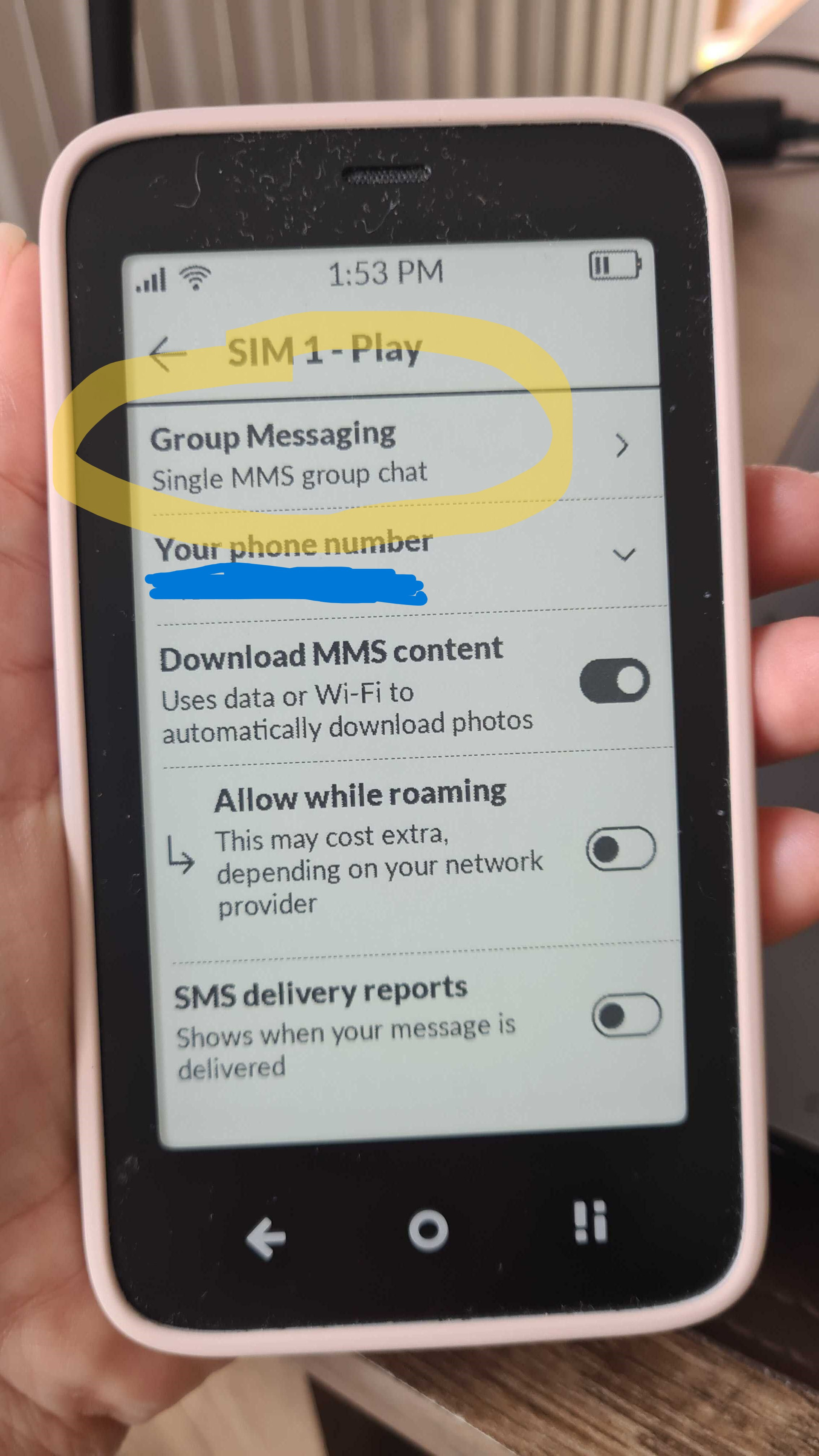
- Group texting fix
This is a big one. I’m not sure how to navigate getting group texting to work without jumping through major hoops. Please make this work out of the box with future OS updates.
E-reader:
- Working page links
I’m not talking about web links that open up a browser. I just want to be able to navigate certain e-books more efficiently. Right now, I’m reading the Bible, and while I have no trouble jumping between books, I can’t utilize the link page at the start of each book to jump between chapters. I just have to scroll manually until I get to the right chapter. No small task, especially if you’re reading through Genesis or Psalms!
Email:
-
Okay, I know this one is controversial based on the forums, but hear me out. I’m a freelancer who makes my own work hours. Outside of those hours, I’m out running errands, spending time with my family, volunteering at my church, or enjoying the outdoors. The Kompakt has given me my freedom back in a lot of those areas by reducing distractions in my life. Except for one. The need to check my work emails. No matter what I’m doing, I’m always carrying with me a need to get to my laptop to make sure I’m not missing any important communications. I feel like the lack of an email app contradicts Mudita’s design purpose of giving us back our digital freedom.
Think about it. We still get text messages. Hyperlinks don’t work, and we can’t send or download files besides photos that look like they were taken with a GameBoy camera. It’s just enough to get by and keeps us connected with others. I don’t know why Mudita doesn’t take the same minimalist approach with email. Mudita could even set boundaries by making it only accessible when connected to WiFi.
I know many of you are also thinking, “Why don’t you just sideload an email .apk?” One word: security. Email carries some of our most sensitive information. Maybe I’m just ill-informed or tech-deficient, but I don’t fully trust a sketchy Outlook .apk file I didn’t get directly from Microsoft. I also just want one that’s designed to work specifically with MuditaOS without syncing or latency issues.
 I’m sorry.