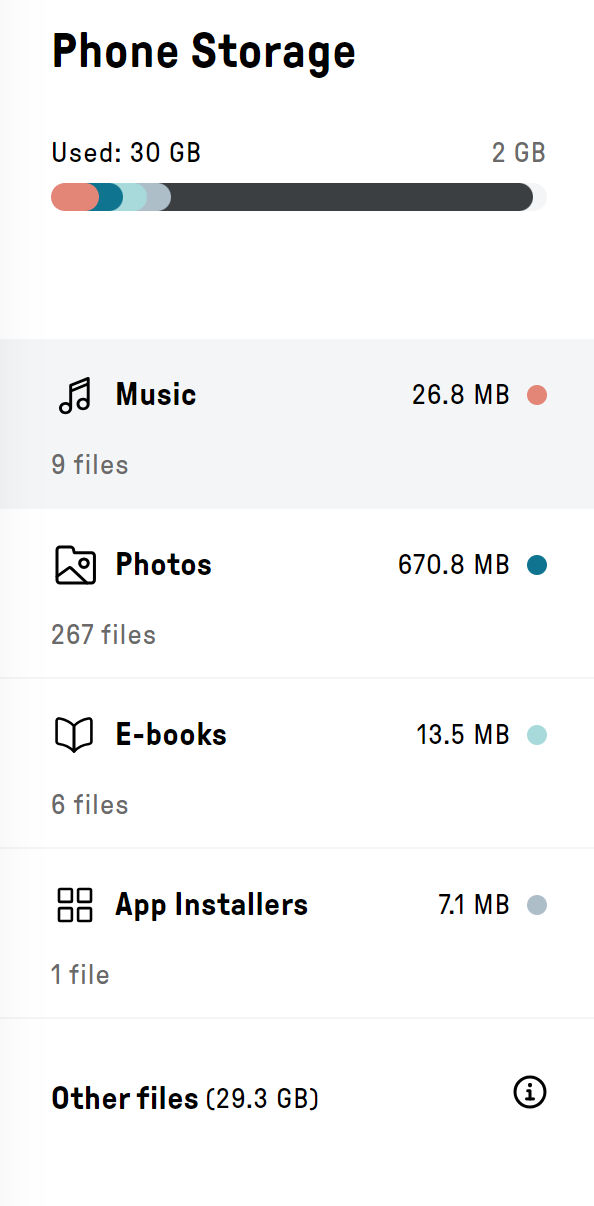
I have literally 2Gb of storage left… and I cannot figure out what’s taking up so much space. It’s all in “other” files?? How is it full already? You can clearly see that I have a moderate amount of pictures, music, and media… how is it full already?
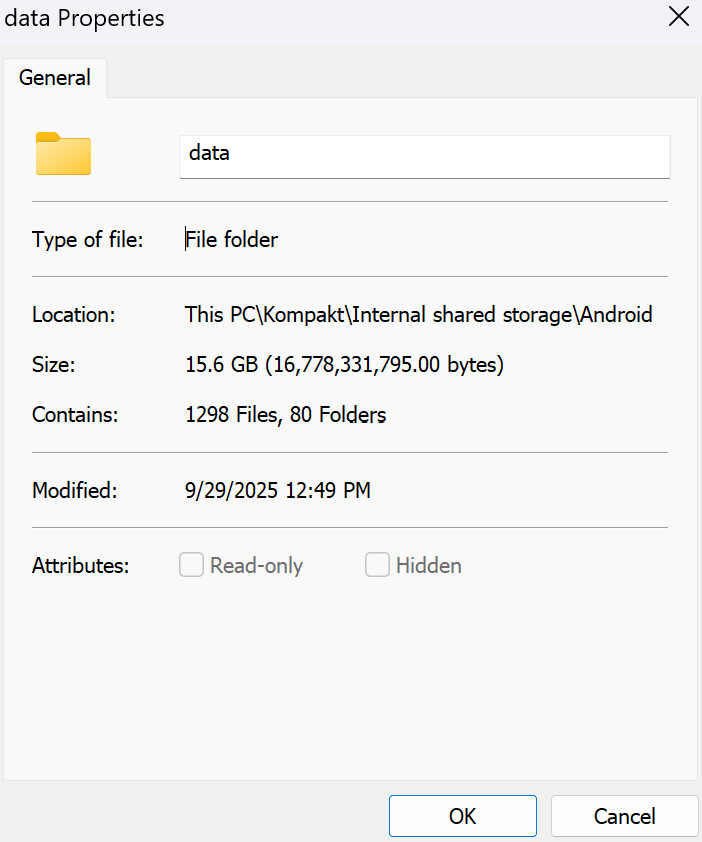
Doing more research it looks like I’ve got 15.6 Gb in the folder “Android” then “Data”. In that folder it just has app data folders… but none of them seem to have a large amount of files… Is this normal?
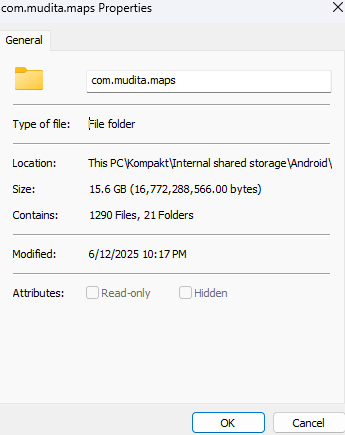
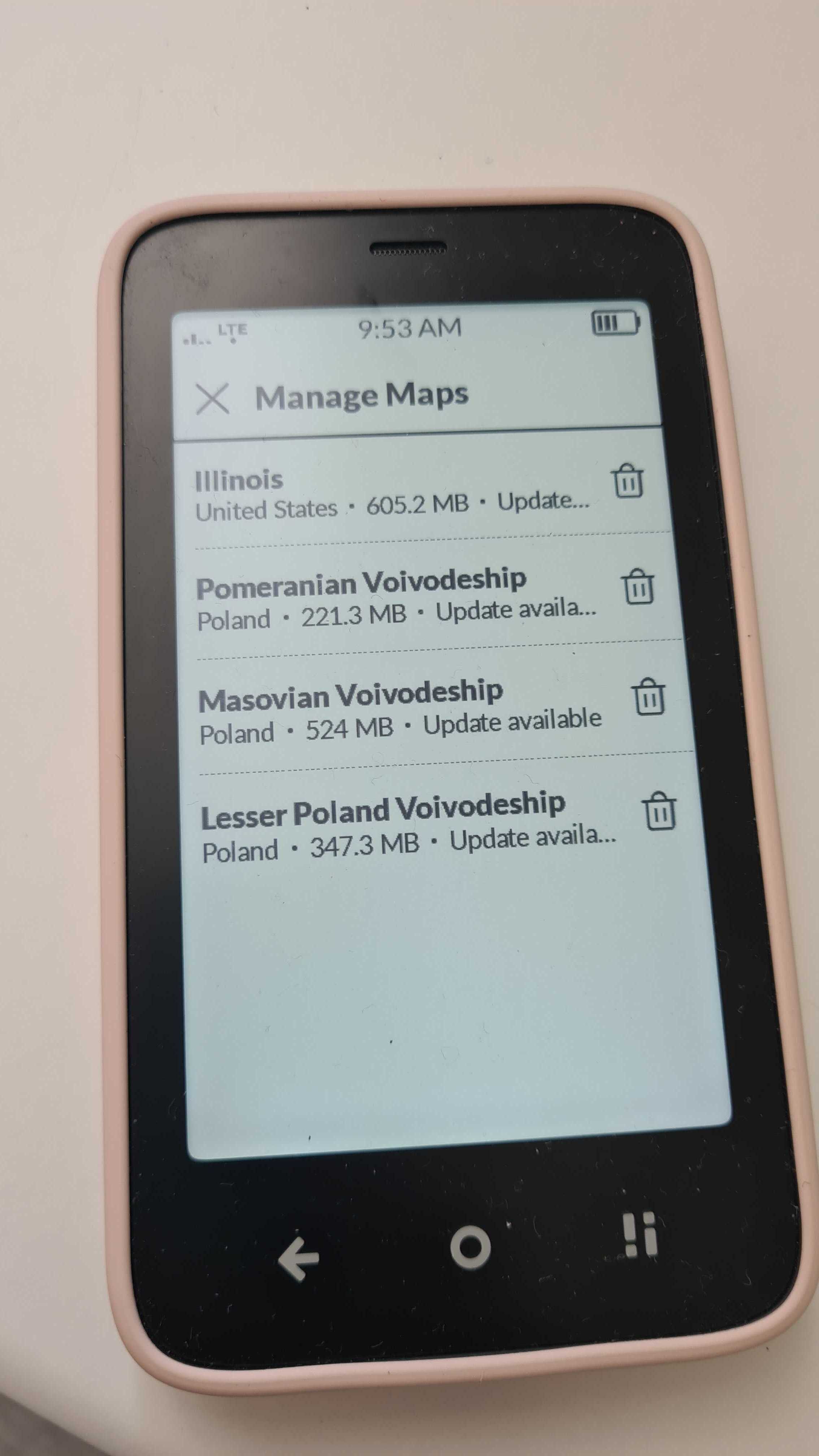
I second this. Most likely maps. I only downloaded parts of Spain when I went there on a trip, and it took quite a chunk. Hence the way to use this Map app: only download the necessary parts.
I guess downloading the entire continental United States takes a pretty big chunk out of your storage space…
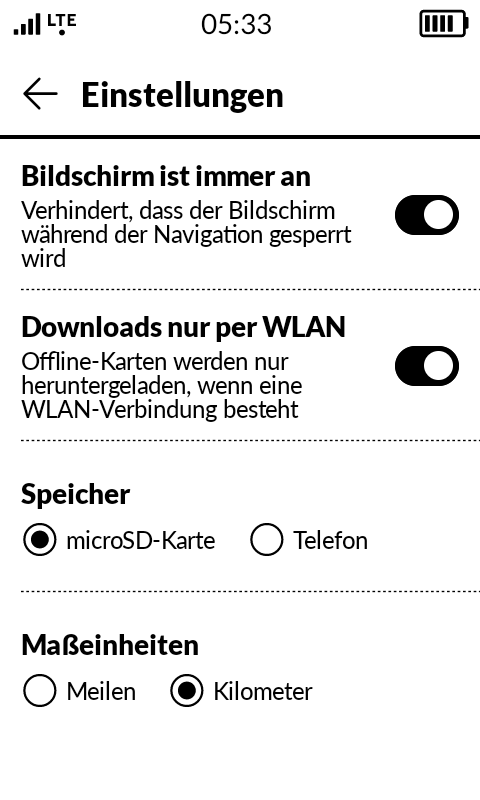
Can I set this data to take up space on an SD card?
Yes, you can do this. Open the maps app and go to app settings. There is a point where you are asked if you want to download the maps on internal storage or microSD card.
Please be aware that for whatever reason, it’s not advised to download a bigger chunk of an entire continent unless needed, for the sake of app performance…
I have the exact same issue to the degree that the Kompakt started crashing. Is there a way to access the screen where you see the used storage by app? That’s not the one you mentioned above @gezimos
I’m suspecting Molly, because I had a similar issue on another Android device where Molly used more than 20 Gig of storage for whatever.
If you use inkOS you can activate “Storage manager” shortcut in Extras / System shortcuts.
And inside Storage manager click the 3 dots → Show all items and it will show the storage that’s been used app data.
thank you so much, that’s it! Molly sits at nearly 10 gb that’s weird. Stupid me, I did remove the data from within Storage Manager without realizing this removes the app completely. At least that problem is solved now
No, no videos or images at all. It’s really strange. When I checked in Molly, it said, chat data only was about a few hundred mb but on OS level it was way more. I saw this behavior on another Android as well but I couldn’t find any issues on the web so far. If this persists I will try Signal instead. Thanks for your help!