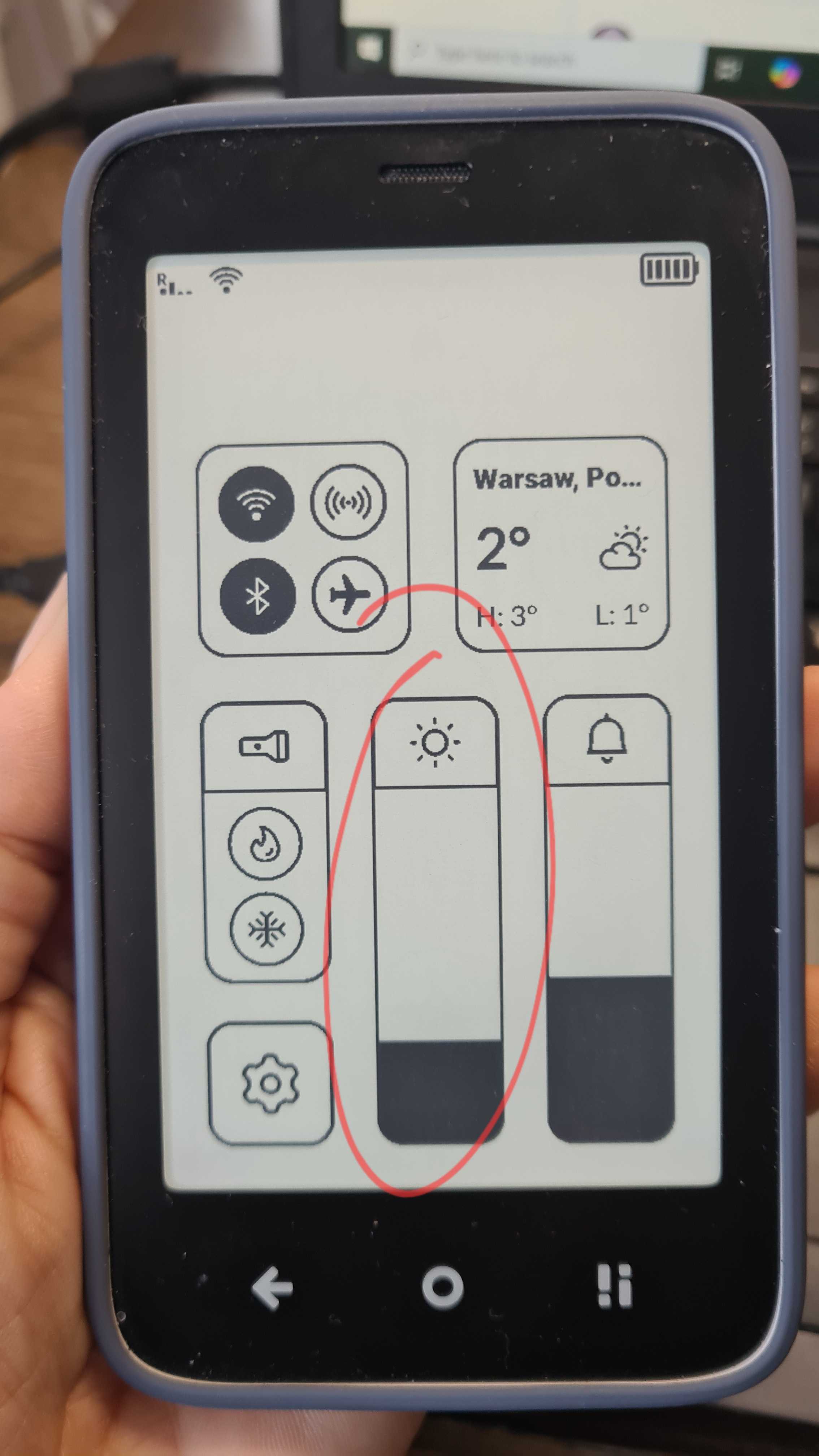
Last night, I wanted to look at the time on my brand new Kompakt but I couldn’t because no way to switch on backlight on lock screen, and no way to unlock in the dark (and no way to switch on another light and wake up my wife). Would this be easy to implement ?
I found a workaround : never switch off backlight totally (only 1 pixel), it’s invisible during the day, but still, i’d like to switch it off completely. My old dumbphone let me switch on torch without unlocking.
5 Likes
I had the same problem and never found a built-in solution.
The only physical button/switch is the Offline+ slider. Perhaps Mudita could use the toggling of that slider to activate the backlight for a few seconds?
Or, perhaps Mudita could make the backlight shine for a few seconds when the Kompakt detects when its position switches between face down and face up?
Or, perhaps Mudita could make the backlight shine for a few seconds following some sort of press of the power button?
@urszula, is this a “usability in the dark” issue, given that there is no way to “feel” how to activate the backlight when the backlight is off and the Kompakt is in the dark?
3 Likes
Hmm, what I usually do is turn on the backlight before going to sleep but it’s a bit awkward.
Maybe a workaround would be that the OS would turn it temporarily on on the unlock screen only at the lowest possible value if the backlight is turned off. (or adding an option but that would clutter the interface and make it a bit confusing) and/or if the light sensor detects no light at all. (is there one actually ?)
“Or, perhaps Mudita could make the backlight shine for a few seconds following some sort of press of the power button?” ← yep, good idea
I’m sure there is a solution for this. I am part of the people who NEVER use the backlight for eye strain issues. Are we the minority ?
4 Likes
I used to use the key mapper app to turn the backlight when holding a button. Now I just do the same, turning it on before bed.
1 Like