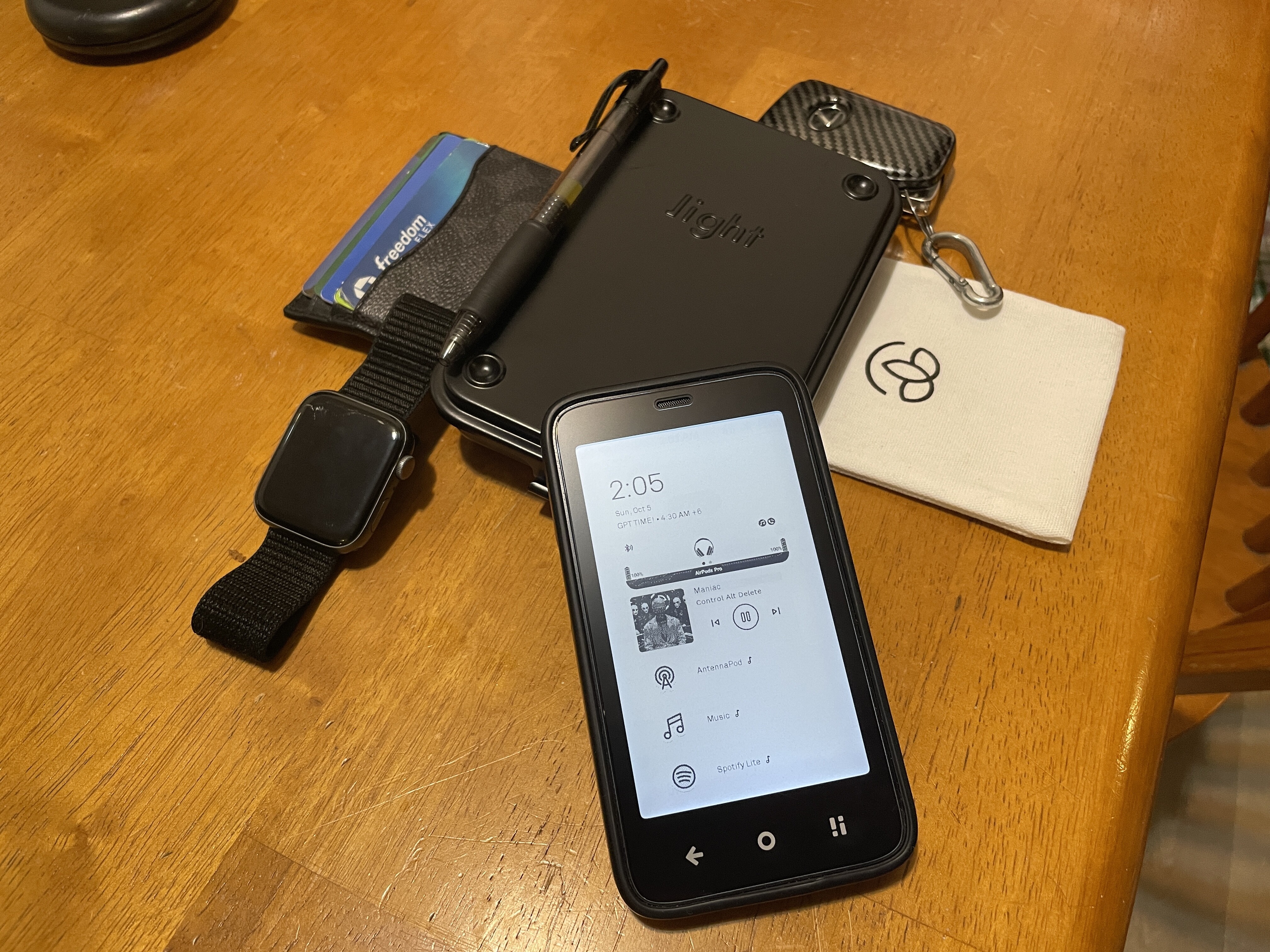
I actually purchased the LP3 secondhand alongside the MK when they were first in early order states. I did have to keep the Light container on hand though for utility. @gezimos still needs to be given more credit for how much they have contributed to this community. Built a launcher, podcast app that really consider the priority of this community. I am only waiting to use your launcher since I can’t make a Mozilla shortcut for Google Voice but I just realized when drawing up this post that I hadn’t considered having MicroG and being rooted and that I can just get the google voice app now lol. I will be posting a follow-up photo with that setup as well. This is the setup I have been running since getting the phone up till now though and have loved watching your project succeed. Excited to see your podcast app soon too! Keep up the great work! If you make enough apps that cover the system of the device - kinda like Light is trying to do - you may even lap Mudita since you got the refresh modes integrated too! If we could run apps in containers to be able to tie into the root, that would be cool. Is there any chance you could use the other code users have suggested for e-ink refresh modes to just run in the background or is that tied to the mudita services? I think it was @jordan that posted on Reddit about this.
Sorry, just felt like that shoutout belonged. I love how community driven this device is and love to have a PHONE that is truly made for me but doesn’t ask too much at the same time! I value each of the 8 minutes a day that I spend using it haha (this does not account for reading time which has already added to much value to my life and others around me).
5 Likes
It was requested from you or some other people during v0.1 to add shortcut support, somehow I could never figure it to work properly. Even simple activity shortcuts created from Apps like Activity Manager, I wasn’t able to crack the issue so I ended up having to manually add some shortcuts in Settings. Hoping to give it one more try in the future.
I’ve been in contact with Jordan, he has helped me out with testing and suggestions and he’s a supporter of the project. Those are not possible to be accessed, they’re all tied to Mudita Service and won’t give access to third-party apps. Only accessible one is the current one that i added which works like a basic auto mode.
I haven’t rooted yet, going to holidays now and I need a stable phone when traveling, so I might start messing with it when I come back and if I figure out a way to make a utility to control them, I will post here of course.
Thanks for the kind words, I’m working a little by little on the Podcast app but it has issues that need to be ironed out. I’m using it and testing it everyday and always I keep finding small things that need to be improved.
2 Likes
@gezimos I wish you the best and would definitely recommend rooting as there’s not really a downside. In the past it caused issues with banking apps, but if you don’t use banking apps on this phone then it’s really only positives.
3 Likes
Is it possible to find a step-by-step guide somewhere for getting ROOT access? I’d like to try (I think I’ve done something similar before), but I’m afraid of “doing something wrong.” 
1 Like
The brightness shortcut feature is a game changer — thank you! Maybe you could consider adding a version with a fixed minimum brightness in the future. I’ve assigned a double-tap gesture for this, and it works perfectly in the evening — but only if the brightness was already set to minimum beforehand.
1 Like
@victorpure
I’m not sure i’m understating the request. How it works currently is:
You set the brightness with the Mudita settings. Then when you go to double tap it will save the existing brightness value and make the brightness to zero. When you double tap again it will bring it on to the last level it was saved before u turned into 0.
This is how it is in v0.3. In v0.2 in the beginning there was a preset value that only allowed a minimum of 25/255 that I forgot during my testing. But that has been removed.
@ryanness Thank you. I’m not using banking apps, but just didn’t want to risk possible crashes when traveling. Also the reason I didn’t root until now, I wanted to test inkOS in an unrooted device just to make sure all features are working for unrooted users.
2 Likes
I sometimes have this usage pattern: say around 6 p.m. my brightness is at 40%, then I double-tap the screen to turn off the backlight. Later at night, when I want to listen to music, I turn on the phone, tap — and boom, 40% brightness right in my eyes  So in version 0.2 it worked exactly how I dreamed it would, but unfortunately back then I hadn’t even found that option in the settings
  Anyway, thank you for your work.
1 Like
Maybe I didn’t explain it right. The brightness saved was limited to 25/255 so around 10%, it wouldn’t go lower than that, that’s it. I don’t think it was like you’re thinking in v0.2
But in the future i’ll see if I can add a setting where users can add the minimum value and maximum value and the double tap would cycle between those without having to relay on the last saved brightness.
2 Likes