Hi! I’m so excited for my Kompakt! I’ve preordered the NA optimized version, and growing more and more excited as May comes near.
For the audio player (built in) I’ve read that it supports mp3 files just fine, and maybe? album organization via folders (not sure, may have just been a comment on a youtube video). I was wondering if there will be also be support for m4a or m4b files? i’m a big lover of reading and audiobooks, and would love for there to be a way for me to listen to them natively either within the eReader app or Music app.
1 Like
Please check other topics, there is an ongoing conversation about this:
2 Likes
thank you so much!
1 Like
For audio to appear in the Music Player, they must be stored in the Music folder and saved in one of the following supported formats:
- MP3 (
.mp3) - ADTS raw AAC (
.aac) - AMR (
.amr) - FLAC (
.flac) - Ogg (
.ogg) - WAVE (
.wav
4 Likes
II’m discovering my new mudita kompact. But I noticed that from mudita center it is not possible to import aac audio files. It is only possible to import mp3s. Am I wrong with something?
1 Like
Mudita Kompakt supports the following audio files:
mp3, aac, amr, flac, mid, ogg, wav
So, aac is supported. Are you getting an error message? What MuditaOS K version is on your Mudita Kompakt. What version of Mudita Center are you using?
I’m using mudita center , mac edition versione 4.0.0.
When I go to the music section and I click on “Add file”, I can only select mp3 files, as
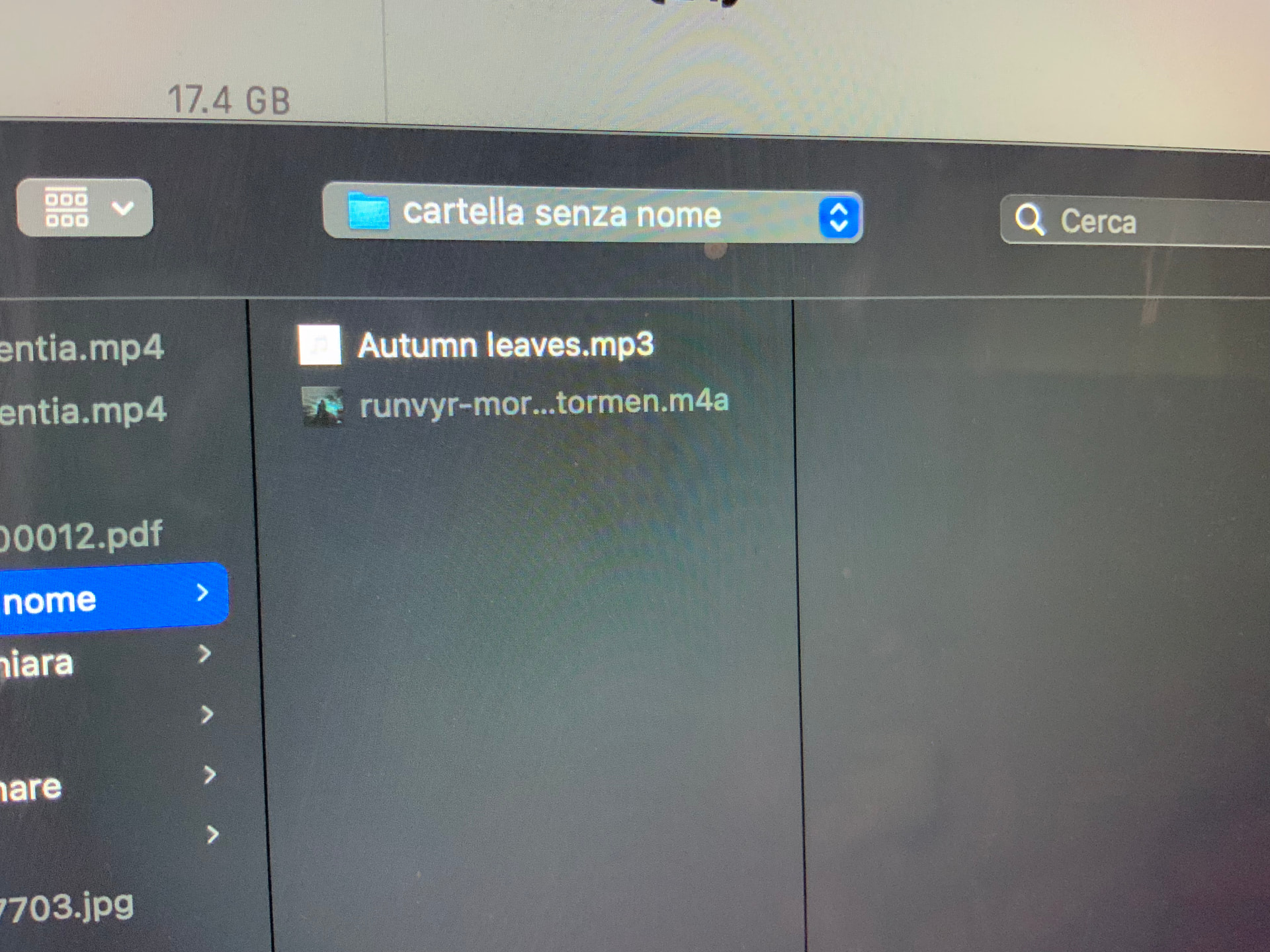
in photos
1 Like
That’s interesting. I have reached out to our team for help in this.
1 Like
@julko74 Our team said that you might have the wrong encoding of the acc file or it’s badly converted
Here are the supported AAC formats & containers
According to product technical specifications:
Supported AAC formats:
AAC LC in raw ADTS (.aac)
AAC LC in MPEG-4 (.m4a / .mp4)
Unsupported AAC containers:
AAC in 3GPP (.3gp) or MPEG-TS (.ts) containers are not recognized by the system.
But it’s strange because the file i can read in the music app if I import it by telegram and it’s perfectly running..
1 Like
@julko74 Can you check which format the AAC file has? Since you mention Telegram, files can change formats when it goes through different channels. So, it’s important to check how the file is formatted.
How do you do it?
1 Like
@julko74 To check the specific format, profile, or container details of an AAC (Advanced Audio Coding) file, you can use specialized media analysis tools or command-line utilities.
It all depends on how comfortable you are with technology.
Want add…. Experiencing the same issues with .m4a aac encoded 256 kbps file.
File:           /Users/rileydumont/Downloads/10 The Seed.m4a
File type ID:   m4af
Num Tracks:     1
----
Data format:     2 ch,  44100 Hz, aac  (0x00000000) 0 bits/channel, 0 bytes/packet, 1024 frames/packet, 0 bytes/frame
                no channel layout.
estimated duration: 266.969342 sec
audio bytes: 9190602
audio packets: 11500
bit rate: 275343 bits per second
packet size upper bound: 1345
maximum packet size: 1345
audio data file offset: 606422
optimized
audio 11773348 valid frames + 2112 priming + 540 remainder = 11776000
source bit depth: I24
format list:
[ 0] format:	  2 ch,  44100 Hz, aac  (0x00000000) 0 bits/channel, 0 bytes/packet, 1024 frames/packet, 0 bytes/frame
Channel layout: Stereo (L R)
Loudness Info:
    album loudness parameters        :
        aa ebu max momentary loudness    : -4
        aa ebu top of loudness range     : -6
        aa itu sample peak               : 0.53125
        aa itu true peak                 : 0.53125
        aa ebu max short-term loudness   : -4.75
        aa ebu loudness range            : 13
        aa itu loudness                  : -9

    main loudness parameters         :
        aa ebu max momentary loudness    : -5.25
        aa ebu top of loudness range     : -6.25
        aa itu sample peak               : 0.21875
        aa itu true peak                 : 0.25
        aa ebu max short-term loudness   : -5.75
        aa ebu loudness range            : 12.5
        aa itu loudness                  : -9

    sound check info                 :
        sc ave perceived power coeff     : "4389 4510"
        sc max perceived power coeff     : "29746 41968"
        sc peak amplitude msec           : "133143 235984"
        sc max perceived power msec      : "142153 230574"
        sc peak amplitude                : "33630 33171"

    media kind                       : "Music"

sound check volume normalization gain: -7.00 dB
----
Here is some of the format info.
Also… I’m on MuditaOS K 1.5.0, Mudita Center 4.0.0 (4.0.0) MacOS 27.0 (26A428)
1 Like
I do want to add that I extracted the raw aac via
ffmpeg -i "/Users/rileydumont/Downloads/10 The Seed.m4a" -acodec copy "/Users/rileydumont/Downloads/10 The Seed.aac"
It works! with the raw .aac
but it would be great for this not to be necessary… especially since most common users may not have the technical capability to run terminal commands to convert their files for the Mudita.
My file was a simple non-drm aac/m4a from iTunes, which is I think a common place for people to buy files from.
1 Like
Our team looked into the logs that you provided and our team say this is not a “simple” m4a. It’s much more complex than expected by Kompakt standards.
ffmpeg -i "/Users/rileydumont/Downloads/10 The Seed.m4a" -acodec copy "/Users/rileydumont/Downloads/10 The Seed.aac"
According to our team, problem is with file parsing - that means file contains unsupported additional meta data.
File Details from the Log:
- File Container:
.m4a(File type ID:m4af) - This is an MPEG-4 audio container. - Audio Format:
aac - Sample Rate & Channels: 44100 Hz, 2 Channels (Stereo L R)
- Bitrate: ~275 kbps (The user notes it as a 256 kbps encoded file)
- Source Bit Depth:
I24(24-bit) - Metadata: The file contains extensive Apple/iTunes specific metadata, particularly “Loudness Info” and “sound check volume normalization gain”.
- Environment: MuditaOS K 1.5.0, Mudita Center 4.0.0 on macOS.
AAC LC in MPEG-4 (.m4a) should be fully supported.
The fact that it is failing suggests the issue lies elsewhere. A few potential culprits based on the log:
- Metadata Parsing: The OS might be struggling to read or parse the heavy Apple “Sound Check” loudness normalization metadata attached to the file.
- Source Bit Depth: The log flags the source bit depth as
I24(24-bit). The Mudita audio player might have limitations with files originating from 24-bit sources, even when properly contained in an.m4awrapper.
In the meantime, Music Box is a community music app for the Kompakt that plays AAC .m4a files from the phone, using Android’s own media player rather than the stock app’s. If you have a file the stock app refuses, it’s worth trying there.
3 Likes
@wander It’s so awesome to see you creating all these GREAT apps for Mudita Kompakt
1 Like
good, thank you
2 Likes