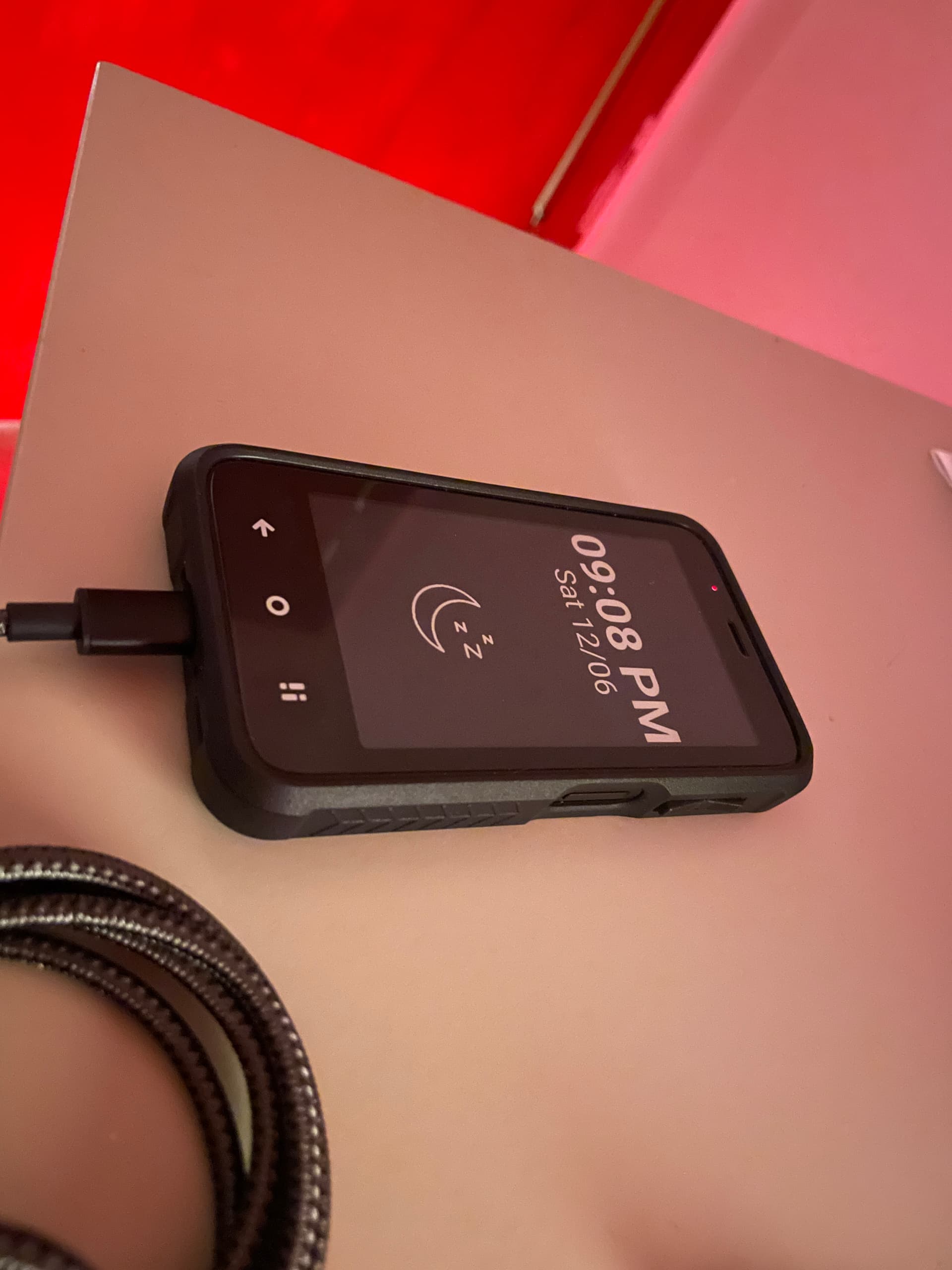
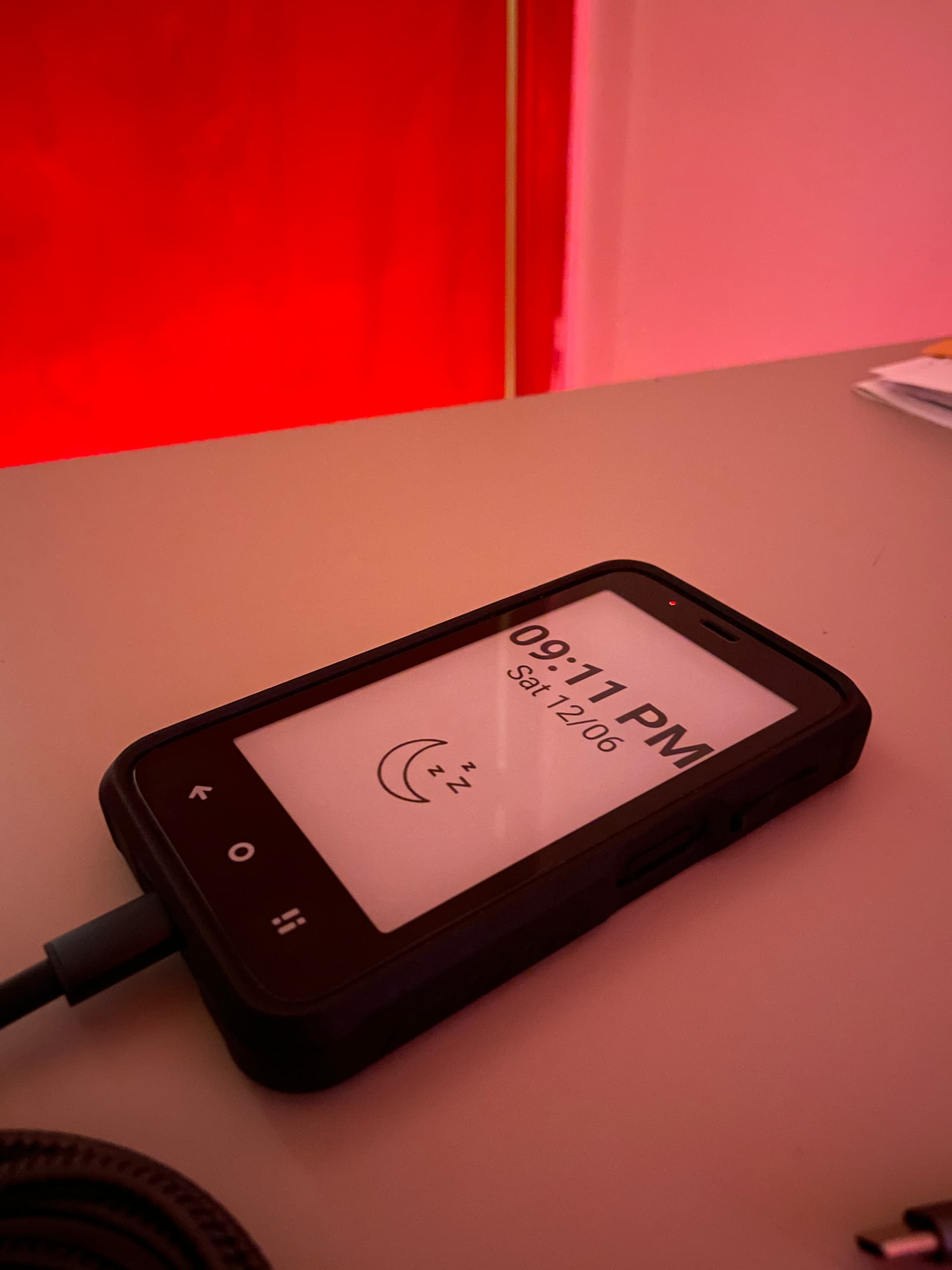
Now that accessibility settings are back! E-Ink Screensaver
The black one reminds me of the Lightphone 2 screen was when turned off. such a neat panel!
Now that accessibility settings are back! E-Ink Screensaver
The black one reminds me of the Lightphone 2 screen was when turned off. such a neat panel!
@ryanness So cool! I downloaded/installed the APK and granted all permissions but can seem to get the screensaver to start after the screen timeout, or when the power button is pressed…any suggestions?
i give all the permissions but dont see nothing can you advice
btw where you get that case?
ps: on display i only have bright and screen time out
Super cool 
Has anyone other than @ryanness figured out how to get this working? If so, care to share 
I was able to get this to (partially) - here’s how:
1 - Download the E-Ink ScreenSaver app (https://apkpure.com/e-ink-screensaver/com.tt.einkscreensaver).
2 - In the Developer Options, search for “screen saver”.
3 - Click on “Use screen saver”.
4 - Under Current screen saver select “E-Ink ScreenSaver”.
5 - Click on “When to start” and select “While charging or docked”.
6 - Click back and the toggle “Use screen saver”.
At this point it should launch the E-ink ScreenSaver app.
A caveat though…this ONLY works while the device is either charging or docked but NOT when the screen timeout occurs. UPDATE: THIS MIGHT BE CHANGING IN ABOUT 7-10 DAYS…STAY TUNED!
Bonus: Change the Time Format to “h:mm a” if you want a 12h clock and change the Date Format to “E dd.MM” if you want the name of the day, month, day.
Hope this is helpful!
I tried this and it works, even without InkOS, when you search for “screen saver” in developer options. But the screen saver only turns on when I turn it on in the settings. If I then hit the home button or the power button, it immediately goes back to the white screen with the padlock. And like you said, it won’t activate when the screen timeout occurs, which it should, if it was a proper screen saver.
And what is this mysterious line about ? 
P.S.: For me it doesn’t show the moon image, but the brand of my SD card. I don’t see an option to turn that off ?
Thanks @YYZ , I just updated the post to note that it does not require InkOS.
Re the possibility of it actually working like a proper screen saver, I exchanged with the app developer and we are experimenting with getting this to work with the Mudita Kompakt as it doesn’t with other e-ink devices like the Minimal Phone. They expressed confidence in achieving this but it’s still all experimental. As soon as I have something more tangible/actionable to communicate to the community, I will!
That is cool! It really looks awesome, and if it can be activated on screen timeout, it will be perfect.
I also figured out that the moon image appears when I turn screen notifications off. But then obviously no notifications can be shown, which is not really useful. Besides, why would an SD card send a static notification with its brand name ? If there was a way to turn that off, it would be great.
Some more ideas: first of all, the font can only be changed for the time, but not for the date. It would be great if both fonts could be changed, as well as their size, because the date barely fits on screen if you add the year at the end.
Ideally, the screen saver should be customizable as much as InkOS. Then both could be made to look similar, except the screen saver doesn’t have a list of apps, so it would be the perfect protection against “butt dialing”.