I have been using the Mudita Kompakt for 3 days. I really like the phone, and individual texts seem to be working perfectly. However, I am missing most group texts (MMS). Occasionally, one text will come through in a group, but I am missing the majority of each conversation. I have the NA version of the phone. I disabled iMessage and RCS messaging on my iphone. I tried to block and unblock a phone number (I read that this may work on the forum). Additionally, I made sure that “Download MMS context” and “Allow while roaming” are switched on. However, nothing seems to work. I receive individual text messages from people when they text in a group message that say the file couldn’t download. These files are usually about 2.35 kB (much smaller than 1 MB). I am unsure of why group messages are not working for me. Additionally, I have a lot of trouble sending and receiving photos. I have Verizon, so I am wondering if I need to switch carriers. Has anyone else experienced this issue, or does anyone have any recommendations?
@caroline I am sorry that you’re experiencing issues. I went through all the things that you have mentioned that you tried, but you didn’t write anything about APN settings:
Please check your APN settings on your Mudita Kompakt and set them according to the documentation from Verizon:
You’ll find these settings by navigating to Settings > Network and Internet > Mobile Network > Advanced > Access Point Names .
Also- some users have mentioned that if you cannot chance the APN settings, try setting up a NEW APN profile.
Let us know if that works.
Additionally, there are posts from Verizon user who offer some tips:
I’m in a similar boat and have verizon. When I go to my APN settings though, I’m not able to edit them, nor do I see a way to create a new one. The only option appears to be “reset”. I’m on the latest update.
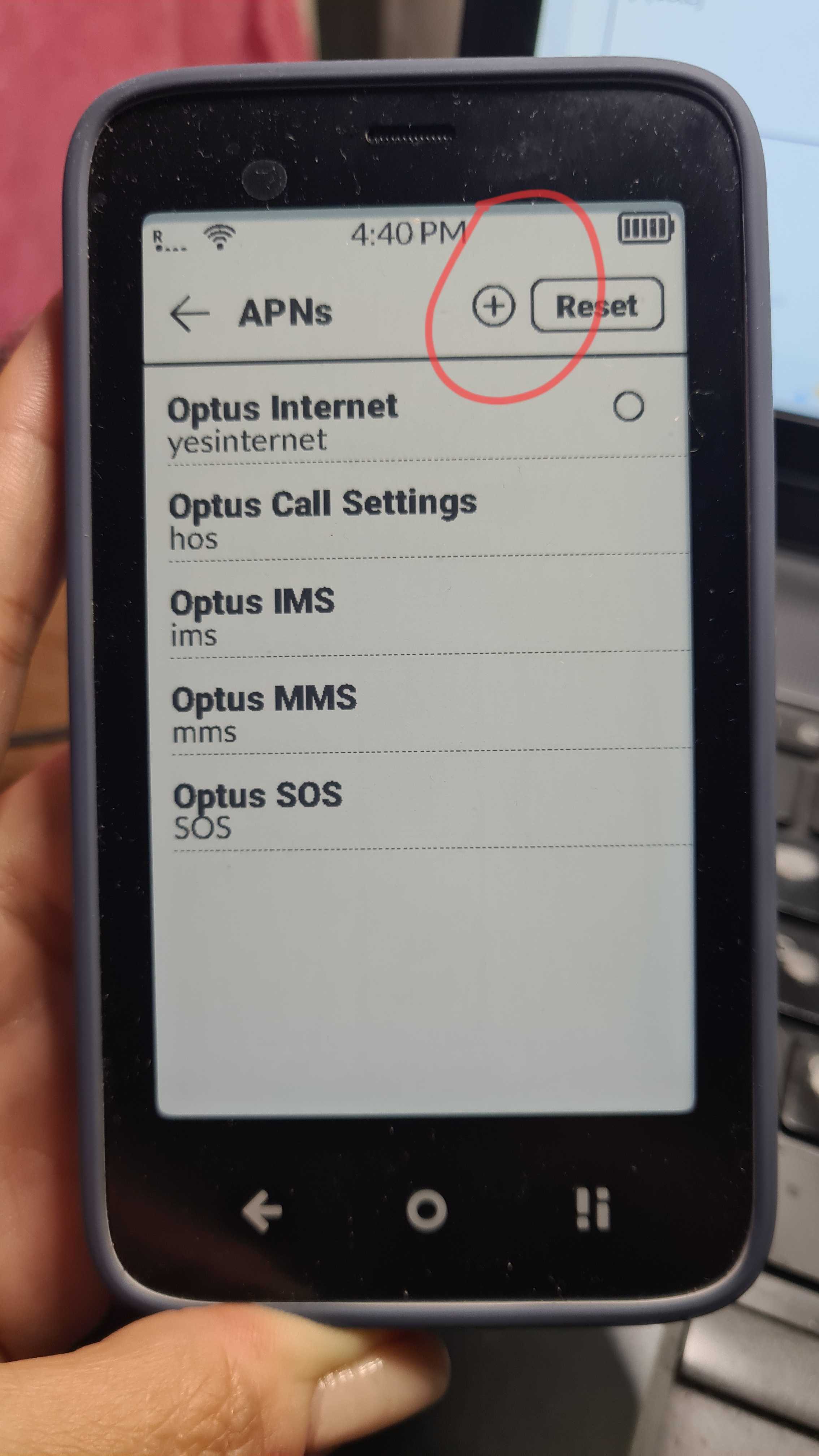
I don’t have that symbol. I believe, based on other posts here, that it is because Verizon locks the APN settings. I’m not 100% sure but I believe they also mentioned that customer support will not allow you to change them or that they make it very difficult.
Follow up:
I just called Verizon tech support… They told me there was nothing they could do to edit the APN settings and said I could try creating a new one… I informed them I can’t, but they said there was nothing they could do to change that. Seems Verizon is not a great network if you want to use group messages reliably
Highly recommend the Warp network on US Mobile if you switch. It’s been working for me after configuring the APN settings. It uses AT&T towers so coverage is good.
I use the Dark Star network from US Mobile on my Kompakt with no issues. It is the plan that uses AT&T towers. The Warp network uses Verizon and is not compatible with the Kompakt according to US Mobile support.
I highly recommend US Mobile Dark Star for the Kompakt!
@urszula Just to clarify, I’m not a Verizon user.
Based on what I’ve read on the forum, it does seem like the Kompakt is nearly incompatible with Verizon.
We do have some users that have made it work, but yes, the process is not for the faint of heart.