Microsoft Authenticator — Community App Review
Version: v6.2607.4697
Microsoft Authenticator is a 2-Factor Aurhentication app.
I have to use this app because of work purposes, as my IT has strict policies that does not allow me to use any other 3rd party authenticator. For us to be able to use the authenticator, we have to log in via MS Exchange. If you have / will have the same problem with your Kompakt or after purchasing your Kompakt, it works. It was hard for me to find these information before buying the phone.
You can log-in via MS Exchange, you will have your email account in the Authenticator app. You can add your personal Authenticators to this app as well. The pop-ups work, if you login on a browser or on your computer and it shows you the number, you can switch to the Authenticator app and the notification will pop up. As far as I’ve used it, it did not generate any notifications. If you expect anything, just swap to the app, it will show up on the screen.
App did not crash, I’m using my Kompakt at version 1.6.0.
Review for version v6.2607.4697
User rating: ★★☆☆☆
I am using Kompakt version 1.5.0, North American model, and have installed the latest Microsoft Authenticator App apk version v6.2608.5658. This latest version, and 1 other previous version of the app work fine for my school account, which allowed for alternate authenticator apps than the Microsoft Authenticator to be used, but does not cut it with my highly protected work account, which only allows for Microsoft Authenticator, and will not show the temporary codes I need to access certain work apps. I found a workaround to access my email remotely, by getting a physical key, but unable to work remotely with my current setup.
If anyone has troubleshooting ideas, I’m open to hear them! I spend many hours trying to get access with IT team at work, but they were not able to find a solution.
When I try to connect the Microsoft Authenticator app to my work account for temporary codes, error message says ‘‘Certain functions are not available without Google Play Services’’. When I try to set up passkeys, it says ‘‘Your device does not support passkeys. Try to update to Android 15 and try again.’’
Review for version v6.2607.4697
Author’s rating: ★★★★☆ · Author of this review
same here, but I do think the MS authenticator not showing temporary codes is neitherr Mudita’s nor Microsoft’s fault. Yours and mine IT teams are simply blocking the 30 second codes. I have 5-6 more accounts on MS Authenticator, they all show the 30 second code with no problems, only work email does not show it. Only way to use it is, logging in, log in screen showing a number, you go to the app and it prompts you to enter the number.
So, your IT allowing the 30 second codes is the only option for you I feel.
Review for version v6.2607.4697
User rating: ★★☆☆☆
Interesting! The 30 seconds codes do work on my old Android phone (that I had to keep for this reason). Do you think IT is allowing it for the LG-Android phone but not for Kompakt-Mudita OS?
Review for version v6.2607.4697
Author’s rating: ★★★★☆ · Author of this review
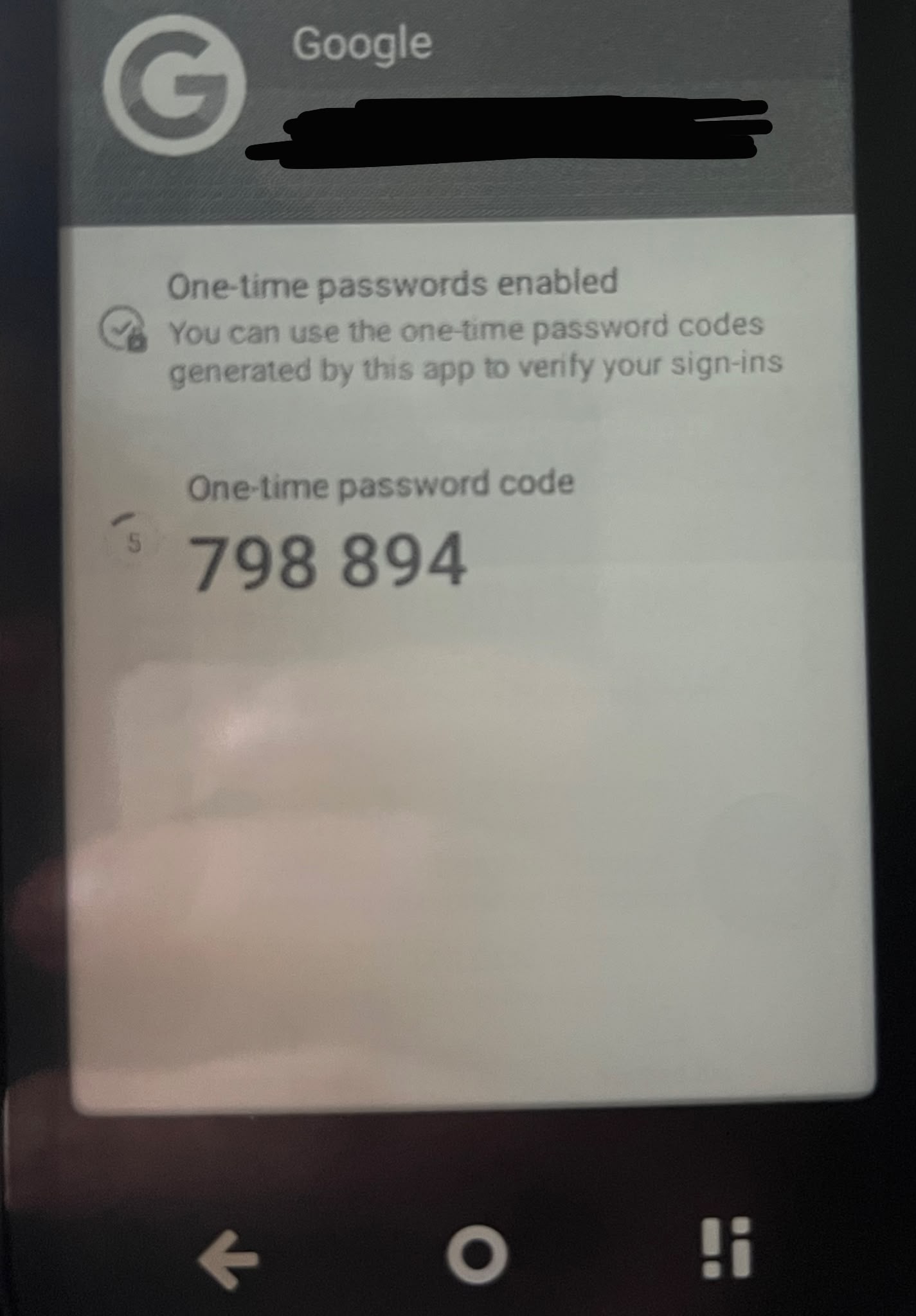
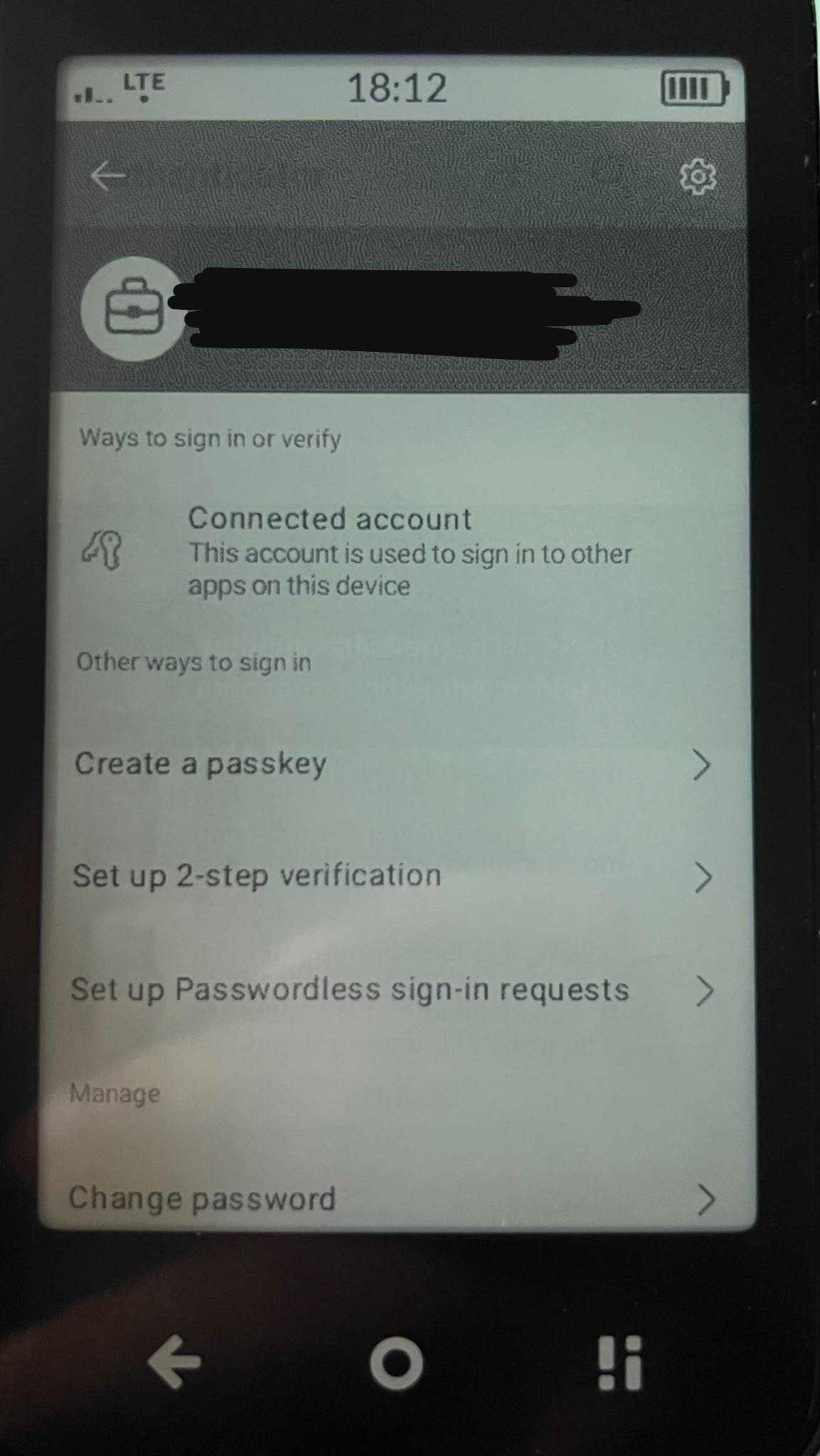
Yes it is quite odd. It might be tied to Android version, it being de-googled or anything else. Im adding 2 screenshots, one is my work account which does not have a phrase of one time passwords enabled. And my email, which has it. So the app is capable of it, just (in my opinion and from the fact that 5 others having the 30 second password) IT is blocking it.
Authwnticator doesnt let you take screenahots so I took pictures from my wife’s phone.