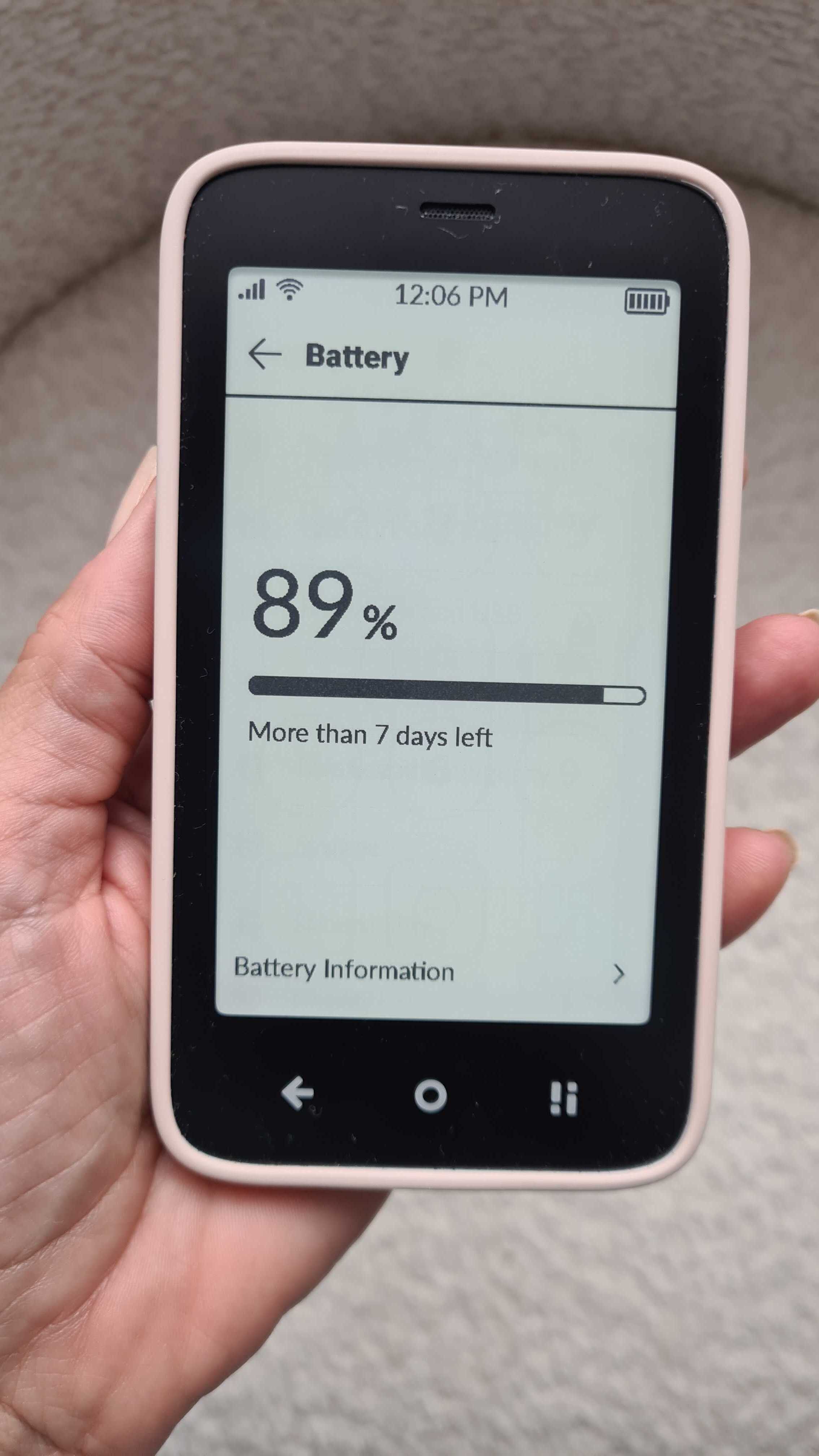
I got my Mudita Kompakt on Saturday. The battery info says it was manufactured in February of 2025. I just received the phone at the end of May 2026. Battery was at 80% when I turned it on and I went through the upgrades (4 of them) to 1.5.0. It took a while and I expected the battery to drain while this was going on. The battery lasted until the next day at which I charged it to 80%. That was Sunday night. It is now Tuesday morning and my battery is almost drained. I have hardly used the thing and don’t have any apps side loaded. Yesterday the battery went from 80% to 50% at which point I did some research and decided to turn off the backlight and Bluetooth. Overnight the battery drained to under 30%. It literally just sat on my nightstand.
So, did I just get a bad battery or is this normal? If the battery does need replaced, how do I go about getting this covered?
@Poor_Old_Lu Please give it a few more weeks to settle, the battery performance seems to improve after initial use. I agree the battery performance advertised 6 days, no way, that isn’t what I get from my Kompakt, I am a frequent phone user, and get about 2.5 days between charges, also charging it to 80%.
There are factors affecting battery, a weaker cellular signal strength is one cause of the drain…
Biggest power saver is to use the side switch to deactivate the radios when you aren’t using the phone.
There are some settings that are discussed in other threads that may help you adjust.
Would it help to do an initial charge to 100% and then only charge to 80% thereafter? My biggest concern is the fact that the battery sat unused for over a year prior to my using it. I would think that would cause issues with performance.
Yes, you can charge it to 100% every time, best use a low wattage slow charger as to not heat up the battery cells.
The 80% recommendation seems to be standard recommendation for lithium battery longevity.
My e-bike has similar battery guidance deplete to 20%, charge to 80% and I have found that does extend the duration of the battery life.
My Kompakt has the same date of manufacture, the concern for age of the battery isn’t a problem as long as it was stored properly with adequate charge, which it most likely was.
@treyh - but you sideloaded apps that consume battery so I think your experience is affected by your app usage. The apps you loaded are not standard apps, you use them at your own risk, affecting battery use is a side affect of sideloading apps, they use radios in the phone to connect to the internet
Yes, but I’ve had these same apps sideloaded for a long time with no excess battery drain until I updated to software 1.5… just curious why that would change things.
But yes, I am thinking of getting rid of all sideloaded apps
I found the best thing is to have two devices, Kompakt as a non internet device phone I know its not the best solution but the komp[akt has a good hotspot feature and a smartphone can run internet apps without a sim via wifi.
I also receive my Kompakt few weeks ago and the battery is from September 2024… I don’t sideload a lot of app and close the app after use. The only I use daily are Telegram and a little bit What’sApp. But my battery dont last very long. When I charge 80% the autonomy announces is 2 days. Not really near of the 6 days.
I know I have a bad network in my home so I put plane mod, maybe searching network consume battery. But I need Wifi in my home and it’s really cool to must everytime change plane mod when I go home or when I leave.
Informations on battery consumation could be a really good idea for the development of the phone. And by the way an option to force stop of all app in on touch could be great !
It’s important to keep in mind, when you first get your phone the info on this screen may not be entirely accurate because the device is still determining how you use it & how often you charge.
Out of curiosity, how many apps do you have sideloaded? What are they? List them all, please.
Personally, yes, I disable those settings. Wi-Fi can cause noticeable drain when the phone is repeatedly scanning, reconnecting, or receiving a weak signal. For Mudita Kompakt, I would recommend disabling Wi-Fi when it genuinely isn’t needed, especially overnight or while traveling. turning off Wi-Fi does not stop WhatsApp, Telegram, or other apps from working in the background if mobile data remains available. To prevent that network activity, the user would need to disable mobile data as well or activate Offline+.
I am not familiar with Telegram with the other apps- but I do have WhatsApp and Signal installed on my phone. I would also highlight in the first couple of months- the battery calculator is still working it out how you use the phone. The screen you see is a projection based on recent battery consumption and current conditions. When a phone is new, recently updated, or has just had several apps installed, there may not yet be enough representative usage history for that projection to be particularly reliable.
Hopefully, this makes sense.
I would give it a little more time under your normal, consistent usage pattern and monitor the actual percentage lost over 24 hours rather than relying exclusively on the days-left estimate. However, if you’re seeing sudden percentage drops, unusually heavy drain while the phone is idle, or the device switching off with charge apparently remaining, please contact Customer Support and provide logs so the team can investigate.