I’ve been living with the Kompakt for a few months now and have discovered one of the pain points for me is simply navigating QR and Bar -codes. I’ll be sent tickets, return slips, what have you, but without carrying around my email (happily, btw) or other apps I can’t readily display them. I’ve been in the meantime sending myself QR codes to save them which has been somewhat clunky for me.
In addition to this, in real life one of the few times people prompt me to use a smartphone is to scan QR codes. Sometimes these are for ads or flyers that are being promoted, but sometimes they’re just rather innocuous ways to cut down on paper, like for example a menu, or wait-list, or small online waiver for a local event. I don’t necessarily mind that use of tech and so I’ve been looking for something that is seamless and works for my Kompakt using that same minimalist design language.
Enter: Calm QR
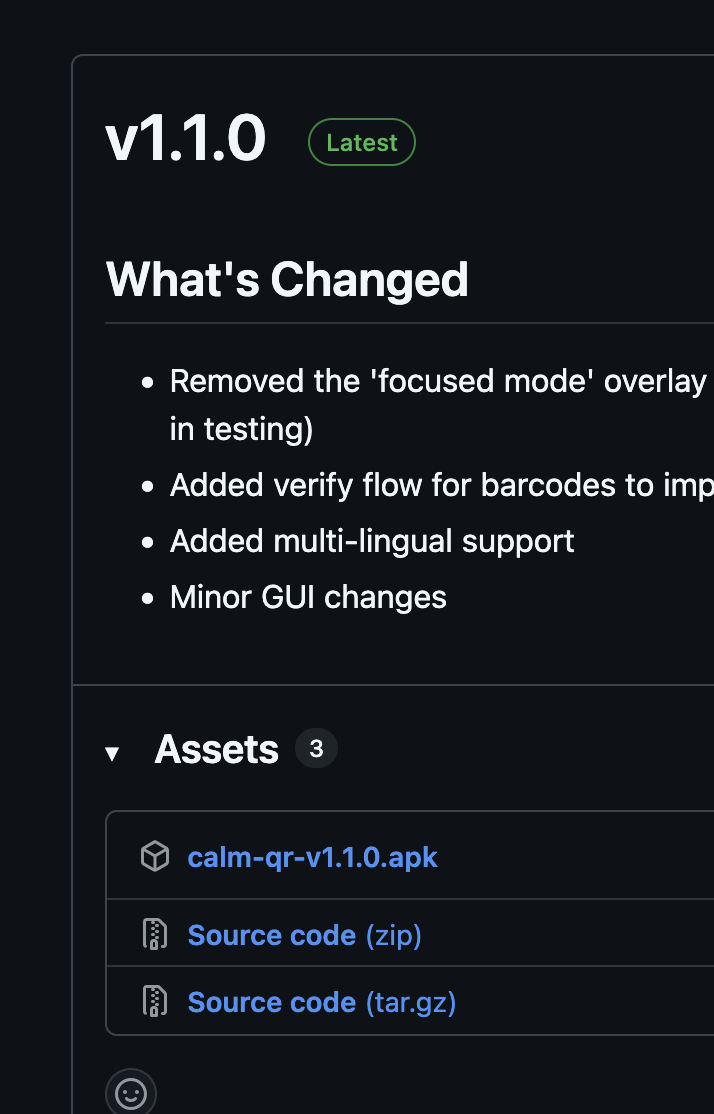
APK releases can be found here!
Enjoy. It’s a simple app, but if it’s any use to you I would of course appreciate a coffee (which is by no means mandatory). I use the app myself and already have ideas for features and improvements while still keeping it simple and straightforward as MMD aspires to be.
May it allow you to strike the right balance with technology, and live healthier, happier, more connected lives as a result fellow Mudita folk.
P.S. Thank you Ursula for enabling my ability to announce it here!
@jacobrmoss: Congratulations! I look forward to using this app after I get another Kompakt (after the voicemail enhancements planned for Q3 2026).
Questions:
Have you considered submitting Calm QR to f-droid.org for visibility there?
Is it possible to develop the rough version of an app for Kompakt without having a Kompakt, or must even alpha testing be done on a Kompakt? (I am considering developing a simple app, now that I have seen the excellent MMD documentation.)
I have not, and don’t really plan on submitting it to f-droid
Yes it would be possible I think. I personally have been developing it with my Kompakt specifically, but I don’t see why it wouldn’t be possible elsewhere. That said, just make sure to target the Kompakt’s Android 12 in your final build! There are some peculiarities there, so just be careful.
This is a significant improvement, and I recommend everyone who uses this app to download it. Here are my release notes:
Improved Performance: Upgraded the encoding/decoding library to the latest version and resolved camera bugs. Together with additional optimizations, scanning is now noticeably faster and more reliable.
Scanner UX Enhancements: Added a flashlight toggle and a camera initialization loading screen to the scanner page for a smoother experience.
Telepen Barcode Support: Added support for Telepen barcodes.
Most Recently Used Sorting: Your most recently used codes now appear at the top of the list, keeping your frequently used codes within easy reach.
Save WiFi to Device: New feature that lets you save WiFi network configurations directly to your device from scanned QR codes.
One thing I’ve noticed with this latest version when I went to add my supermarket loyalty scheme QR codes to this new version - there were a few times where I scanned a QR code to add it, but it registered as a regular barcode. If I then tried again, it’d register properly as a QR code.
When a QR code is scanned, I guess it typically opens a web browser ? Or is there a minimalist Webview replacement in which it is impossible to edit the URL, with this specific use case ?
That make sense, this is actually an issue that I’ve been working with – the way I’ve configured the app it looks for all types of codes, it may by mistake select the wrong type. You’ll notice on the barcode screen I account for this with advisory text and a prompt to “re-scan” if it’s wrong.
This is a situation where I feel the current solution is probably the best. I could have it scan QR codes only, but I actually do want it to scan and save barcodes as well. Sometimes in poor lighting conditions, or with a swift camera movement, it may “guess” the wrong barcode format, hence the prompt to check that the barcode pattern matches. The other option would be to filter for one type, but I think that would be awful as a user experience since you’d have to know what format you’re looking at and input that format first. For now simply re-scanning if it guessed wrong is fast enough, and in my experience it can get it in good conditions usually on the first attempt, and if not on the next.
In my experience also if it is a QR code, and it guesses a QR code format it’s always been right. The barcode support does add some instability, however, it’s already addressed with the prompt to re-scan if necessary, and that’s a trade off I’m willing to make.
Do please continue to report if this becomes problematic for you though – at a certain point if scanning is too unreliable I would add separate QR and Barcode scanning buttons which would help in that scenario (albeit at the expense of a bit more visual clutter).
Hi! So I believe I’m just opening your default browser, which is currently the “webview” by default. As has been discussed elsewhere I believe you could try to change the default browser, but that’s not something I’ve experimented with. I have no plans for adding a specific browser to this, since that really should happen outside of the app. This app makes no internet connections itself, all processing happens locally, and I want to keep it that way.
Not really, I’ll be honest, I like the idea of the project, but I do see it being problematic to rely on one maintainer to update what is meant to be a directory of Mudita Design Language apps for the Kompakt. Open Source does of course encourage fragmentation, which isn’t usually good for a user experience, however, I think perhaps a better option would be Mudita themselves taking over that sort of project, or at least pinning custom apps in the forum, or creating a separate topic for them – whatever balance they need to strike to support these projects and make them easy to access and keep up with for their users, without taking ownership or liability for them. It’s a delicate balance, for sure. If @Noteh wishes to add the project however I’d be happy if they did so.