InkShelf — Community App Review
Version: v1.0.2
InkShelf is a client for self-hosted Audiobookshelf servers, built specifically for the Kompakt’s e-ink screen.
This is my first app built specifically for It’s in what I’d call a soft beta. I only got my Kompakt this week and I’m still ironing out a few issues, but in my testing it’s fully usable as it is.
Features
- Connects to your self-hosted Audiobookshelf server over HTTPS
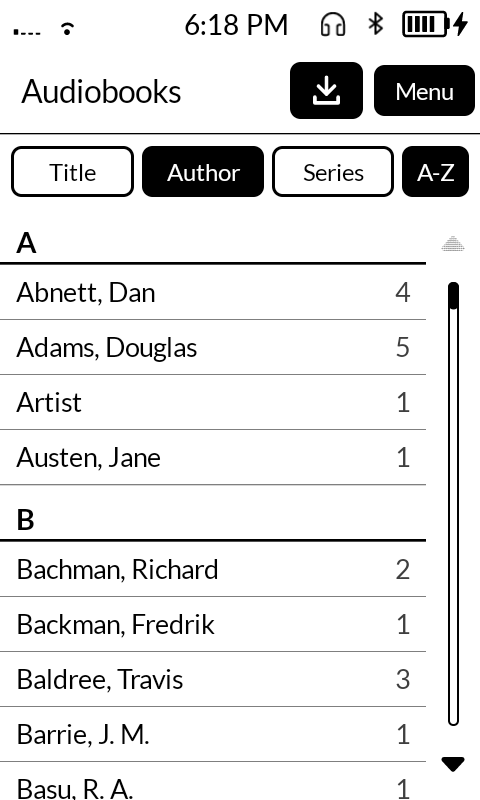
- Browse your library by title, author or series, with A–Z section dividers
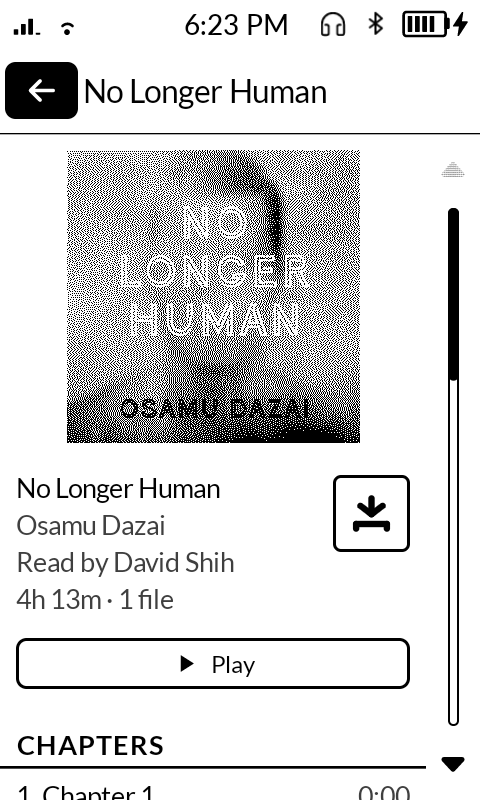
- Designed for e-ink with a high-contrast black-and-white layout, and cover art converted to look good on the Kompakt’s screen
- Download audiobooks for offline listening, including to an SD card.
- Progress syncs with your server, so you can pick up where you left off on other devices
- Plays in the background and with the screen locked
- Chapter navigation, 30-second skip and playback speed
- Choose the screen’s display mode (Contrast, Speed or Light) in Settings
I plan to keep maintaining this for a while, so if you run into any issues, let me know here or open an issue on GitHub. I’m happy to fix them.