I decided against my better judgement to to install a browser on the Kompakt, …. yes I know it goes against the whole ethos of the Mudita, but I had my reasons.
1 I still find myself carrying a smart phone in my bag, when I need to search the internet if Im away from the pc, and the temptation is always there to brows ebay, pintrest etc.
2 I recently had a rather embarrassing moment where I was stuck in a bathroom, in a remote part of the building, due to lock falling apart, I had to call the reception and get someone to release me, had I not had my second phone with a browser, to enable me to find the number, I would have probably spent the night there.
I’'ve installed einkbro, Im finding it works …… badly. which is good in my opinion, pages look pretty poor on eink screen, its pretty slow and not very responsive. All pluses really there is no way I would be doom scrolling using the Kompakt , but it is functional and is just good enough to get you out of a bathroom with a broken lock should the need arise
I think a lot of people are like you- myself included. It’s not about just mindlessly scrolling because on an eink screen it’s not much fun. I only really use it when I actually need some info.
yes the fact that the Mudita has an eink screen creates enough friction on its own, to stop the user browsing aimlessly, I would be interested if anyone knows how to change the default home screen / search engine to something other than google though.
Not sure about eInkBro, I only tested it once. But due to the recently mentioned vulnerability in WebView it would be wiser to avoid Chromium-based browsers.
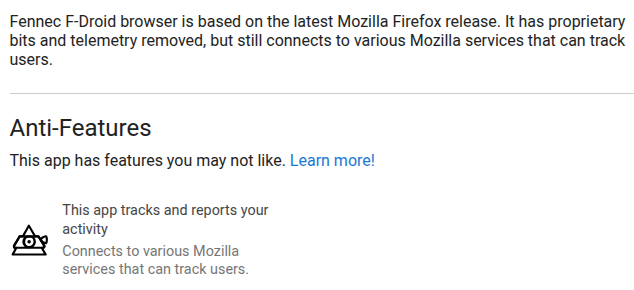
I prefer Fennec, a Firefox fork. There you can easily go to settings→search and change the search engine. In settings→home you can also change the default home page.
Same here, for some use cases I had to install a browser. I chose the Via browser because it’s super lightweight and has useful features like QR code scan, reader mode, offline mode etc. Because of the small e-ink screen and slow processor, browsing is very annoying and is only done when really required.
The only good option is the Vanadium browser from GrapheneOS. All others will have security flaws.
For a browser I use twice a week to find opening hours or perform a search, I don’t really care.
All sideloaded apps are a serious risk, btw. Mudita OS K is based on the outdated Android 12 and the devs already said they only fix security issues related to the stock apps.
I have the eink bro on my HiBreak Pro (Eink Phone) and I have only used it a handful of times when I need to submit my hours for work or download a book from the internet. I literally never use it and I think it’s fine to have it on the phone unless you have severe internet addiction. I also use a launcher which hides the app from the apps that I use on a daily basis and I find not seeing it helps!
I suggest to use aosmium as browser, it’s based on chromium, implements a lot of hardening from vanadium and works well when tested, better performances than gecko-based on kompakt.
Hopefully mudita will update webview, and keep it up to date so that using something eink specific like einkbro would become safe enough for most usages.