I need some help.
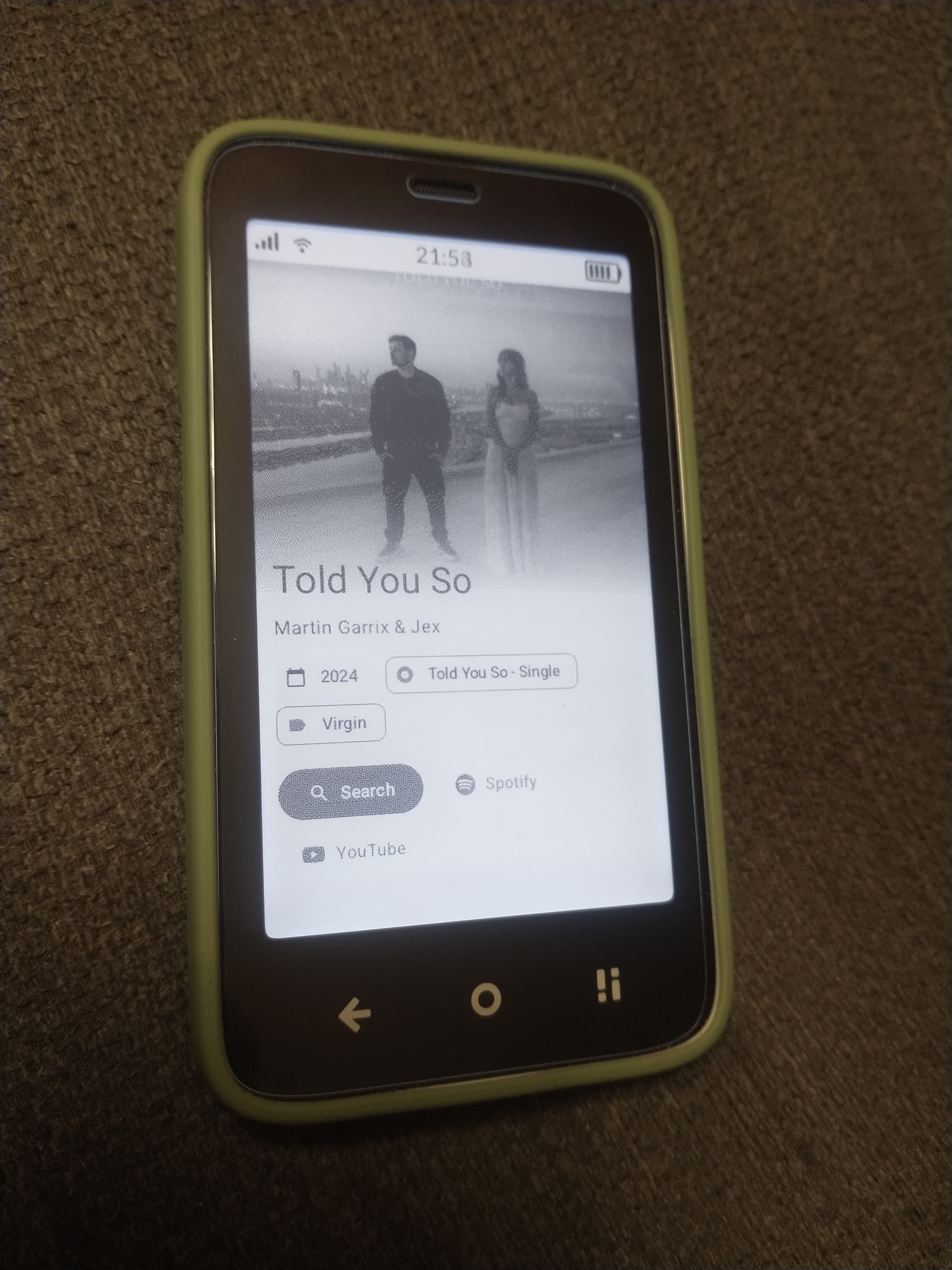
I have sideloaded Audire (a music recognition app from F-droid). The app works as it should, when it recognizes a song displays its title and the band etc.
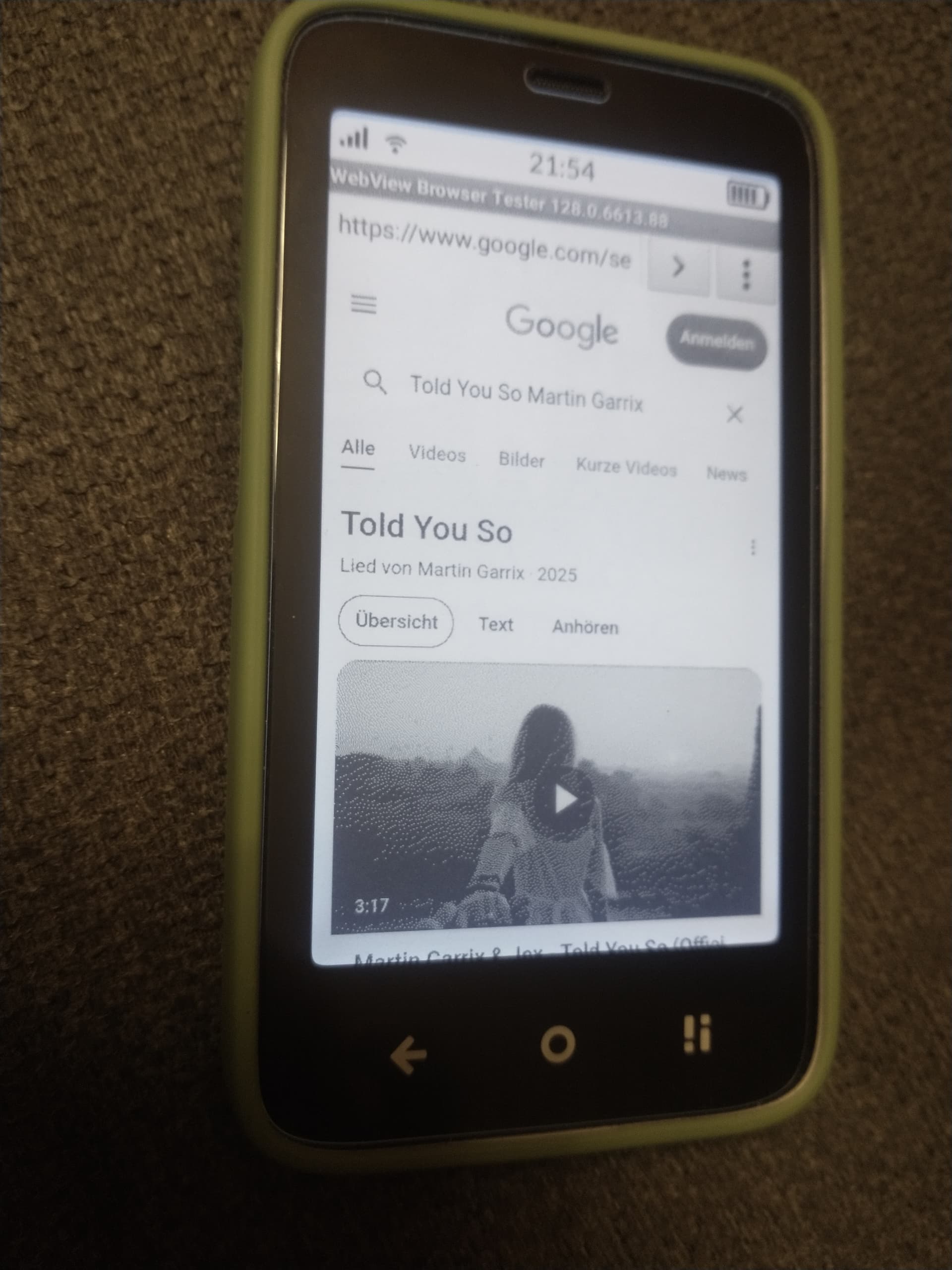
There is also a YouTube button,(which doesn’t work), and also a “Search” button. That search opens up some kind of browser and plays youtube videos upon tapping on it.
I would like to disable this browser. Actually if I klick on a link I don’t want it to be opened. Is it possible somehow? I didn’t know the Kompakt has a built in browser. (I haven’t sideloded any other apps apart from F-droid and from there have I installed Audire.)
Here are two pics. One is showing the app showing the song it has recognized from the radio, and one pic after clicking on the search button.
As @urszula has pointed out, if an app supports WebView functionality, then a user can stay within the app but see that to which the URL navigates.
The app that you are using (Audire) supports the WebView functionality. (Notice the “WebView” label at the top of your second screenshot.) You are ‘browsing’ to that video within that app because of this.
So yes, thank you for answer. But this WebViewer Tester thing is pretty much capable. After Audire has opened it, I simply tipped on the URL field and navigated to the Mudita website.
I have to add: I do not mind it now at all, I was just surprised, that this is possible. And, no, I won’t chew the rag here, if Kompakt is a full blown smartphone or not, as browsing on the Kompakt’s E-ink screen is far from pleasing, and yes, WebView is pretty much limited in functions.
Maybe @urszula can comment here, too, on what you found URL-navigation-wise with Audire. I thought that she posted that one can NOT navigate elsewhere, for example.
i think disabling it could cause problems, e.g. when you want to connect to public wifi and it opens a website with terms and conditions to accept so it connects. But since webview would be disabled then you wouldn’t be able to connect to that wifi
@zoltan & @kirkmahoneyphd I believe this is the SIDELOADED app that’s triggering this functionality.
Basically: Different apps = different WebView capabilities, based on what the developer wants to allow.
Different apps can trigger different behaviors and permissions within WebView, because WebView is essentially a blank slate that app developers can customize based on what they allow or restrict.
Users sideloading apps need to understand that:
WebView Behavior Depends on the App Hosting It
When an app uses WebView, the developer decides:
Whether JavaScript is enabled
Whether file uploads are allowed
If pop-ups are supported
If cookies or local storage are used
Whether external redirects are allowed
Whether it shows loading progress, back buttons, etc.
If links inside the WebView can open external apps or deeper WebViews
So two different apps using WebView can behave very differently.