After this update, I was happy to see that “See Participants” now works in group messaging. However, now I am having a different problem. When I send a message in a group text, my message sends in the group AND as an individual message to each person in the group. 
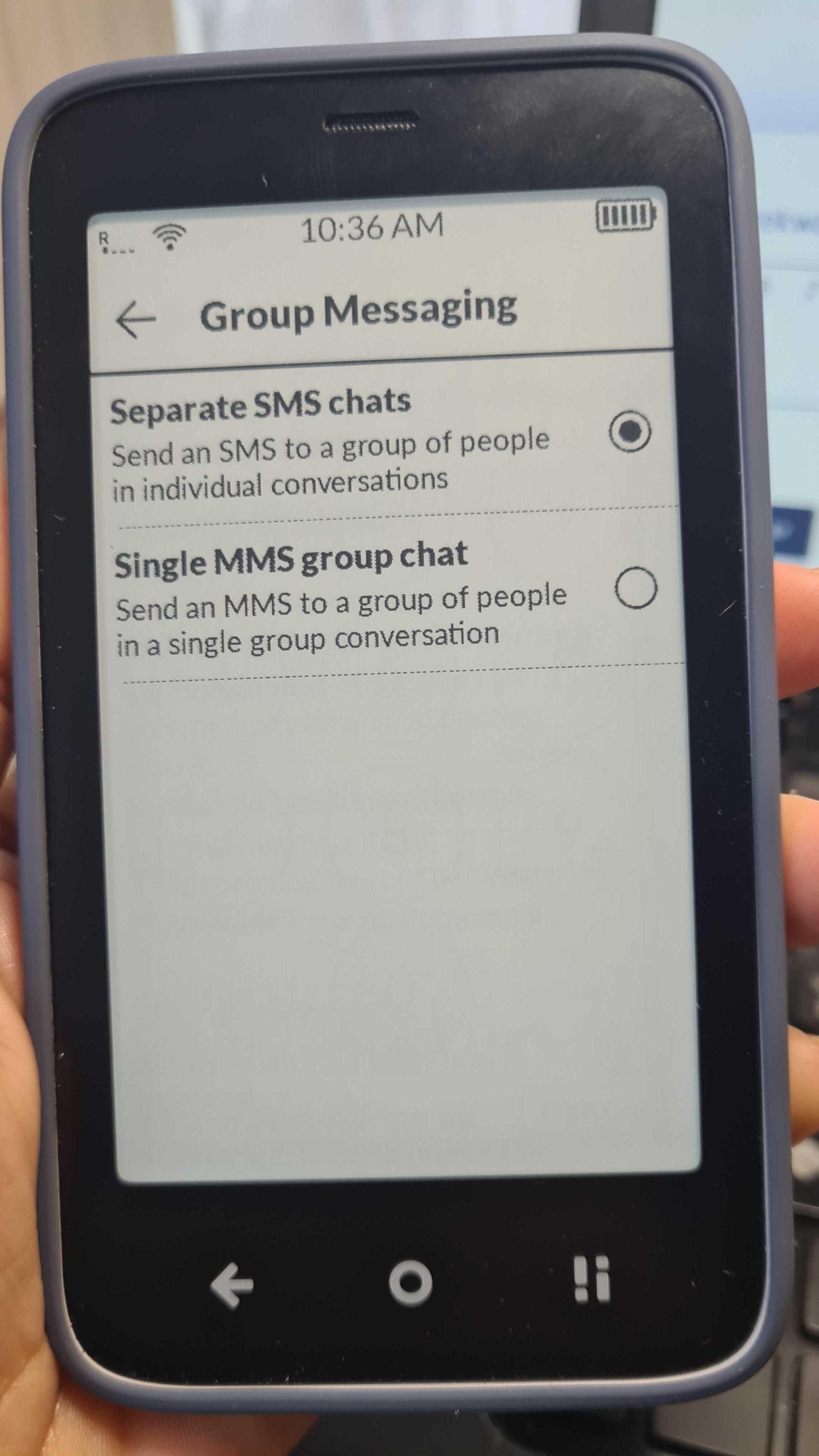
Have you tried to go to the SMS screen, go to settings > SIM > Group Messaging and choose single MMS chat
2 Likes
Same thing was happening to me, didn’t know this settings menu existed, thanks I think it fixed the issue 
2 Likes

I have managed to successfully send a group message, but I am not receiving the replies. I just tested it out by using a group consisting of my two sisters and a second phone we have in the house (an Android). Basically, even though my group text sent from the Mudita to the group successfully, all the replies from the rest of the group sent as RCS and thus only made it to my Android phone, not back to my Mudita. Any ideas how to fix?
2 Likes
Disable RCS:
https://messages.google.com/disable-chat
1 Like
Beware, the 30 day clock restarts after your last submission to the google RCS disable site.
1 Like
My previous device was an iPhone. I already turned off iMessaging from that phone and unregistered the number from Apple when I initially got my Mudita in October.
1 Like
Yes, but you still need to also disable RCS through Google—even as an iPhone user.
3 Likes
@bluecamas I believe stephenshutters is correct, considering the fact that iOS in the last few years allowed you to opt into RCS within the built-in Messages app.
1 Like
I entered my phone number in the window to “send code” but nothing happened.
1 Like
@bluecamas Yeah, unfortuntely, all I can say is “Good luck,” you’re at Google’s liberty.
When I did it, I never received the texted verification code. Then it locked me out. However, I tried again a few days later, and then it worked. I verified by asking a friend to send me a text: whereas before when composing the message, it read on his screen “RCS” (displaying it was trying to send an RCS message to me), after, it read, “SMS.”
1 Like
I had the same issues as you are all talking about and it worked. go to SMS=settings=SIM=Group Messaging=Single MMS group chat
1 Like