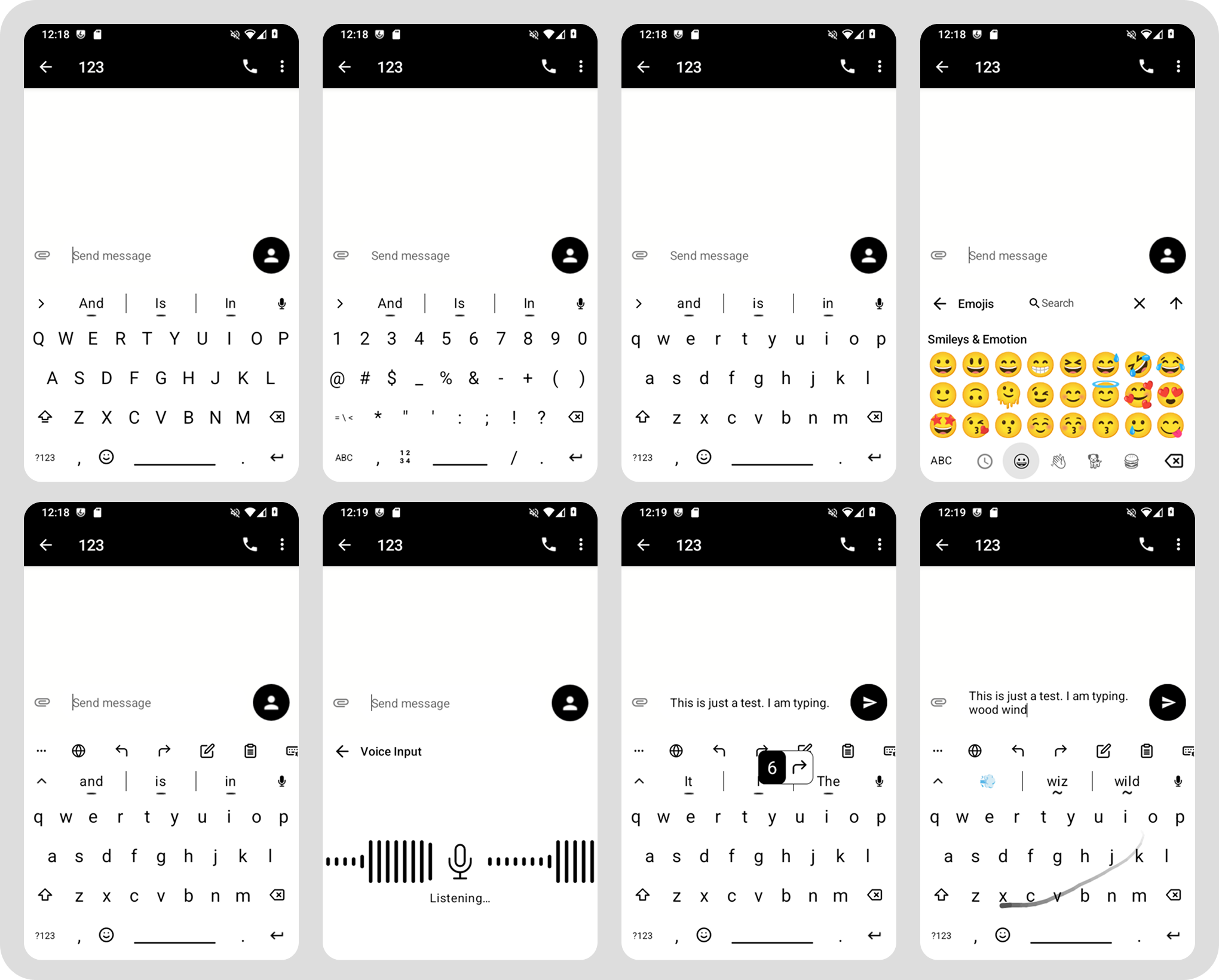
I’ve made a fork of the FUTO keyboard app and I wanted to optimize it more for E-ink.
DIrect link for the Releases is here.
(download the .apk file)
Link for the Source Code is here.
FUTO is an open source android keyboard app that supports:
- dictionaries,
- text prediction
- swipe texting
- local voice to text
What’ve done here:
- Cleaned up the keyboard & settings UI
- Removed animations and transitions
- Made settings paged scrolling instead of smooth
- Made the whole keyboard black and white, no pastel or grayscale shades
- Changed the pulsating bubble to an audio wave (for when using
- Removed the floating characters that appear while you type
This is a proper fork, so I’ll try to merge changes and fixes that FUTO does to it’s main repo to this as often as I can.
If you have any issues check and check FUTO keyboards main repo:
Check FUTO keyboards documentation:
For Dictionaries:
https://codeberg.org/Helium314/aosp-dictionaries#dictionaries
I use FUTO for english and for default voice to text capabilities. If you’re having any issues with your languages please consult the documentation above because I won’t be able to help you.
And just to clarify one more time, I won’t be adding any features to this I will simply merge FUTO changes to it from time to time.
This is signed with my keys not FUTOs keys, so if you’re already using FUTO you’ll have to uninstall. If you want to export your config before you do so go to Futo Settings / Miscellaneous / Export Configuration. Then when you install my fork you can import it. I tested it only once but it should work normally.
p.s Emojis you see on the screen are colorful because I’ve taken the screenshots in LineageOS not MuditaOS-K.
