Hi everyone!
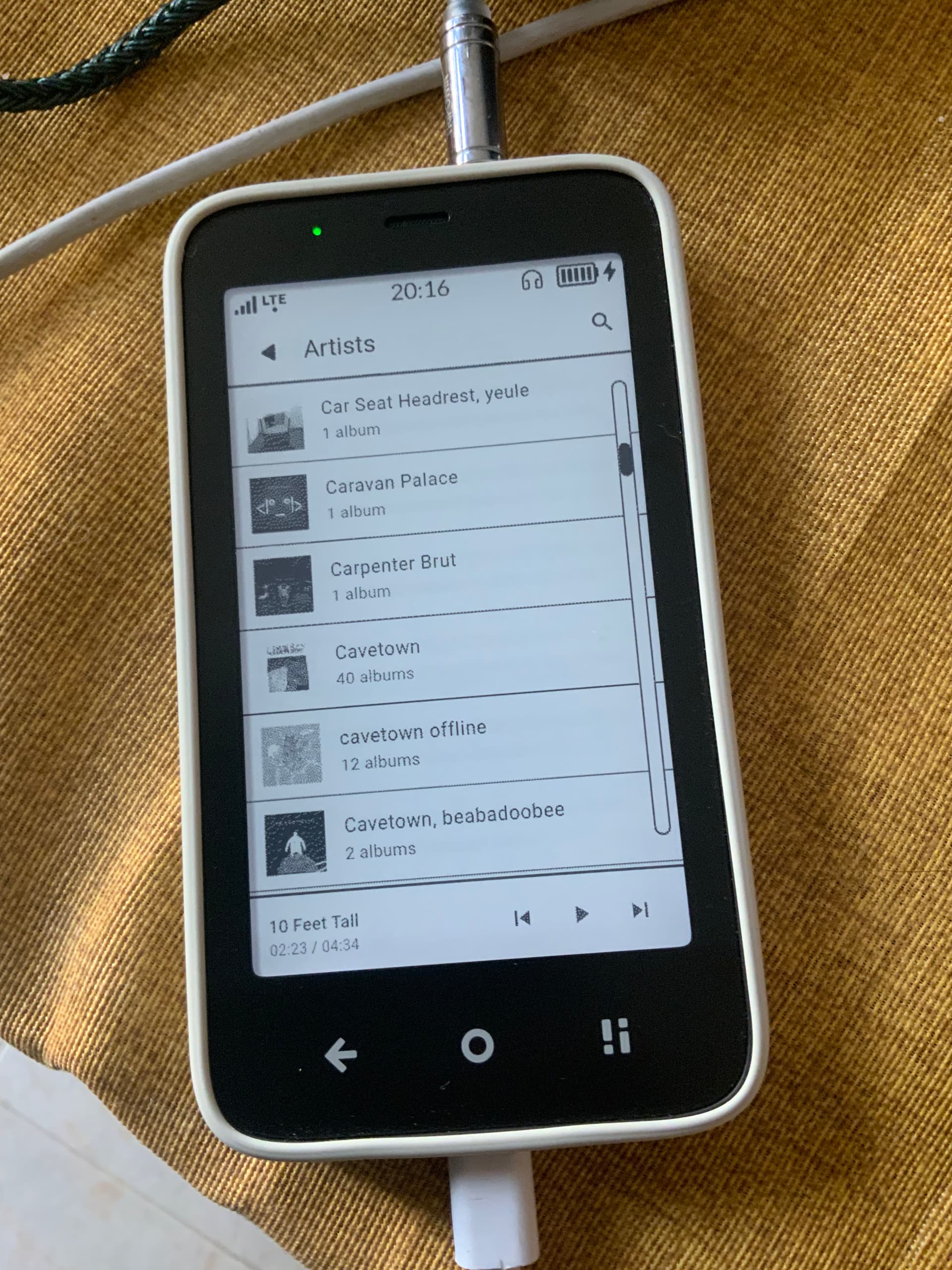
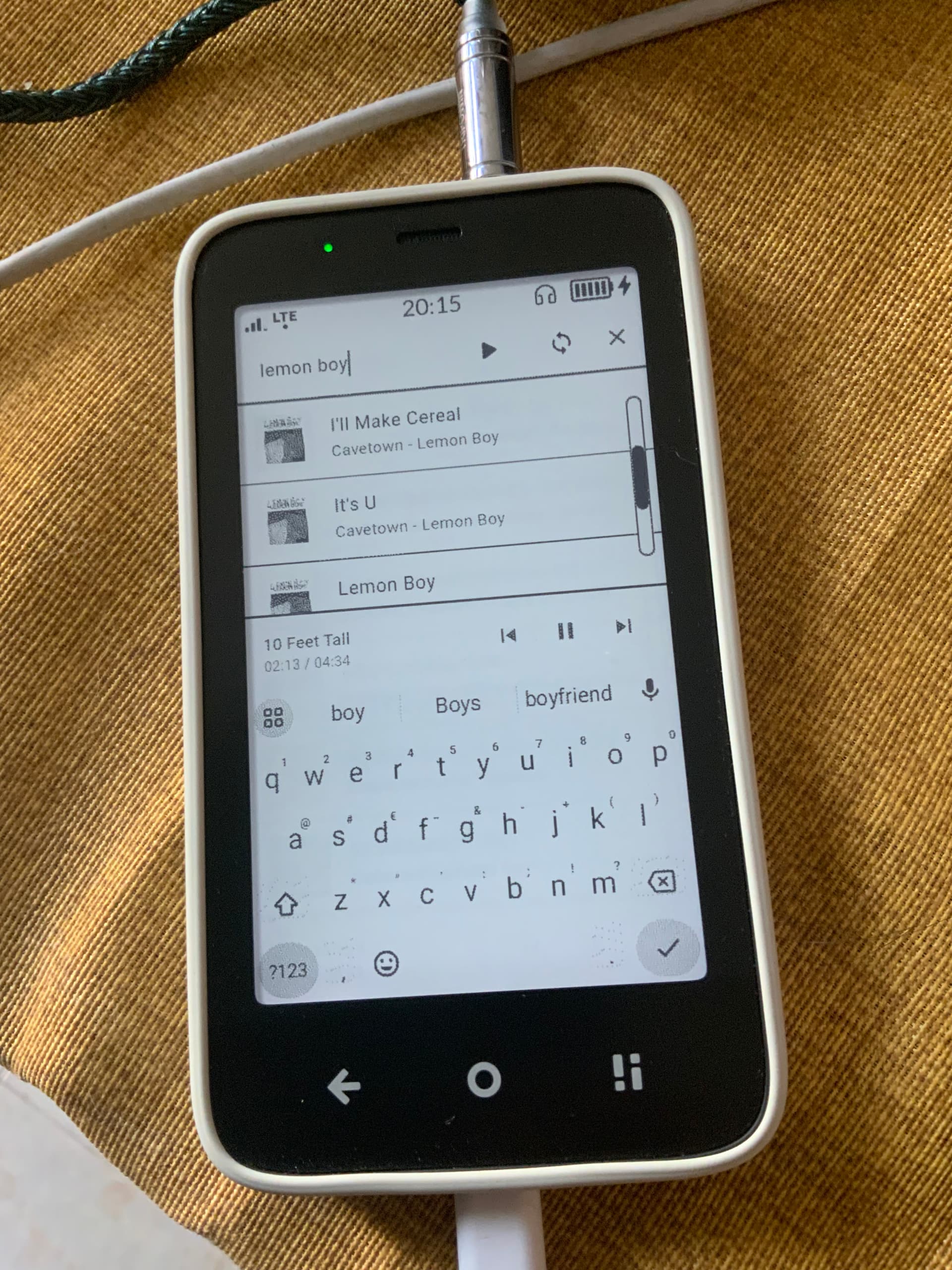
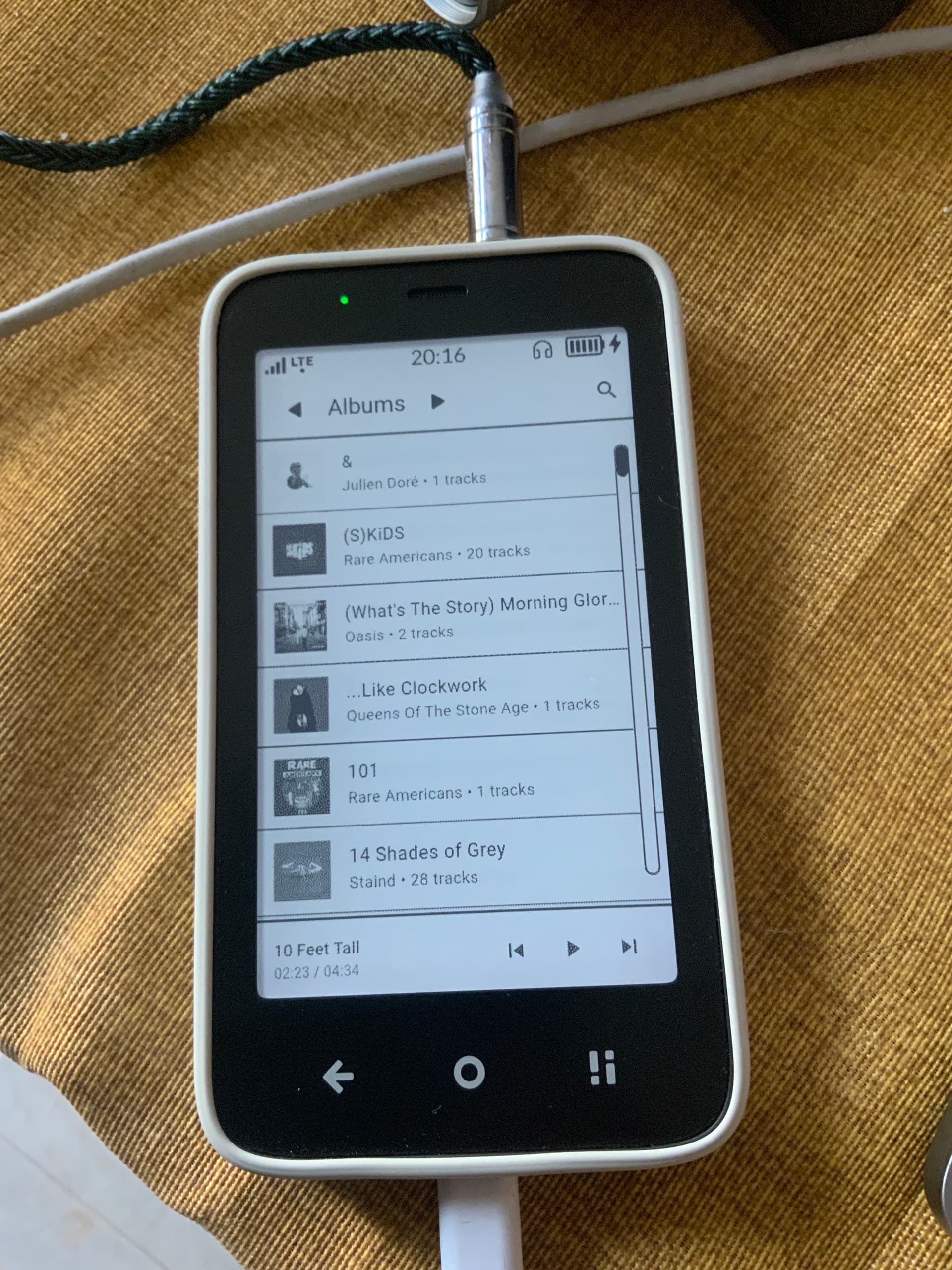
I’ve been using the Kompakt daily for about a month now, and while I really appreciate its minimalist philosophy, I found myself getting frustrated with the stock Music app. So I took it as an opportunity to learn and build a custom music player designed specifically for the Kompakt and its E Ink screen.
I’m sharing it here in case it inspires improvements to the stock player or encourages others to create their own tools.
(Also if someone would like to have this app I will post the apk and the full source code to Github in a couple of days)
Would love to hear your thoughts — and if anyone’s working on similar projects, I’d be excited to connect and exchange ideas
Not just because of the music app, but because you made me realize we don’t need to ask Mudita to release the OS source code to be able to enhance it our way - of course, this is more hardcore approach to sideloading ;d but I might also want to give it a go.
Thanks for the feedback. The apk is aviable as a pre-release for now.
Tomorrow I will push some fixes and set it as first release.
I will consider adding it to F-Droid.
This is amazing. @KonaRabbit, it would be great if you could explain the tools you used and the steps to build such an app. I am sure many of us are technical enough and keen to learn
If you mean building the APK from source code there is no need as I released the APK already (there may be bugs in the app tho).
As far as creating the app, I’m a software developer myself so explaining how to make an app would mean make an entire course on how to code and then explaining Flutter and Dart and I don’t have the time to do that.
I could make a document with general UI/UX guidelines to create apps for Eink devices but I don’t know how many would benefit from that.
I’d be interesting to give it a shot at some point as a hobby/contribution.
IMO it would be fair enough if you let us know the toolkit (Java? Dart? Flutter? Github? Python+Kivy or BeeWare? I’m leaning towards Python because that’s what I’ve been using recently for the most part), and more-less what the milestones would be (draft → build the UI → code the functionality → test → compile? shooting in the dark now).
For the guidelines, I believe we’d need low refresh rate and high contrast with not many (<16?) levels of grayscale for any decoration. Is that correct?
With current eink implementation you basically can only use fully black as the other shades of grey are just fuzzy and everything looks pixelated. The display is working on fast mode and only full black is looking good at the moment. So try to limit accents unless they’re necessary and use underlines/borders where you can
I used Dart and Flutter to make the app (the versions used are on github) 'cause I found the libraries are somewhat updated and you can tap into the native device functionalities fairly easily (It took me a week, working on it about 1 hour a day to make it).
Still the app is an experiment as I am not a super expert developer.
I will update the repo with guidelines, description and all of that if you (or someone) may want to contribute.
I made the UI of the app by trial and error and from my experience:
Animations are generally to be avoided unless strictly necessary and the more minimal and simple they are the better.
Grayscale does not work well, if you absolutely need to show grayscale content it’s better to quantize it to reduce the image to 16 level grayscale, then dither it and finally enhance contrast, but it’s a lot of work and doing it for all UI is heavy computationally so it’s better reserved for images or other media (I did not do it for the album covers as it seemed not worth the effort).
The more white space you have the better, it leaves the interface feeling more minimal and reduces ghosting and screen updates.
There is no way to access the eink display service without root (I tried and didn’t want to root it), so no controlling the speed/quality of the display (maybe for now? An SDK would be nice Mudita, please).
Aside from that my process is generally:
Have an idea for an app → search the libraries for the functionalities I need/ how easy is to do → sketch the UI / UX on a notebook → code → test it → repeat until I am satisfied or get bored.
End note (a bit off topic)
From what I’ve seen most people sideload Whatsapp and / or Telegram and they work but the experience is far from enjoyable. It would be nice to look into how Beeper handles it’s integrations and use them to skin an Beeper clone for eink as it is the one thing Mudita will never do (probably for legal reasons), but the community could.
It is, my kompakt lasts 2 days with it installed and I don’t even use it that much (I check it once or twice a day).
Between telegram and Whatsapp my battery life is halved
I’m also thinking about installing Beeper for that reason. Unfortunately, my friends and family are spread over several messaging platforms and having all of them on my device is kinda clunky and drains my battery. I just don’t know how I feel about Beeper’s privacy. I don’t text any sensitive stuff ever and mainly use it for keeping in touch, food and cat pictures (isn’t the internet made of cats? :D) but I am still a bit wary. I really like the idea of Matrix though and, if I remember correctly, know someone who uses it quite a lot.